
API Services
Overview
The Collate API service facilitates metadata ingestion from RESTful APIs that expose OpenAPI (Swagger) specifications. This connector is particularly useful for integrating custom services or third-party tools that are not natively supported by Collate. This is the supported list of connectors for API Services:
REST
PROD

Supported Features
- Metadata Ingestion: Extracts metadata from services exposing OpenAPI JSON schemas.
- Custom Integration: Allows integration with bespoke systems through standardized API definitions.
- Flexible Deployment: Supports both UI-based and CLI-based ingestion workflows.
Use Cases
- Custom Application Integration: Ingest metadata from proprietary applications exposing OpenAPI specifications.
- Third-Party Tools: Integrate with external tools and platforms that provide RESTful APIs.
- Extended Metadata Management: Enhance metadata coverage by incorporating services beyond the default connectors.
Best Practices
- Schema Validation: Ensure the OpenAPI JSON schema is valid and accessible.
- Authentication Management: Securely store and manage authentication tokens required for API access.
- Regular Updates: Periodically update the OpenAPI JSON schema URL if the API definitions change.
Configure Metadata Agent and Schedule Ingestion
The Metadata Agent extracts API collections, endpoints, and other structural metadata from your source and keeps your Collate catalog in sync. It powers discovery, lineage, and governance across your data assets. When you click Create & Deploy, Collate automatically deploys a Metadata Agent for this service and triggers the first ingestion run. View its status and run history from the Agents tab on the service detail page. To configure the additional Metadata Agent and schedule ingestion, follow these steps:- In the left navigation, click Connections and select your service.
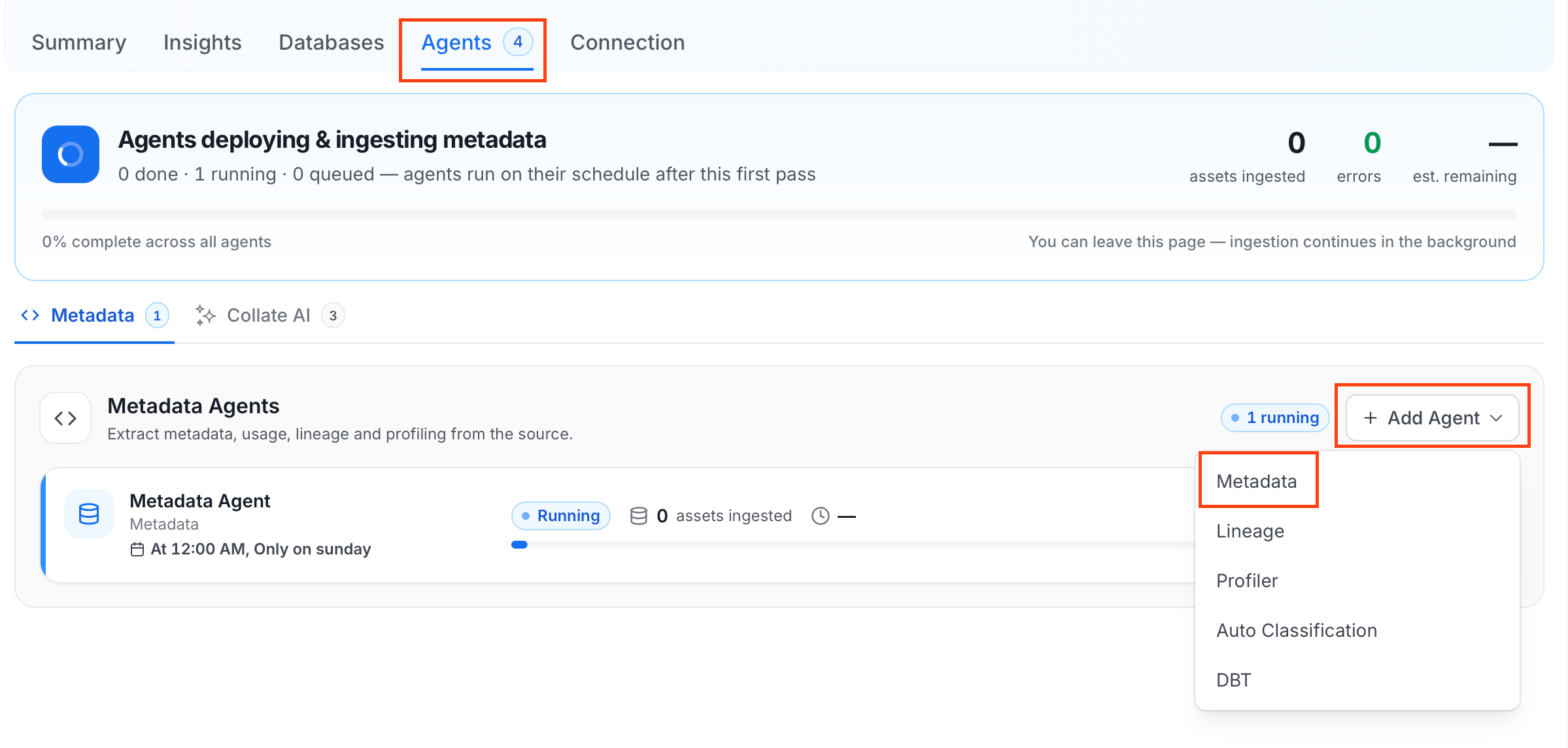
- Click the Agents tab.
-
Click Add Agent and select Metadata from the dropdown.
-
On the Configure Ingestion page, do the following and click Next.
-
Name this Ingestion: Enter a unique, recognizable name for this ingestion pipeline.

-
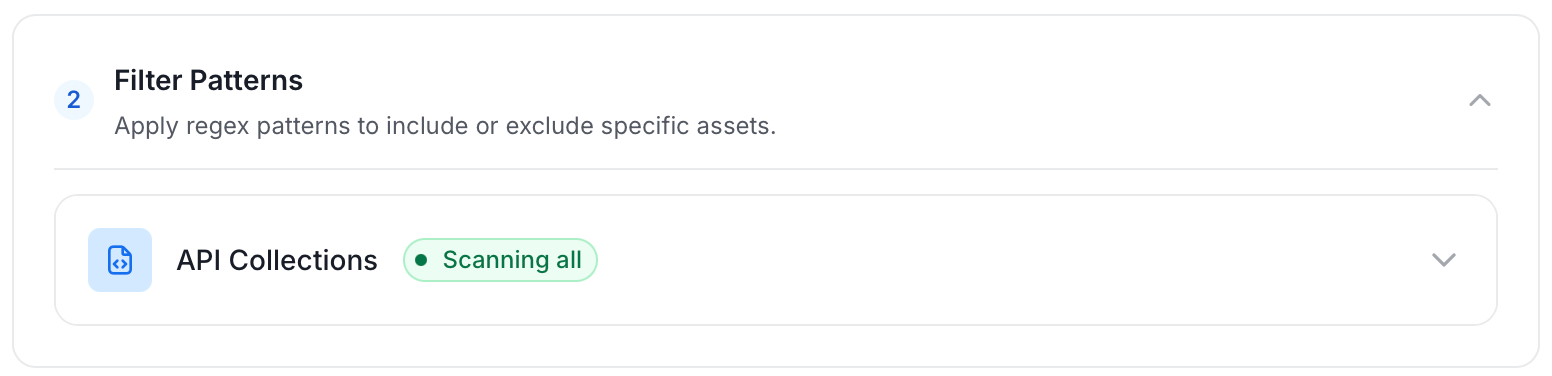
Filter Patterns: Apply include or exclude rules to scope which API collections and endpoints this agent ingests. These follow the same filter options described in Step 5.
-
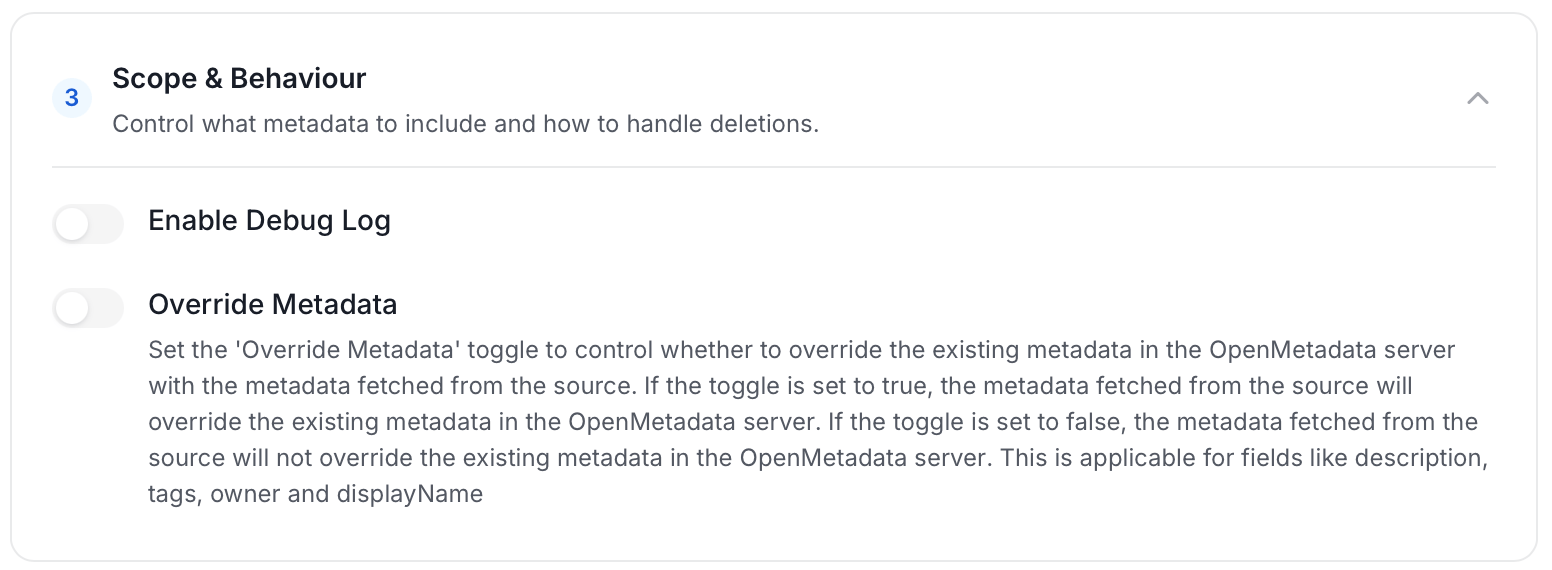
Scope & Behaviour: Control what metadata to include and how to handle deletions. Toggle each option on or off based on your needs:
-
Name this Ingestion: Enter a unique, recognizable name for this ingestion pipeline.
-
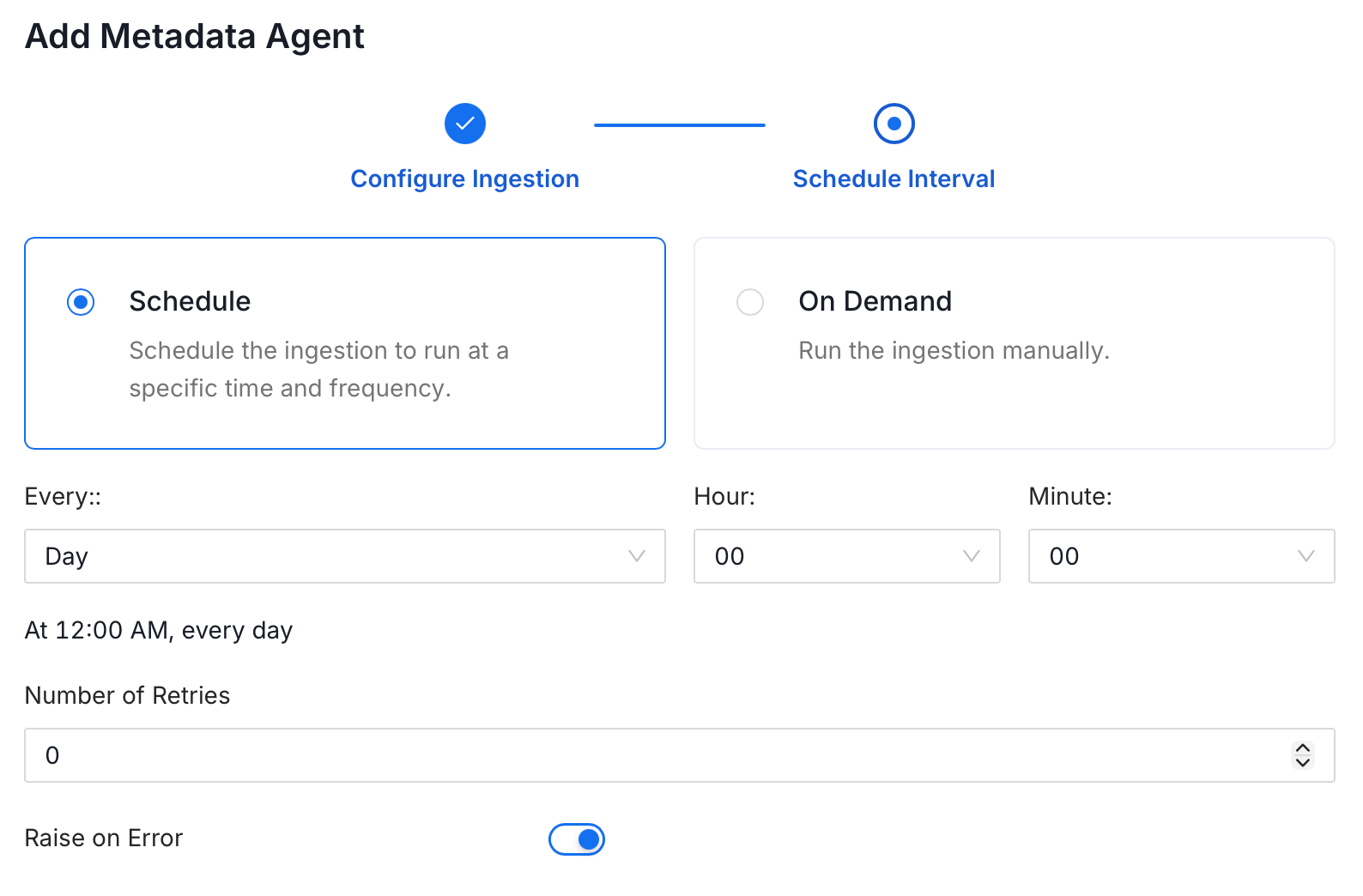
On the Schedule Interval page, set when the agent runs:
- Schedule: Choose a preset interval (Hourly, Daily, Weekly, Monthly) or enter a custom cron expression.
- On-Demand: No automatic schedule; trigger the agent manually when needed.
- Click Add to deploy the agent.