Glossary Approval Workflow
The Glossary Approval Workflow in Collate helps organizations maintain a high-quality, standardized business glossary by introducing a structured review and approval process for glossary terms.Overview
A business glossary is critical for ensuring consistent terminology across an organization. The glossary approval workflow ensures that each newly added term is carefully reviewed and approved before being published for organization-wide use. This process helps prevent duplication, incomplete definitions, and outdated terms.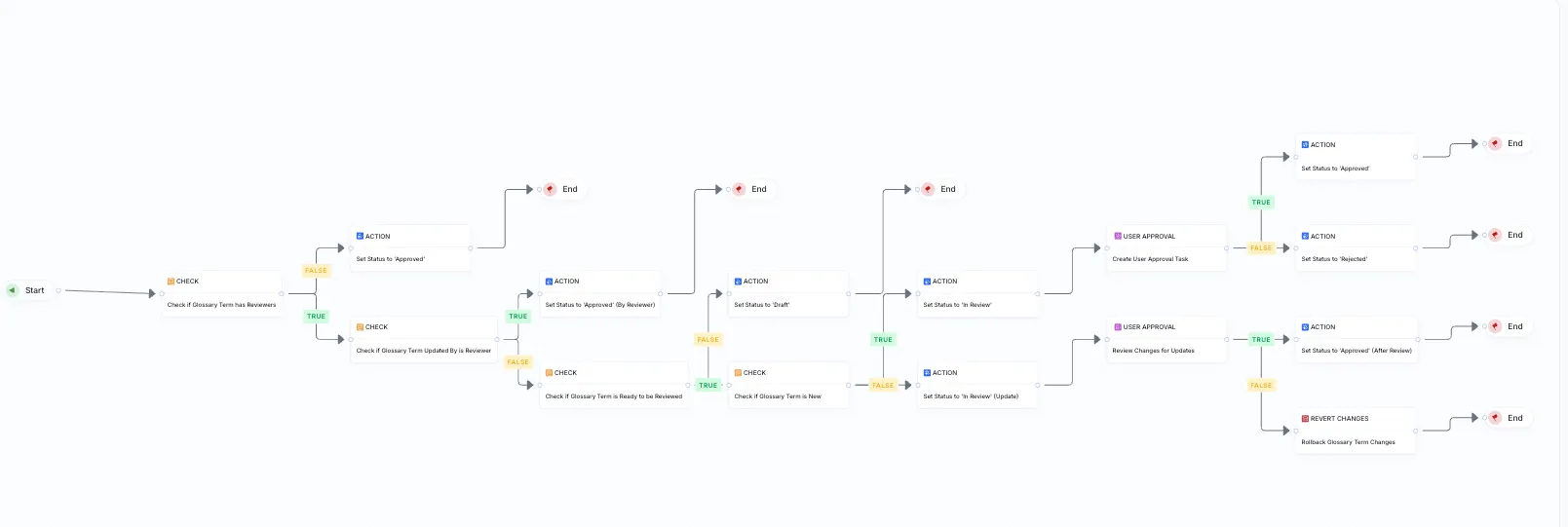
Key Features
Term Review and Approval
- Draft State: When a new term is created, it enters a draft state.
- Review Assignment: A task is automatically assigned to designated reviewers for that glossary.
Approval Process:
- Only assigned reviewers can approve or reject terms.
- Approved terms move to an Approved state and become available for wider use.
- Rejected terms remain unpublished to preserve glossary integrity.
In-App Collaboration
- Reviewers can view and edit term details directly in Collate.
- Team members can collaborate using comments and @mentions to discuss terms and provide feedback before approval.
Auto-Approval for Glossaries Without Reviewers
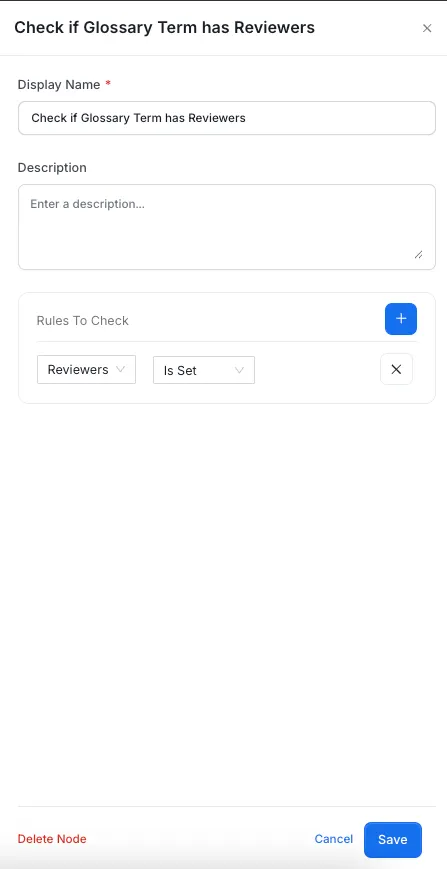
- If no reviewer is assigned to a glossary, terms are approved automatically upon creation. This can be modified to suit the needs of the organization.
Auto-Approval for Glossaries where the Updating User is a Reviewer
- If the Glossary Term is edited by a reviewer, then the Glossary Term is Auto Approved without the requirement of any approval. This can be modified to suit the needs of the organization.
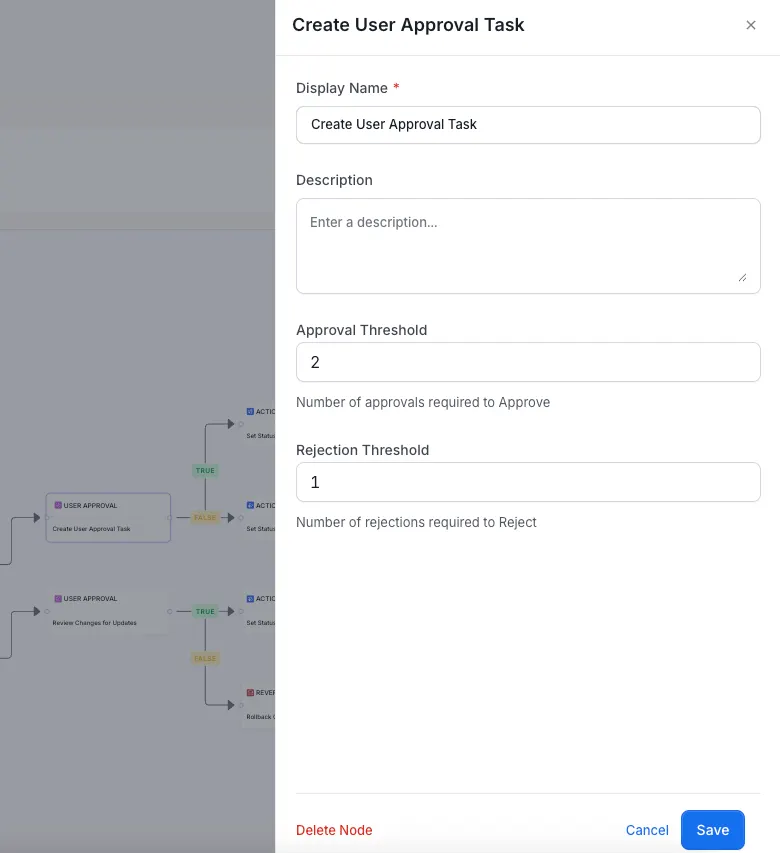
Approval and Rejection Threshold for User Tasks
- Flexibility to set the Desired Approval and Rejection Threshold for User Approval Tasks.
Benefits
- Consistency: Prevents redundant or conflicting terminology.
- Quality Control: Ensures all terms are meaningful, complete, and accurate.
- Governance: Provides visibility and control over glossary content and curation.
- Collaboration: Facilitates discussion and consensus before terms are finalized.
How to Enable
To activate the approval workflow:- Assign one or more reviewers to the glossary.
- Once assigned, any newly added term will initiate the approval process.
- One can check the configuration of the glossary term by clicking on data asset in Workflow.
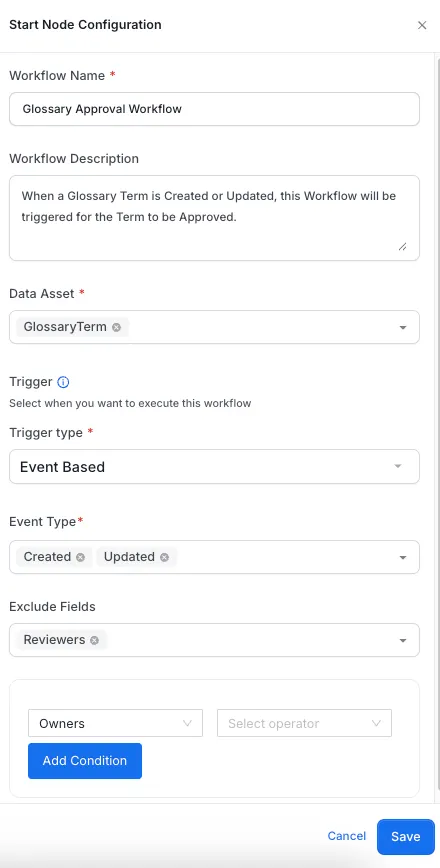
- To change any configuration of a node, Click on Edit Workflow and then change the configurations of the node