
This connector is available exclusively on Collate.
Requirements
The connector reads BW Process Chain catalog tables from the underlying SAP HANA instance. The HANA user requiresSELECT privileges on the following objects:
Pipeline Ingestion
Pipeline Status
Lineage (Process Chain → ADSO)
Metadata Ingestion
To ingest metadata from SAP BW/4HANA Pipeline, you need to create a service connection. The service connects SAP BW/4HANA with Collate. Once you create a service, Collate automatically starts ingesting metadata.Step 1: Add New Service
Open the Services page and start a new service.-
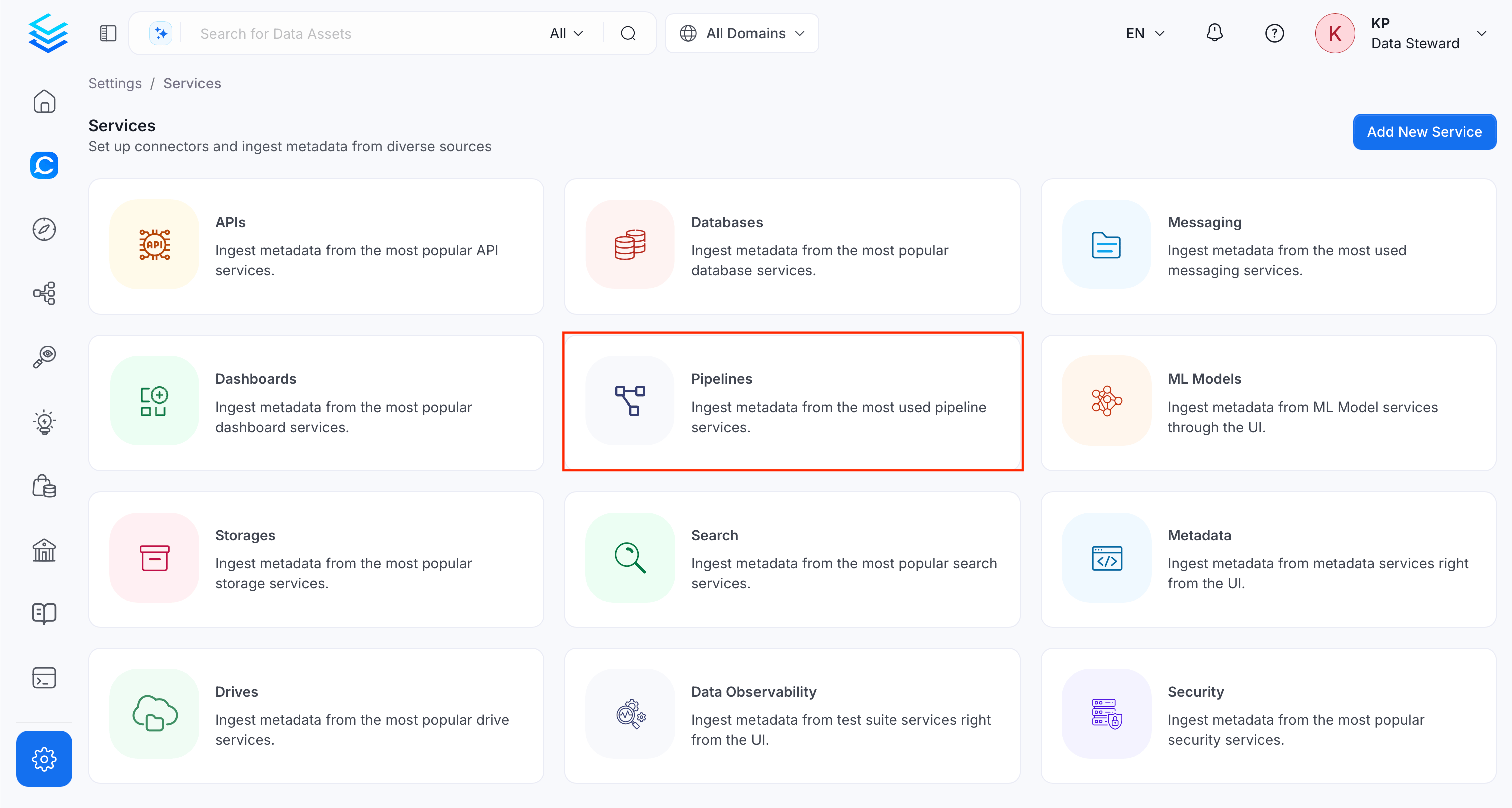
Navigate to Settings > Services and select the Pipelines service.
-
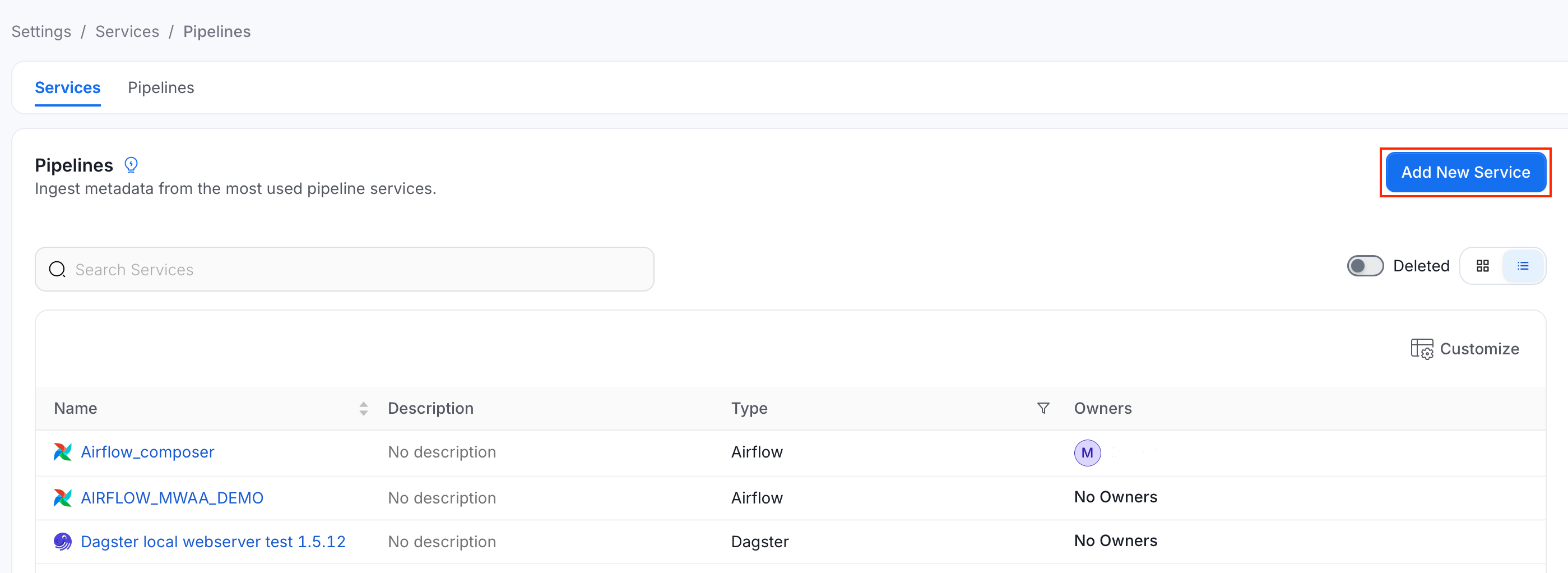
Click Add New Service.
Step 2: Select a Service and Connector
From the service type dropdown, select Pipeline Services, then click the SAP BW/4HANA Pipeline connector tile.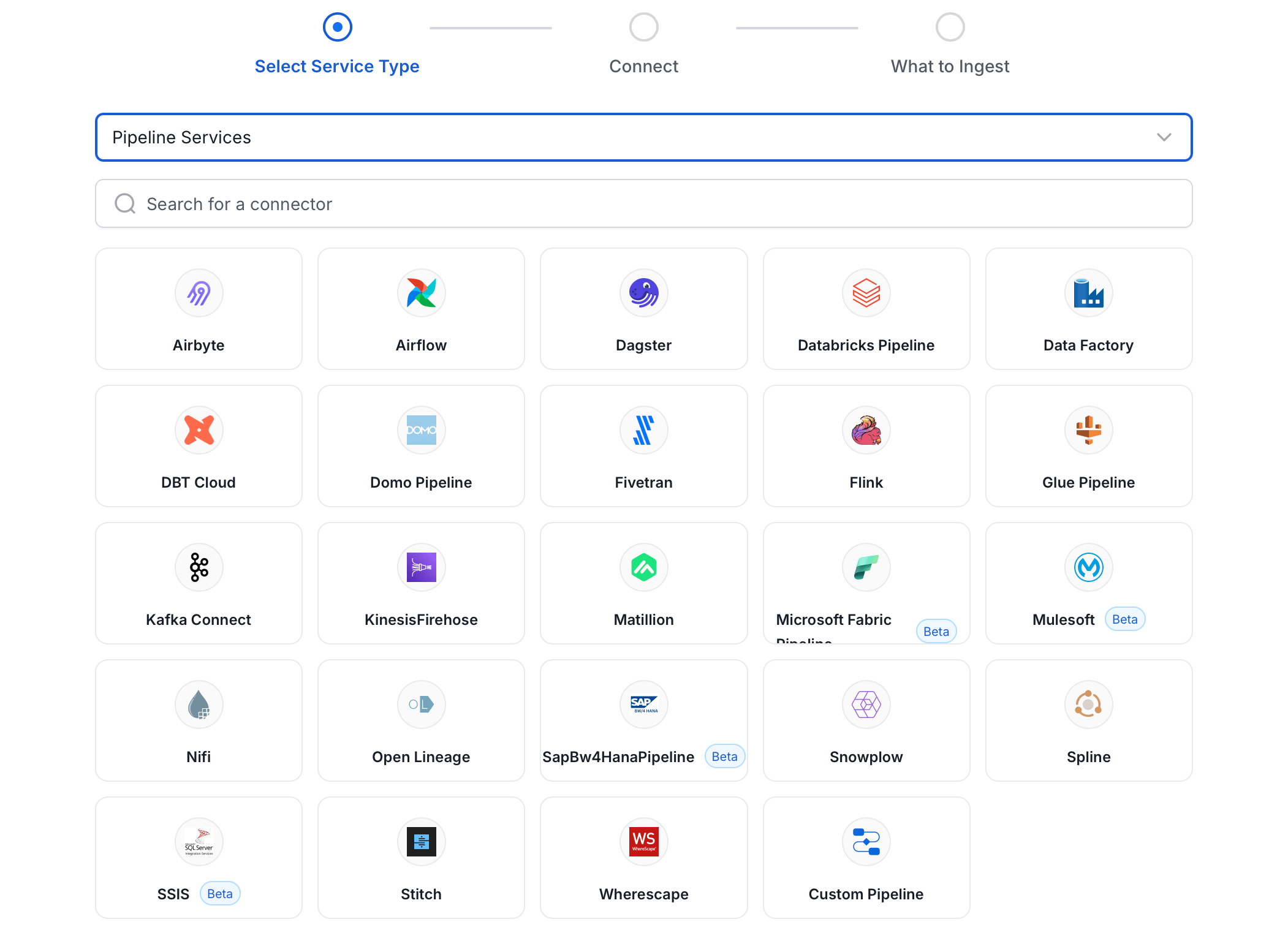
Step 3: Add Service Name and Description
- Enter a unique, descriptive Service Name. Collate identifies services by their service name. Enter a name that distinguishes this deployment from other SAP BW/4HANA Pipeline services you are ingesting metadata from.
- Optional: Enter a Description for the service.

Note: The service name can’t be changed after you set it.
Step 4: Configure Connection Options
Specify where ingestion runs, provide your source credentials, and verify the connection.Select Ingestion Runner
Select an Ingestion Runner: the runner where the ingestion pipeline will execute.
Enter Connection Details
Enter the connection details for SAP BW/4HANA Pipeline. The right-hand panel in the UI displays inline help for each field.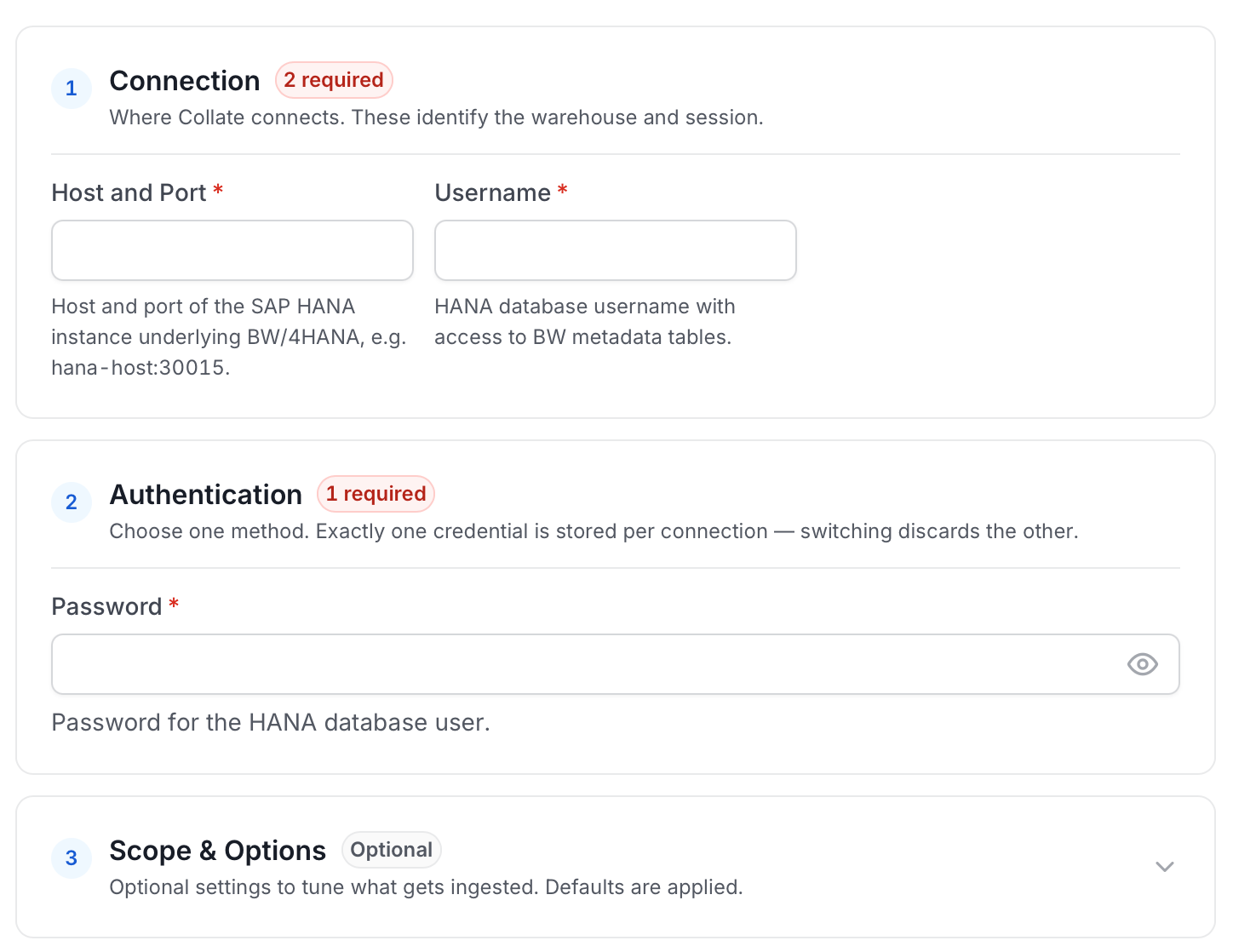
- Host and Port: Host and port of the SAP HANA instance underlying BW/4HANA. Specify as
hostname:port, for examplehana-host:30015. - Username: HANA database username with
SELECTaccess to the BW Process Chain catalog tables listed in the Requirements section above. - Password: Password for the HANA database user.
- ABAP Schema: Schema name in HANA where the BW/4HANA ABAP metadata tables reside. Defaults to
SAPHANADB. To confirm the correct value on your system, run: - Pipeline Filter Pattern: Regex pattern to include or exclude Process Chains by their Chain ID.
Test Connection
- Click Test Connection to verify the credentials.
- After the test succeeds, click Save.

Step 5: Configure Ingestion Options
In the What to Ingest step, use filter patterns to control which assets Collate ingests from your SAP BW/4HANA Pipeline service. Filter rules match pipeline names using the following match types.How Filter Patterns Work
- Include: Add one or more comma-separated values. Each value uses one of the following match types. Collate ingests only assets whose names match at least one rule. Leave blank to include all assets.
- Exclude: Add one or more comma-separated values. Each value uses one of the following match types. Collate skips any asset whose name matches a rule. Leave blank to exclude nothing.
- contains: matches any name containing the value. For example,
salesmatchesmy_sales_dataandsales_2024. - starts with: matches names beginning with the value. For example,
prod_matchesprod_dbandprod_schema. - ends with: matches names ending with the value. For example,
_rawmatchesevents_rawandlogs_raw. - is exactly: matches the exact name only. For example,
analyticsmatches onlyanalytics. - matches regex: matches names using a regular expression. For example,
^prod_.*_v\d+$matchesprod_events_v1.
Filter Options
The Pipeline section includes the following filter option:- Pipeline: Controls which Process Chains Collate ingests from the source.
- Scan Mode: Choose between the following scan modes:
- Scan all: Ingests every asset of that type the connector can access. This is the default.
- Only specific: Enables include rules so only assets matching at least one rule are ingested.
- Always exclude: Add permanent exclusion rules (shown in red). Assets matching these rules are never ingested, regardless of include rules.
- Preview: Shows a real-time summary of what will be in scope based on your current rules.
- Include rules: In Only specific mode, click + Add to define a rule. Added rules appear as chips. An asset is included if it matches any rule.
Step 6: Create & Deploy
Click Create & Deploy to deploy the agent and start the first metadata ingestion run. Collate saves the service configuration and immediately begins pulling metadata from the source. To monitor ingestion progress or view the service you just added, go to Settings > Services and select your service.Configure Metadata Agent and Schedule Ingestion
The Metadata Agent extracts pipelines, tasks, and other structural metadata from your source and keeps your Collate catalog in sync. It powers discovery, lineage, and governance across your data assets. When you click Create & Deploy, Collate automatically deploys a Metadata Agent for this service and triggers the first ingestion run. View its status and run history from the Agents tab on the service detail page. To configure the additional Metadata Agent and schedule ingestion, follow these steps:- Navigate to Settings > Services and select the Pipelines service.
- Select your service and click the Agents tab.
-
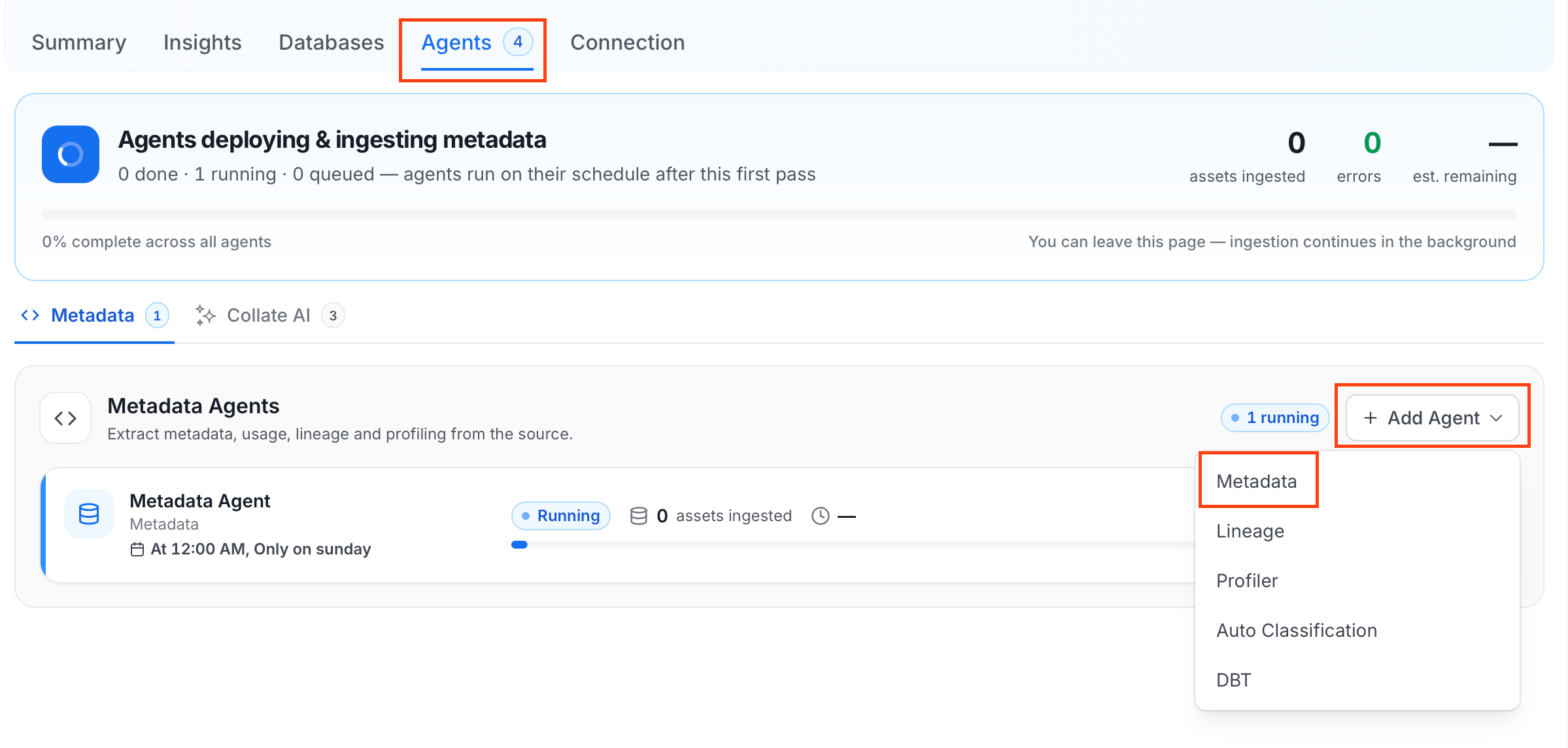
Click Add Agent and select Metadata from the dropdown.
-
On the Configure Ingestion page, do the following and click Next.
-
Name this Ingestion: Enter a unique, recognizable name for this ingestion pipeline.

-
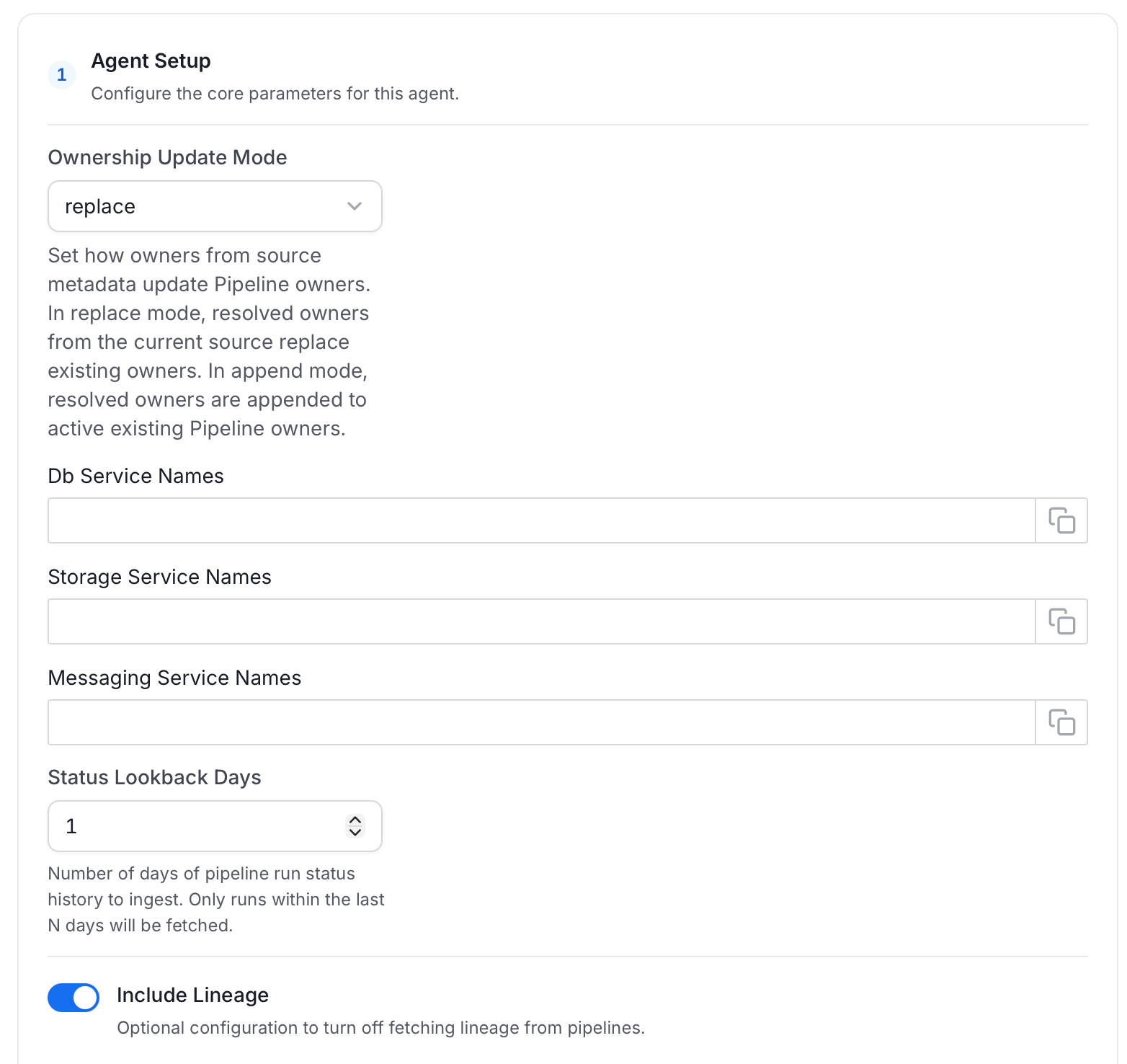
Agent Setup: Configure the core parameters for this agent. The following fields are available:
-
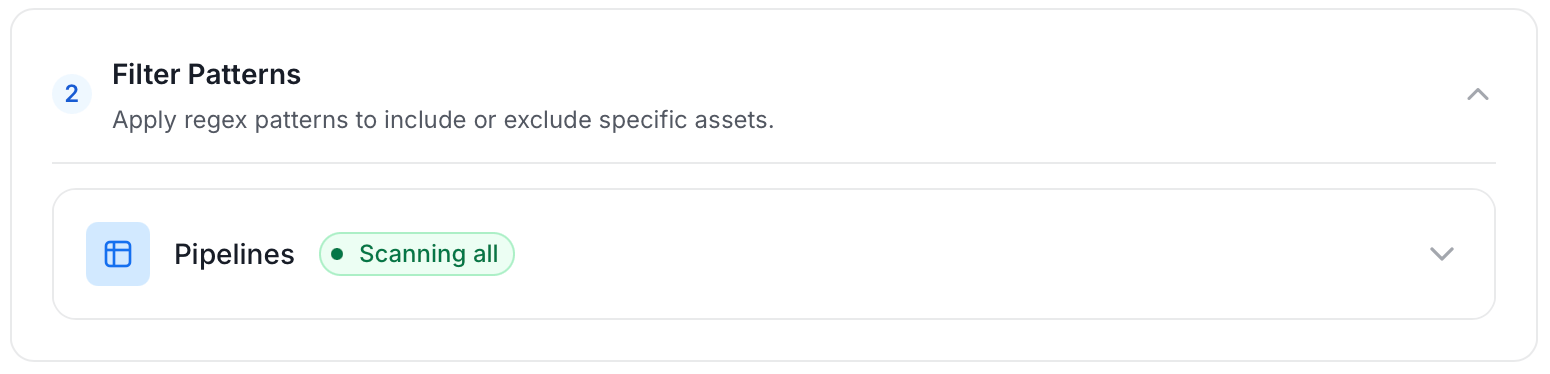
Filter Patterns: Apply include or exclude rules to scope which pipelines this agent ingests. These follow the same filter options described in Step 5.
-
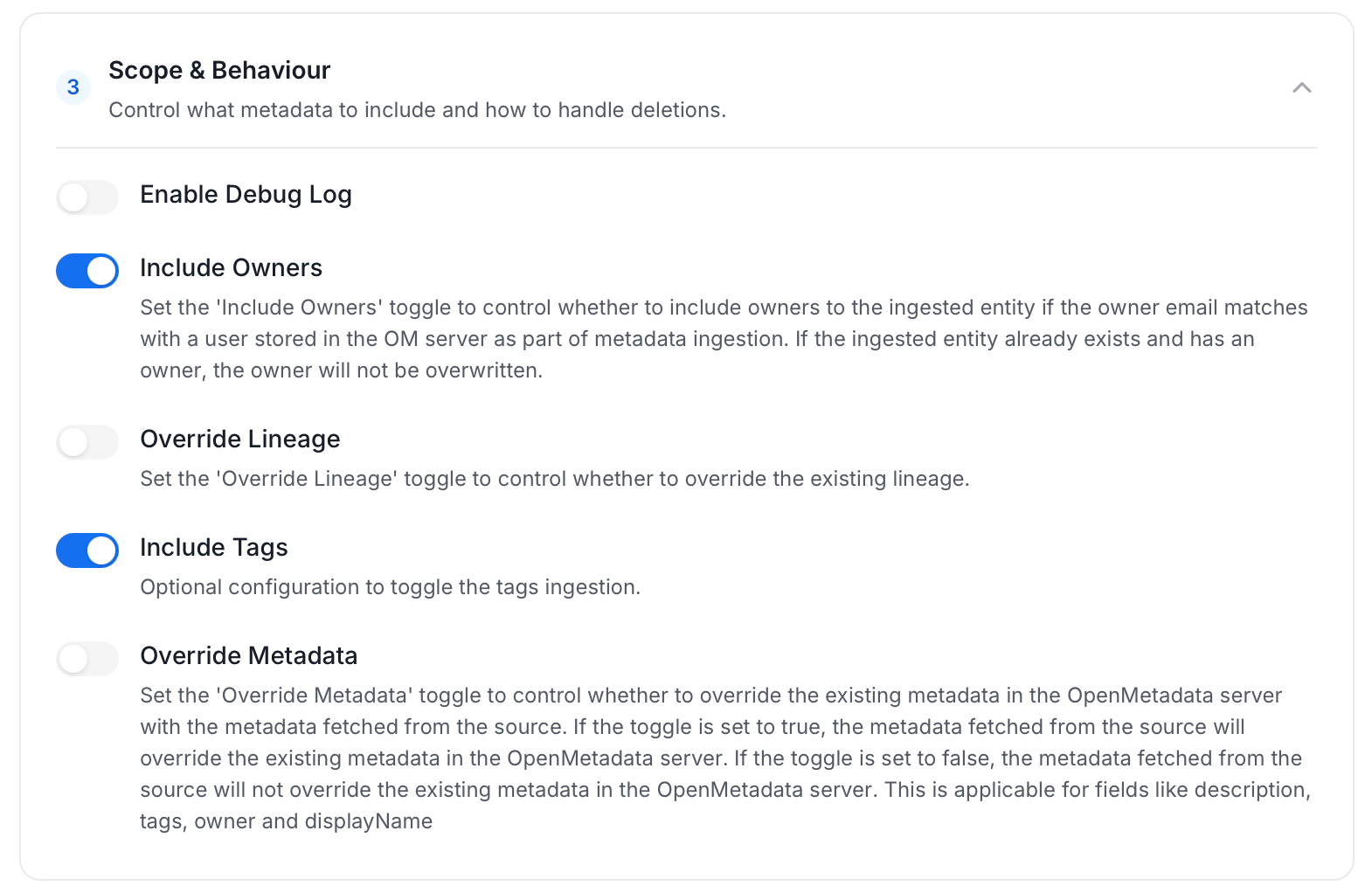
Scope & Behaviour: Control what metadata to include and how to handle deletions. Toggle each option on or off based on your needs:
-
Name this Ingestion: Enter a unique, recognizable name for this ingestion pipeline.
-
On the Schedule Interval page, set when the agent runs:
- Schedule: Choose a preset interval (Hourly, Daily, Weekly, Monthly) or enter a custom cron expression.
- On-Demand: No automatic schedule. Trigger the agent manually when needed.
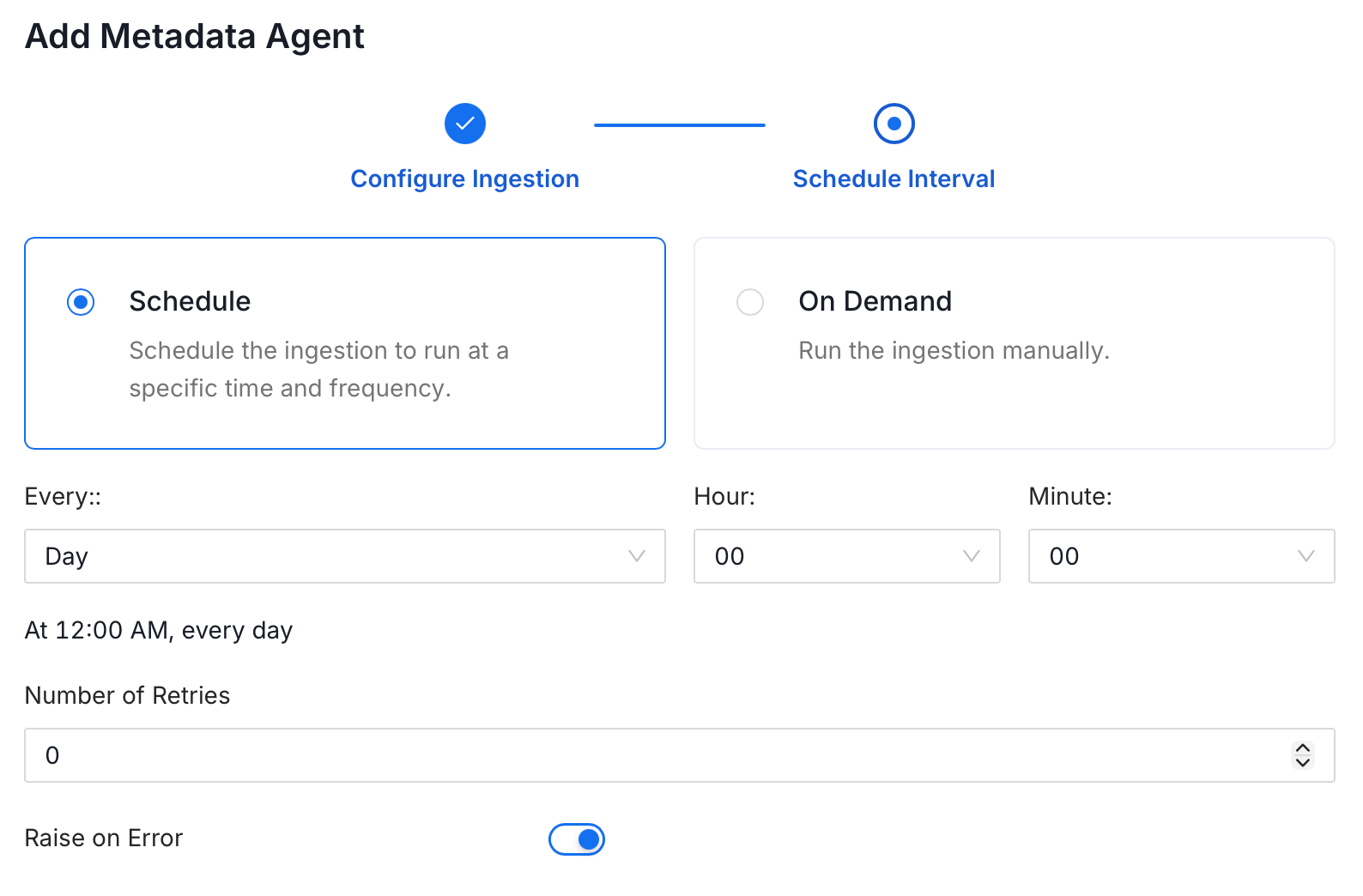
- Click Add to deploy the agent.
Troubleshooting
SAP BW/4HANA Pipeline Troubleshooting
Learn more about how to troubleshoot common SAP BW/4HANA Pipeline connector issues and resolve configuration or ingestion errors.