
Requirements
Dremio connector supports both:- Dremio Cloud (SaaS): Fully managed cloud platform
- Dremio Software: Self-hosted on-premises or in your own cloud infrastructure
Dremio Cloud Requirements
To connect to Dremio Cloud, you will need:- Cloud Region: The region where your Dremio Cloud organization is hosted (US or EU)
- Personal Access Token (PAT): A token generated from your Dremio Cloud account settings
- Project ID: Your Dremio Cloud project identifier
Generate a Personal Access Token
- Log into your Dremio Cloud account.
- Navigate to Settings > Personal Access Tokens.
- Select Add Token.
- Provide a description (for example, “Collate Integration”).
- Set an expiration period.
- Select Create.
- Copy the generated token.
Find your Project ID
- Log into your Dremio Cloud account.
- Check the URL in your browser:
https://app.dremio.cloud/projects/{PROJECT_ID}/.... - The Project ID is the alphanumeric string after
/projects/. - Alternatively, go to Project Settings to view your Project ID.
Dremio Software Requirements
To connect to Dremio Software (self-hosted), you will need:- Host and Port: The URL of your Dremio Software instance (for example,
http://localhost:9047orhttps://dremio.example.com:9047) - Username: A user account with privileges to read catalog metadata
- Password: The password for the user account
Permissions Required
Dremio Cloud
- Catalog Access: Ability to view sources and spaces
- Dataset Read: Permission to view datasets and their metadata
- Query History (optional): Access to
sys.project.history.jobsfor usage and lineage extraction
Dremio Software
- Catalog Access: Ability to view sources and spaces
- Dataset Read: Permission to view datasets and their metadata
- System Tables (optional): Access to job history tables in the
sysschema for usage and lineage extraction
The connector uses Dremio’s REST API and SQL interfaces for metadata extraction. Access to query history is optional. If the user does not have permission to access job history, metadata extraction will still work, but usage and lineage information will not be available.
Metadata Ingestion
Connection Details
Connection Details
- Authentication Type: Choose Dremio Cloud (SaaS) or Dremio Software (self-hosted).
- region: Dremio Cloud region where your organization is hosted (US or EU).
- personalAccessToken: Personal Access Token for authenticating with Dremio Cloud.
- projectId: Dremio Cloud Project ID.
- hostPort: URL to your self-hosted Dremio Software instance, including protocol and port.
- username: Username for authenticating with Dremio Software.
- password: Password for the Dremio Software user account.
- database: Optional. Restrict metadata ingestion to a specific namespace (source or space).
- databaseFilterPattern: Regex pattern to include or exclude namespaces (sources/spaces) based on their names.
- schemaFilterPattern: Regex pattern to include or exclude folders based on their names.
- tableFilterPattern: Regex pattern to include or exclude tables and views based on their names.
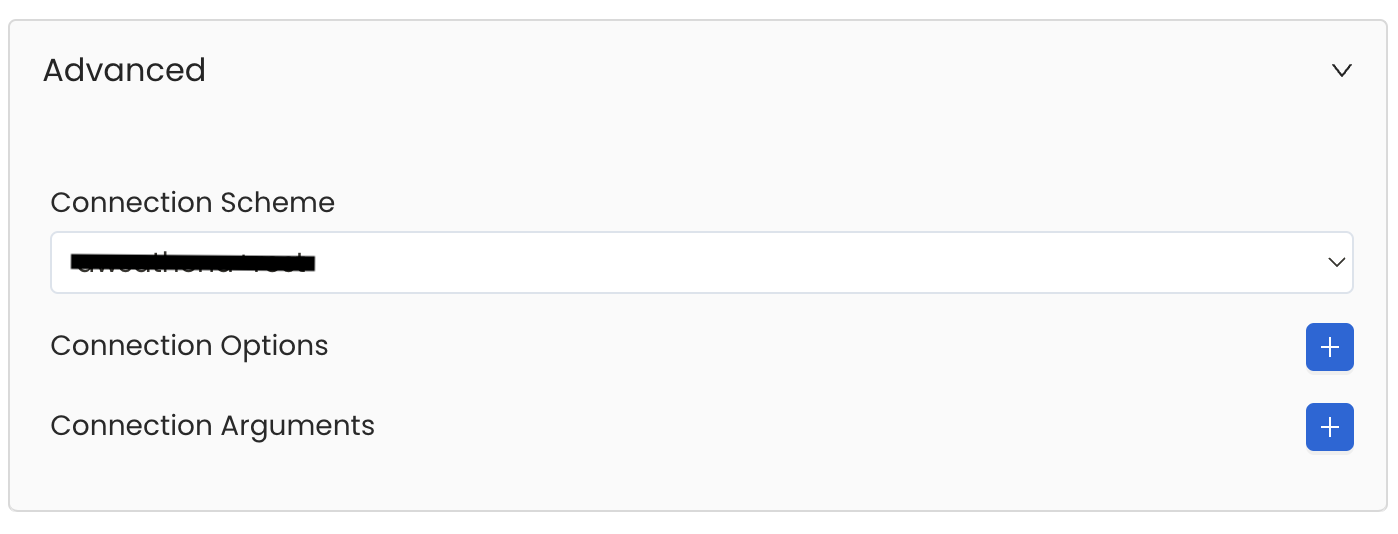
Advanced Configuration
Database Services have an Advanced Configuration section, where you can pass extra arguments to the connector
and, if needed, change the connection Scheme.This would only be required to handle advanced connectivity scenarios or customizations.
- Connection Options (Optional): Enter the details for any additional connection options that can be sent to database during the connection. These details must be added as Key-Value pairs.
-
Connection Arguments (Optional): Enter the details for any additional connection arguments such as security or protocol configs that can be sent during the connection. These details must be added as Key-Value pairs.
Test the Connection
Once the credentials have been added, click on Test Connection and Save the changes.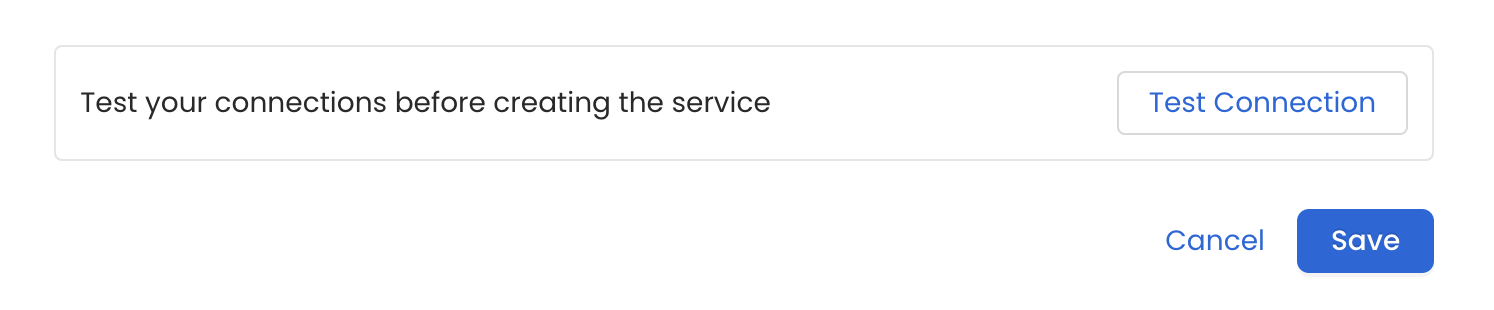
Configure Metadata Ingestion
In this step we will configure the metadata ingestion pipeline,
Please follow the instructions below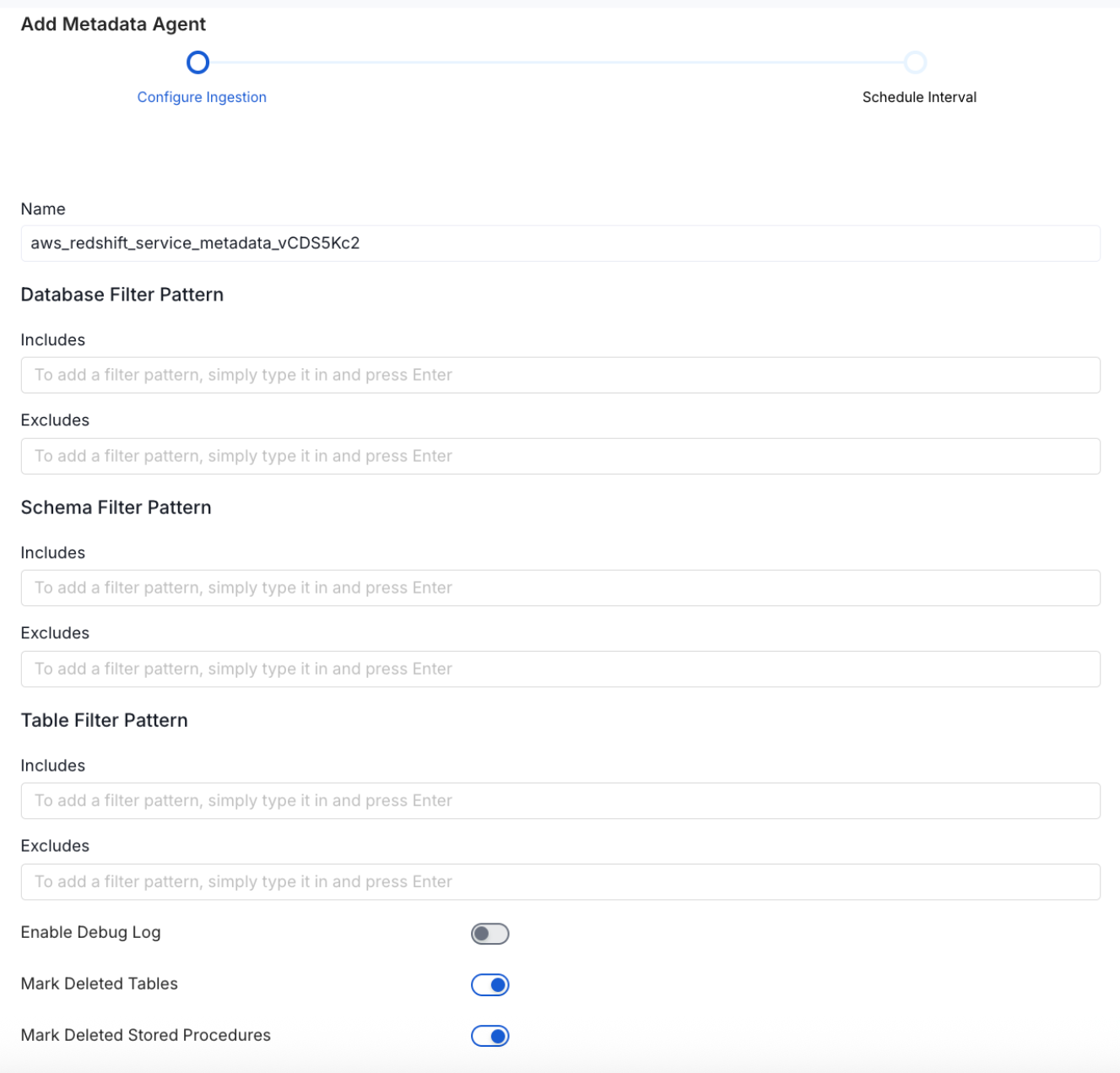
Metadata Ingestion Options
- Name: This field refers to the name of ingestion pipeline, you can customize the name or use the generated name.
-
Database Filter Pattern (Optional): Use to database filter patterns to control whether or not to include database as part of metadata ingestion.
- Include: Explicitly include databases by adding a list of comma-separated regular expressions to the Include field. OpenMetadata will include all databases with names matching one or more of the supplied regular expressions. All other databases will be excluded.
- Exclude: Explicitly exclude databases by adding a list of comma-separated regular expressions to the Exclude field. OpenMetadata will exclude all databases with names matching one or more of the supplied regular expressions. All other databases will be included.
-
Schema Filter Pattern (Optional): Use to schema filter patterns to control whether to include schemas as part of metadata ingestion.
- Include: Explicitly include schemas by adding a list of comma-separated regular expressions to the Include field. OpenMetadata will include all schemas with names matching one or more of the supplied regular expressions. All other schemas will be excluded.
- Exclude: Explicitly exclude schemas by adding a list of comma-separated regular expressions to the Exclude field. OpenMetadata will exclude all schemas with names matching one or more of the supplied regular expressions. All other schemas will be included.
-
Table Filter Pattern (Optional): Use to table filter patterns to control whether to include tables as part of metadata ingestion.
- Include: Explicitly include tables by adding a list of comma-separated regular expressions to the Include field. OpenMetadata will include all tables with names matching one or more of the supplied regular expressions. All other tables will be excluded.
- Exclude: Explicitly exclude tables by adding a list of comma-separated regular expressions to the Exclude field. OpenMetadata will exclude all tables with names matching one or more of the supplied regular expressions. All other tables will be included.
- Enable Debug Log (toggle): Set the Enable Debug Log toggle to set the default log level to debug.
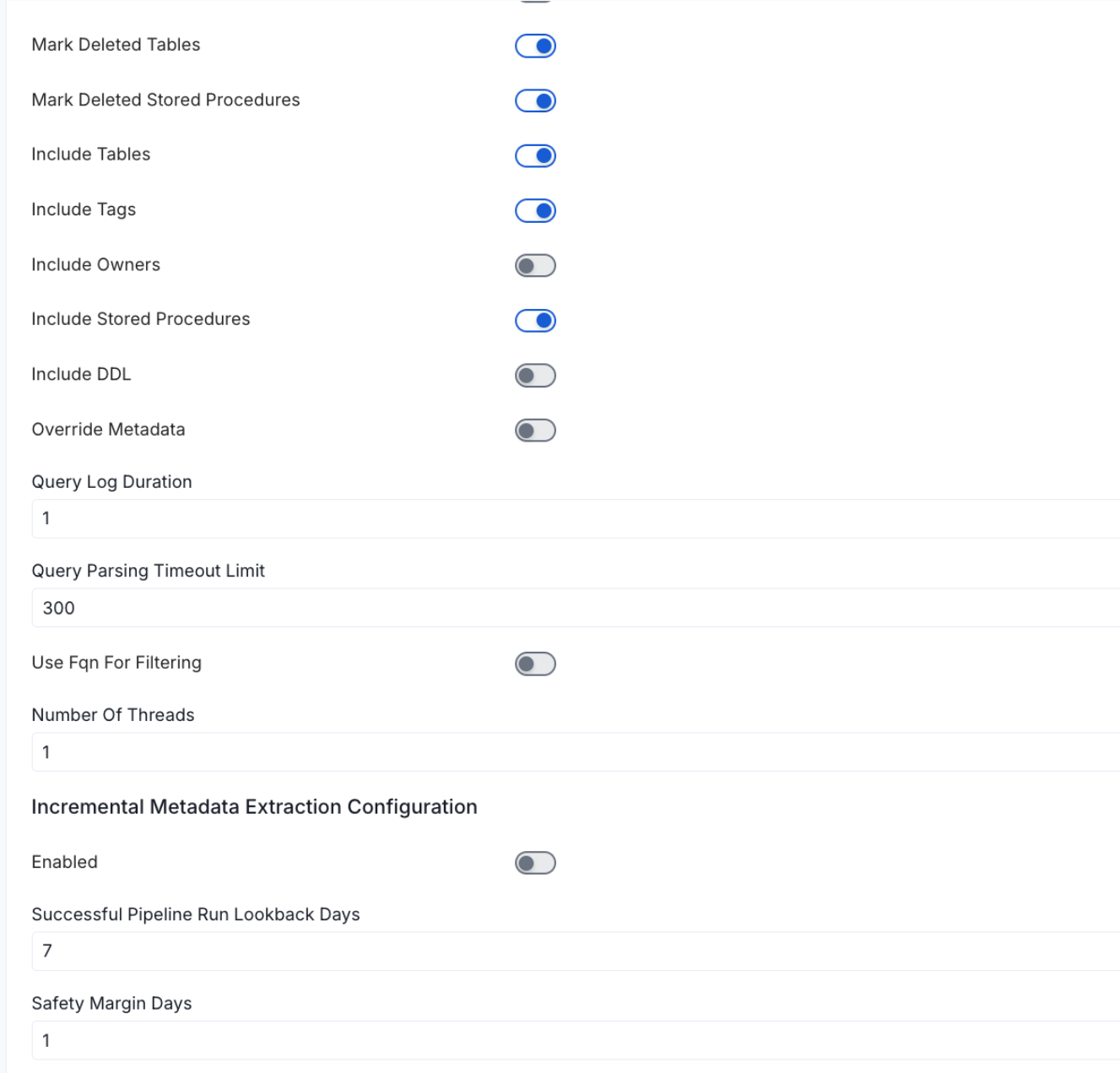
- Mark Deleted Tables (toggle): Set the Mark Deleted Tables toggle to flag tables as soft-deleted if they are not present anymore in the source system.
- Mark Deleted Tables from Filter Only (toggle): Set the Mark Deleted Tables from Filter Only toggle to flag tables as soft-deleted if they are not present anymore within the filtered schema or database only. This flag is useful when you have more than one ingestion pipelines. For example if you have a schema
- includeTables (toggle): Optional configuration to turn off fetching metadata for tables.
- includeViews (toggle): Set the Include views toggle to control whether to include views as part of metadata ingestion.
- includeTags (toggle): Set the ‘Include Tags’ toggle to control whether to include tags as part of metadata ingestion.
- includeOwners (toggle): Set the ‘Include Owners’ toggle to control whether to include owners to the ingested entity if the owner email matches with a user stored in the OM server as part of metadata ingestion. If the ingested entity already exists and has an owner, the owner will not be overwritten.
- includeStoredProcedures (toggle): Optional configuration to toggle the Stored Procedures ingestion.
- includeDDL (toggle): Optional configuration to toggle the DDL Statements ingestion.
- queryLogDuration (Optional): Configuration to tune how far we want to look back in query logs to process Stored Procedures results.
- queryParsingTimeoutLimit (Optional): Configuration to set the timeout for parsing the query in seconds.
- useFqnForFiltering (toggle): Regex will be applied on fully qualified name (e.g service_name.db_name.schema_name.table_name) instead of raw name (e.g. table_name).
-
Incremental (Beta): Use Incremental Metadata Extraction after the first execution. This is done by getting the changed tables instead of all of them. Only Available for BigQuery, Redshift and Snowflake
- Enabled: If
True, enables Metadata Extraction to be Incremental. - lookback Days: Number of days to search back for a successful pipeline run. The timestamp of the last found successful pipeline run will be used as a base to search for updated entities.
- Safety Margin Days: Number of days to add to the last successful pipeline run timestamp to search for updated entities.
- Enabled: If
- Threads (Beta): Use a Multithread approach for Metadata Extraction. You can define here the number of threads you would like to run concurrently.
Schedule the Ingestion and Deploy
Scheduling can be set up at an hourly, daily, weekly, or manual cadence. The
timezone is in UTC. Select a Start Date to schedule for ingestion. It is
optional to add an End Date.Review your configuration settings. If they match what you intended,
click Deploy to create the service and schedule metadata ingestion.If something doesn’t look right, click the Back button to return to the
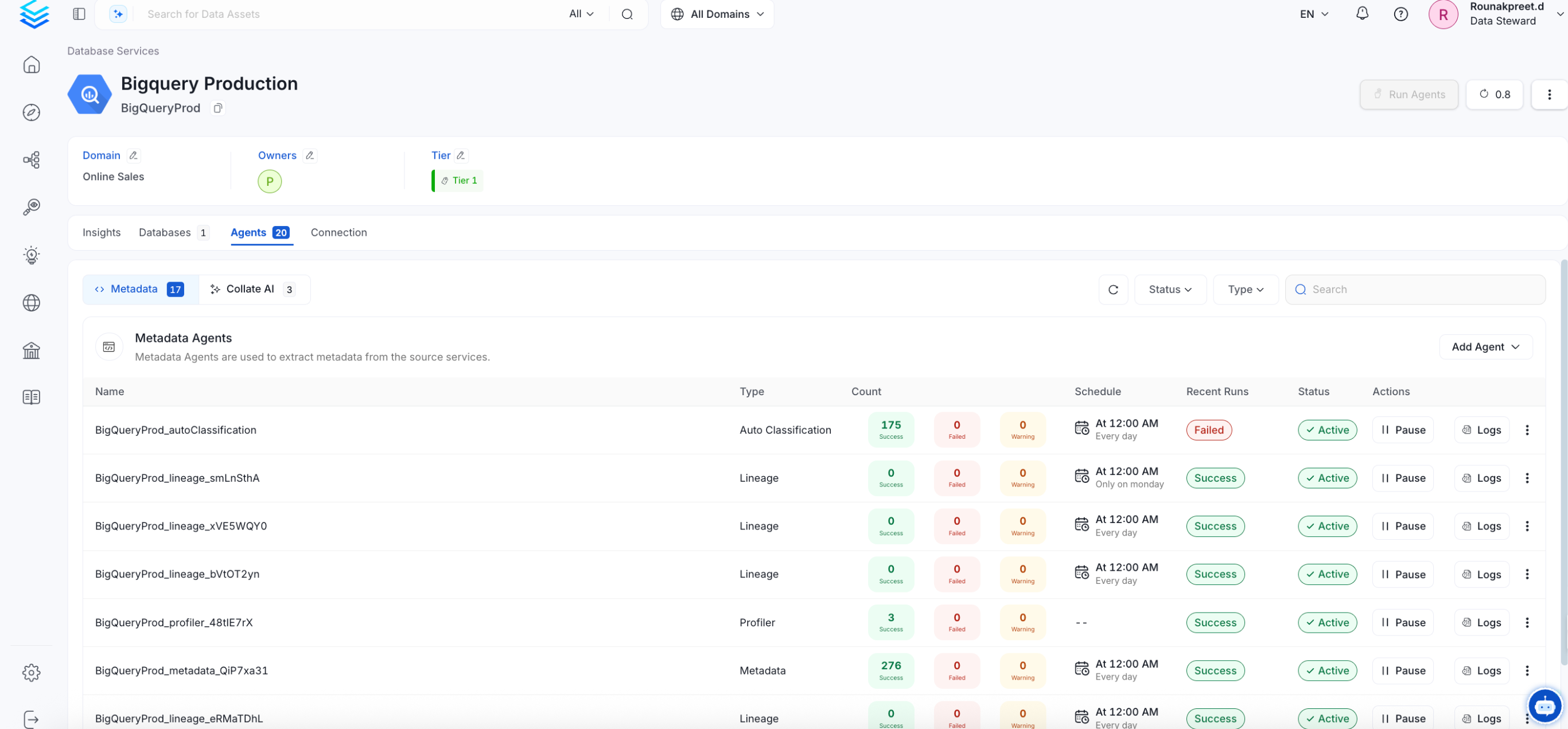
appropriate step and change the settings as needed.After configuring the workflow, you can click on Deploy to create the
pipeline.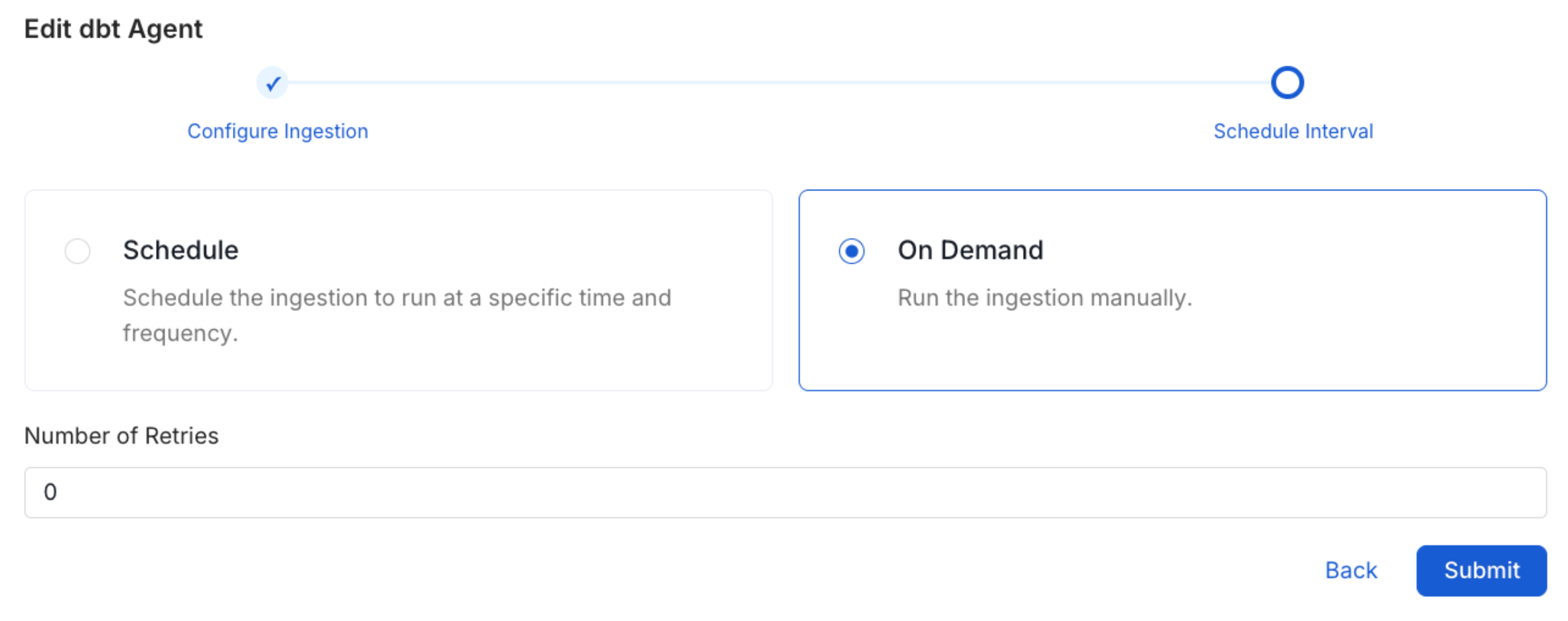
Troubleshooting
Related
Usage Workflow
Learn more about how to configure the Usage Workflow to ingest Query information from the UI.
Lineage Workflow
Learn more about how to configure the Lineage from the UI.
Profiler Workflow
Learn more about how to configure the Data Profiler from the UI.
Data Quality Workflow
Learn more about how to configure the Data Quality tests from the UI.
dbt Integration
Learn more about how to ingest dbt models’ definitions and their lineage.