
Getting Started
Get up and running with the Collate API and the Python, Java, and Go SDKs. This guide walks you through authentication, SDK installation, and making your first API call.Prerequisites
- A Collate account (cloud or self-hosted instance)
- Your instance base URL (e.g.,
https://your-company.getcollate.io/api) - Python 3.10 - 3.11, Java 21, or Go 1.24+
1
Get Your API Credentials
You need a JWT token to authenticate API requests. There are two ways to get one:Bot Token (recommended for automation)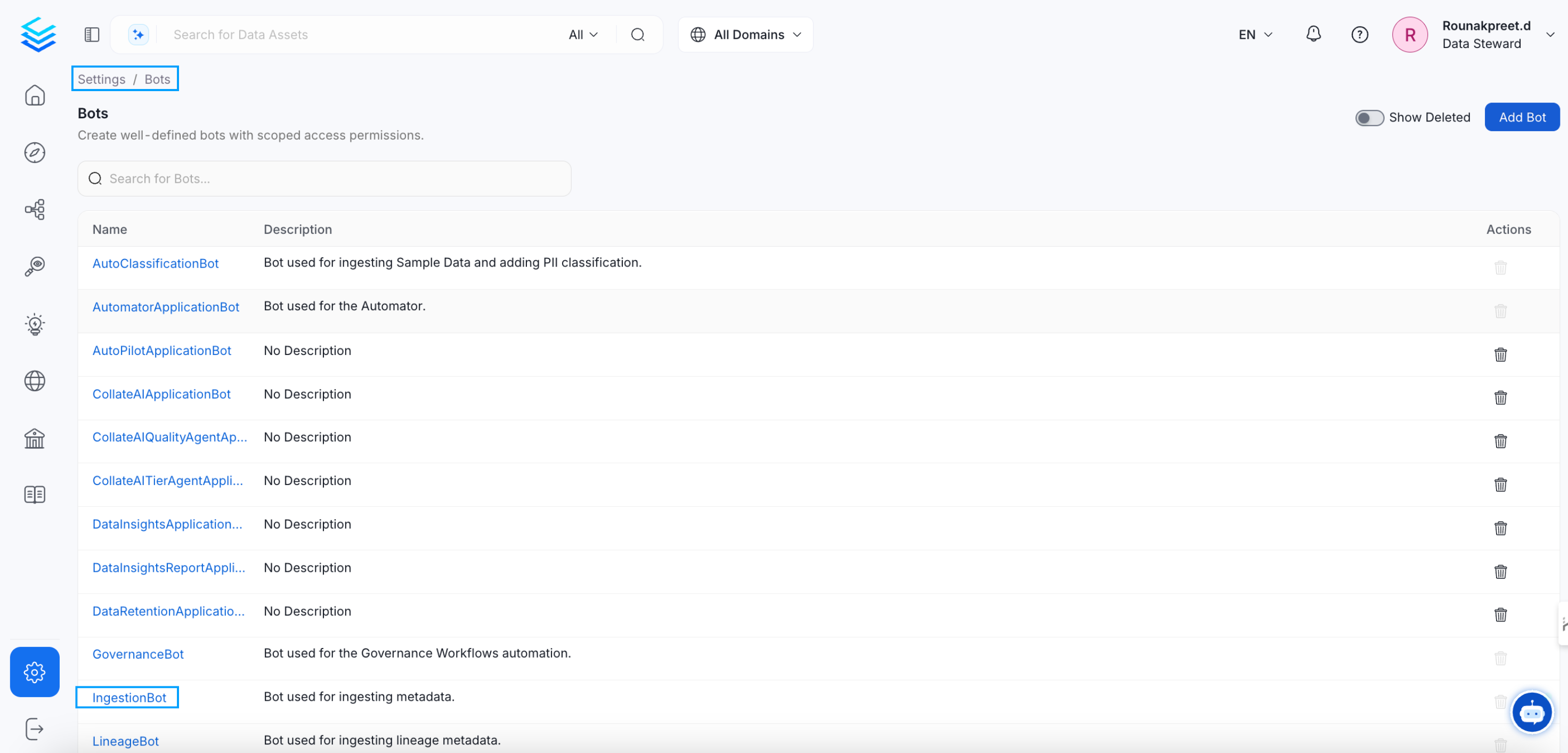
Note: The Bots tile under Settings is only visible to users with Admin privileges. If you don’t see it, ask your organization’s Collate Admin to generate a bot token for you or grant you Admin access.
- Navigate to Settings > Bots in the Collate UI
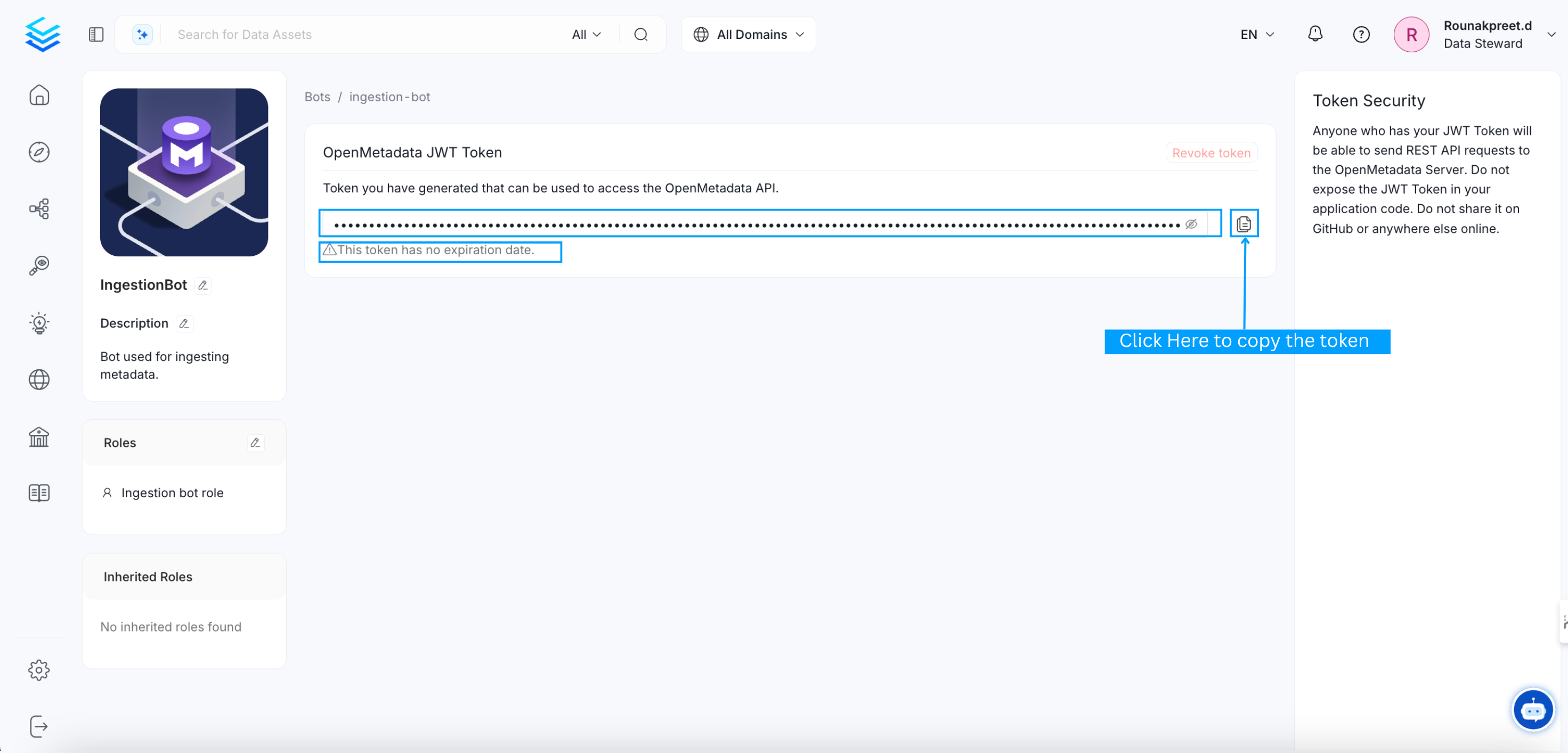
- Click on the ingestion-bot (or create a new bot for your use case)
- Copy the JWT token from the bot details page
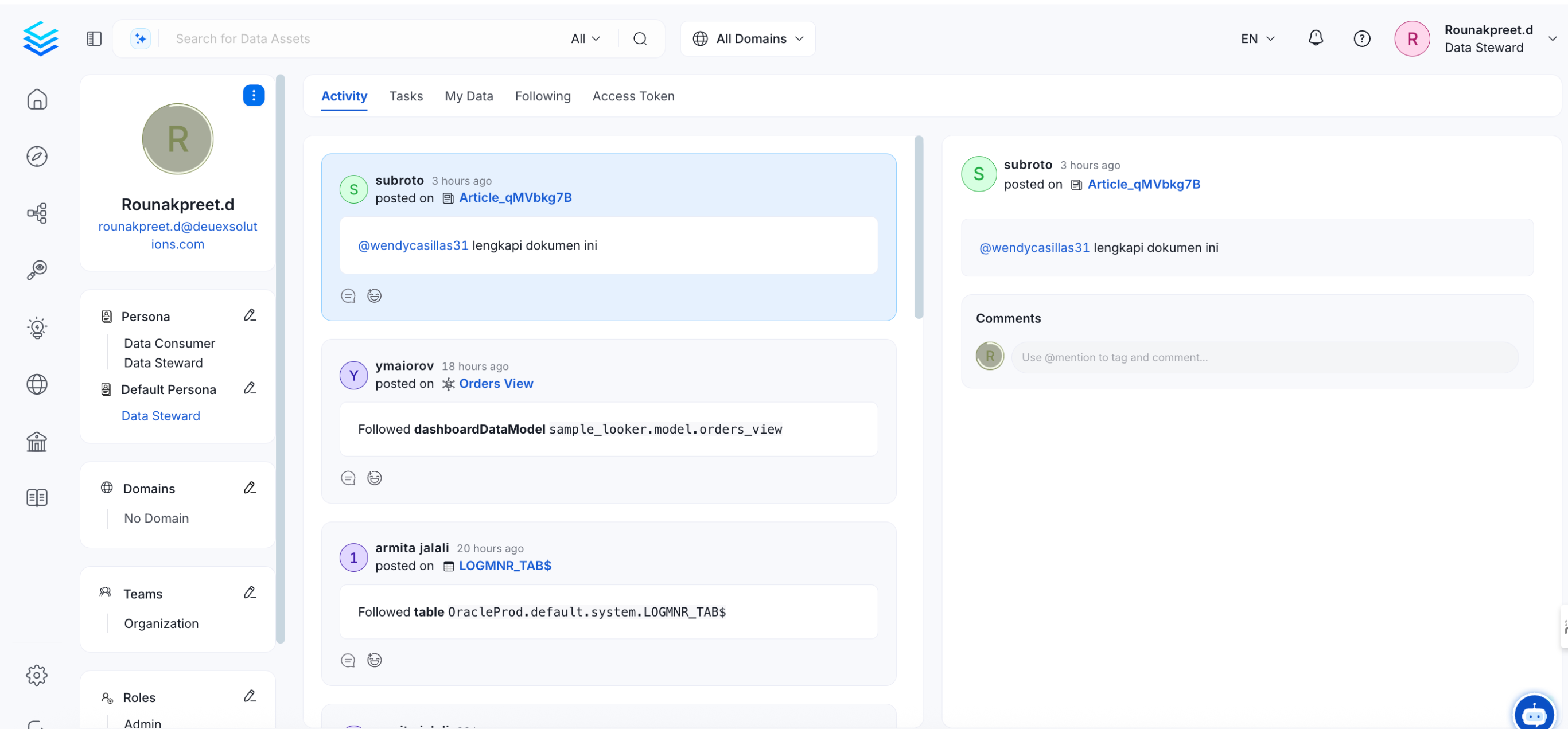
- Click your profile image in the top-right corner
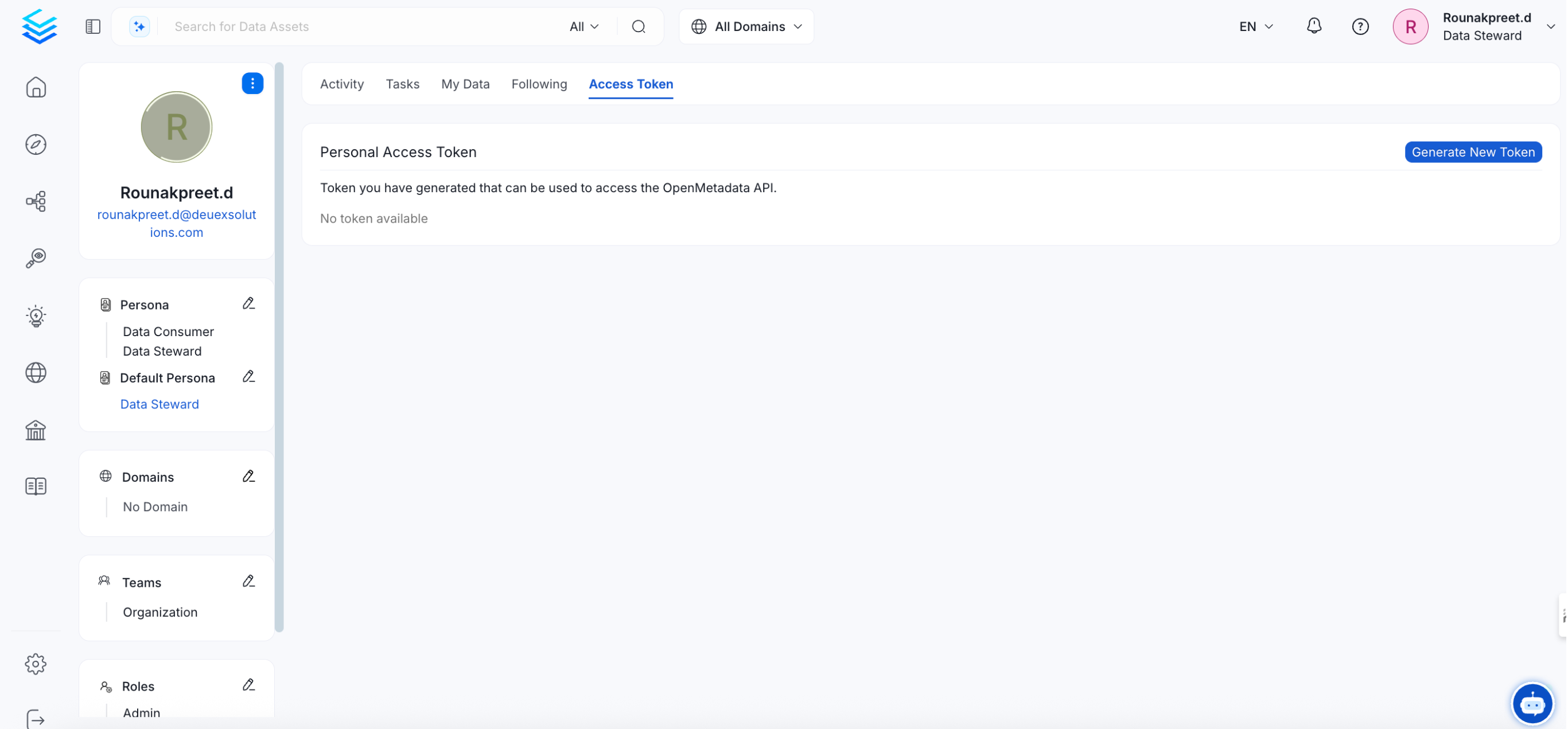
- Go to the Access Token tab
- Click Generate New Token
2
Install an SDK
Choose your preferred language and install the SDK:Or skip SDK installation and use cURL to interact with the REST API directly.
3
Initialize Your Client
Set up the connection to your Collate instance:
Python
4
Make Your First API Call
List the tables in your catalog to verify everything is working:You should see a JSON response like this:
Python
Expected Response
5
Create Resources with the Fluent API
The SDKs provide a fluent API for creating and managing resources. Here’s how to create a table programmatically:The Java SDK exposes both builder-based and fluent helper APIs, the Python SDK uses typed request models and entity helpers, and the Go SDK provides typed services with automatic pagination. All SDKs provide strong typing and IDE-friendly workflows.
Python
Common Use Cases
Discover Tables
Search and explore metadata across your entire catalog.
Manage Metadata
Create, update, and manage tables, dashboards, pipelines, and more.
Run Quality Tests
Define test suites and monitor data quality metrics programmatically.
Govern Data
Manage domains, glossaries, classifications, and tags.
Manage Teams
Provision users, teams, and manage organizational structure.
Define Data Contracts
Create and validate data contracts for your assets.
What’s Next?
Authentication
Deep dive into auth methods and token management.
Error Handling
Understand error codes and how to handle them.
Pagination
Learn how to paginate through large result sets.
Entity Updates
Understand PUT vs PATCH behavior and preserve/merge rules for bot-driven updates.