
Database Services
This is the supported list of connectors for Database Services:
ADLS Datalake

PROD

Athena
PROD
AzureSQL
PROD

BigQuery
PROD

BigTable
PROD

BurstIQ
BETA

Cassandra
BETA

Cockroach
BETA

Clickhouse
PROD

ClickZetta
BETA

Couchbase
PROD

Databricks
PROD
DB2
PROD

dbt
PROD
Delta Lake
PROD

Domo
PROD

Doris
PROD

Dremio
BETA

Druid
PROD

DynamoDB
PROD

Epic
BETA

Exasol
PROD

GCS Datalake
PROD

Glue
PROD

Greenplum
PROD

Hive
PROD

Impala
PROD

Informix
BETA

IOMETE
BETA
MariaDB
PROD

Microsoft Access
BETA

Microsoft Fabric
PROD

MongoDB
PROD

MSSQL
PROD
MySQL
PROD

Oracle
PROD

PinotDB
PROD

PostgreSQL
PROD

Presto
PROD

QuestDB
BETA

Redshift
PROD

S3 Datalake
PROD

Salesforce
PROD

Salesforce Data 360
BETA

SAP ERP
PROD

SAP HANA
PROD

SAP BW/4HANA
BETA

SAP SuccessFactors
BETA

SAS
PROD

ServiceNow
BETA

SingleStore
PROD

Snowflake
PROD

SQLite
PROD
SSAS
BETA

StarRocks
BETA

Synapse
PROD

Teradata
PROD

TimescaleDB
BETA

Trino
PROD
Unity Catalog
PROD

Vertica
PROD
Configure Metadata Agent and Schedule Ingestion
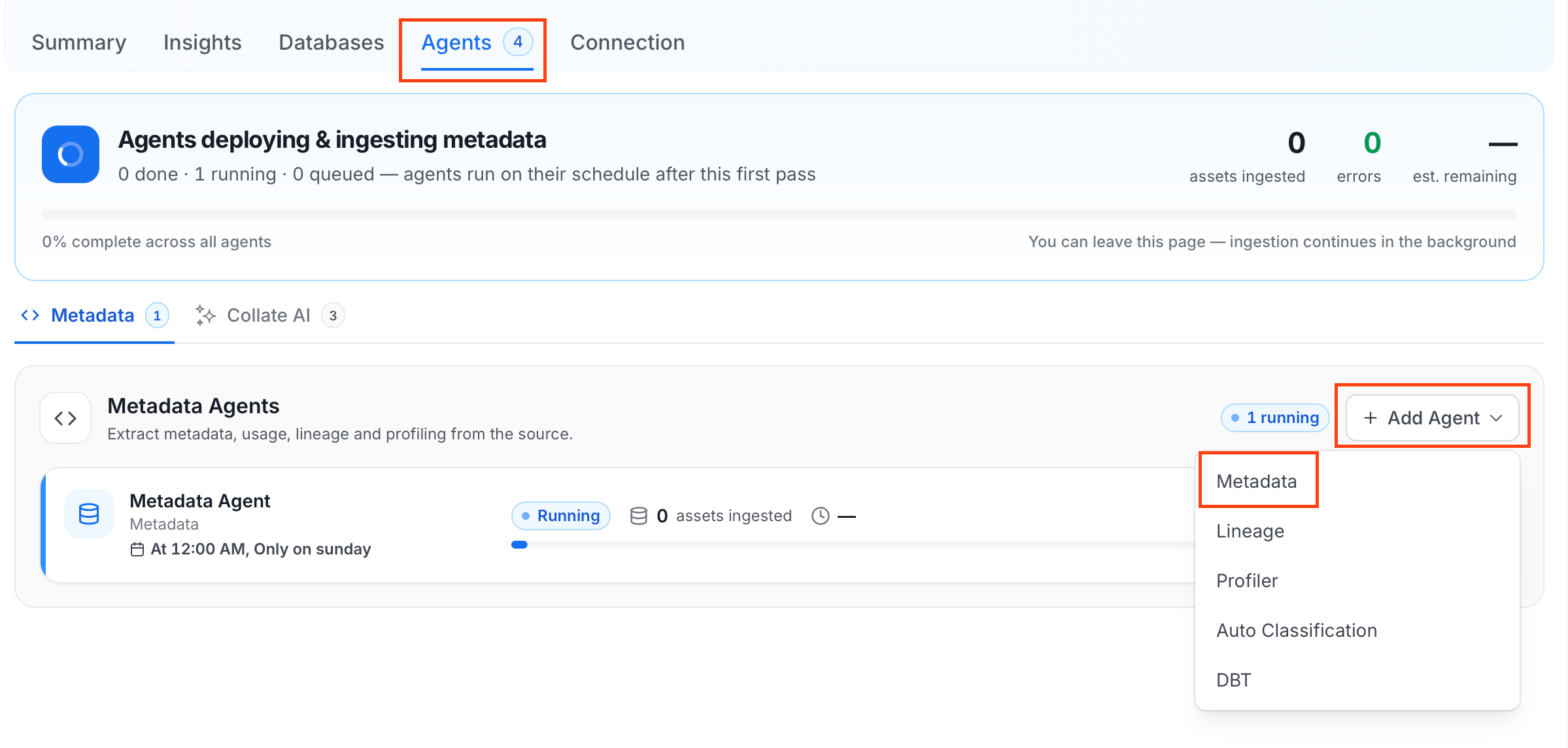
The Metadata Agent extracts schemas, tables, columns, and other structural metadata from your source and keeps your Collate catalog in sync. It powers discovery, lineage, and governance across your data assets. When you click Create & Deploy, Collate automatically deploys a Metadata Agent for this service and triggers the first ingestion run. View its status and run history from the Agents tab on the service detail page. To configure the additional Metadata Agent and schedule ingestion, follow these steps:- In the left navigation, click Connections and select your service.
- Click the Agents tab.
-
Click Add Agent and select Metadata from the dropdown.
-
On the Configure Ingestion page, do the following and click Next.
-
Name this Ingestion: Enter a unique, recognizable name for this ingestion pipeline.

-
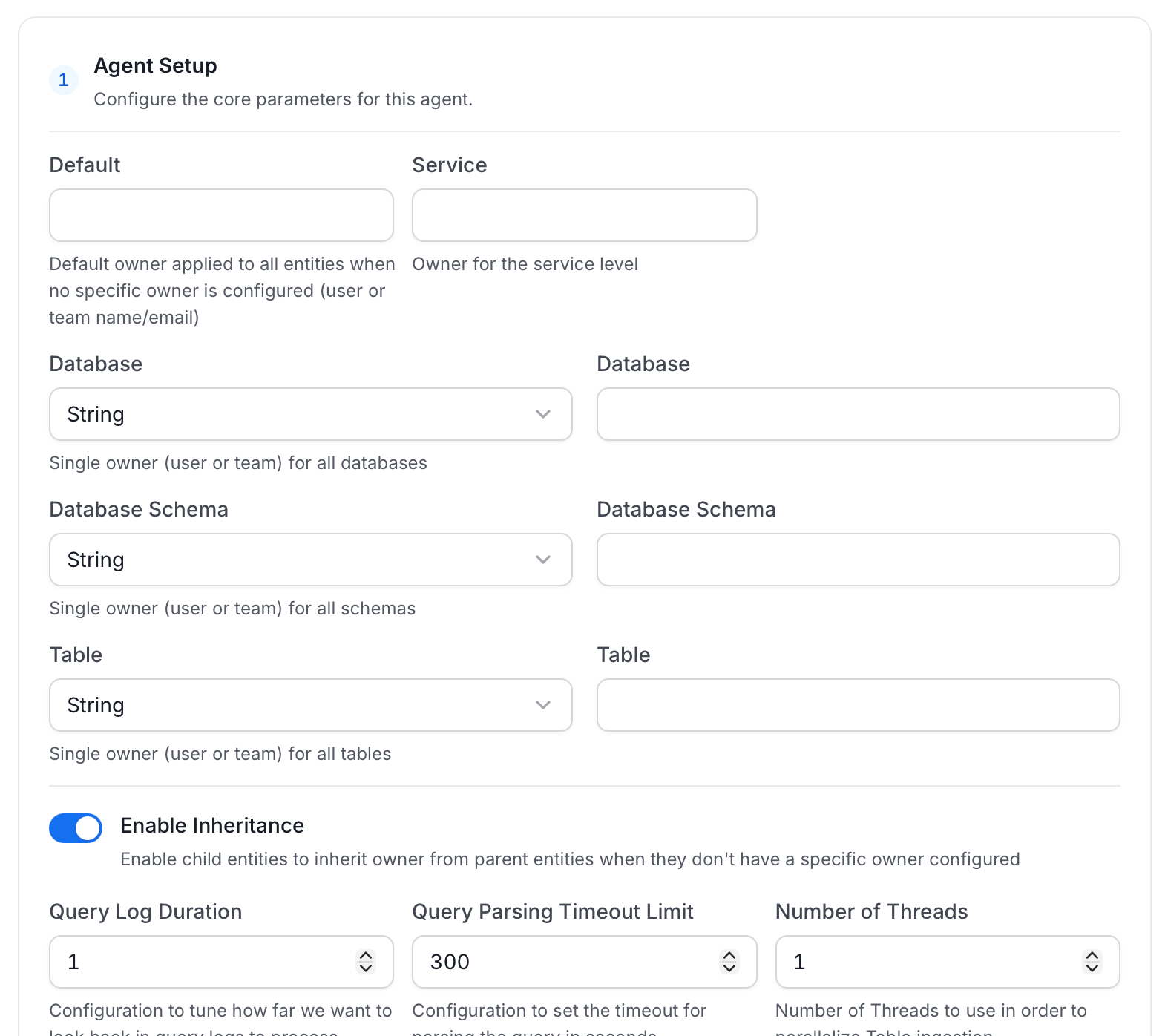
Agent Setup: Configure core parameters for metadata extraction. The following fields are available:
For more information, see Hierarchical Owner Configuration.
-
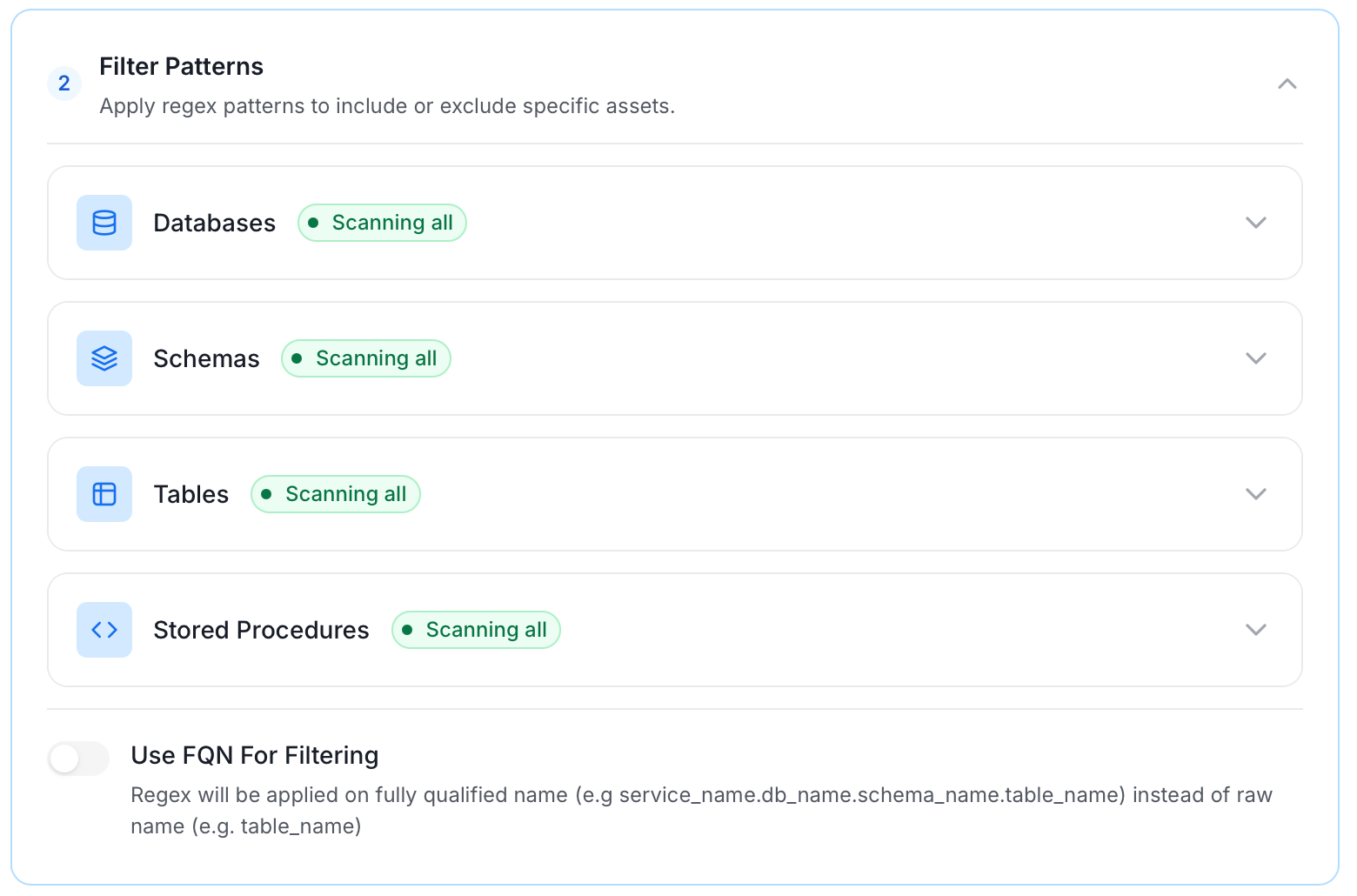
Filter Patterns: Apply include or exclude rules to scope which databases, schemas, tables, and stored procedures this agent ingests. These follow the same filter options described in Step 5.
-
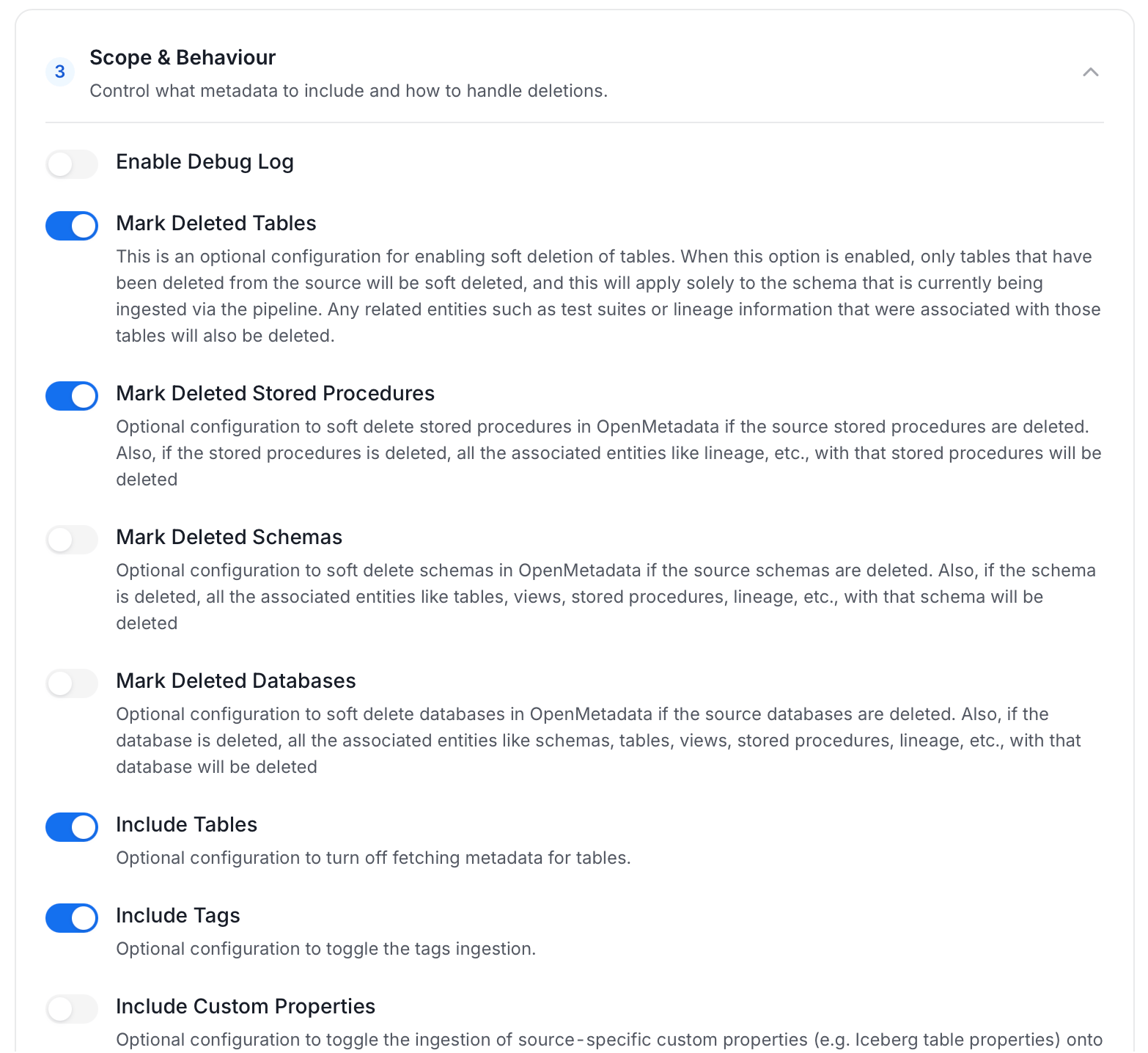
Scope & Behaviour: Control how the agent handles metadata during ingestion. Toggle each option on or off based on your needs:
Note: Available toggles vary by connector. Stored procedure options only appear for connectors that support stored procedures.
-
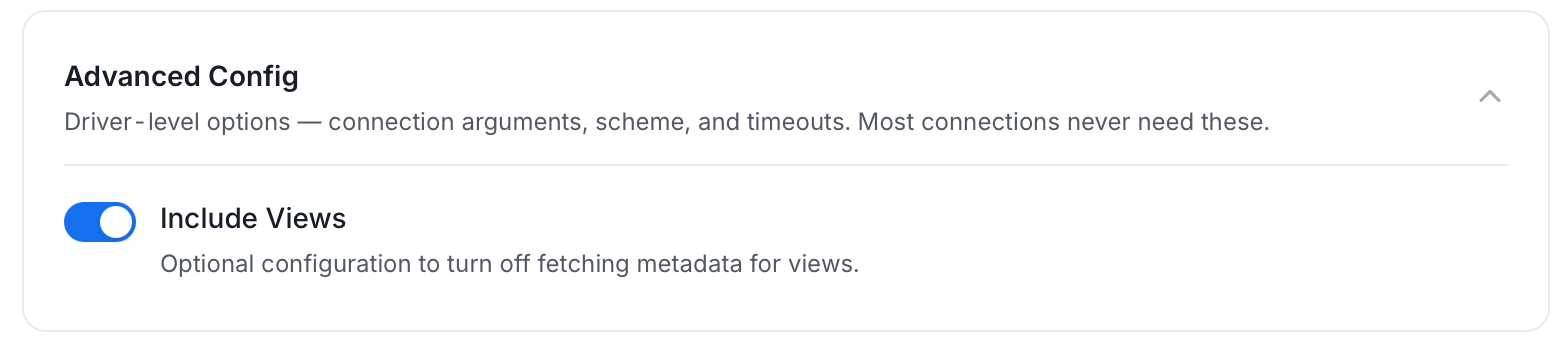
Advanced Config: Driver-level options (connection arguments, scheme, and timeouts). Most connections never need these, and they vary by connector. This section also has one ingestion-scope toggle:
-
Name this Ingestion: Enter a unique, recognizable name for this ingestion pipeline.
-
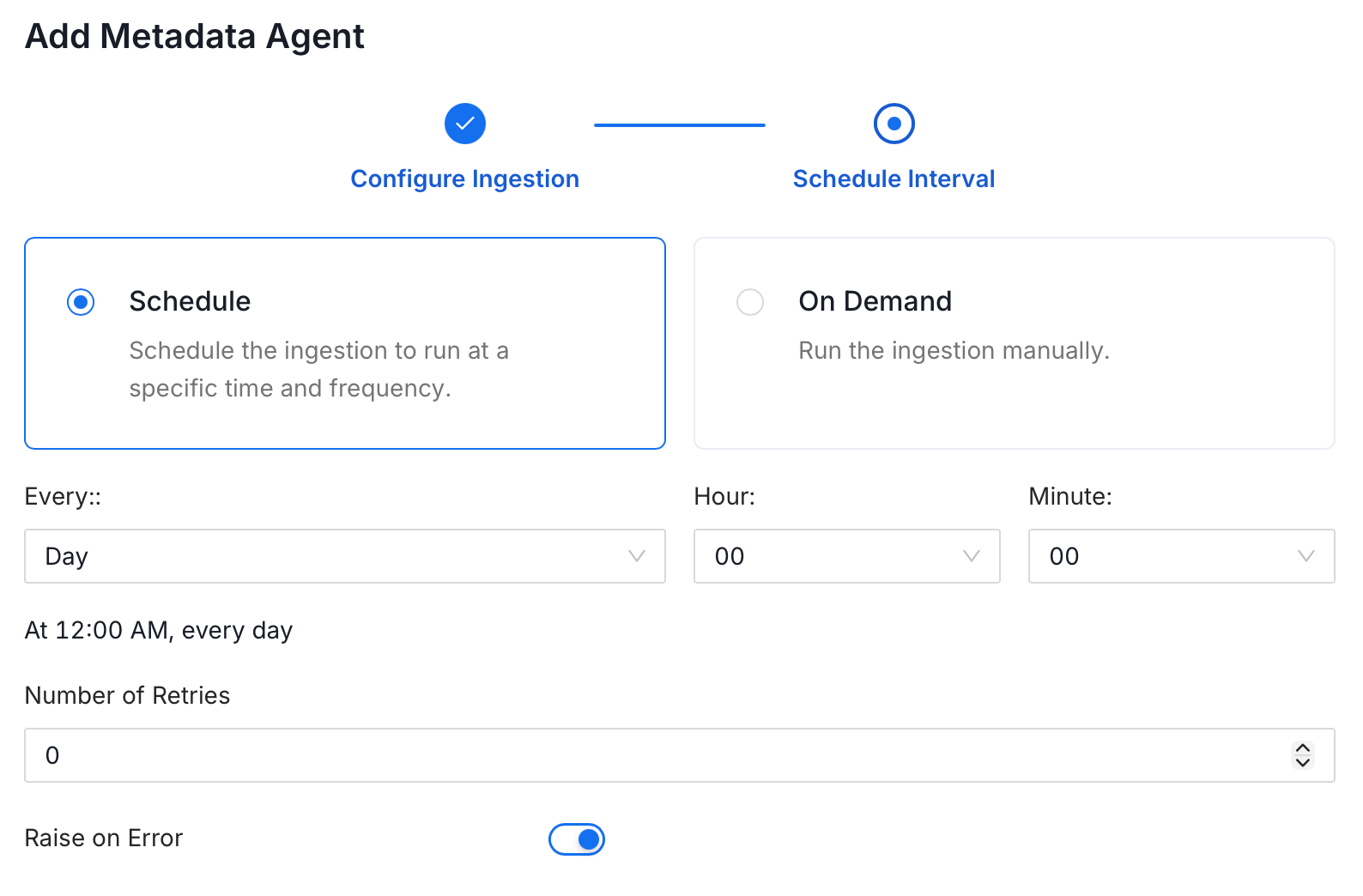
On the Schedule Interval page, set when the agent runs:
- Schedule: Choose a preset interval (Hourly, Daily, Weekly, Monthly) or enter a custom cron expression.
- On-Demand: No automatic schedule. Trigger the agent manually when needed.
- Click Add to deploy the agent.