> ## Documentation Index
> Fetch the complete documentation index at: https://docs.getcollate.io/llms.txt
> Use this file to discover all available pages before exploring further.
# Spark Lineage Ingestion | Collate
> Capture table- and column-level lineage from Apache Spark jobs in Collate using the native OpenLineage Spark integration. Includes guides for both Spark 3.x and Spark 2.4.x.
# Spark Lineage Ingestion
A Spark job often moves or transforms data between tables, producing data lineage. Collate captures this lineage directly from the **standard [OpenLineage](https://openlineage.io/) Spark integration** — the open-source `openlineage-spark` listener used across the data ecosystem — with no custom agent required.
**The Collate Spark Agent (`openmetadata-spark-agent.jar`) is deprecated — use the OpenLineage Spark listener directly.**
Earlier versions of this guide asked you to download and configure the custom `openmetadata-spark-agent.jar`. That JAR is **no longer required**. Collate now consumes OpenLineage events natively over HTTP at `POST /api/v1/openlineage/lineage`, so you can point the upstream `io.openlineage:openlineage-spark` listener straight at Collate.
If you're still running the Collate Spark Agent, migrate by changing two things in your Spark configuration:
* Swap the agent JAR (`openmetadata-spark-agent.jar`) for the upstream `io.openlineage:openlineage-spark` package.
* Replace the `spark.openmetadata.transport.*` properties with the `spark.openlineage.transport.*` HTTP transport properties shown below.
## How it works
1. You add the open-source `openlineage-spark` listener to your Spark session.
2. The listener emits OpenLineage run events as your job reads and writes data.
3. You point the listener's **HTTP transport** at Collate's OpenLineage endpoint (`/api/v1/openlineage/lineage`), authenticating with a Collate bot JSON Web Token (JWT).
4. Collate resolves the datasets in each event to existing tables, builds table- and column-level lineage, and records a pipeline for the Spark job.
* [Requirements](#requirements)
* [Choosing the right JAR](#choosing-the-right-jar)
* [Configuration — Spark 3.x](#configuration--spark-3x)
* [Configuration — Spark 2.4.x](#configuration--spark-24x)
* [Using OpenLineage with Databricks](#using-openlineage-with-databricks)
* [Using OpenLineage with Glue](#using-openlineage-with-glue)
## Requirements
* A Spark cluster running **Spark 2.4.x** or **Spark 3.x** (see the version-specific sections below for the right JAR).
* Network access from your Spark driver to your Collate instance.
* A Collate **bot JWT token** for authentication. See [Enable JWT Tokens](/deployment/security/enable-jwt-tokens#generate-token) for how to generate one.
**Resolving datasets to your tables.** Collate matches the datasets in OpenLineage events to existing tables using the dataset namespace. If your Spark sources don't resolve automatically, configure the **namespace-to-service mapping** (and, optionally, auto-creation of missing entities and the default pipeline service) in Collate's OpenLineage settings. This is the server-side replacement for the old `spark.openmetadata.transport.databaseServiceNames` option from the Spark Agent.
## Choosing the right JAR
The `openlineage-spark` listener ships as a single package that you add to your Spark job. The version you use depends on your Spark version:
| Spark version | `openlineage-spark` version | Maven coordinate |
| --------------- | ---------------------------------------------- | ---------------------------------------------- |
| **Spark 3.x** | Latest release (`1.37.0` or newer) | `io.openlineage:openlineage-spark_2.12:1.37.0` |
| **Spark 2.4.x** | **`1.36.0`** (last release to support Spark 2) | `io.openlineage:openlineage-spark_2.12:1.36.0` |
OpenLineage **dropped Spark 2.x support in release `1.37.0`** — from that release onward the minimum supported version is Spark 3.x. If you are on **Spark 2.4.x, pin `openlineage-spark` to `1.36.0`**. Match the Scala suffix (`_2.12` or `_2.13`) to the Scala version your Spark build was compiled with.
## Configuration — Spark 3.x
The example below uses PySpark. It adds the OpenLineage listener and points its HTTP transport at Collate.
Add `io.openlineage:openlineage-spark_2.12:` to `spark.jars.packages` (or add a downloaded JAR to `spark.jars`) along with any other JARs your job needs — in this example the MySQL connector.
`openlineage-spark` ships a Spark listener, `io.openlineage.spark.agent.OpenLineageSparkListener`. Register it as a `spark.extraListeners`.
Set `spark.openlineage.transport.type` to `http` so events are pushed to Collate's REST endpoint.
Set `spark.openlineage.transport.url` to the base URL of your Collate instance, e.g. `https://`.
Set `spark.openlineage.transport.endpoint` to `/api/v1/openlineage/lineage` — Collate's native OpenLineage ingestion endpoint.
Authenticate with a Collate bot JWT: set `spark.openlineage.transport.auth.type` to `api_key` and `spark.openlineage.transport.auth.apiKey` to your token. See [Enable JWT Tokens](/deployment/security/enable-jwt-tokens#generate-token).
Set `spark.openlineage.namespace` to the **OpenLineage job namespace** that identifies the source of these events. This is **not** the pipeline service name. Collate combines the namespace with the job name to build the pipeline that represents this Spark job, and places it under the pipeline service configured as `defaultPipelineService` in Collate's OpenLineage settings (which defaults to a service named `openlineage`). To group these jobs under a specific service, set `defaultPipelineService` to an existing pipeline service rather than changing the namespace.
Optionally set `spark.openlineage.parentJobName` (and a `spark.openlineage.parentRunId`) to give the Spark job a stable OpenLineage job name and run identity. When Collate auto-creates a pipeline, it names it `-` under the configured `defaultPipelineService`.
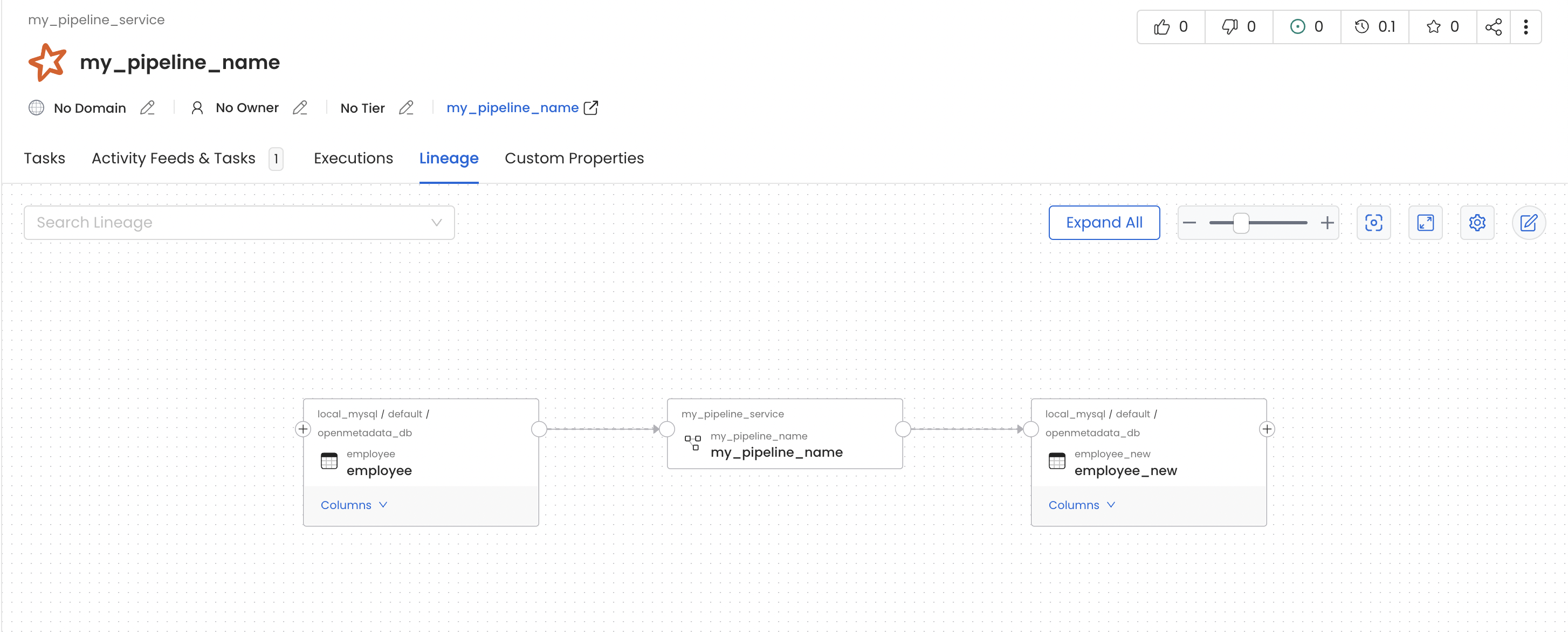
In this job we read data from the `employee` table and write it to another table, `employee_new`, within the same MySQL source.
```py theme={null}
from pyspark.sql import SparkSession
from uuid import uuid4
spark = (
SparkSession.builder.master("local")
.appName("localTestApp")
.config(
"spark.jars.packages",
# Spark 3.x: use the latest openlineage-spark release (1.37.0+)
"io.openlineage:openlineage-spark_2.12:1.37.0,mysql:mysql-connector-java:8.0.30",
)
.config(
"spark.extraListeners",
"io.openlineage.spark.agent.OpenLineageSparkListener",
)
.config("spark.openlineage.transport.type", "http")
.config("spark.openlineage.transport.url", "https://")
.config(
"spark.openlineage.transport.endpoint",
"/api/v1/openlineage/lineage",
)
.config("spark.openlineage.transport.auth.type", "api_key")
.config(
"spark.openlineage.transport.auth.apiKey",
"",
)
.config("spark.openlineage.namespace", "my_spark_namespace")
.config("spark.openlineage.parentJobName", "my_pipeline_name")
.config("spark.openlineage.parentRunId", str(uuid4()))
.getOrCreate()
)
# Read from MySQL table
employee_df = (
spark.read.format("jdbc")
.option("url", "jdbc:mysql://localhost:3306/openmetadata_db")
.option("driver", "com.mysql.cj.jdbc.Driver")
.option("dbtable", "employee")
.option("user", "openmetadata_user")
.option("password", "openmetadata_password")
.load()
)
# Write data to the new employee_new table
(
employee_df.write.format("jdbc")
.option("url", "jdbc:mysql://localhost:3306/openmetadata_db")
.option("driver", "com.mysql.cj.jdbc.Driver")
.option("dbtable", "employee_new")
.option("user", "openmetadata_user")
.option("password", "openmetadata_password")
.mode("overwrite")
.save()
)
# Stop the Spark session
spark.stop()
```
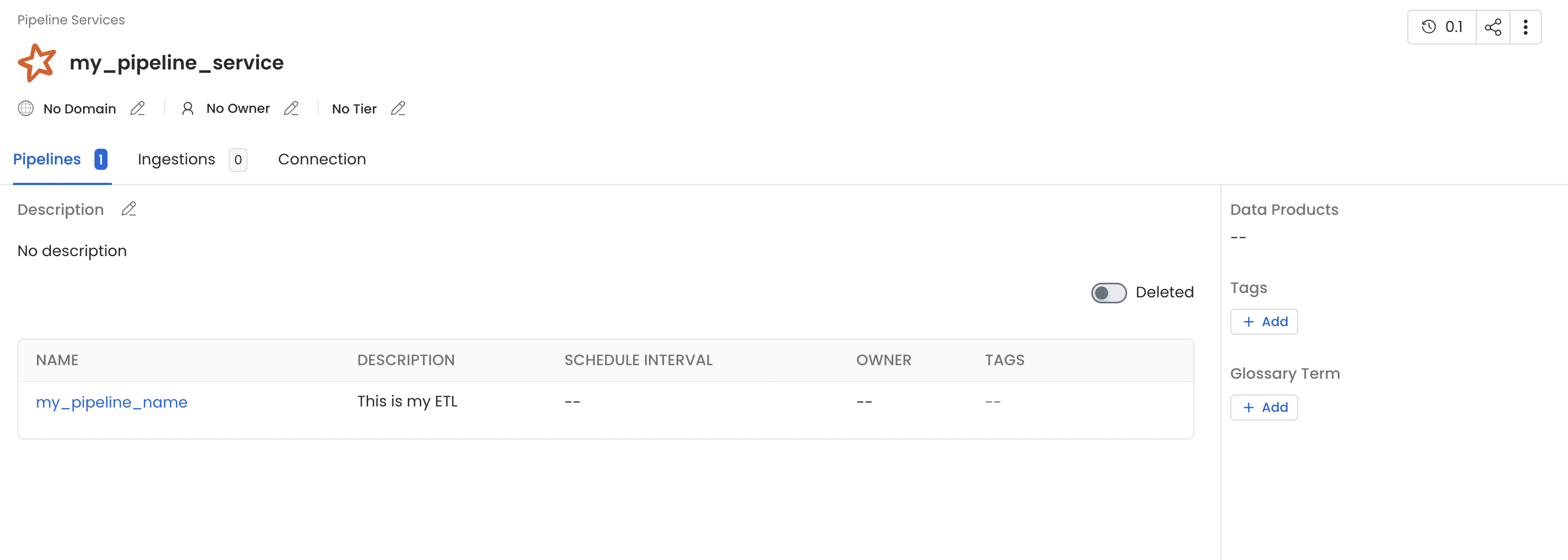
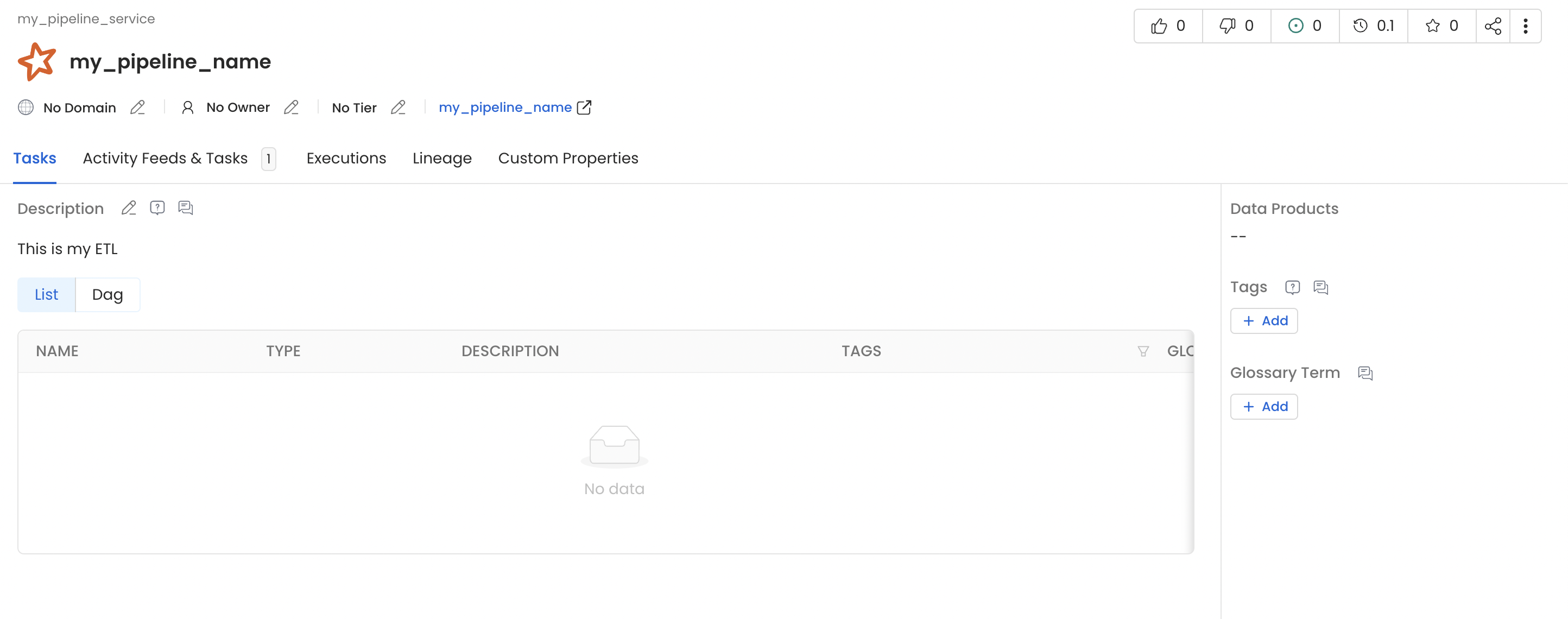
Once this PySpark job finishes, Collate records the lineage between `employee` and `employee_new`. The Spark job appears as a pipeline named `my_spark_namespace-my_pipeline_name` — built from the namespace and job name — under the **`openlineage`** pipeline service (the default `defaultPipelineService`). To land these pipelines in a different service, point `defaultPipelineService` at an existing pipeline service in Collate's OpenLineage settings.
 ## Configuration — Spark 2.4.x
The configuration is **identical to Spark 3.x except for the `openlineage-spark` version**, which must be pinned to **`1.36.0`** — the last OpenLineage release that supports Spark 2.x. Everything else (the listener class and all `spark.openlineage.transport.*` properties) is the same.
Use `io.openlineage:openlineage-spark_2.12:1.36.0`. Versions `1.37.0` and later require Spark 3.x and will not work on Spark 2.4.x. Make sure your Spark 2.4 build is compiled with Scala 2.12 to match the `_2.12` artifact.
The listener class and all `spark.openlineage.transport.*` / `spark.openlineage.namespace` properties are exactly the same as in the Spark 3.x section above.
```py theme={null}
from pyspark.sql import SparkSession
from uuid import uuid4
spark = (
SparkSession.builder.master("local")
.appName("localTestApp")
.config(
"spark.jars.packages",
# Spark 2.4.x: pin to 1.36.0 (last release supporting Spark 2)
"io.openlineage:openlineage-spark_2.12:1.36.0,mysql:mysql-connector-java:8.0.30",
)
.config(
"spark.extraListeners",
"io.openlineage.spark.agent.OpenLineageSparkListener",
)
.config("spark.openlineage.transport.type", "http")
.config("spark.openlineage.transport.url", "https://")
.config(
"spark.openlineage.transport.endpoint",
"/api/v1/openlineage/lineage",
)
.config("spark.openlineage.transport.auth.type", "api_key")
.config(
"spark.openlineage.transport.auth.apiKey",
"",
)
.config("spark.openlineage.namespace", "my_spark_namespace")
.config("spark.openlineage.parentJobName", "my_pipeline_name")
.config("spark.openlineage.parentRunId", str(uuid4()))
.getOrCreate()
)
# ... your read/write logic, identical to the Spark 3.x example ...
spark.stop()
```
## Using OpenLineage with Databricks
Follow the steps below to capture lineage from Databricks Spark jobs into Collate using the OpenLineage listener.
### 1. Install the openlineage-spark library on the cluster
The simplest approach is to add `openlineage-spark` as a **Maven library** on your cluster:
1. Open the compute (cluster) details page and go to the **Libraries** tab.
2. Click **Install new** → **Maven**.
3. Enter the coordinate for your Databricks Runtime's Spark version:
* **Spark 3.x** (DBR 7.3+): `io.openlineage:openlineage-spark_2.12:1.37.0` (or newer)
* **Spark 2.4.x** (DBR 6.x): `io.openlineage:openlineage-spark_2.12:1.36.0`
4. Click **Install** and wait for the library to attach.
## Configuration — Spark 2.4.x
The configuration is **identical to Spark 3.x except for the `openlineage-spark` version**, which must be pinned to **`1.36.0`** — the last OpenLineage release that supports Spark 2.x. Everything else (the listener class and all `spark.openlineage.transport.*` properties) is the same.
Use `io.openlineage:openlineage-spark_2.12:1.36.0`. Versions `1.37.0` and later require Spark 3.x and will not work on Spark 2.4.x. Make sure your Spark 2.4 build is compiled with Scala 2.12 to match the `_2.12` artifact.
The listener class and all `spark.openlineage.transport.*` / `spark.openlineage.namespace` properties are exactly the same as in the Spark 3.x section above.
```py theme={null}
from pyspark.sql import SparkSession
from uuid import uuid4
spark = (
SparkSession.builder.master("local")
.appName("localTestApp")
.config(
"spark.jars.packages",
# Spark 2.4.x: pin to 1.36.0 (last release supporting Spark 2)
"io.openlineage:openlineage-spark_2.12:1.36.0,mysql:mysql-connector-java:8.0.30",
)
.config(
"spark.extraListeners",
"io.openlineage.spark.agent.OpenLineageSparkListener",
)
.config("spark.openlineage.transport.type", "http")
.config("spark.openlineage.transport.url", "https://")
.config(
"spark.openlineage.transport.endpoint",
"/api/v1/openlineage/lineage",
)
.config("spark.openlineage.transport.auth.type", "api_key")
.config(
"spark.openlineage.transport.auth.apiKey",
"",
)
.config("spark.openlineage.namespace", "my_spark_namespace")
.config("spark.openlineage.parentJobName", "my_pipeline_name")
.config("spark.openlineage.parentRunId", str(uuid4()))
.getOrCreate()
)
# ... your read/write logic, identical to the Spark 3.x example ...
spark.stop()
```
## Using OpenLineage with Databricks
Follow the steps below to capture lineage from Databricks Spark jobs into Collate using the OpenLineage listener.
### 1. Install the openlineage-spark library on the cluster
The simplest approach is to add `openlineage-spark` as a **Maven library** on your cluster:
1. Open the compute (cluster) details page and go to the **Libraries** tab.
2. Click **Install new** → **Maven**.
3. Enter the coordinate for your Databricks Runtime's Spark version:
* **Spark 3.x** (DBR 7.3+): `io.openlineage:openlineage-spark_2.12:1.37.0` (or newer)
* **Spark 2.4.x** (DBR 6.x): `io.openlineage:openlineage-spark_2.12:1.36.0`
4. Click **Install** and wait for the library to attach.
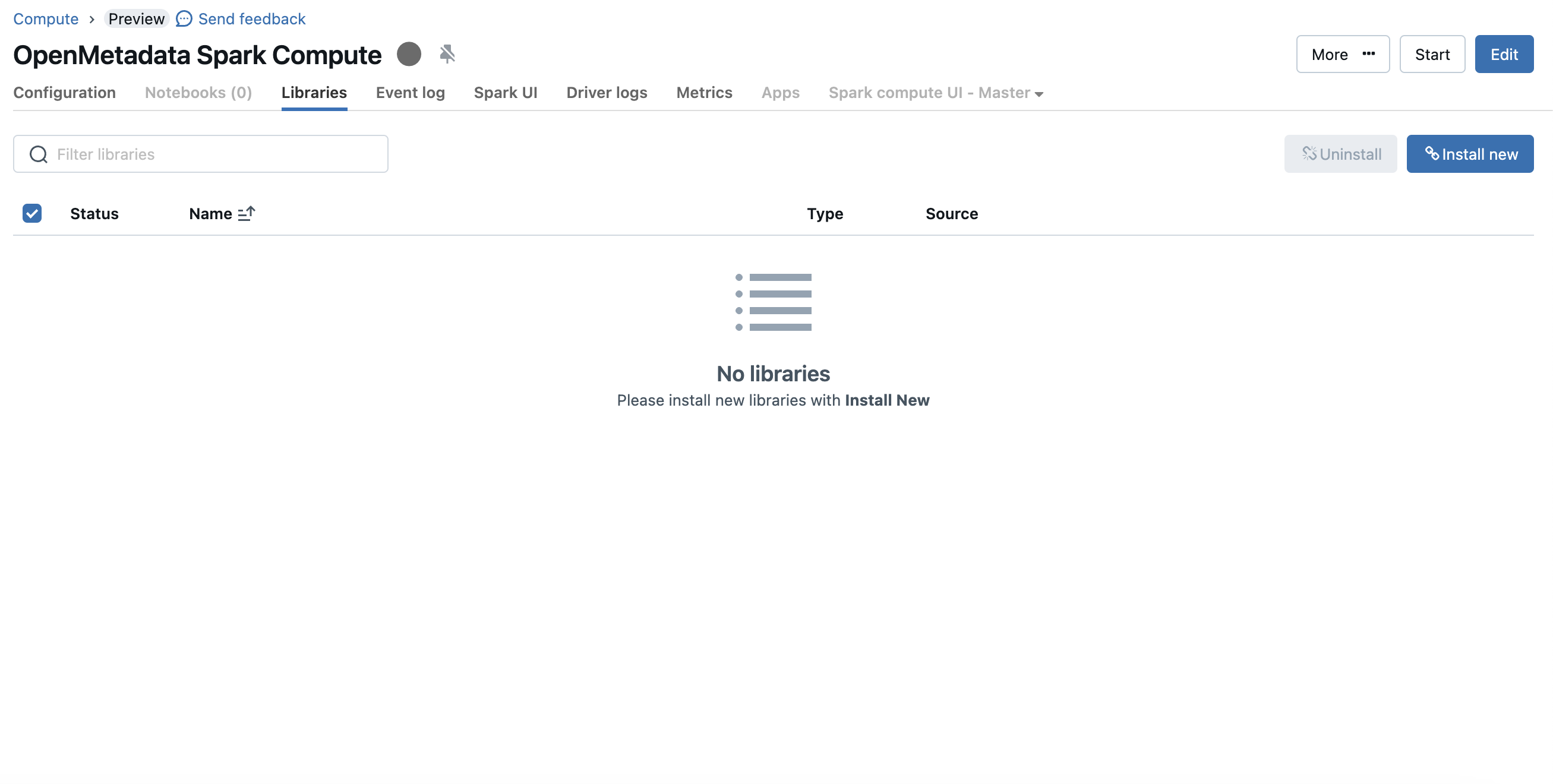 If your environment cannot reach Maven Central, download the `openlineage-spark` JAR, upload it to DBFS, and either install it as a DBFS library or copy it into `/databricks/jars` via a cluster init script.
### 2. Configure the cluster Spark settings
Go to **Advanced options → Spark → Spark config** and add the OpenLineage listener and HTTP transport settings:
If your environment cannot reach Maven Central, download the `openlineage-spark` JAR, upload it to DBFS, and either install it as a DBFS library or copy it into `/databricks/jars` via a cluster init script.
### 2. Configure the cluster Spark settings
Go to **Advanced options → Spark → Spark config** and add the OpenLineage listener and HTTP transport settings:
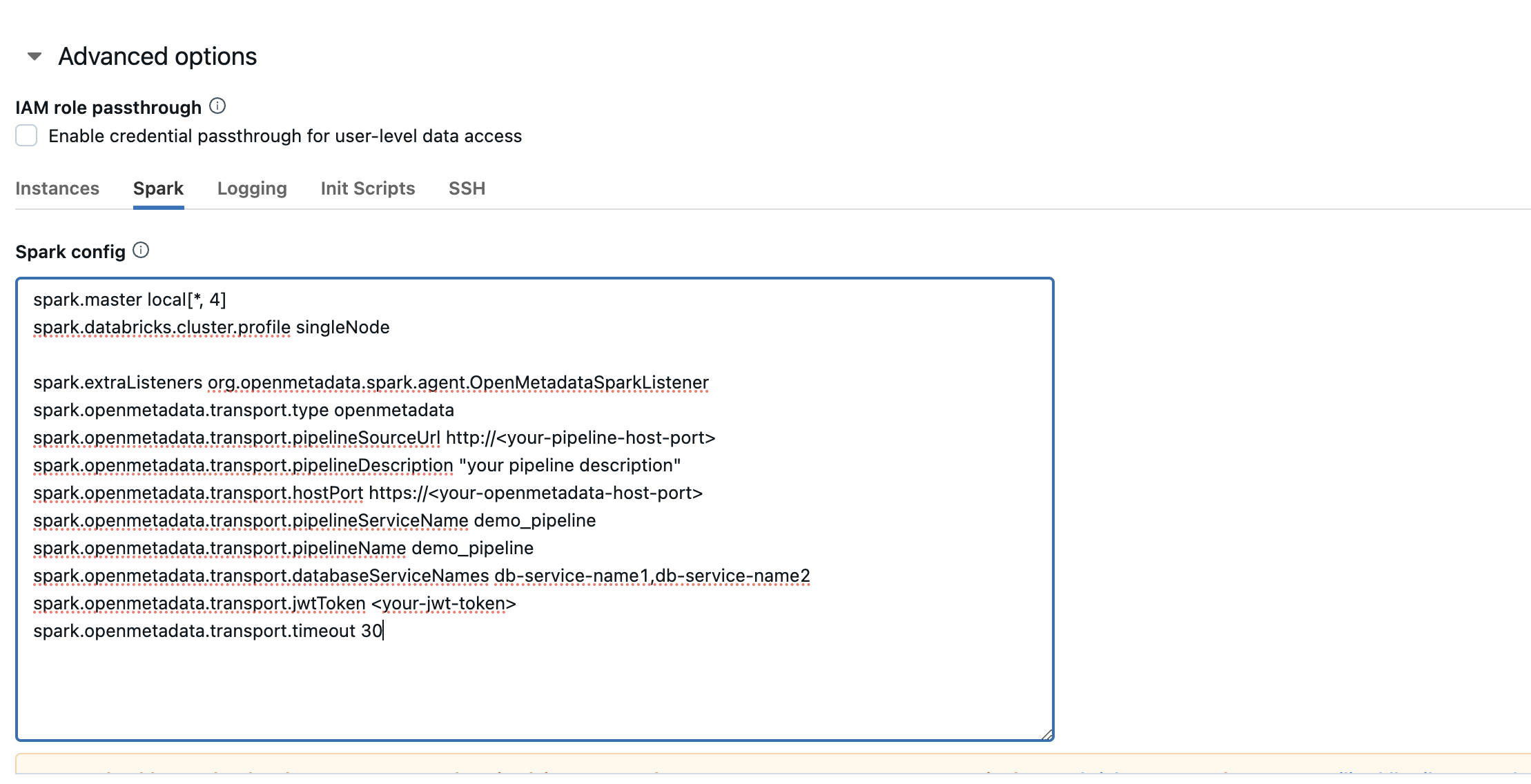 ```
spark.extraListeners io.openlineage.spark.agent.OpenLineageSparkListener
spark.openlineage.transport.type http
spark.openlineage.transport.url https://
spark.openlineage.transport.endpoint /api/v1/openlineage/lineage
spark.openlineage.transport.auth.type api_key
spark.openlineage.transport.auth.apiKey
spark.openlineage.namespace databricks_spark
```
### 3. (Optional) Set the listener via an init script
If you prefer to register the listener through an init script — for example to guarantee it loads before the driver starts — create the script in your workspace and attach it under **Advanced options → Init Scripts**:
```bash theme={null}
#!/bin/bash
cat << 'EOF' > /databricks/driver/conf/openlineage-spark-driver-defaults.conf
[driver] {
"spark.extraListeners" = "io.openlineage.spark.agent.OpenLineageSparkListener"
}
EOF
```
```
spark.extraListeners io.openlineage.spark.agent.OpenLineageSparkListener
spark.openlineage.transport.type http
spark.openlineage.transport.url https://
spark.openlineage.transport.endpoint /api/v1/openlineage/lineage
spark.openlineage.transport.auth.type api_key
spark.openlineage.transport.auth.apiKey
spark.openlineage.namespace databricks_spark
```
### 3. (Optional) Set the listener via an init script
If you prefer to register the listener through an init script — for example to guarantee it loads before the driver starts — create the script in your workspace and attach it under **Advanced options → Init Scripts**:
```bash theme={null}
#!/bin/bash
cat << 'EOF' > /databricks/driver/conf/openlineage-spark-driver-defaults.conf
[driver] {
"spark.extraListeners" = "io.openlineage.spark.agent.OpenLineageSparkListener"
}
EOF
```
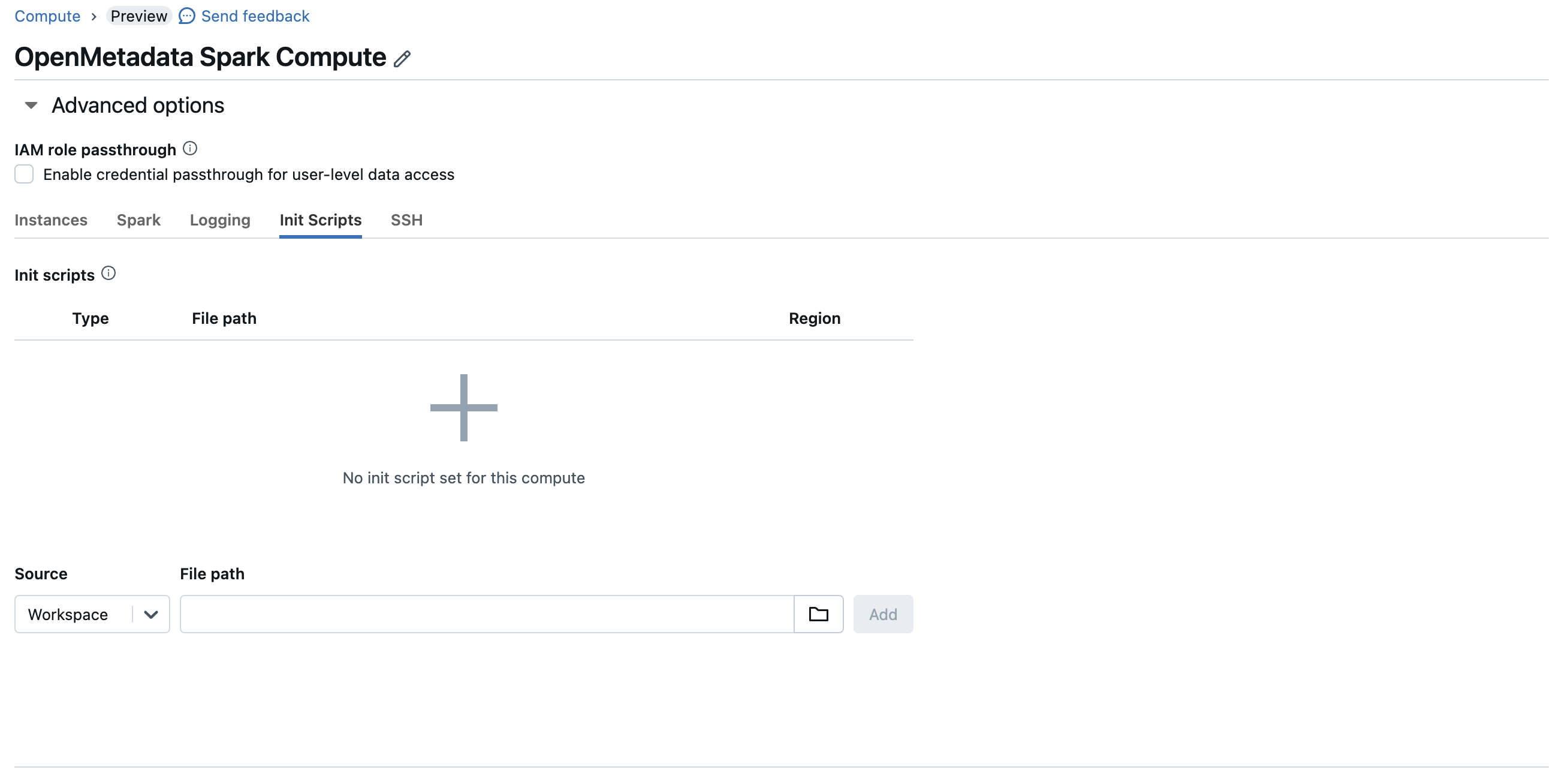 After the library and configuration are in place, start (or restart) the cluster. Your Databricks Spark jobs will now push lineage to Collate.
## Using OpenLineage with Glue
Follow the steps below to capture lineage from AWS Glue Spark jobs into Collate.
Match the `openlineage-spark` version to your Glue version's Spark runtime: Glue 3.0/4.0/5.0 run Spark 3.x (use `1.37.0` or newer), while Glue 2.0 runs Spark 2.4.x (use `1.36.0`).
### 1. Provide the openlineage-spark JAR
1. Download the `openlineage-spark` JAR for your Spark version and upload it to S3.
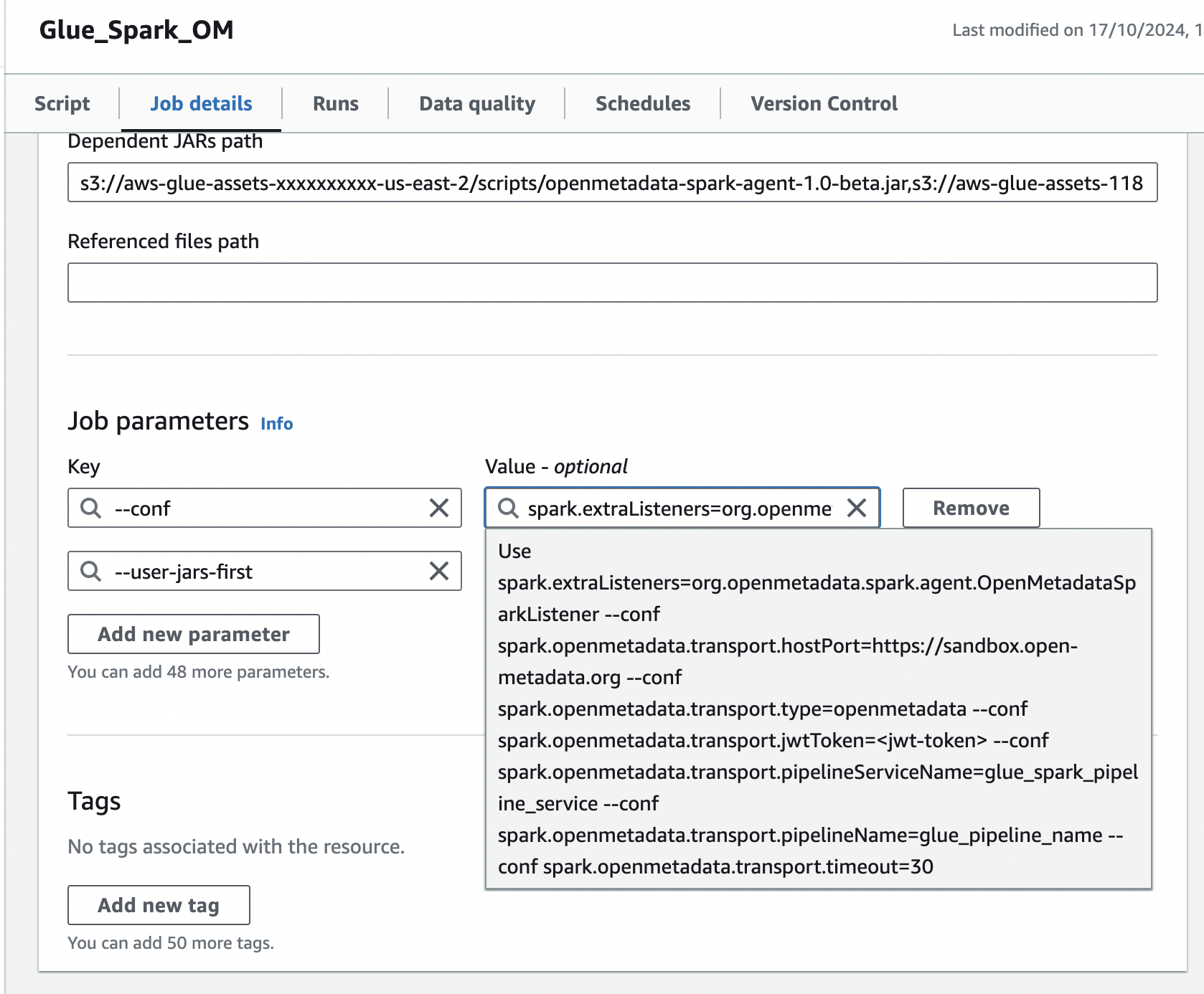
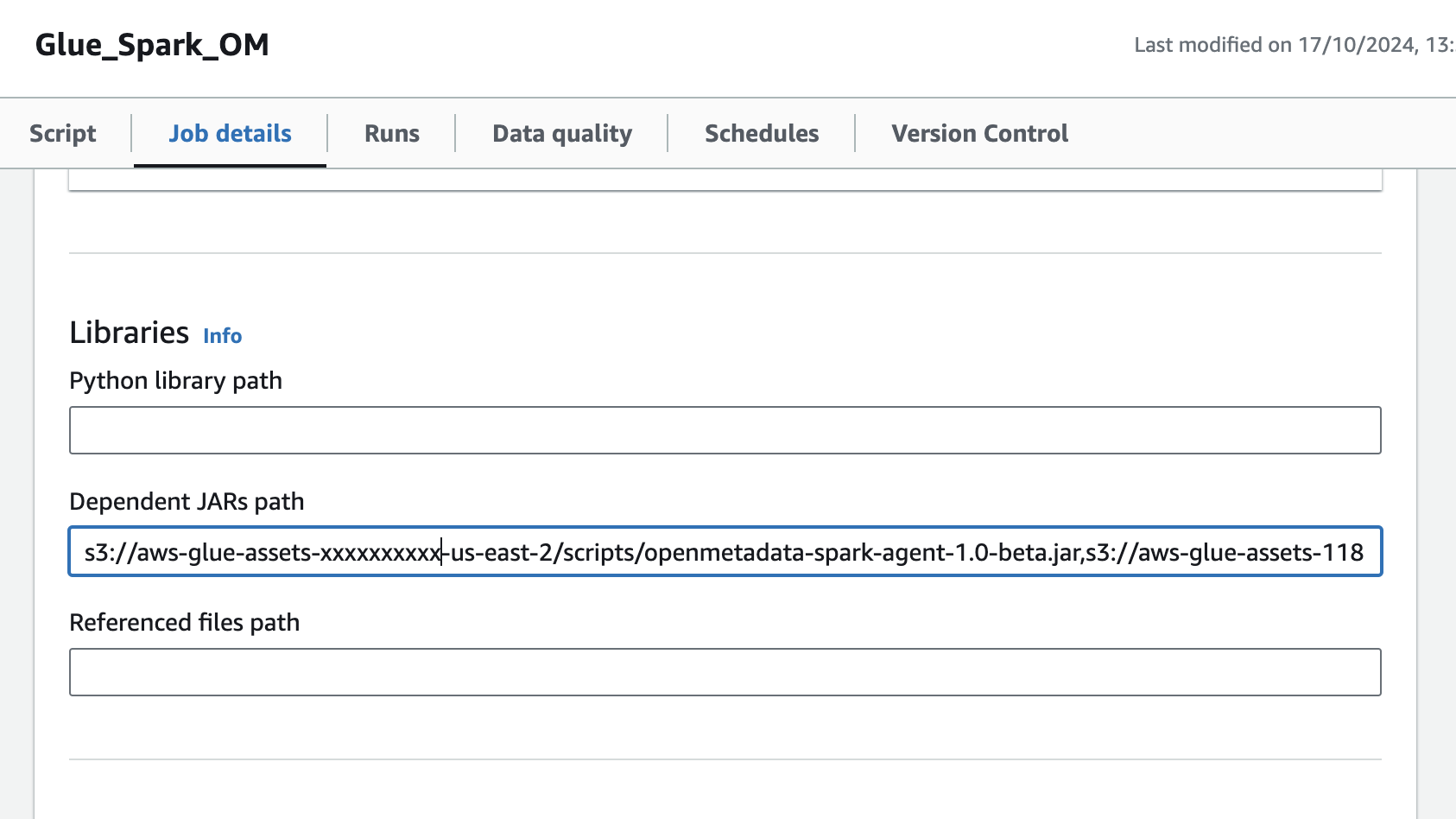
2. Open the Glue job and, in the **Job details** tab, go to **Advanced properties → Libraries → Dependent JARs path**.
3. Add the S3 URL of the `openlineage-spark` JAR to the **Dependent JARs path**.
After the library and configuration are in place, start (or restart) the cluster. Your Databricks Spark jobs will now push lineage to Collate.
## Using OpenLineage with Glue
Follow the steps below to capture lineage from AWS Glue Spark jobs into Collate.
Match the `openlineage-spark` version to your Glue version's Spark runtime: Glue 3.0/4.0/5.0 run Spark 3.x (use `1.37.0` or newer), while Glue 2.0 runs Spark 2.4.x (use `1.36.0`).
### 1. Provide the openlineage-spark JAR
1. Download the `openlineage-spark` JAR for your Spark version and upload it to S3.
2. Open the Glue job and, in the **Job details** tab, go to **Advanced properties → Libraries → Dependent JARs path**.
3. Add the S3 URL of the `openlineage-spark` JAR to the **Dependent JARs path**.
 ### 2. Add the Spark configuration in Job parameters
In the same **Job details** tab, add a job parameter:
1. Add a `--conf` parameter with the following value (customize the host, token, and namespace):
```
spark.extraListeners=io.openlineage.spark.agent.OpenLineageSparkListener --conf spark.openlineage.transport.type=http --conf spark.openlineage.transport.url=https:// --conf spark.openlineage.transport.endpoint=/api/v1/openlineage/lineage --conf spark.openlineage.transport.auth.type=api_key --conf spark.openlineage.transport.auth.apiKey= --conf spark.openlineage.namespace=glue_spark
```
2. Add the `--user-jars-first` parameter and set its value to `true`.
### 2. Add the Spark configuration in Job parameters
In the same **Job details** tab, add a job parameter:
1. Add a `--conf` parameter with the following value (customize the host, token, and namespace):
```
spark.extraListeners=io.openlineage.spark.agent.OpenLineageSparkListener --conf spark.openlineage.transport.type=http --conf spark.openlineage.transport.url=https:// --conf spark.openlineage.transport.endpoint=/api/v1/openlineage/lineage --conf spark.openlineage.transport.auth.type=api_key --conf spark.openlineage.transport.auth.apiKey= --conf spark.openlineage.namespace=glue_spark
```
2. Add the `--user-jars-first` parameter and set its value to `true`.