> ## Documentation Index
> Fetch the complete documentation index at: https://docs.getcollate.io/llms.txt
> Use this file to discover all available pages before exploring further.
# What is Tiering | Collate Data Tiering Guide
> Tier datasets based on usage, freshness, and governance to guide discovery and prioritization.
# What is Tiering
Tiering is an important concept of data classification in Collate. Data Producers and Consumers can set business importance of data by setting Tiers. `Tier 1` is the most important data of an organization.
In Collate, Tiers are System Classification tags and can be accessed from **Govern > Classification > Tier**.
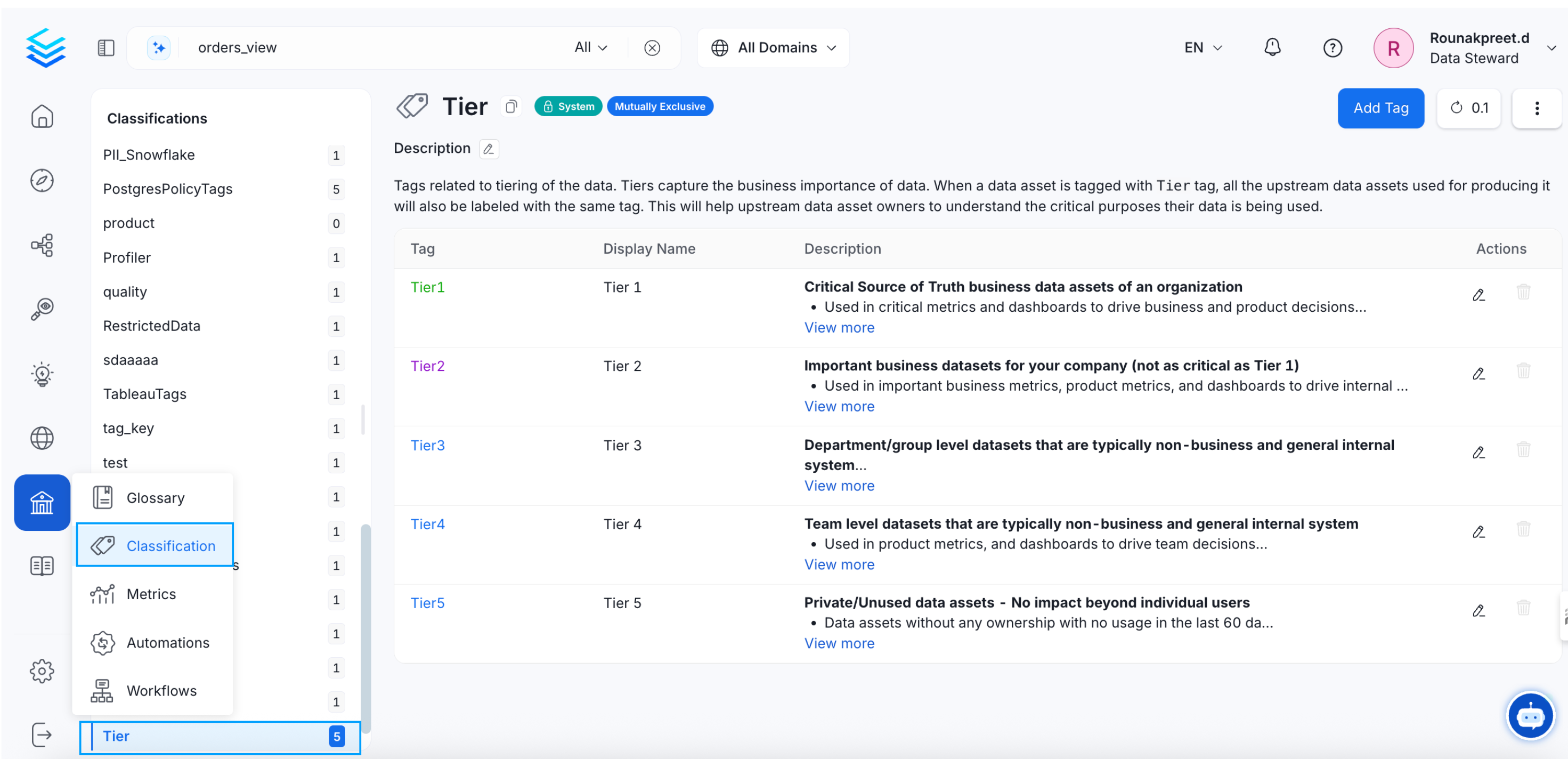 In case of tiering, it is easiest to start with the most important (Tier 1) and the least important (Tier 5) data. Once the **Tier 1** or most important data is identified, organizations can focus on improving the descriptions and data quality. The Data Insights in Collate helps identify the unused datasets as **Tier 5**. The Tier 5 datasets can be deleted periodically to declutter. Other tiers can be added as per your organizational needs. **Tags** can be added to further mark the data assets.
| **Tier** | **Impact** | **Used for** | **Type of Impact** | **Usage** |
| ---------- | ---------------- | ----------------------------------------- | ----------------------------------- | ------------------------------ |
| **Tier 1** | High | External & Internal Decisions | Revenue, Regulatory, & Reputational | Highly used |
| **Tier 2** | Moderate | Some External & Mostly Internal Decisions | Some Regulatory | Highly used |
| **Tier 3** | Low | Internal Decisions | - | Highly used (Top N percentile) |
| **Tier 4** | Low | Internal Team Decisions | - | - |
| **Tier 5** | Individual owned | Unused Datasets | - | - |
## How to Add Tiers
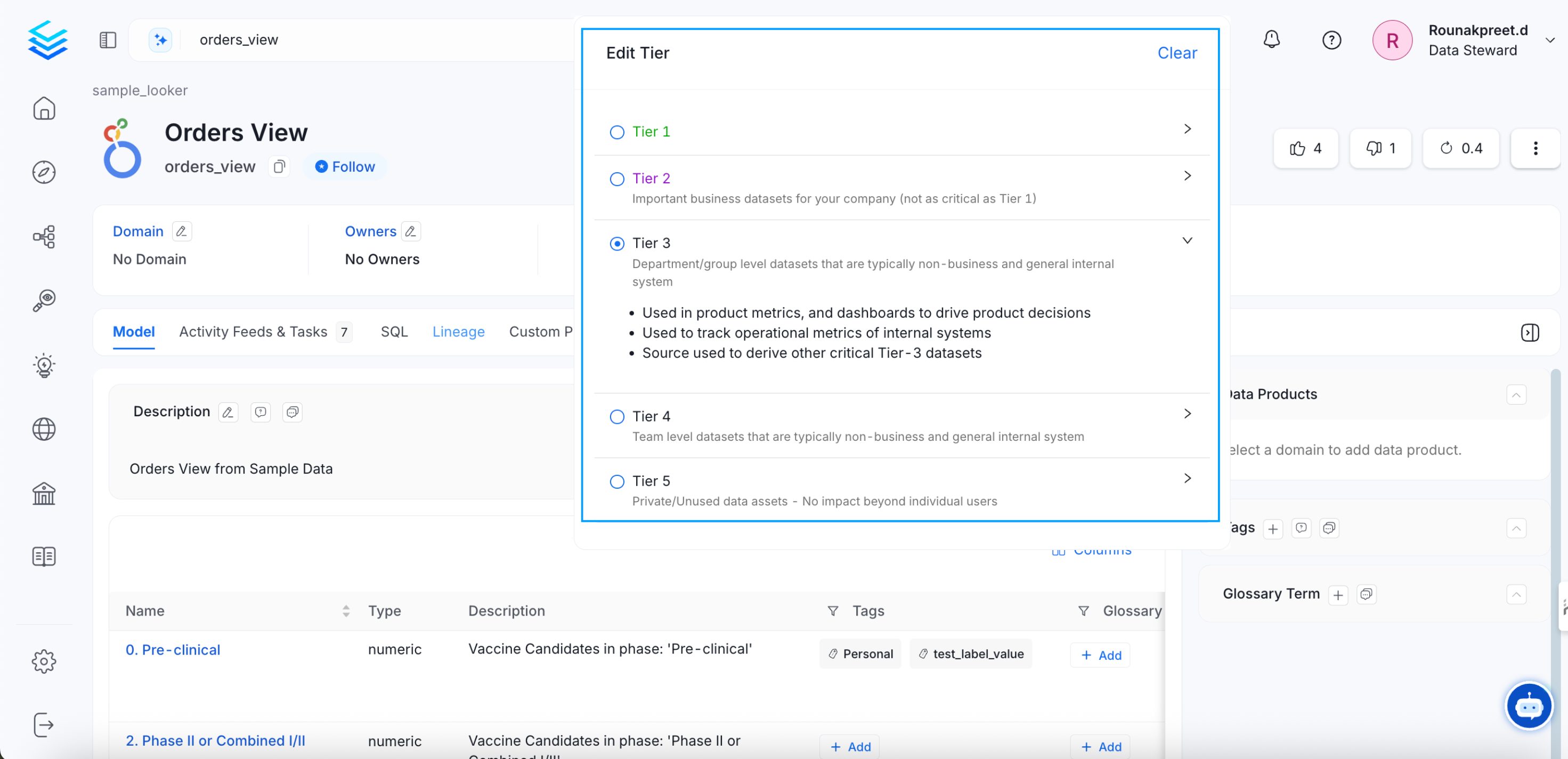
From the **Explore** page, select a data asset and click on the edit icon for **Tier**. Select the appropriate tier. Clicking on the arrow next to the tier will provide a description of the tier.
In case of tiering, it is easiest to start with the most important (Tier 1) and the least important (Tier 5) data. Once the **Tier 1** or most important data is identified, organizations can focus on improving the descriptions and data quality. The Data Insights in Collate helps identify the unused datasets as **Tier 5**. The Tier 5 datasets can be deleted periodically to declutter. Other tiers can be added as per your organizational needs. **Tags** can be added to further mark the data assets.
| **Tier** | **Impact** | **Used for** | **Type of Impact** | **Usage** |
| ---------- | ---------------- | ----------------------------------------- | ----------------------------------- | ------------------------------ |
| **Tier 1** | High | External & Internal Decisions | Revenue, Regulatory, & Reputational | Highly used |
| **Tier 2** | Moderate | Some External & Mostly Internal Decisions | Some Regulatory | Highly used |
| **Tier 3** | Low | Internal Decisions | - | Highly used (Top N percentile) |
| **Tier 4** | Low | Internal Team Decisions | - | - |
| **Tier 5** | Individual owned | Unused Datasets | - | - |
## How to Add Tiers
From the **Explore** page, select a data asset and click on the edit icon for **Tier**. Select the appropriate tier. Clicking on the arrow next to the tier will provide a description of the tier.
 Set up the ingestion pipeline right from the UI.