> ## Documentation Index
> Fetch the complete documentation index at: https://docs.getcollate.io/llms.txt
> Use this file to discover all available pages before exploring further.
# Governance Workflows - Table Documentation Tiering Workflow
> Example workflow that evaluates column description coverage and applies certifications based on completeness.
# Table Documentation Tiering Workflow
## Overview
The **Table Documentation Tiering Workflow** is a data governance automation designed to evaluate and certify tables based on the completeness of their column descriptions. By measuring metadata quality at the column level, the workflow assigns a tier (Tier1, Tier2, Tier3, Tier4) that reflects the maturity of each table’s documentation.
This ensures consistent metadata standards across the organization and helps identify documentation gaps that need improvement.
## Scenario
A data governance team needs a consistent way to measure documentation quality across thousands of tables in the enterprise data platform. Different teams provide varying levels of column descriptions, making it difficult to assess metadata completeness, enforce standards, and prioritize improvements.
## How the Workflow Works
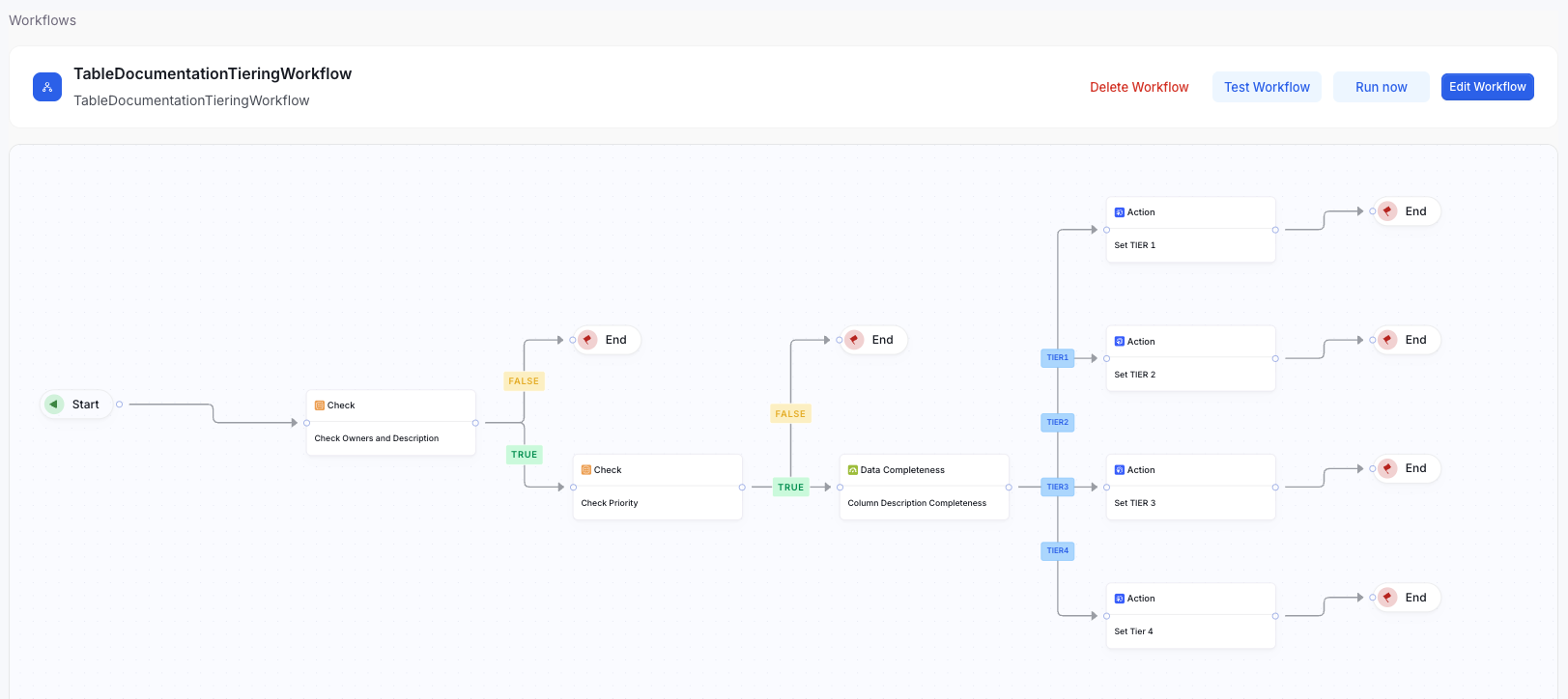
1. **Table and Column Evaluation**
The workflow scans each table and inspects all of its columns.
2. **Validation of Required Metadata**
For each table, the workflow checks whether:
* Table contains a **description**
* Required **owners** are present
If either condition is not met, the workflow terminates for that table and no certification is assigned.
3. **Priority Type Check**
The workflow verifies that the table’s **Custom Property: Enum Priority Type** is set to **Priority**.
If not, the workflow ends for that table.
4. **Documentation Completeness Calculation**
For eligible tables, the workflow calculates the percentage of columns that have complete descriptions.
5. **Tier Assignment**
Based on predefined completeness thresholds, the workflow assigns a certification tier:
* **TIER1** — 100% of columns documented
* **TIER2** — ≥ 75% documented
* **TIER3** — ≥ 50% documented
* **TIER4** — \< 50% documented
6. **Tier Update**
The assigned tier is written back to the catalog or metadata store for visibility and governance reporting.
## Creating the Workflow
Here is a video Illustrating the creation of Table Documentation Tiering Workflow
 ## Example Tables and Results
Below are the sample tables used in the demonstration:
| Table | Description Completeness | Resulting Tier |
| ---------- | ----------------------------- | -------------- |
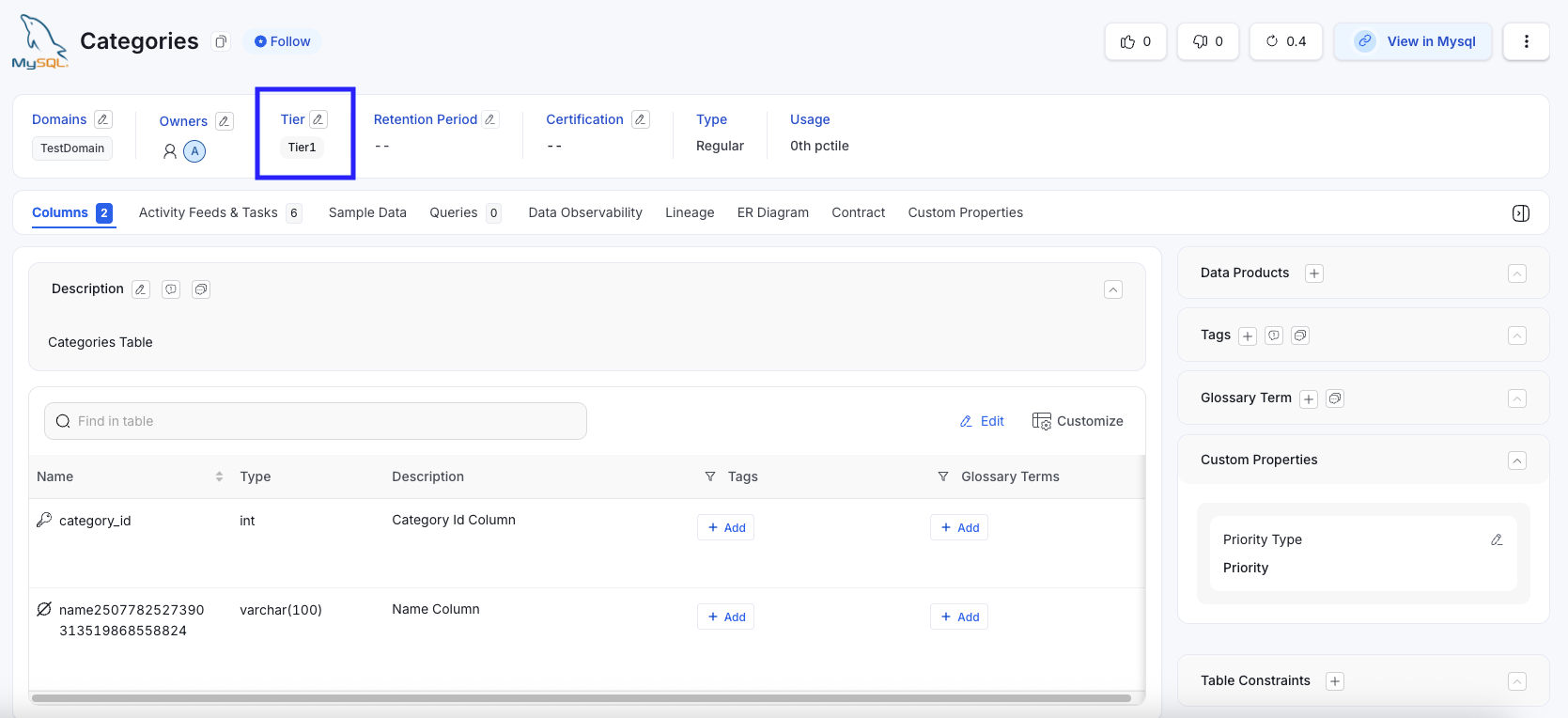
| Categories | All columns documented (100%) | **Tier1** |
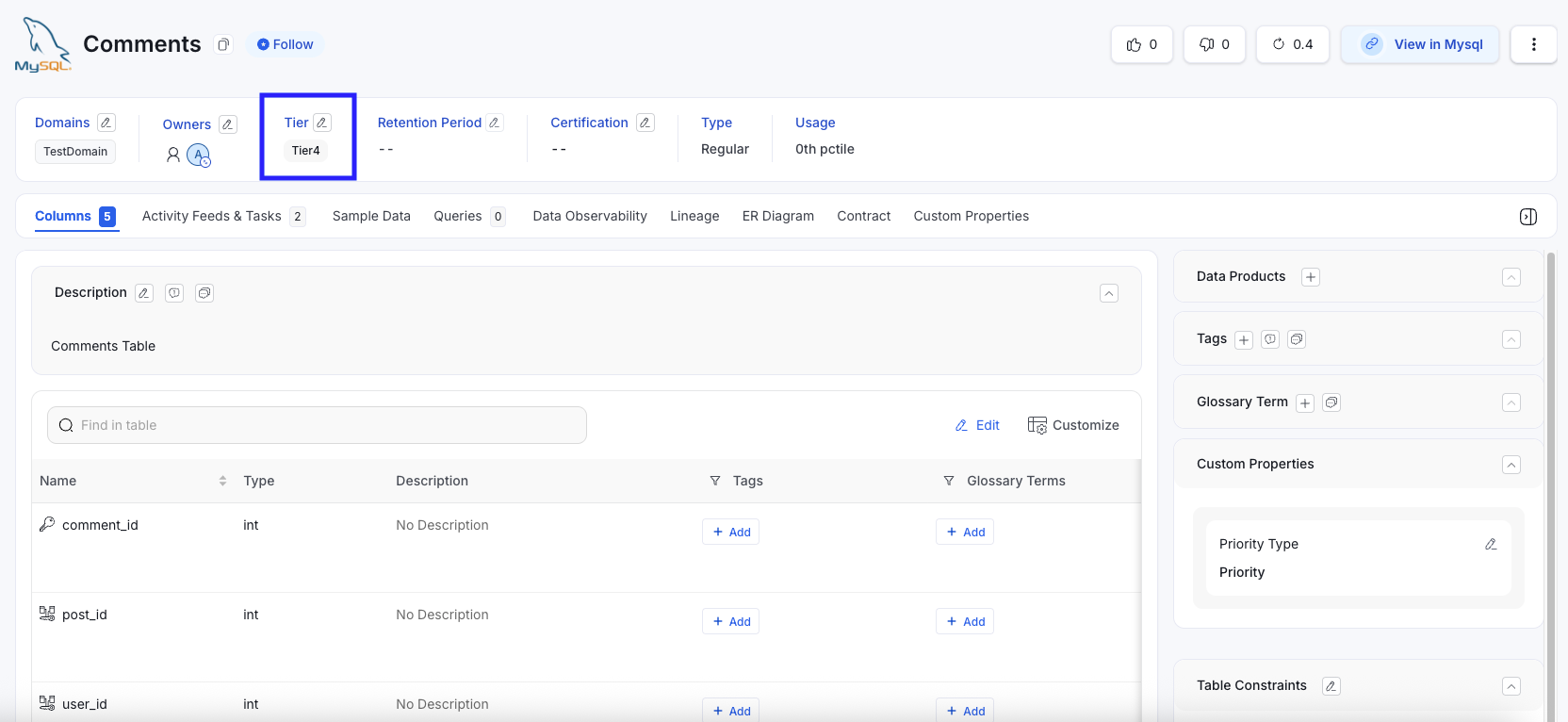
| Comments | No columns documented (0%) | **Tier4** |
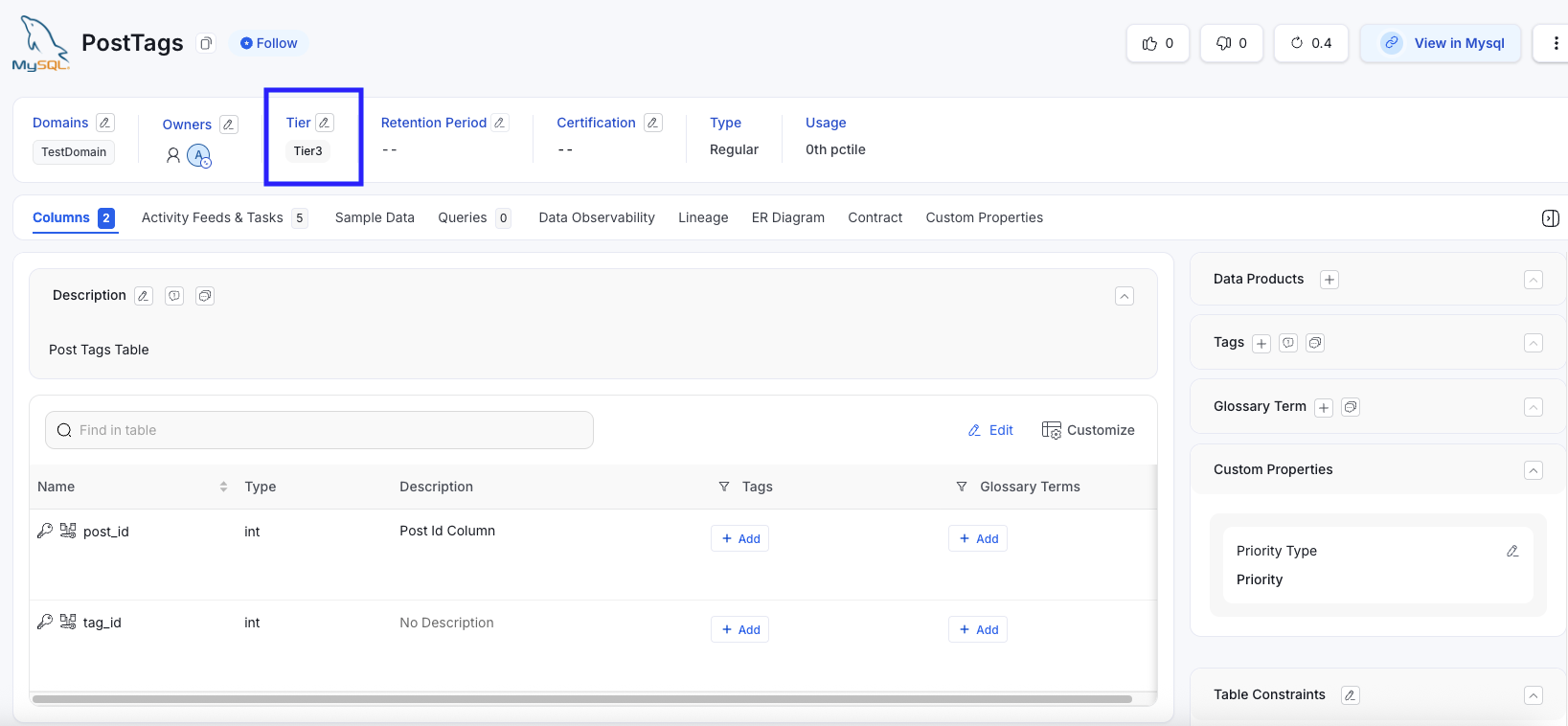
| PostTags | 1/2 columns documented (50%) | **Tier3** |
| Users | 3/4 columns documented (75%) | **Tier2** |
## Before Workflow Execution
The initial state of the tables shows missing and incomplete descriptions.
### Categories Table (Before) - All Columns have description
## Example Tables and Results
Below are the sample tables used in the demonstration:
| Table | Description Completeness | Resulting Tier |
| ---------- | ----------------------------- | -------------- |
| Categories | All columns documented (100%) | **Tier1** |
| Comments | No columns documented (0%) | **Tier4** |
| PostTags | 1/2 columns documented (50%) | **Tier3** |
| Users | 3/4 columns documented (75%) | **Tier2** |
## Before Workflow Execution
The initial state of the tables shows missing and incomplete descriptions.
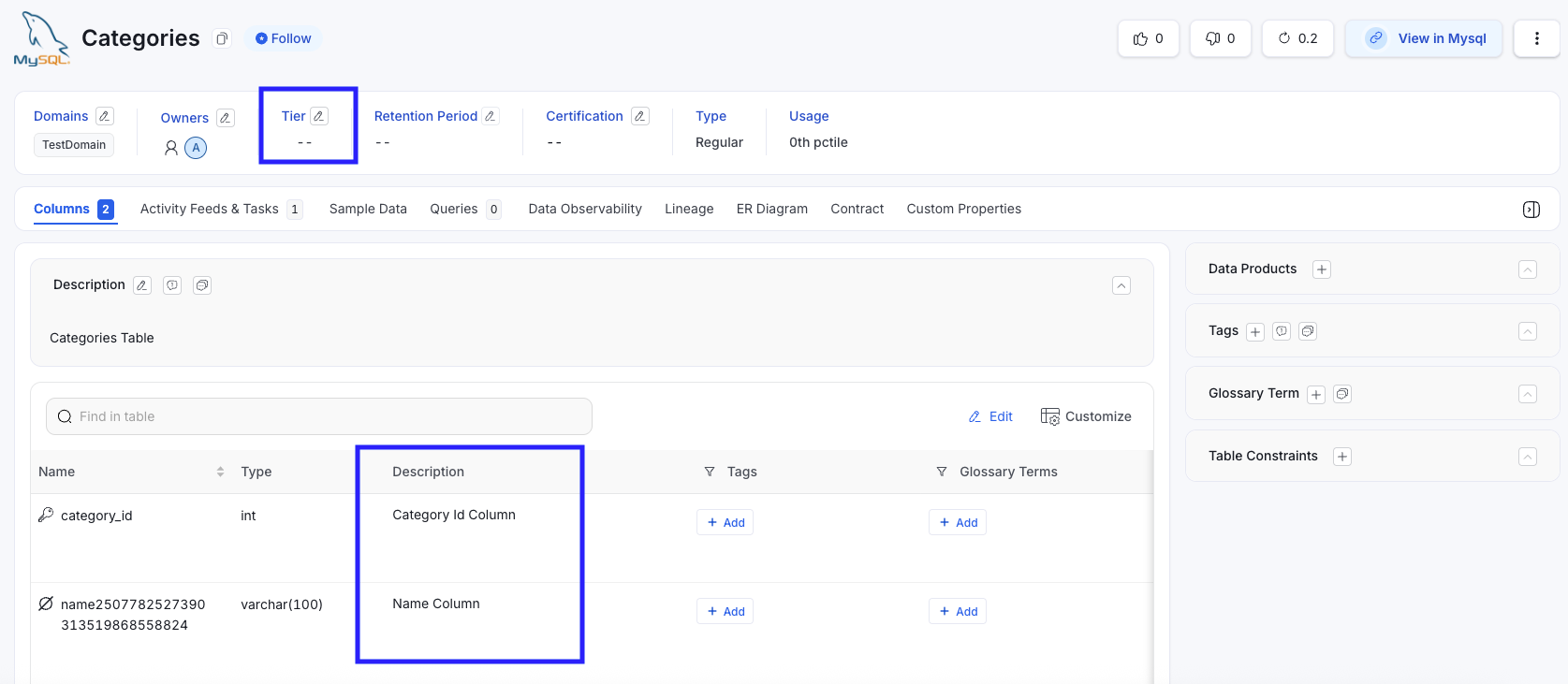
### Categories Table (Before) - All Columns have description
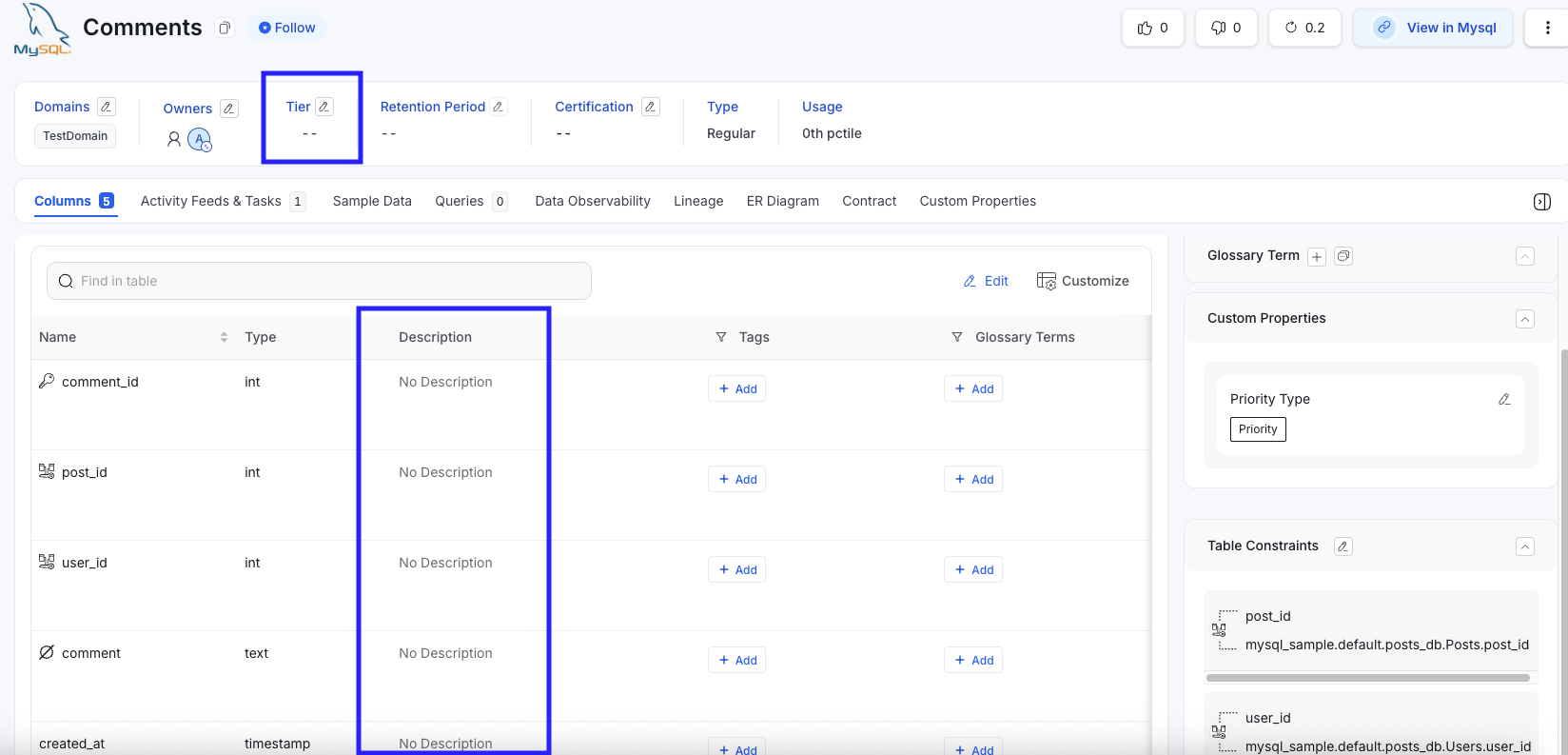
 ### Comments Table (Before) - No Columns have description
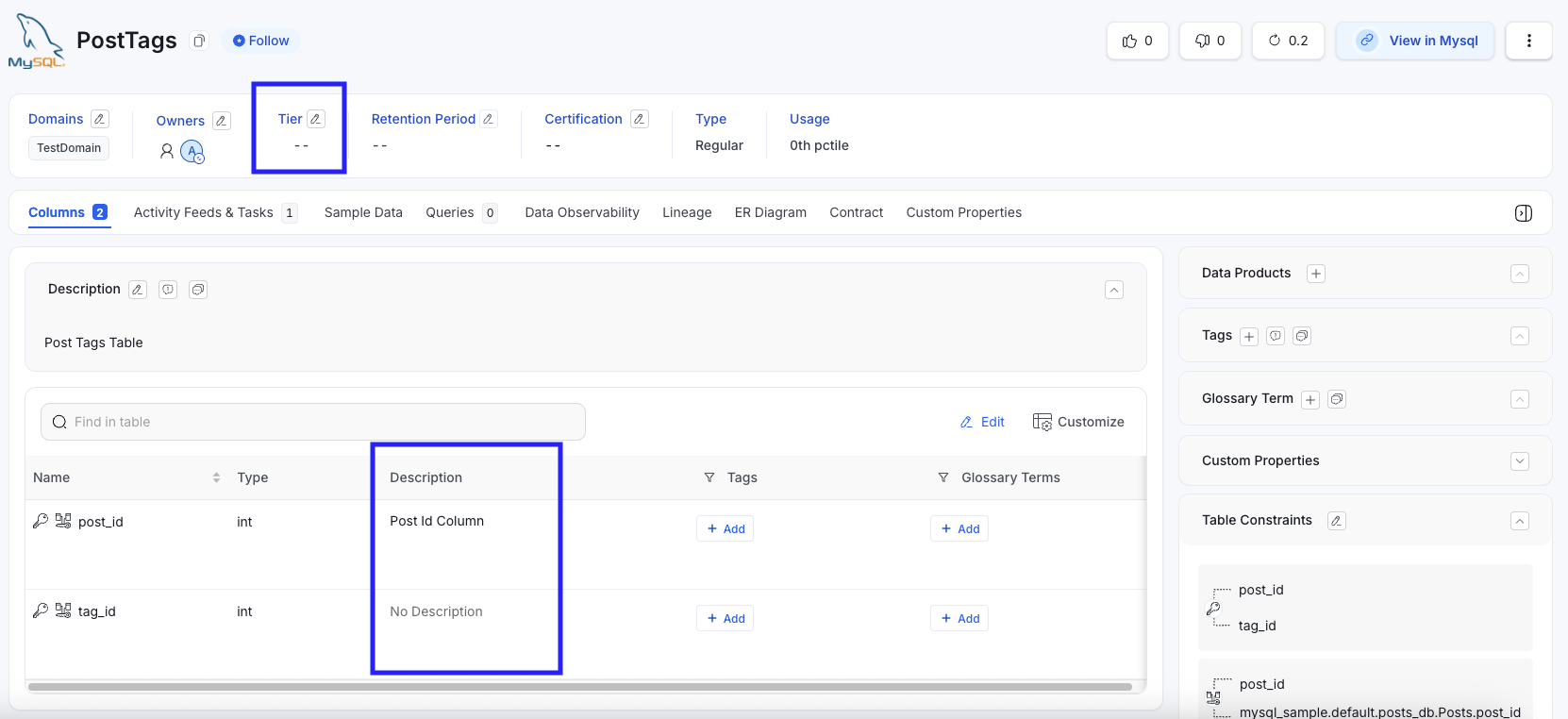
 ### PostTags Table (Before) - 1/2 columns have description
 ### Users Table (Before) - 3/4 Columns have description
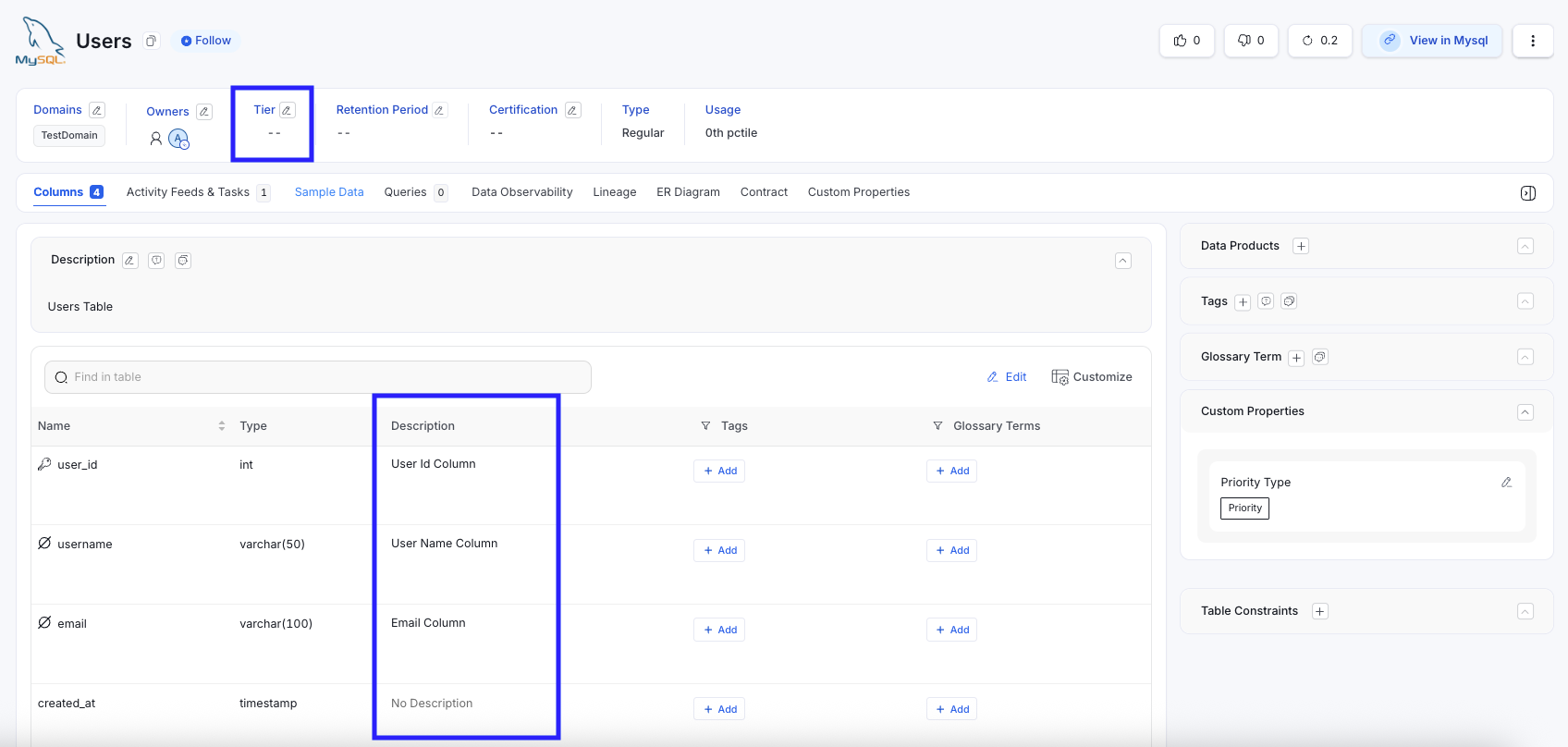 These screenshots illustrate incomplete metadata, which prevents certification.
## After Workflow Execution
After running the **Table Documentation Tiering Workflow**, each table is assigned a certification tier based on its calculated completeness.
### Categories Table → Tier 1
These screenshots illustrate incomplete metadata, which prevents certification.
## After Workflow Execution
After running the **Table Documentation Tiering Workflow**, each table is assigned a certification tier based on its calculated completeness.
### Categories Table → Tier 1
 ### Comments Table → Tier 4
 ### PostTags Table→ Tier 3
 ### Users Table→ Tier 2
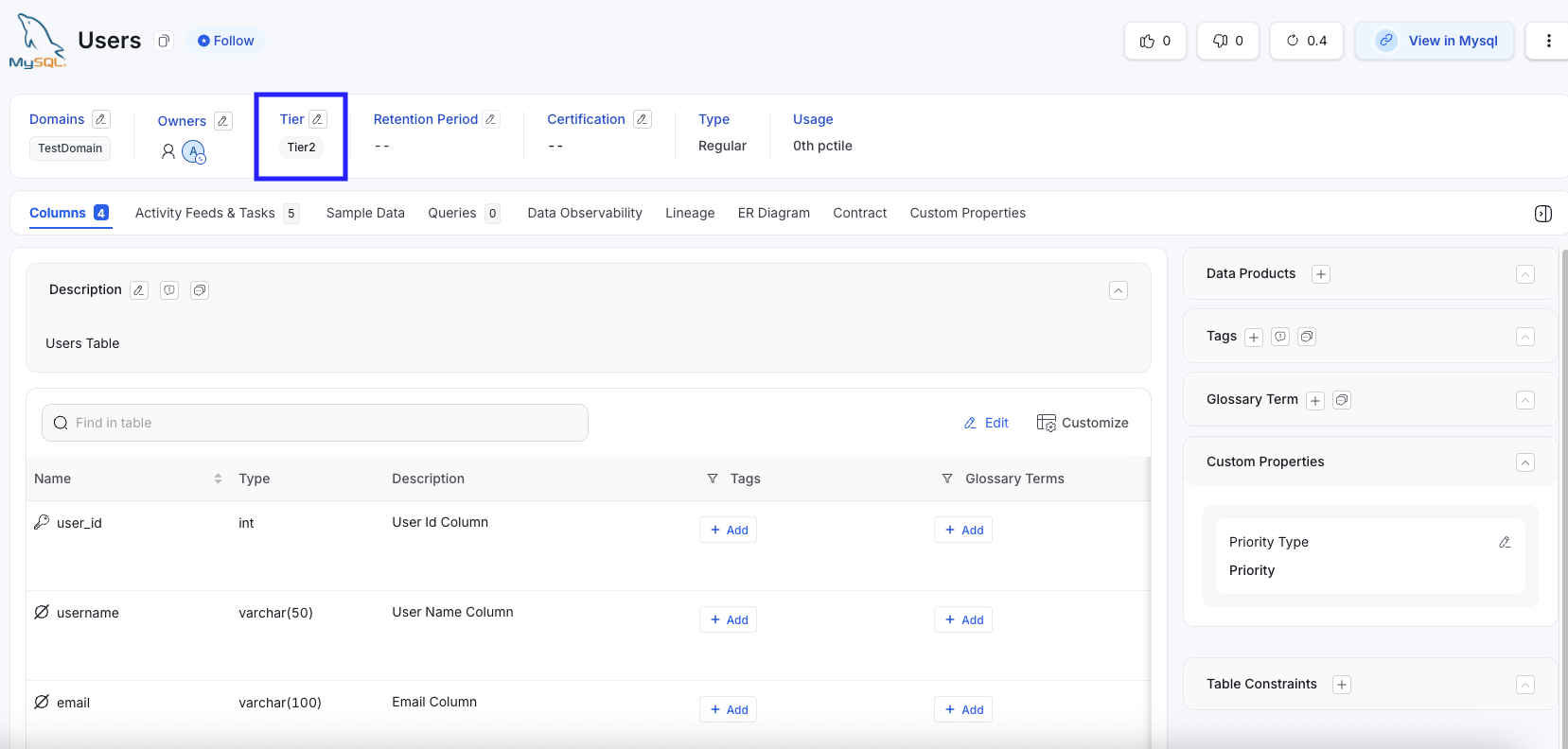 The resulting certification labels demonstrate how the workflow classifies metadata maturity.
## Why This Workflow Matters
* **Improves Metadata Quality:** Encourages teams to provide complete column descriptions.
* **Enforces Governance Standards:** Ensures consistent evaluation across all datasets.
* **Enables Discoverability:** Better-documented tables accelerate analyst productivity.
* **Creates Accountability:** Provides visibility into documentation gaps for each table.
* **Automates Tier:** Reduces manual effort and improves accuracy in governance processes.
## Summary
The **Table Documentation Tiering Workflow** is a scalable, automated solution for assessing documentation quality and promoting strong metadata governance. By assigning tiers based on column description completeness, it helps organizations maintain high-quality data assets, increase transparency, and support a more data-literate culture.
The resulting certification labels demonstrate how the workflow classifies metadata maturity.
## Why This Workflow Matters
* **Improves Metadata Quality:** Encourages teams to provide complete column descriptions.
* **Enforces Governance Standards:** Ensures consistent evaluation across all datasets.
* **Enables Discoverability:** Better-documented tables accelerate analyst productivity.
* **Creates Accountability:** Provides visibility into documentation gaps for each table.
* **Automates Tier:** Reduces manual effort and improves accuracy in governance processes.
## Summary
The **Table Documentation Tiering Workflow** is a scalable, automated solution for assessing documentation quality and promoting strong metadata governance. By assigning tiers based on column description completeness, it helps organizations maintain high-quality data assets, increase transparency, and support a more data-literate culture.