> ## Documentation Index
> Fetch the complete documentation index at: https://docs.getcollate.io/llms.txt
> Use this file to discover all available pages before exploring further.

# Governance Workflows - Check Condition

> Configure conditional checks on assets to branch governance workflows based on true or false outcomes.

# Governance Workflows - Check Condition

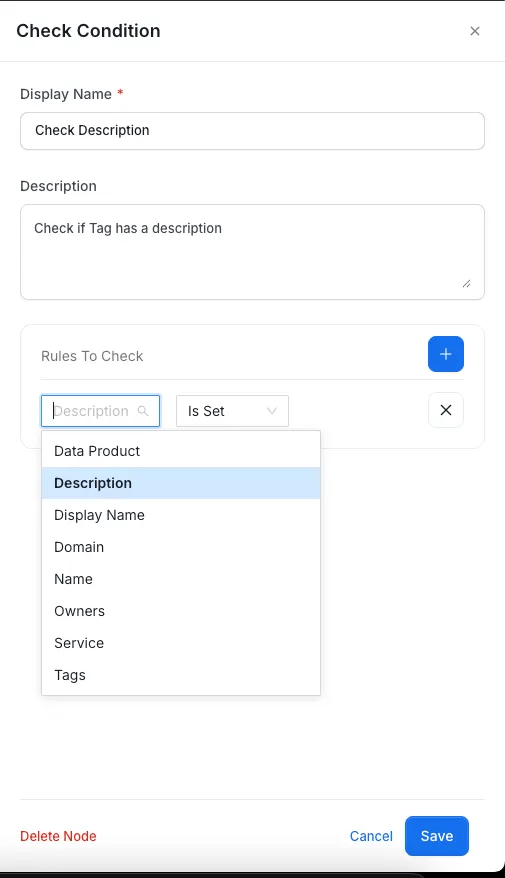
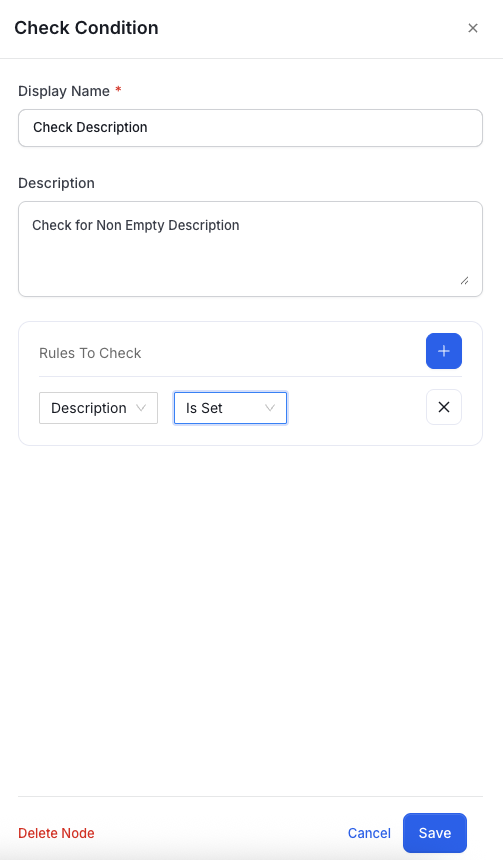
This node evaluates conditions on data assets.

Examples:

* Is a description provided?
<img src="https://mintcdn.com/collatedocs/htlMrdEdUQiJnAza/public/images/how-to-guides/governance/CheckConditionDescription.png?fit=max&auto=format&n=htlMrdEdUQiJnAza&q=85&s=f7d4e6af02e3ef2f78c4fc25e14d9ab6" alt="Check Condition Node" width="503" height="860" data-path="public/images/how-to-guides/governance/CheckConditionDescription.png" />

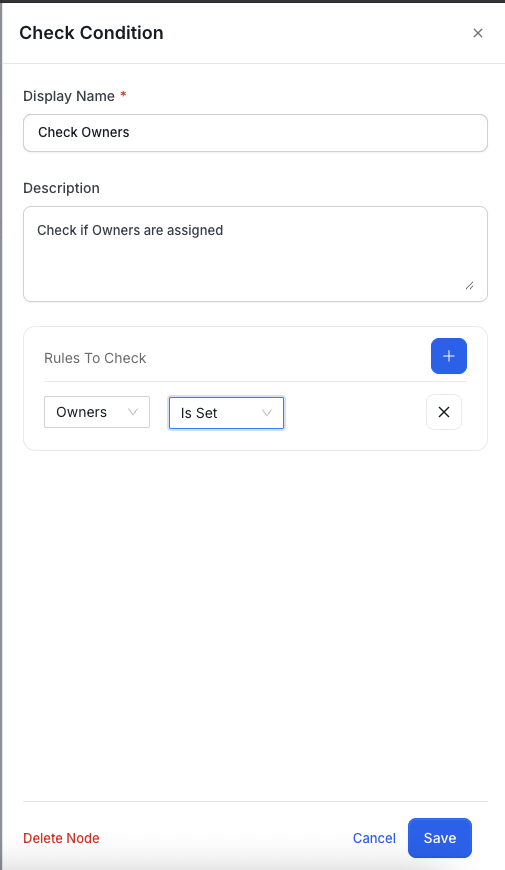
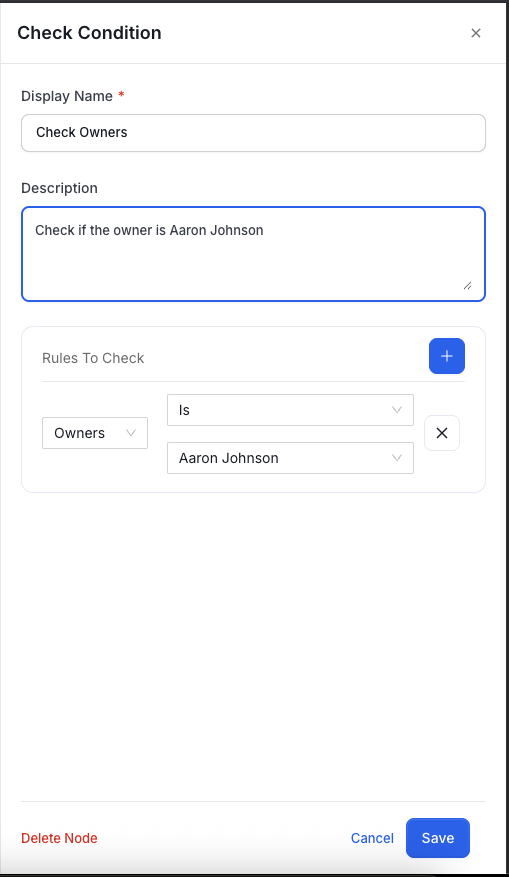
* Are owners assigned?

<img src="https://mintcdn.com/collatedocs/htlMrdEdUQiJnAza/public/images/how-to-guides/governance/CheckConditionOwners.png?fit=max&auto=format&n=htlMrdEdUQiJnAza&q=85&s=af8be5f3effe27db7218d4bf50968863" alt="Check Condition Node" width="505" height="870" data-path="public/images/how-to-guides/governance/CheckConditionOwners.png" />

<img src="https://mintcdn.com/collatedocs/RWySTZfdGXLAinlR/public/images/how-to-guides/governance/CheckOwnerAaronJohnson.png?fit=max&auto=format&n=RWySTZfdGXLAinlR&q=85&s=0963b567e060568d74887f3a5571a0b1" alt="Check Condition Node" width="509" height="877" data-path="public/images/how-to-guides/governance/CheckOwnerAaronJohnson.png" />

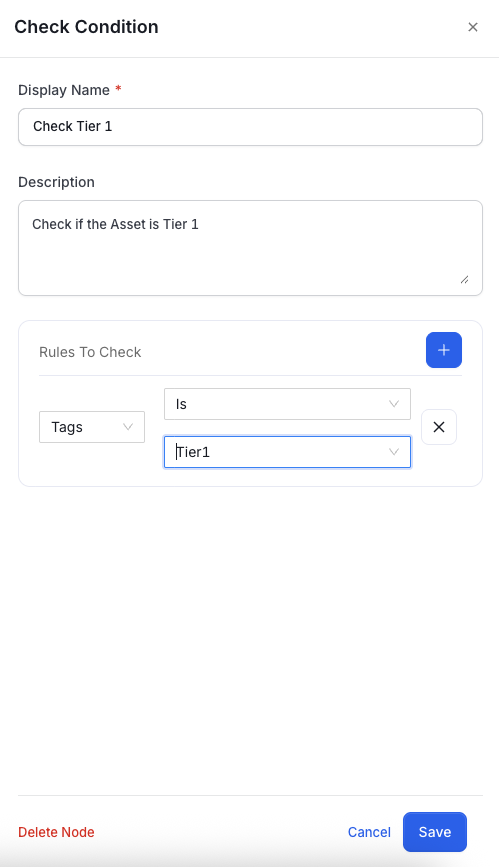
* Is the asset Tier 1?

<img src="https://mintcdn.com/collatedocs/htlMrdEdUQiJnAza/public/images/how-to-guides/governance/CheckConditionTier1.png?fit=max&auto=format&n=htlMrdEdUQiJnAza&q=85&s=7f734c4444d726fc5189e8dd46826dc1" alt="Check Condition Node" width="499" height="867" data-path="public/images/how-to-guides/governance/CheckConditionTier1.png" />

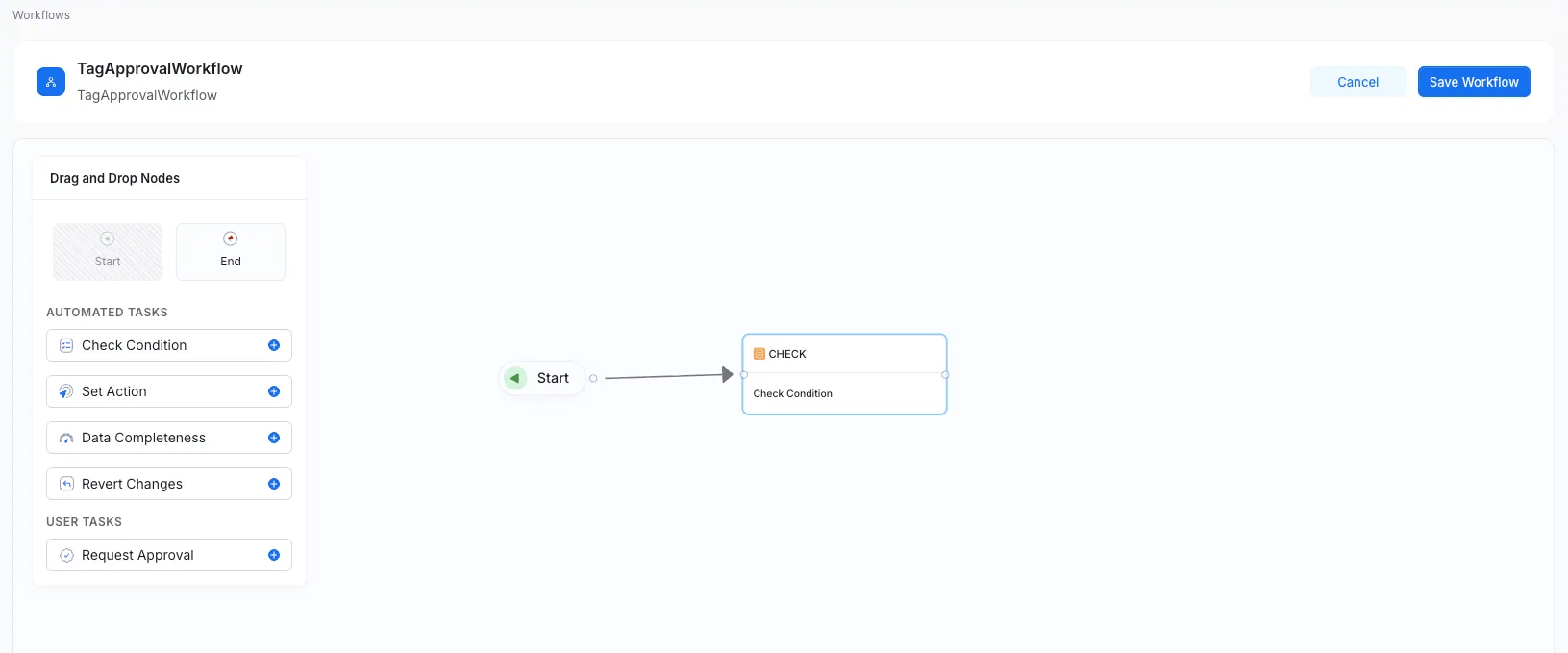
You can define multiple conditions.

<img src="https://mintcdn.com/collatedocs/0WB3xbs7_-_cSTf4/public/images/how-to-guides/governance/check1.png?fit=max&auto=format&n=0WB3xbs7_-_cSTf4&q=85&s=b9bdffeb32d0d74f3e076493c21c728a" alt="Check Condition Node" width="1631" height="679" data-path="public/images/how-to-guides/governance/check1.png" />

<img src="https://mintcdn.com/collatedocs/0WB3xbs7_-_cSTf4/public/images/how-to-guides/governance/check2.png?fit=max&auto=format&n=0WB3xbs7_-_cSTf4&q=85&s=1e83530de29b36f3561d3b50a41d6157" alt="Check Condition Node" width="505" height="878" data-path="public/images/how-to-guides/governance/check2.png" />

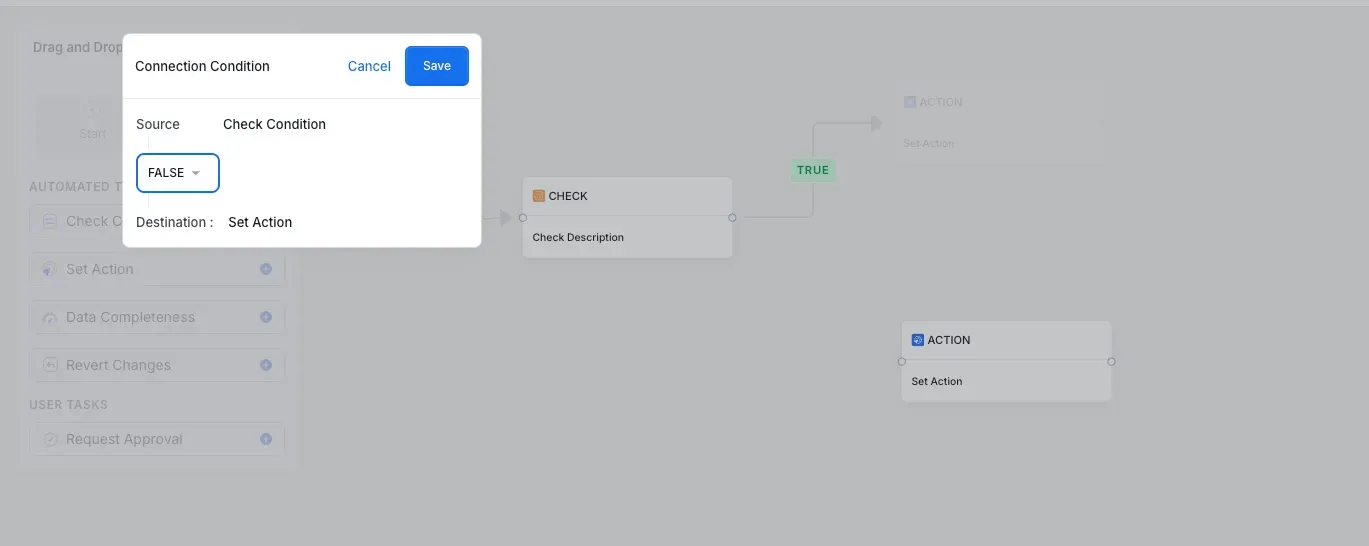
Each Check Condition node has two output branches:

* **TRUE** – When the condition is satisfied.
* **FALSE** – When the condition fails.

  Both branches must be connected for a complete workflow path.
<img src="https://mintcdn.com/collatedocs/0WB3xbs7_-_cSTf4/public/images/how-to-guides/governance/check3.png?fit=max&auto=format&n=0WB3xbs7_-_cSTf4&q=85&s=e409060e1dd7b4299e32c5ab2660ec3a" alt="Check Condition Node" width="1369" height="546" data-path="public/images/how-to-guides/governance/check3.png" />