> ## Documentation Index
> Fetch the complete documentation index at: https://docs.getcollate.io/llms.txt
> Use this file to discover all available pages before exploring further.
# Governance Workflows - Dashboard Certification Workflow (Default)
> Automate dashboard certification workflows to approve, verify, and label trusted insights for wider consumption.
# Governance Workflows - Dashboard Certification Workflow (Default)
The **Dashboard Certification Workflow** in Collate is a scheduled, rule-based automation designed to evaluate and assign certification levels—**Gold**, **Silver**, **Bronze**, or **None**—to dashboards based on specific metadata attributes. This workflow helps promote trusted, well-documented dashboards across the organization.
## Overview
The certification process runs periodically according to a defined schedule. It identifies qualifying dashboards based on predefined rules and automatically updates their certification status. This enables users to quickly identify high-quality, well-managed dashboards.
## Workflow Logic
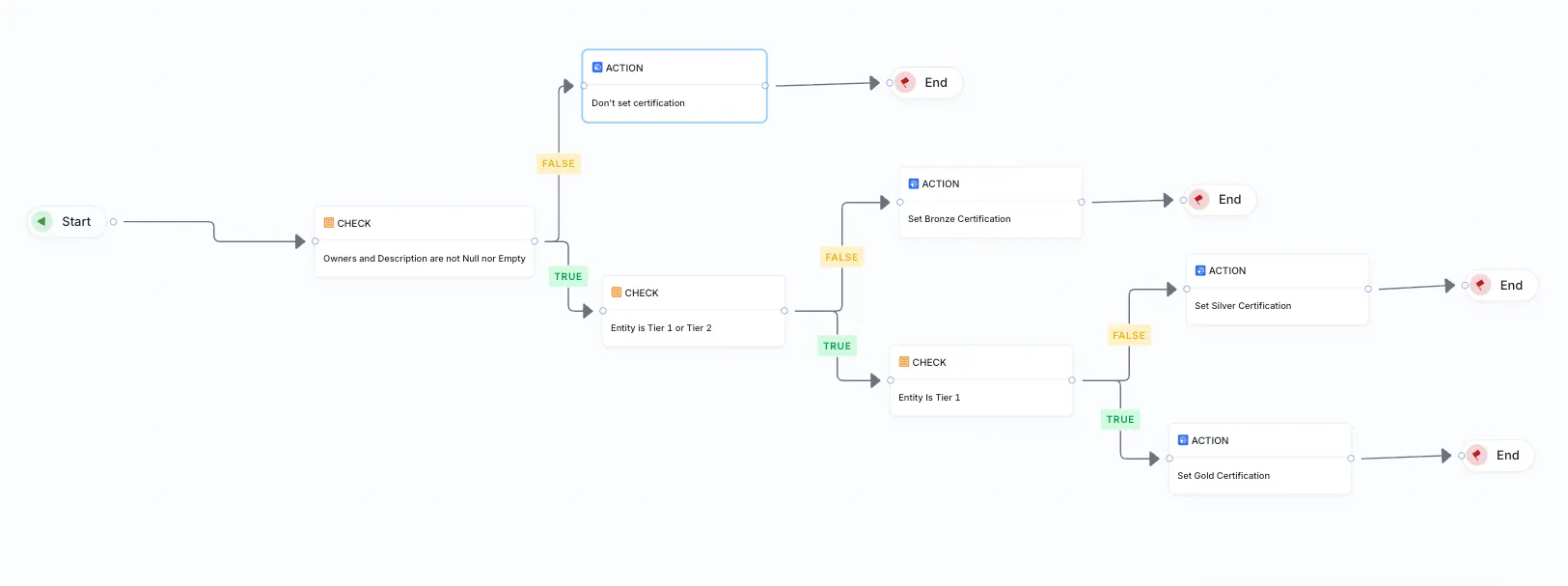
The **Dashboard Certification Workflow** consists of the following evaluation steps:
### 1. Owners and Description Check
**Condition**:
The dashboard must have both a non-null, non-empty **Owner** and **Description**.
**Outcome**:
* If either attribute is missing or empty → **Set No Certification**
* Otherwise → Proceed to **Tier Evaluation**
### 2. Tier Evaluation
**Condition**:
The workflow checks the value of the **Tier** tag applied to the dashboard.
**Outcome**:
* If **Tier 1** or **Tier 2** → Proceed to **Tier Identification**
* If neither → **Set Bronze Certification**
### 3. Tier Identification
**Condition**:
Determine whether the dashboard is **Tier 1** or **Tier 2**.
**Outcome**:
* If **Tier 1** → **Set Gold Certification**
* If **Tier 2** → **Set Silver Certification**
## Certification Levels
| Certification Level | Criteria |
| ------------------- | ----------------------------------------------------------------------- |
| **Gold** | Dashboard has an owner, a description, and is tagged as **Tier 1** |
| **Silver** | Dashboard has an owner, a description, and is tagged as **Tier 2** |
| **Bronze** | Dashboard has an owner and a description but no Tier 1/2 classification |
| **None** | Dashboard lacks either an owner or a description |
 ## Trigger Options
Certification workflows can be triggered:
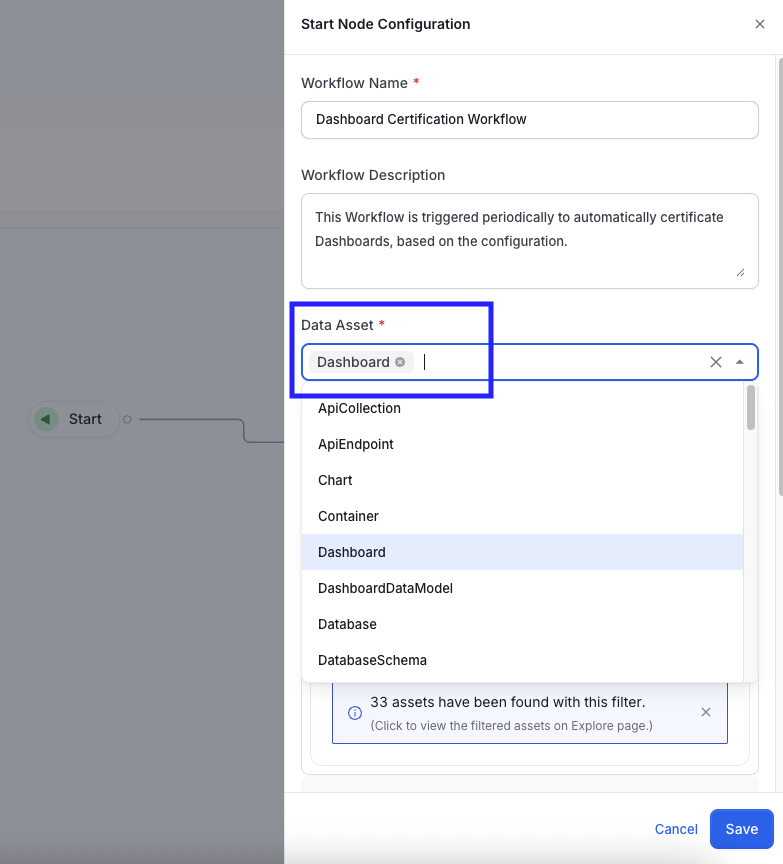
* You can apply the workflow to a specific data asset by configuring it through the **Start Node Configuration** tab.
## Trigger Options
Certification workflows can be triggered:
* You can apply the workflow to a specific data asset by configuring it through the **Start Node Configuration** tab.
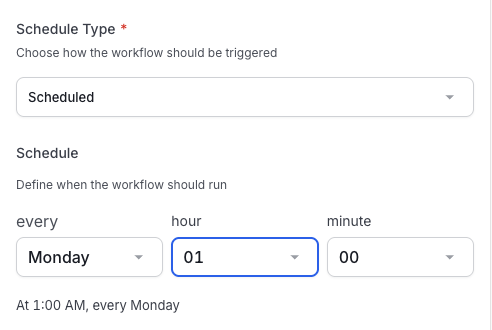
 * On a **scheduled basis** (e.g., daily, weekly)
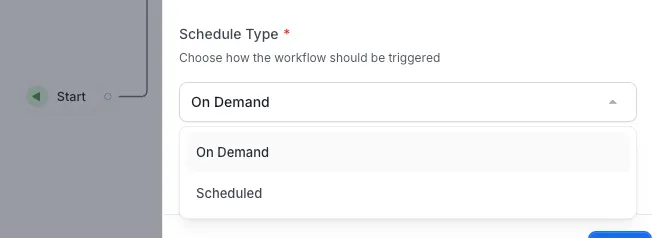
 * **On-demand** via the user interface
 ## Benefits
* **Automated Trust Indicators**: Helps users easily identify dashboards that are well-maintained.
* **Metadata Quality Assurance**: Encourages teams to provide complete documentation and ownership.
* **Governance Alignment**: Supports organizational policies for data asset certification.
## Benefits
* **Automated Trust Indicators**: Helps users easily identify dashboards that are well-maintained.
* **Metadata Quality Assurance**: Encourages teams to provide complete documentation and ownership.
* **Governance Alignment**: Supports organizational policies for data asset certification.