> ## Documentation Index
> Fetch the complete documentation index at: https://docs.getcollate.io/llms.txt
> Use this file to discover all available pages before exploring further.
# Auto-Classification Workflow
> Learn how Collate automatically detects and tags sensitive data like PII using column name scanning and NLP-based entity recognition.
# Overview
Auto-Classification is a Collate workflow that automatically detects and tags sensitive data — such as PII — across your database columns. It removes the need for manual tagging by scanning both column names and sample data during ingestion, then applying or suggesting tags like `PII.Sensitive` and `PII.NonSensitive`.
## How It Works
Auto-Classification uses two complementary detection approaches:
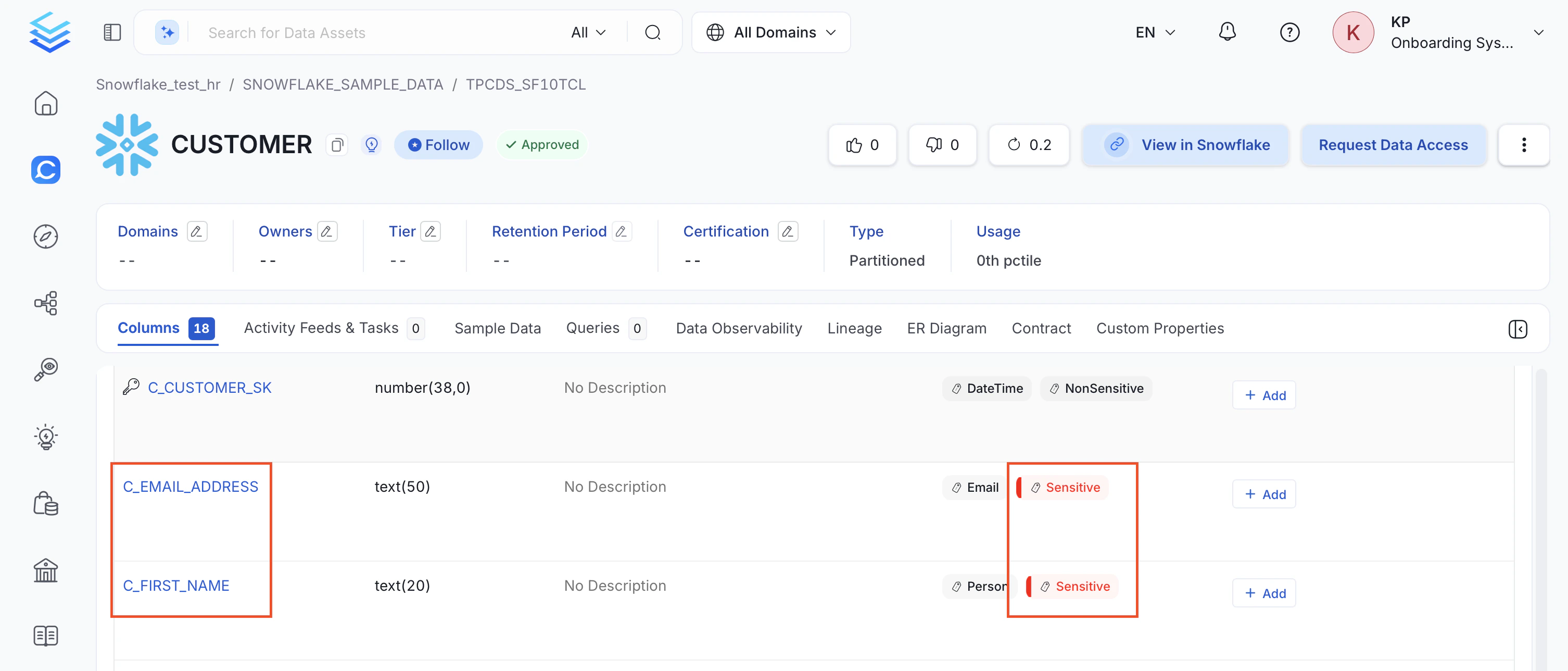
* **Column Name Scanner**: Validates column names against a set of regex rules that identify common sensitive patterns — email addresses, names, SSNs, bank account numbers, and similar fields.
For example, columns `email` and `full_name` are auto-tagged as `PII.Sensitive` based on their column names.
 * **Entity Recognition**: If sample data ingestion is enabled, scans the actual row values using an NLP-based entity recognition engine. This catches sensitive data even when the column name is generic or ambiguous. The `confidence` parameter (0–100, default `80`) controls the minimum score required to tag a column as `PII.Sensitive`.
If a column already has a `PII` tag, it is skipped during execution.
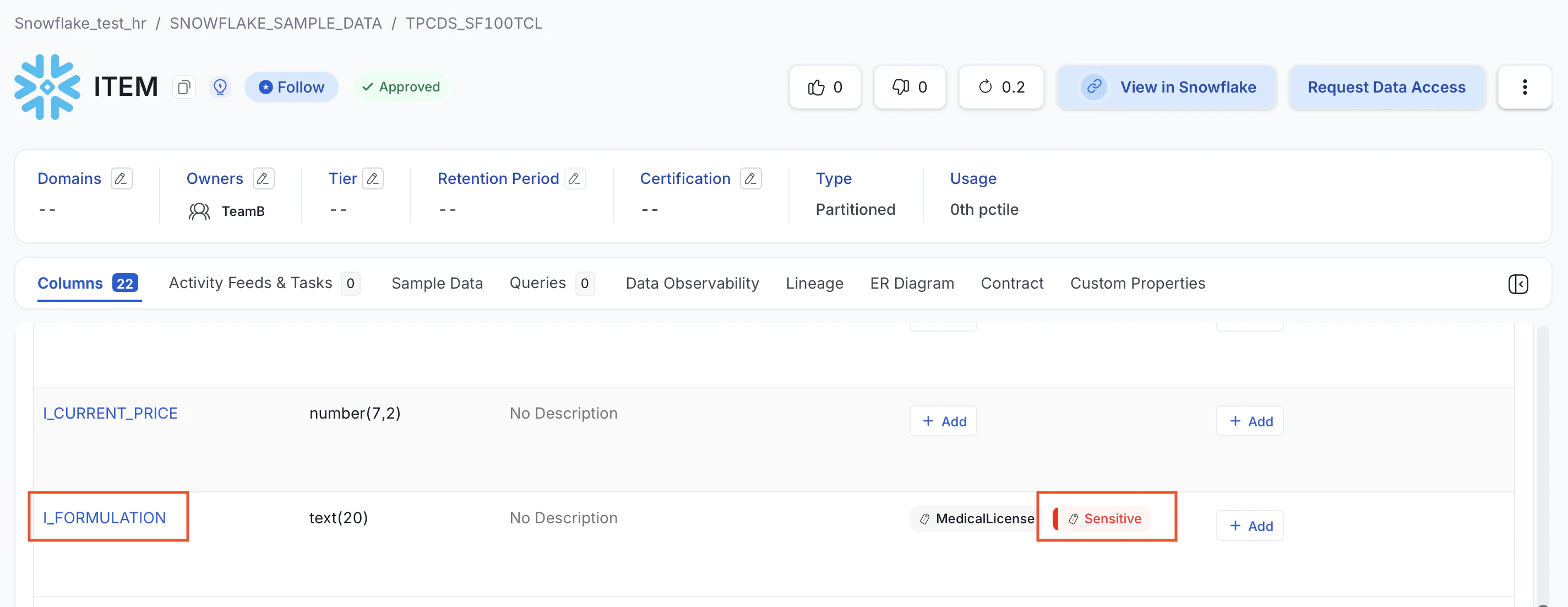
For example, the column `I_FORMULATION` is also tagged as `PII.Sensitive`, even though its name gives no indication of sensitive content.
* **Entity Recognition**: If sample data ingestion is enabled, scans the actual row values using an NLP-based entity recognition engine. This catches sensitive data even when the column name is generic or ambiguous. The `confidence` parameter (0–100, default `80`) controls the minimum score required to tag a column as `PII.Sensitive`.
If a column already has a `PII` tag, it is skipped during execution.
For example, the column `I_FORMULATION` is also tagged as `PII.Sensitive`, even though its name gives no indication of sensitive content.
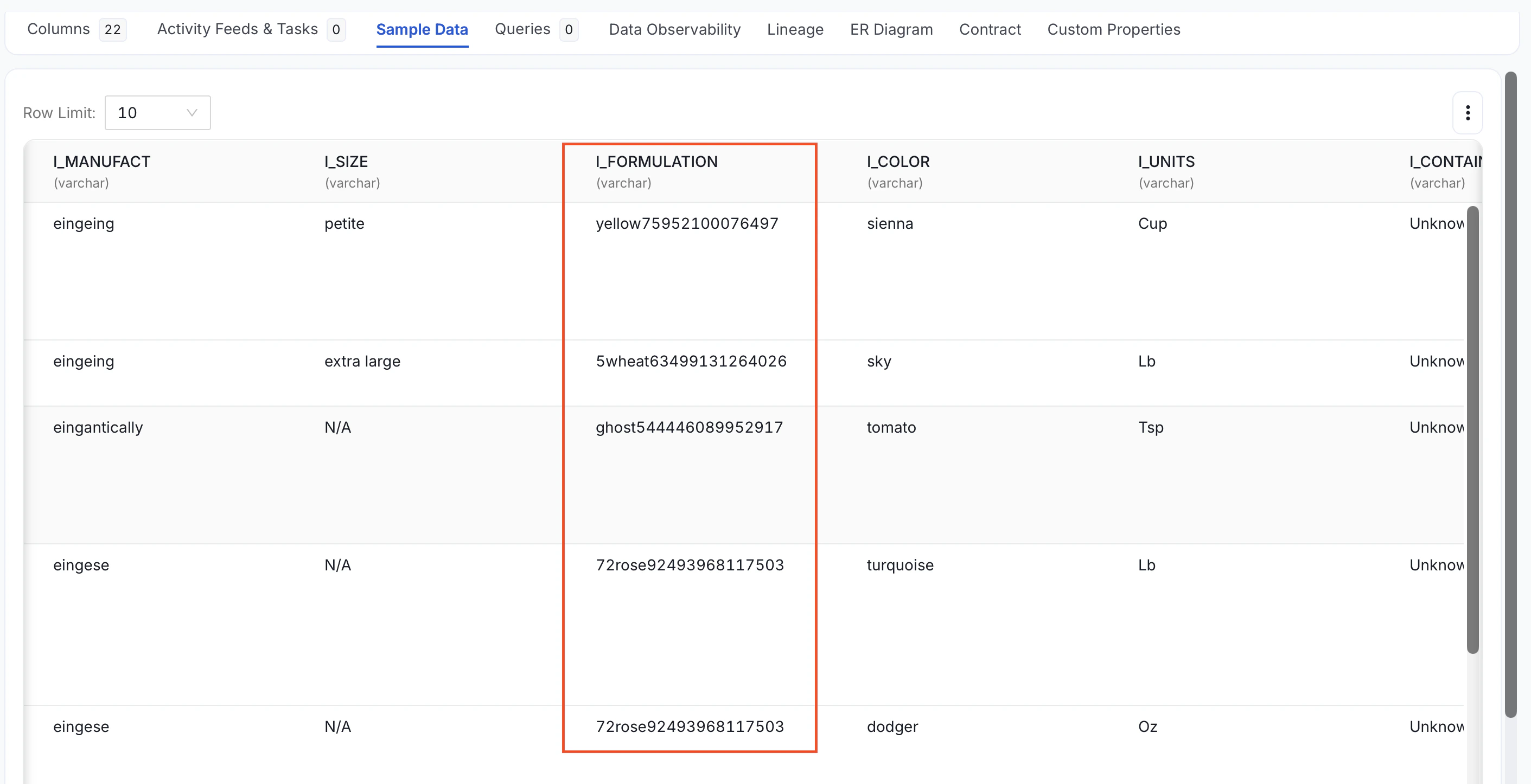
 Inspecting the **Sample Data** tab reveals that the actual row values contain sensitive information, which the entity recognition engine detected. This shows that auto-classification works beyond column names and relies on the data itself when sample ingestion is enabled.
 * **Custom Recognizers (Column Name target)**: In addition to the built-in scanner, configure your own recognizers that match against column names. Unlike the built-in scanner — which uses a fixed set of PII regex rules — custom column-name recognizers let you define your own terms or patterns and attach them to any classification tag. These apply tags without needing sample data. See [Custom Recognizers](/how-to-guides/data-governance/classification/auto-classification/recognizers).
## Glossary Term Associated Tags
Separate from the auto-classification workflow, Collate can derive classification tags from glossary terms. If a glossary term has associated classification tags, applying that glossary term to an asset also applies the associated tags as derived tags.
For example, if the glossary term `Account` has `PII.Sensitive` associated with it, adding the `Account` glossary term to a table or column also adds `PII.Sensitive`. This behavior is configured on glossary terms; it is not generic classification-tag-to-classification-tag mapping.
## Set Up Auto-Classification
Add an Auto Classification Agent to a database service directly from the Collate UI.
Run the Auto Classification Workflow externally using a YAML pipeline configuration.
Understand the tagging logic and troubleshoot common issues like SSL certificate errors.
Define custom rules to detect and tag sensitive data using regex patterns, exact terms, or pre-built detectors.
Report false positives on auto-applied tags and manage approval workflows to continuously improve classification accuracy.
Store sample data collected during auto-classification to an S3 bucket in Parquet format.
* **Custom Recognizers (Column Name target)**: In addition to the built-in scanner, configure your own recognizers that match against column names. Unlike the built-in scanner — which uses a fixed set of PII regex rules — custom column-name recognizers let you define your own terms or patterns and attach them to any classification tag. These apply tags without needing sample data. See [Custom Recognizers](/how-to-guides/data-governance/classification/auto-classification/recognizers).
## Glossary Term Associated Tags
Separate from the auto-classification workflow, Collate can derive classification tags from glossary terms. If a glossary term has associated classification tags, applying that glossary term to an asset also applies the associated tags as derived tags.
For example, if the glossary term `Account` has `PII.Sensitive` associated with it, adding the `Account` glossary term to a table or column also adds `PII.Sensitive`. This behavior is configured on glossary terms; it is not generic classification-tag-to-classification-tag mapping.
## Set Up Auto-Classification
Add an Auto Classification Agent to a database service directly from the Collate UI.
Run the Auto Classification Workflow externally using a YAML pipeline configuration.
Understand the tagging logic and troubleshoot common issues like SSL certificate errors.
Define custom rules to detect and tag sensitive data using regex patterns, exact terms, or pre-built detectors.
Report false positives on auto-applied tags and manage approval workflows to continuously improve classification accuracy.
Store sample data collected during auto-classification to an S3 bucket in Parquet format.