> ## Documentation Index
> Fetch the complete documentation index at: https://docs.getcollate.io/llms.txt
> Use this file to discover all available pages before exploring further.
# View tasks & add comment directly from the extension
## Viewing tasks & add comment directly from the extension
* Click on any task in the activity feed to view its details.
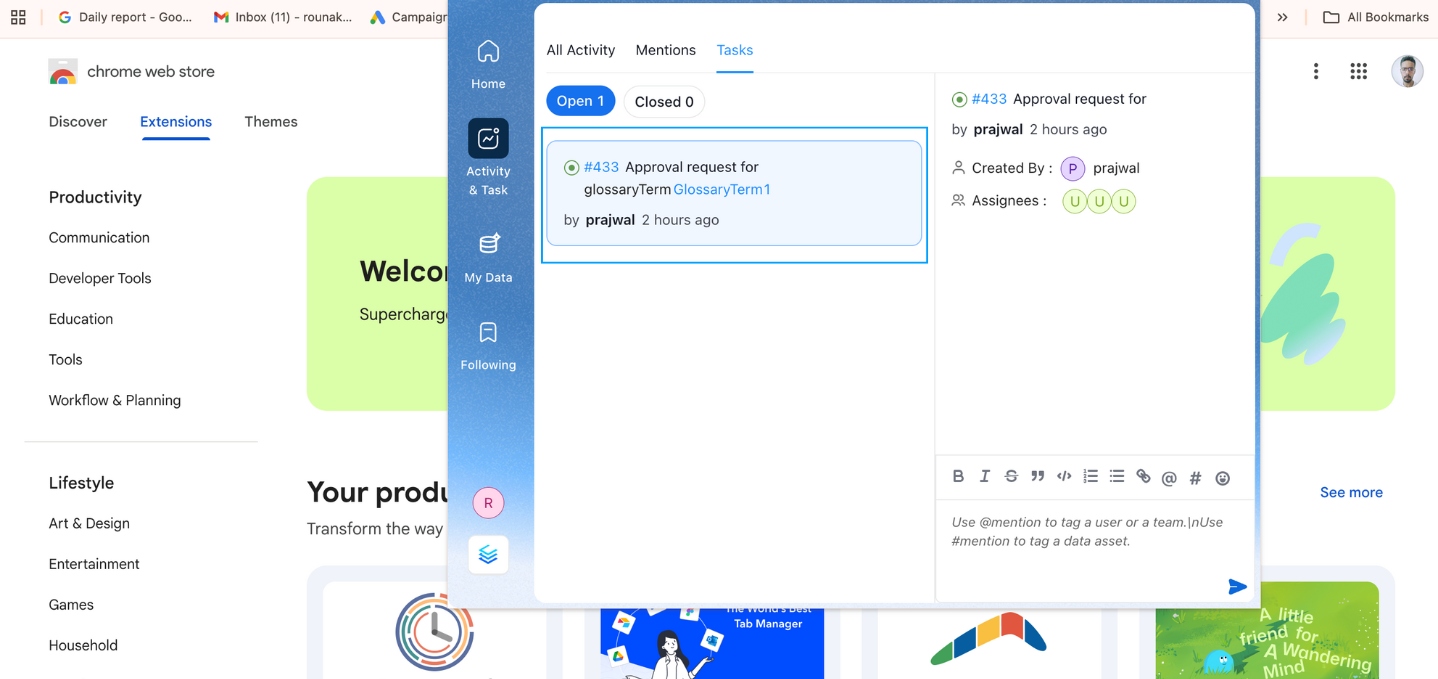 * You can view tasks, assignees, and add comments directly through the extension.
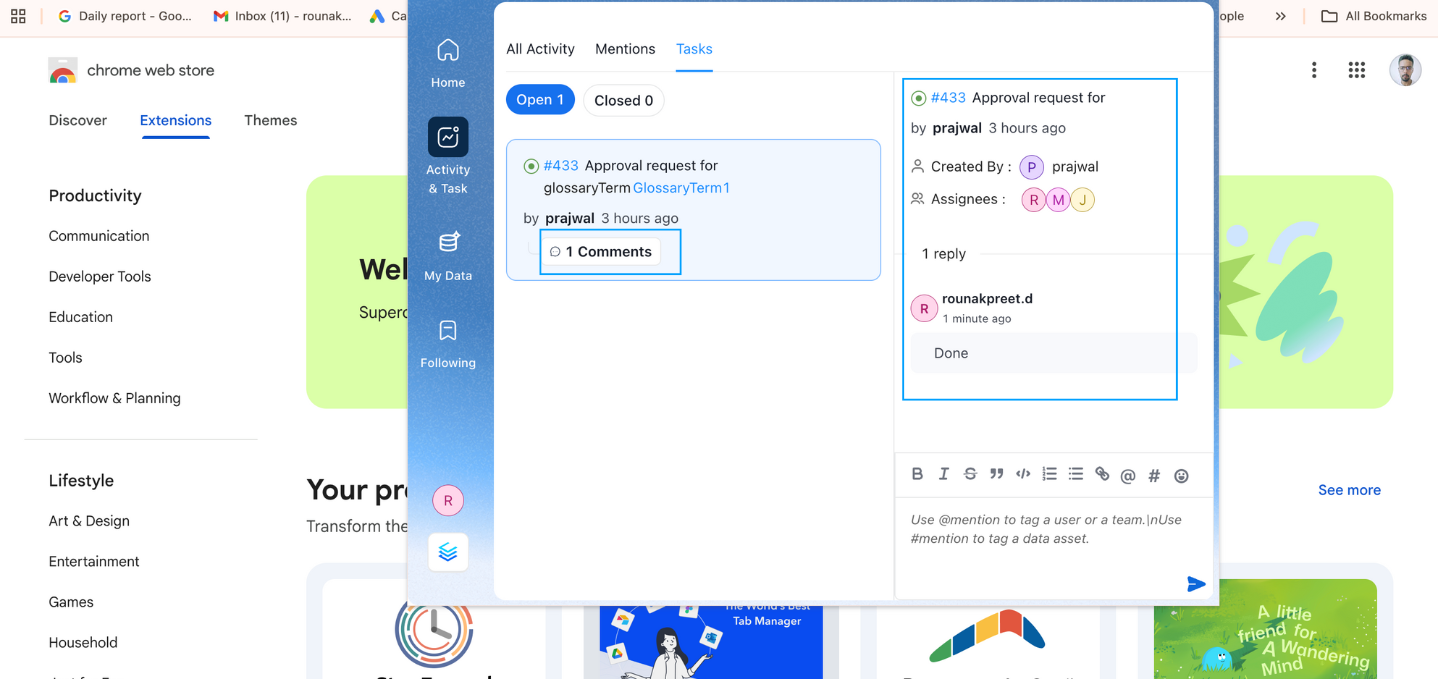 * This feature allows you to manage tasks and stay up-to-date without leaving your current workspace, increasing efficiency.