> ## Documentation Index
> Fetch the complete documentation index at: https://docs.getcollate.io/llms.txt
> Use this file to discover all available pages before exploring further.
# Creating Data Contracts | Collate Data Contracts Guide
> Create open-source data contracts directly in the Collate UI
# Create Data Contract
Data contracts can be attached to supported data assets in Collate. The following guide uses a Snowflake table, `snowflake.DEMO_STAGE.JAFFLE_SHOP.CUSTOMERS`, as the example asset.
To create a Data Contract for an asset in Collate:
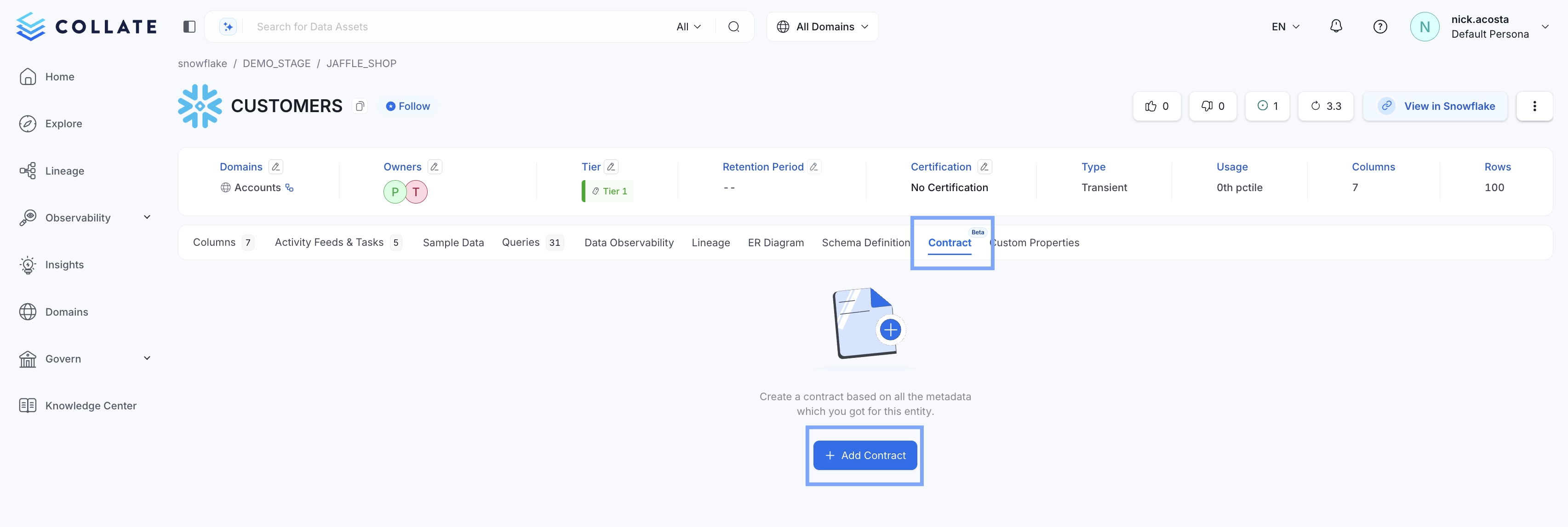
* Go to the asset page, select **Contract**, then **+ Add Contract**
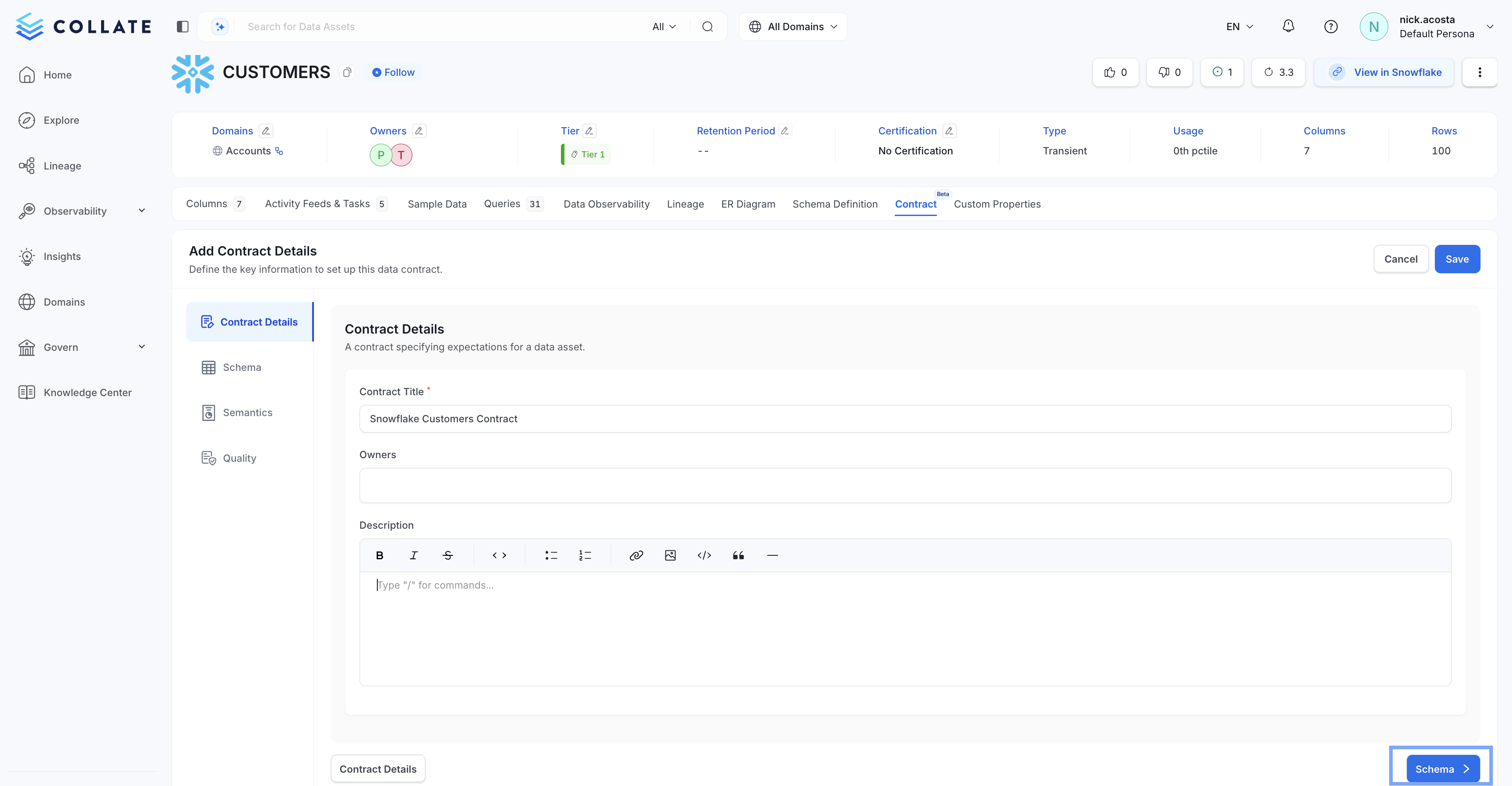
 * In *Contract Details*, be sure to give your new data contract a name. Optionally, you can assign Owners and provide a description of your data contract. Then select **Schema**.
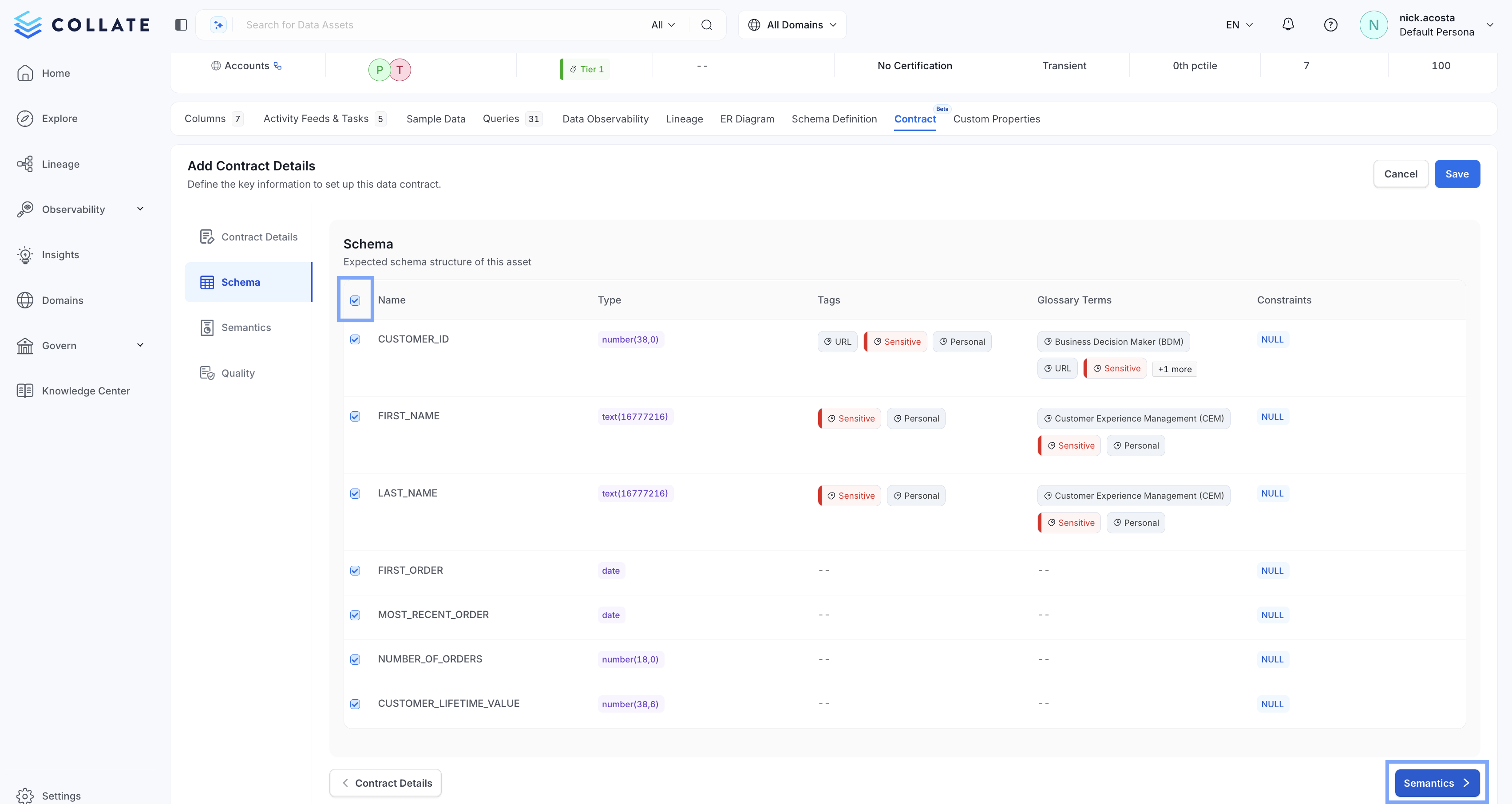
 * Select the columns of your table that you would like to add to your new data contract, or select all columns by checking the box at the top right. Then select **Semantics**
 * Add the business rules you would like to enforce in *Semantics*. For table assets, rules can be created for:
* Service
* Owners
* Display Name
* Name
* Description
* Tags
* Domain
* Data Product
* Tier
* Add the business rules you would like to enforce in *Semantics*. For table assets, rules can be created for:
* Service
* Owners
* Display Name
* Name
* Description
* Tags
* Domain
* Data Product
* Tier
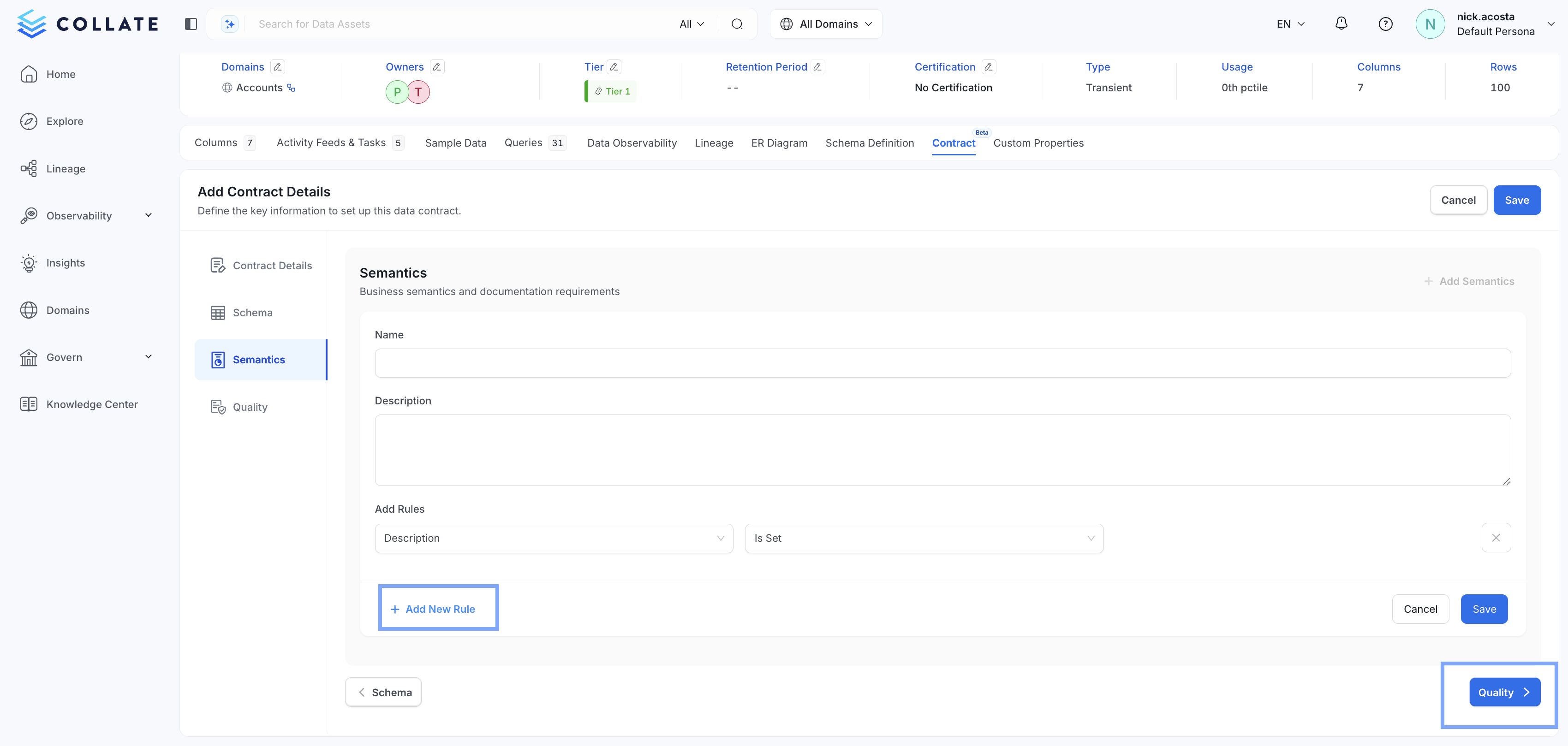
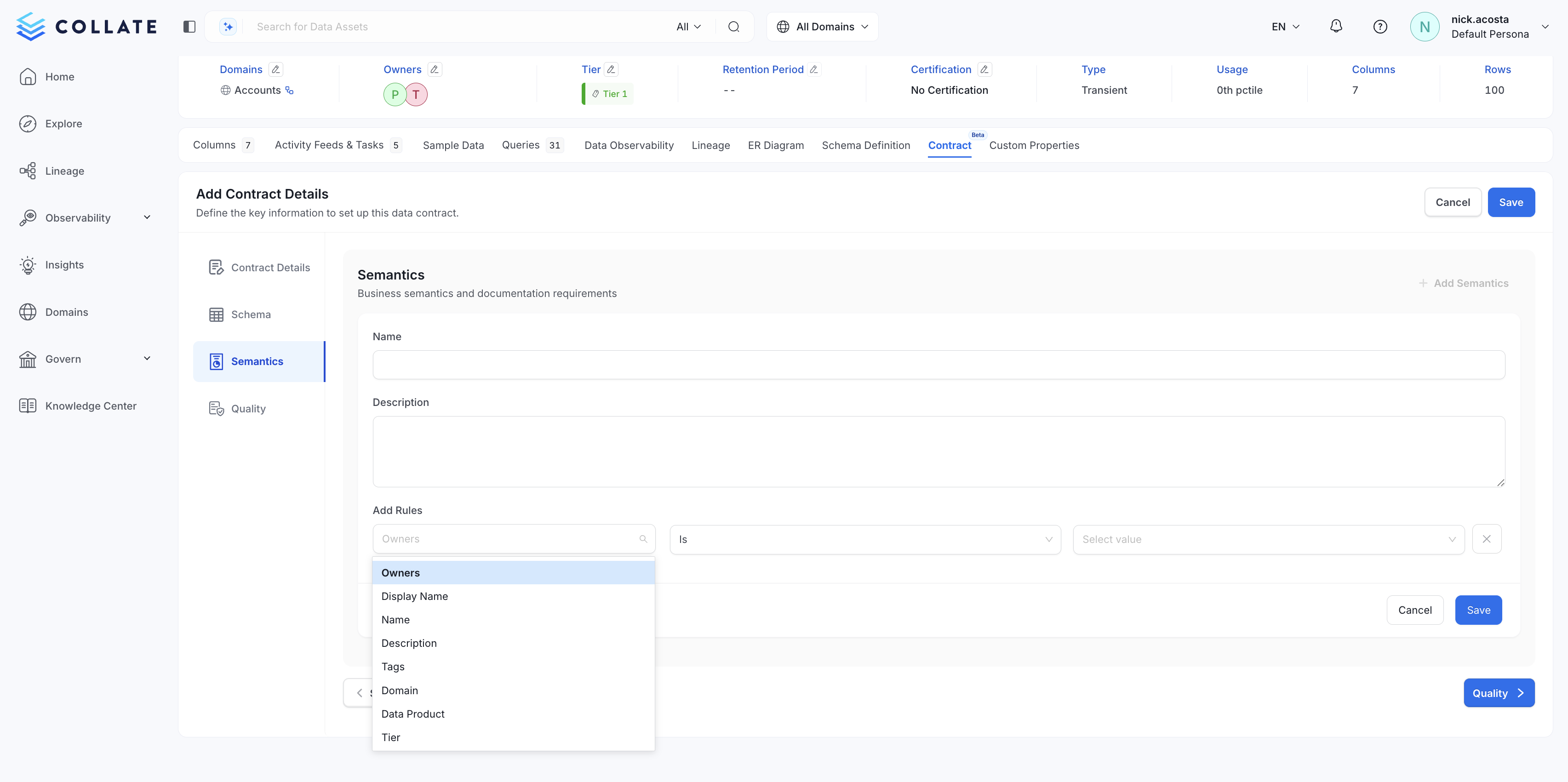 * Once a rule is created, you can **+ Add New Rule** to create more, or select **Quality**
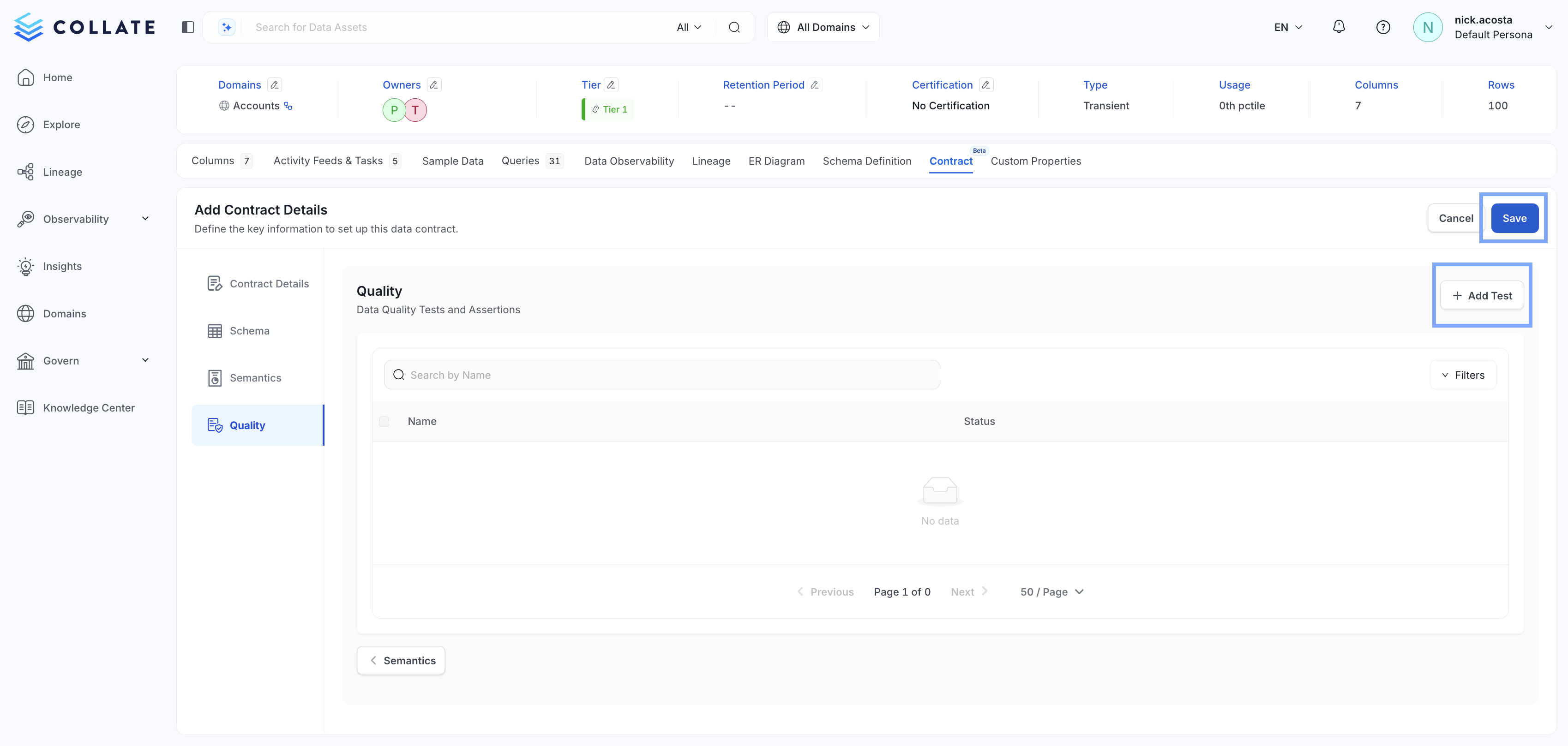
 * Select **+ Add Test** to add a [Data Quality Test](https://docs.open-metadata.org/latest/how-to-guides/data-quality-observability/quality/test) or tests to your new contract, then select **Save**
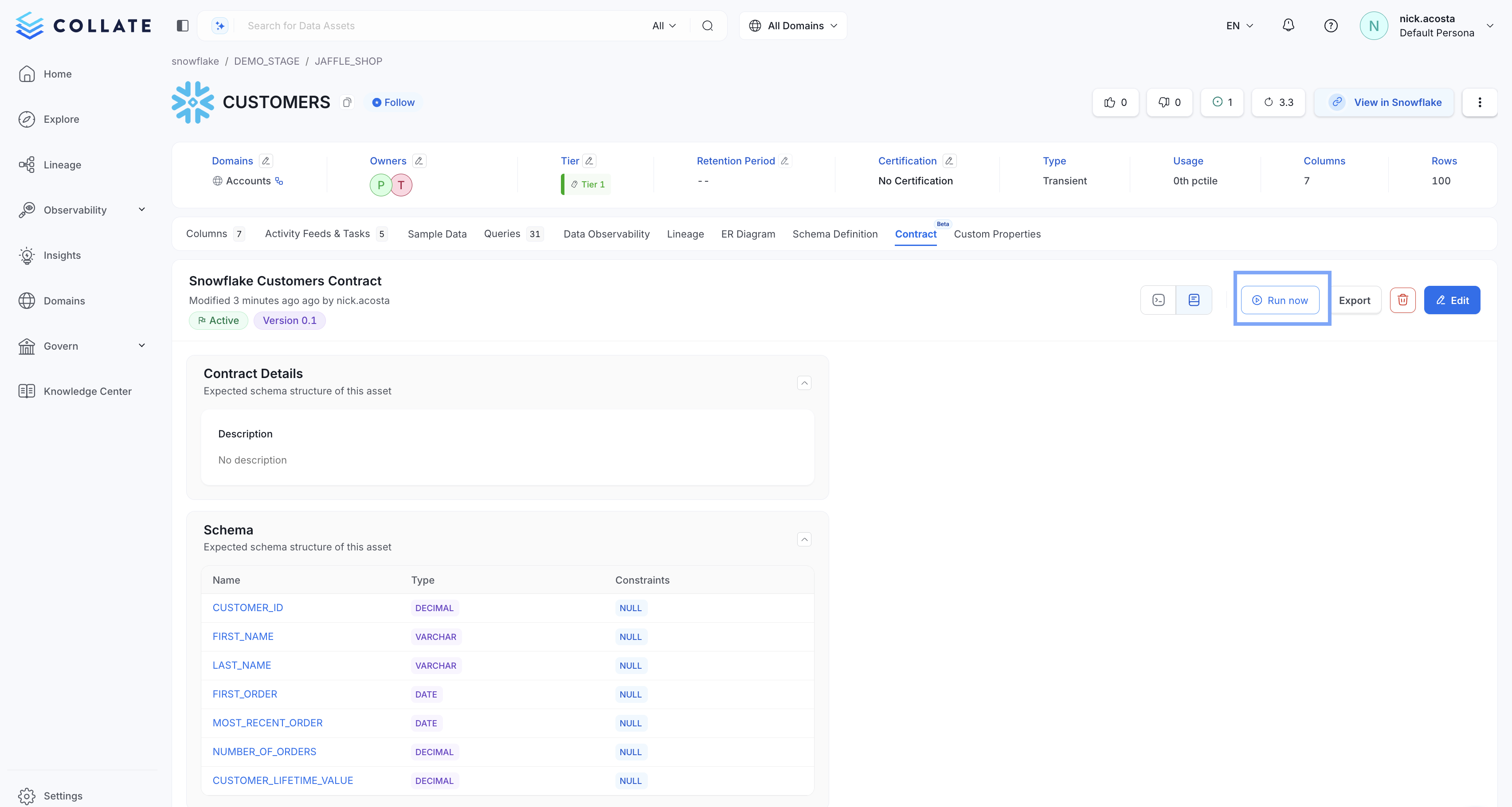
 * Once your new data contract has been created successfully, you can run it by selecting **> Run now**