> ## Documentation Index
> Fetch the complete documentation index at: https://docs.getcollate.io/llms.txt
> Use this file to discover all available pages before exploring further.

# How to Define Personas in Collate

# How to Define Personas

## What is a Persona?

In Collate, a **persona** represents an organization's specific role or function, such as a **data engineer**, **data steward**, or **data scientist**. Personas define how the user interacts with the platform by tailoring the interface and functionality to their role.

**Example**:

* A **data engineer** might focus on pipelines and data quality.
* A **data steward** is more concerned with governance and glossary management.

## Steps to Define a Persona:

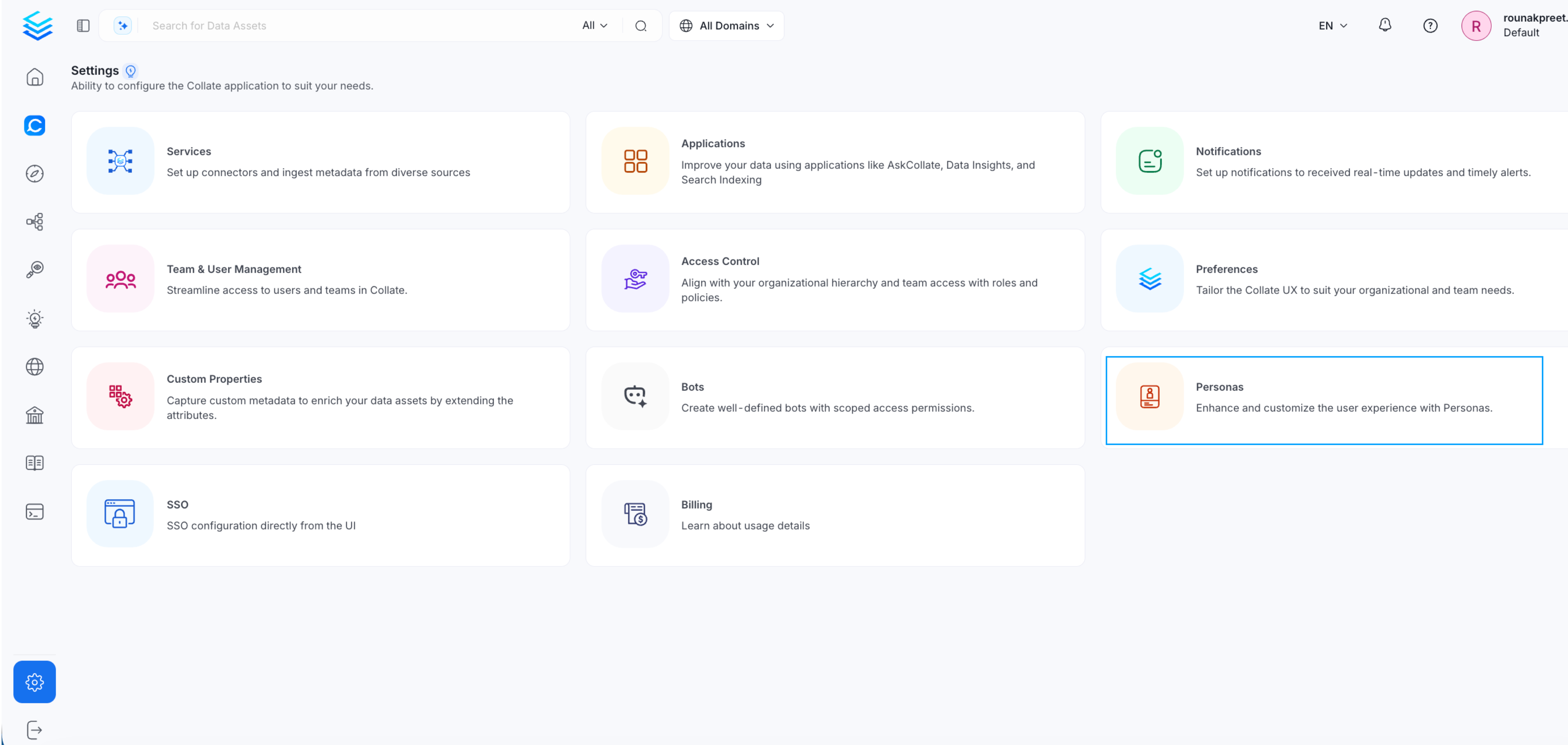
1. As an administrator, navigate to **Settings > Personas** in Collate.
<img src="https://mintcdn.com/collatedocs/ZLEUnJZGs5CYr3Q3/public/images/how-to-guides/admin-guide/persona-1.png?fit=max&auto=format&n=ZLEUnJZGs5CYr3Q3&q=85&s=f63d156223a5621283fcdfd54af6213d" alt="Settings > Personas" data-og-width="4024" width="4024" data-og-height="1911" height="1911" data-path="public/images/how-to-guides/admin-guide/persona-1.png" data-optimize="true" data-opv="3" srcset="https://mintcdn.com/collatedocs/ZLEUnJZGs5CYr3Q3/public/images/how-to-guides/admin-guide/persona-1.png?w=280&fit=max&auto=format&n=ZLEUnJZGs5CYr3Q3&q=85&s=6d2220498555a3a551c74f4ea2b40e30 280w, https://mintcdn.com/collatedocs/ZLEUnJZGs5CYr3Q3/public/images/how-to-guides/admin-guide/persona-1.png?w=560&fit=max&auto=format&n=ZLEUnJZGs5CYr3Q3&q=85&s=cdf8a959bc118e4b7a7d2924a2ffb7e5 560w, https://mintcdn.com/collatedocs/ZLEUnJZGs5CYr3Q3/public/images/how-to-guides/admin-guide/persona-1.png?w=840&fit=max&auto=format&n=ZLEUnJZGs5CYr3Q3&q=85&s=966ed70a73e05b15dec8cd36397305b7 840w, https://mintcdn.com/collatedocs/ZLEUnJZGs5CYr3Q3/public/images/how-to-guides/admin-guide/persona-1.png?w=1100&fit=max&auto=format&n=ZLEUnJZGs5CYr3Q3&q=85&s=8f4472d0bbc0e65fabee16be720a641e 1100w, https://mintcdn.com/collatedocs/ZLEUnJZGs5CYr3Q3/public/images/how-to-guides/admin-guide/persona-1.png?w=1650&fit=max&auto=format&n=ZLEUnJZGs5CYr3Q3&q=85&s=bae5f0a7b9eb04551a3019e244372d16 1650w, https://mintcdn.com/collatedocs/ZLEUnJZGs5CYr3Q3/public/images/how-to-guides/admin-guide/persona-1.png?w=2500&fit=max&auto=format&n=ZLEUnJZGs5CYr3Q3&q=85&s=eb2658ead6f0b356b52d982bf8100137 2500w" />

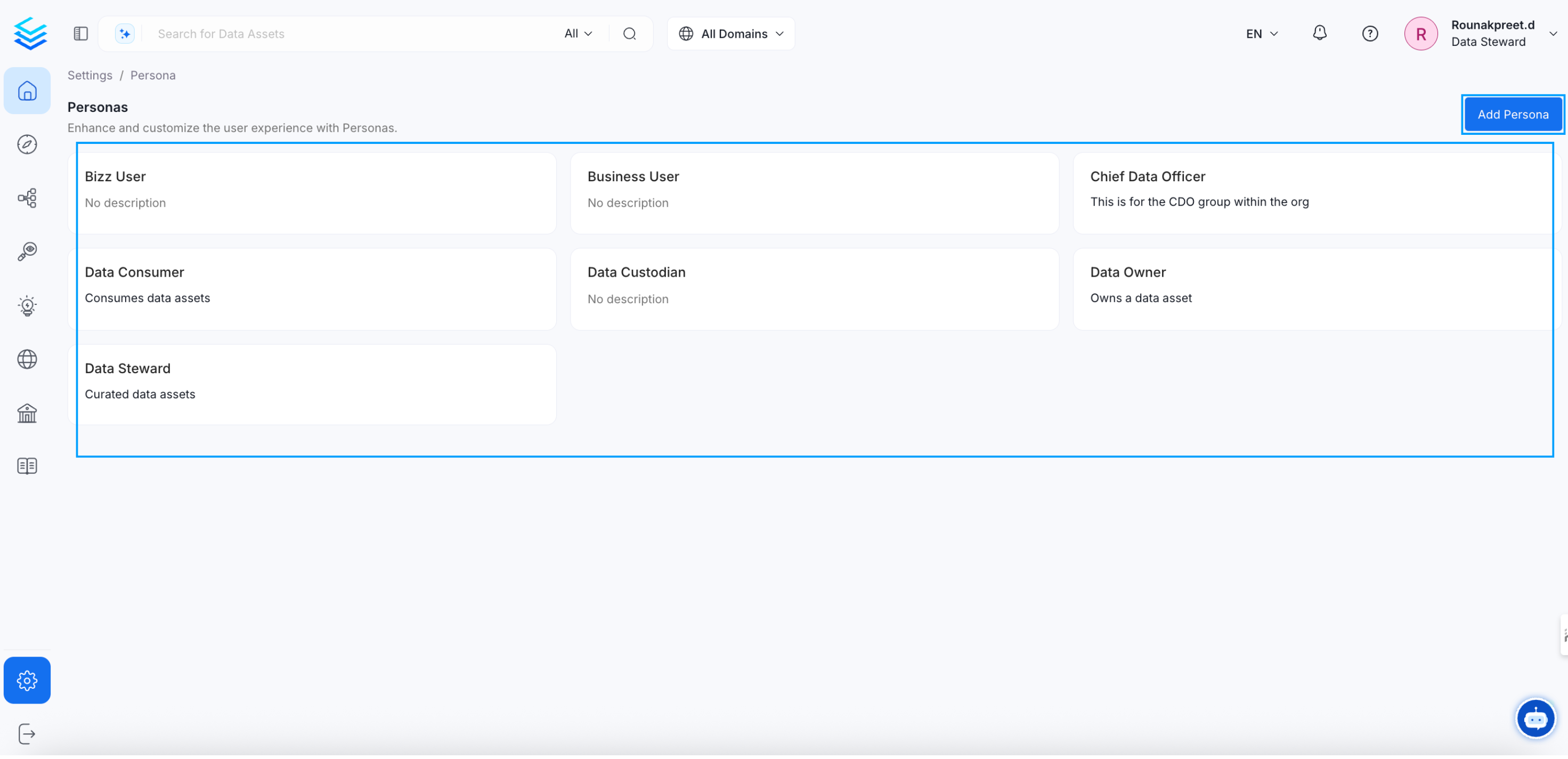
2. **Create a new persona** or modify an existing one.
<img src="https://mintcdn.com/collatedocs/sbIytYIi4ap5f8fM/public/images/how-to-guides/admin-guide/persona-3.png?fit=max&auto=format&n=sbIytYIi4ap5f8fM&q=85&s=534c8a66002dcb78a460f123315c4b6a" alt="create a new persona*" width="2943" height="1424" data-path="public/images/how-to-guides/admin-guide/persona-3.png" />

3. **Associate users** with the appropriate persona to customize their experience based on their roles.

<img src="https://mintcdn.com/collatedocs/sbIytYIi4ap5f8fM/public/images/how-to-guides/admin-guide/persona-4.png?fit=max&auto=format&n=sbIytYIi4ap5f8fM&q=85&s=366f869f715108ba46149bdb5a4f4c5a" alt="Associate users" width="2943" height="1424" data-path="public/images/how-to-guides/admin-guide/persona-4.png" />
