> ## Documentation Index
> Fetch the complete documentation index at: https://docs.getcollate.io/llms.txt
> Use this file to discover all available pages before exploring further.
# Step 2 - Ingest Metadata
> Run your first metadata ingestion in Collate to populate the catalog with assets, schemas, lineage, and ownership from your connected data sources.
# Configure Metadata Ingestion
Once a connector is added, set up a metadata ingestion pipeline to bring data into Collate automatically.
1. Navigate to **Settings** > **Services** and select your service type (for example, Databases).
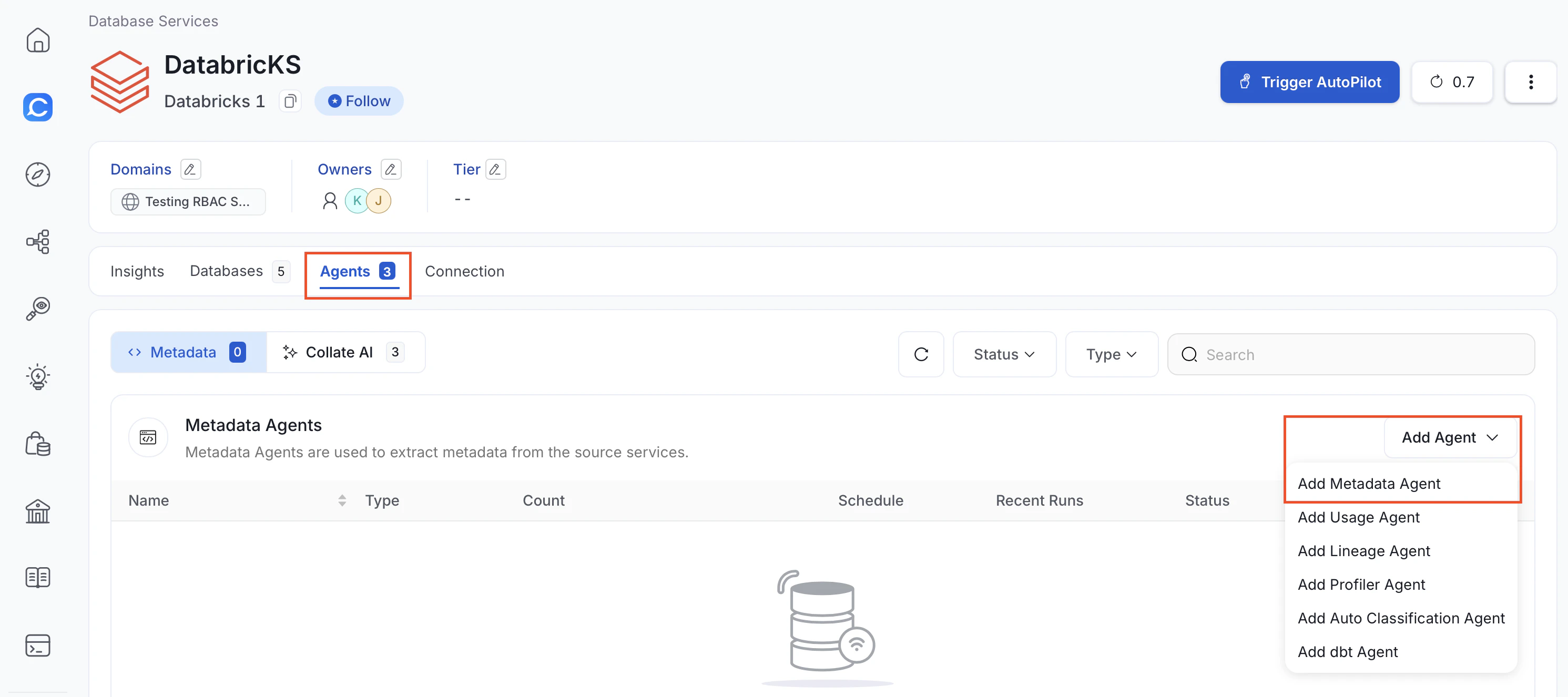
2. Open the service you added and select the **Agents** tab.
3. In the **Add Agent** drop-down, click **Add Metadata Agent**.
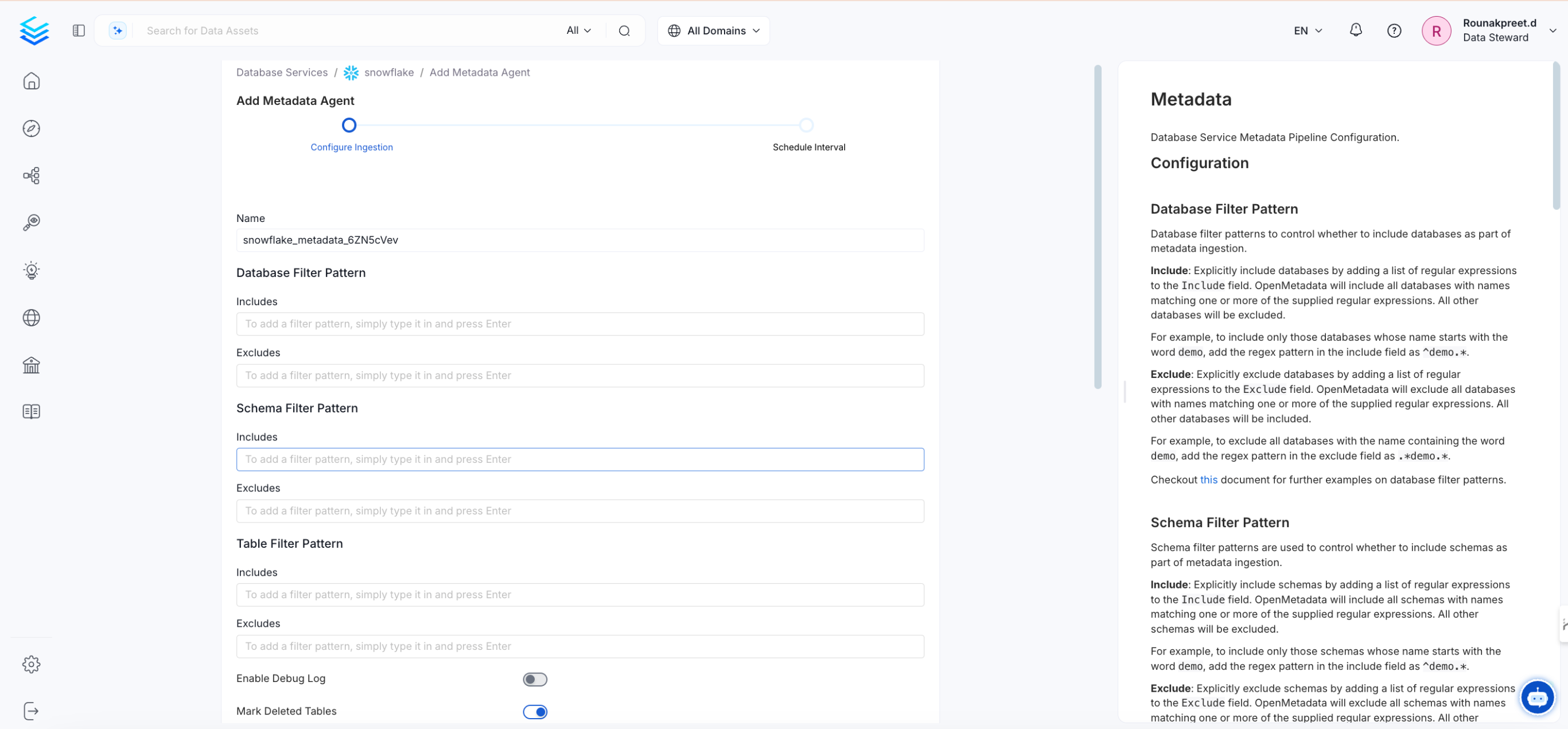
 4. Enter the configuration details and enable the toggle options, then click **Next**.
 5. Set an ingestion schedule so metadata refreshes automatically at specified time and frequency.
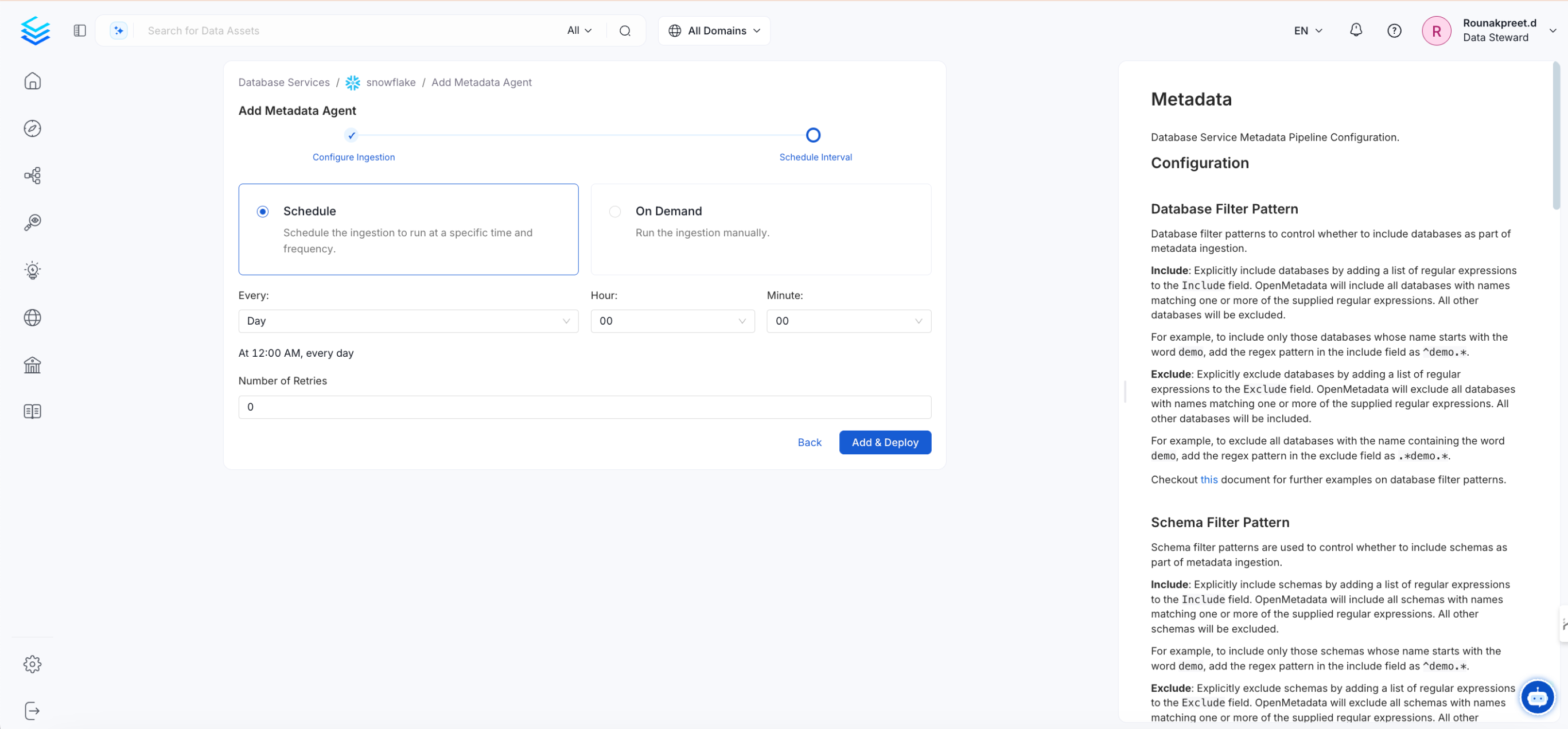 6. Click **Add & Deploy**. Optionally, you can add additional pipelines for lineage, data profiling, or dbt enrichment.
After ingestion completes, to view your added data assets in the Collate platform, click **Explore** in the left navigation menu. See [Step 4 - Explore Features](/getting-started/explore-features).
6. Click **Add & Deploy**. Optionally, you can add additional pipelines for lineage, data profiling, or dbt enrichment.
After ingestion completes, to view your added data assets in the Collate platform, click **Explore** in the left navigation menu. See [Step 4 - Explore Features](/getting-started/explore-features).