> ## Documentation Index
> Fetch the complete documentation index at: https://docs.getcollate.io/llms.txt
> Use this file to discover all available pages before exploring further.
# How to Set Up Bots | Collate Developer Guide
> Create and manage bots for task automation, data notifications, and metadata workflows.
# How to Set Up Bots
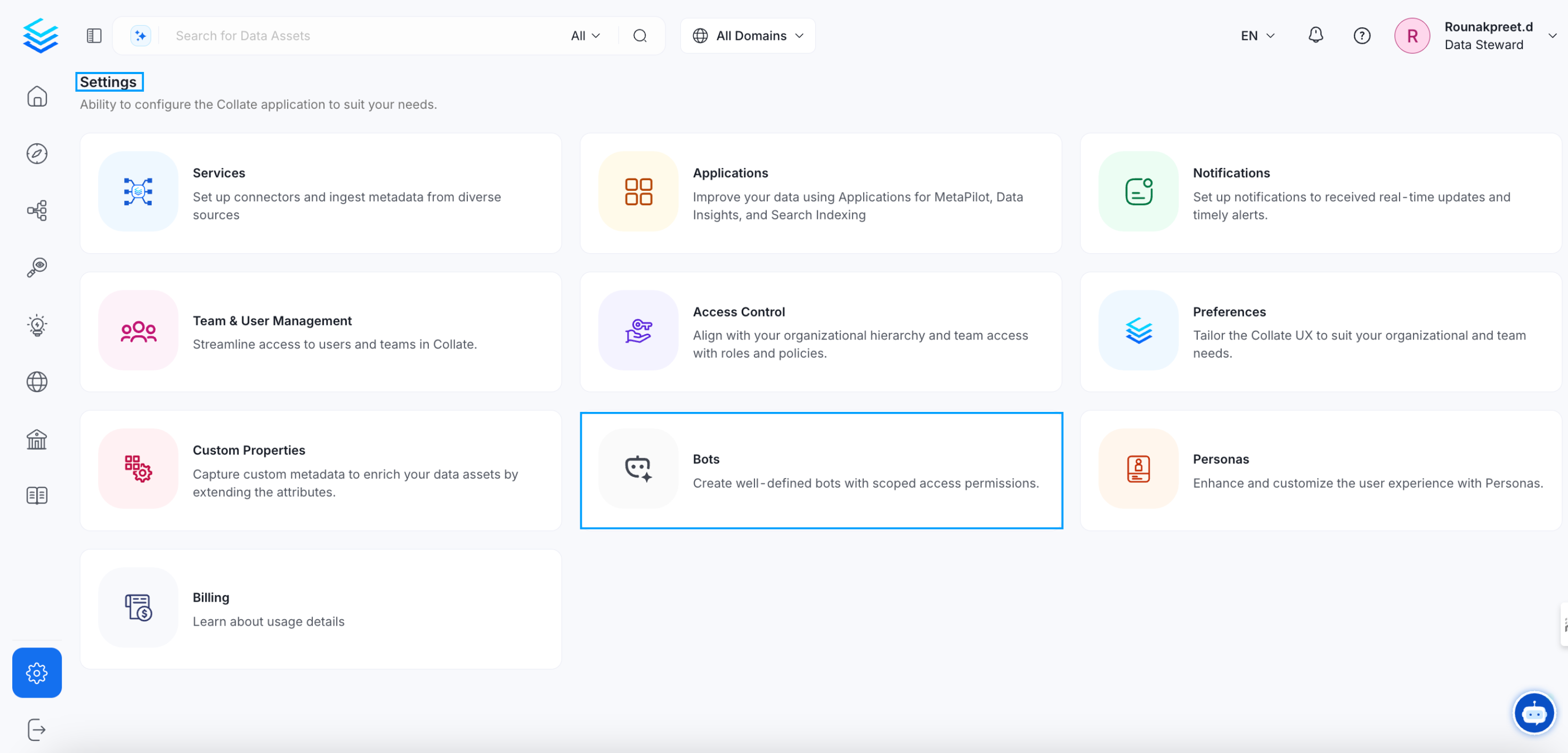
The default account for any ingestion pipeline deployed from the UI is `ingestion-bot`. To configure `ingestion-bot` from the UI, go to the settings page and access the `Bots` tile.
**Note**: The **Bots** tile under **Settings** is only visible to users with Admin privileges. If you don't see it, ask your organization's Collate Admin to generate a bot token for you or grant you Admin access.
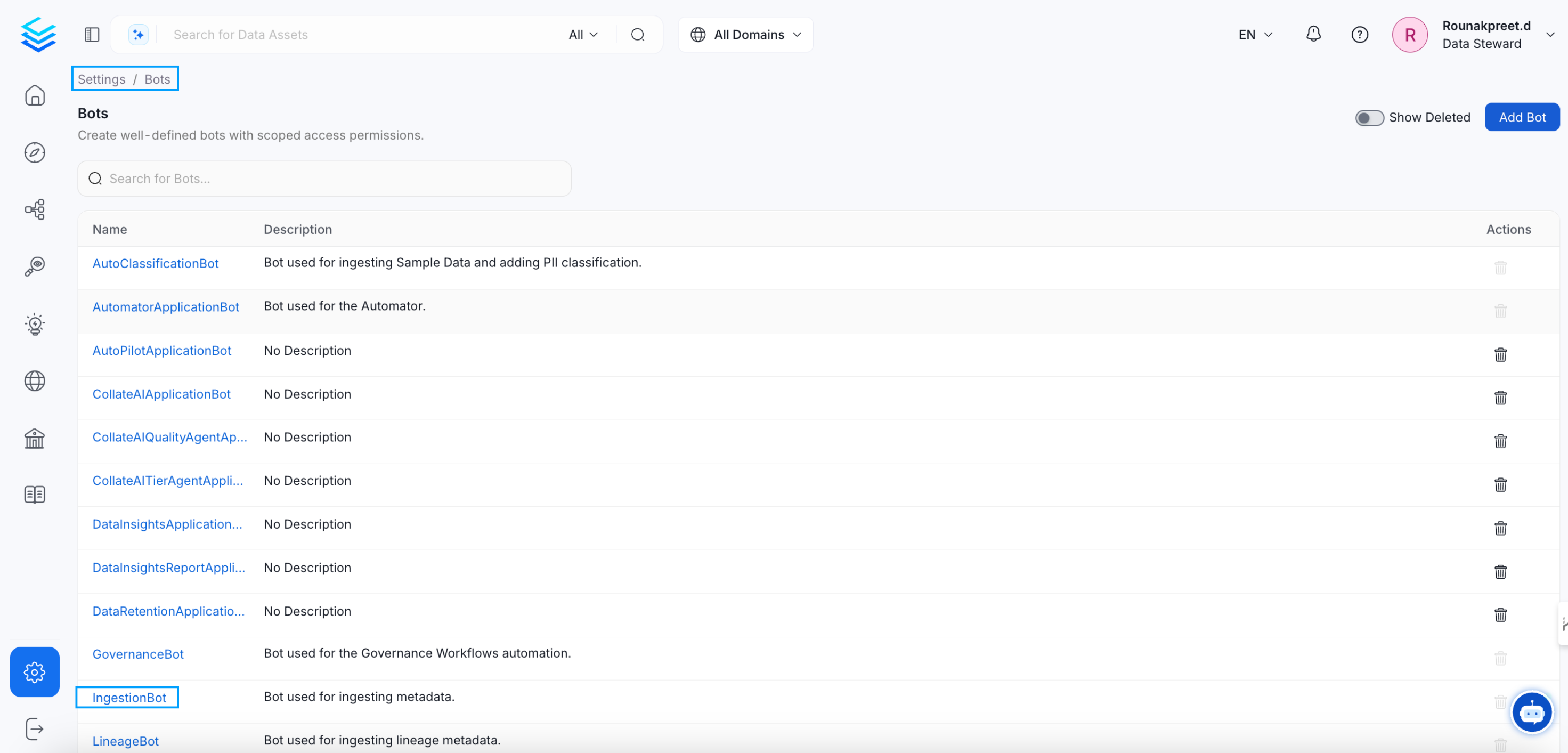 You can either create a new bot or update the existing `ingestion-bot`.
### Update `ingestion-bot`
Click on `ingestion-bot` and you will be redirected to it's details page, there you can
* Revoke the token if already present
* Copy the generated token
You can either create a new bot or update the existing `ingestion-bot`.
### Update `ingestion-bot`
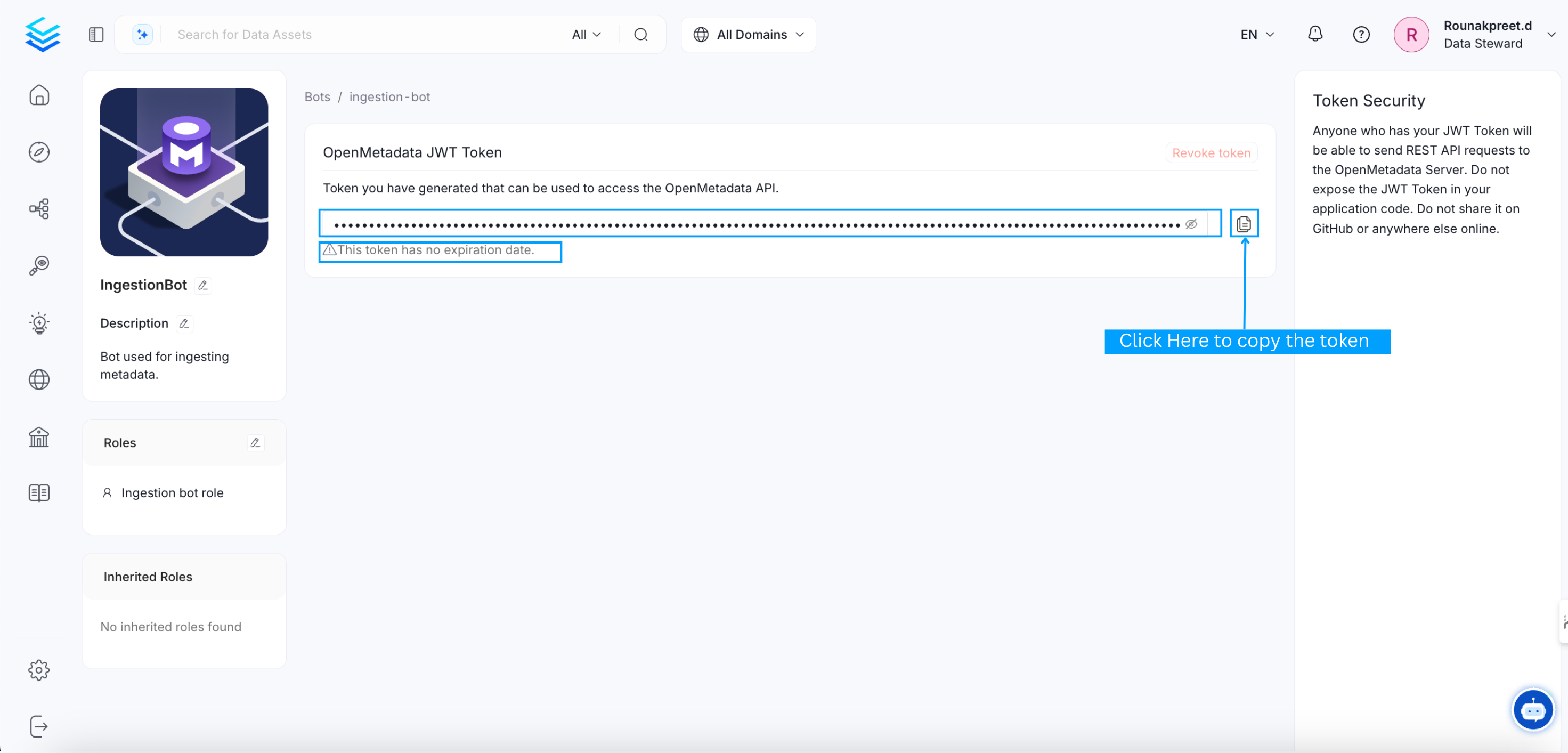
Click on `ingestion-bot` and you will be redirected to it's details page, there you can
* Revoke the token if already present
* Copy the generated token
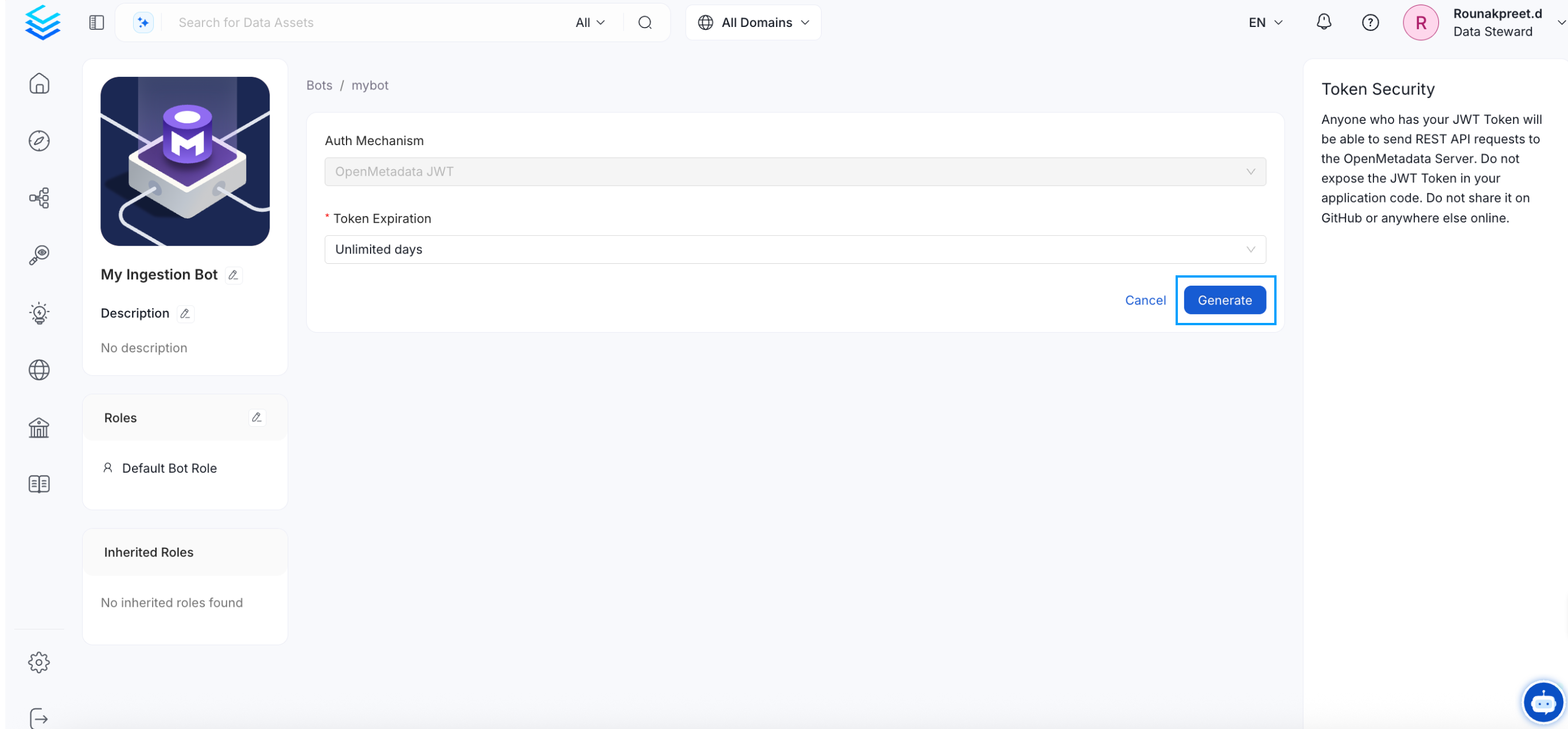
 * Generate new token

 ### Create a new bot
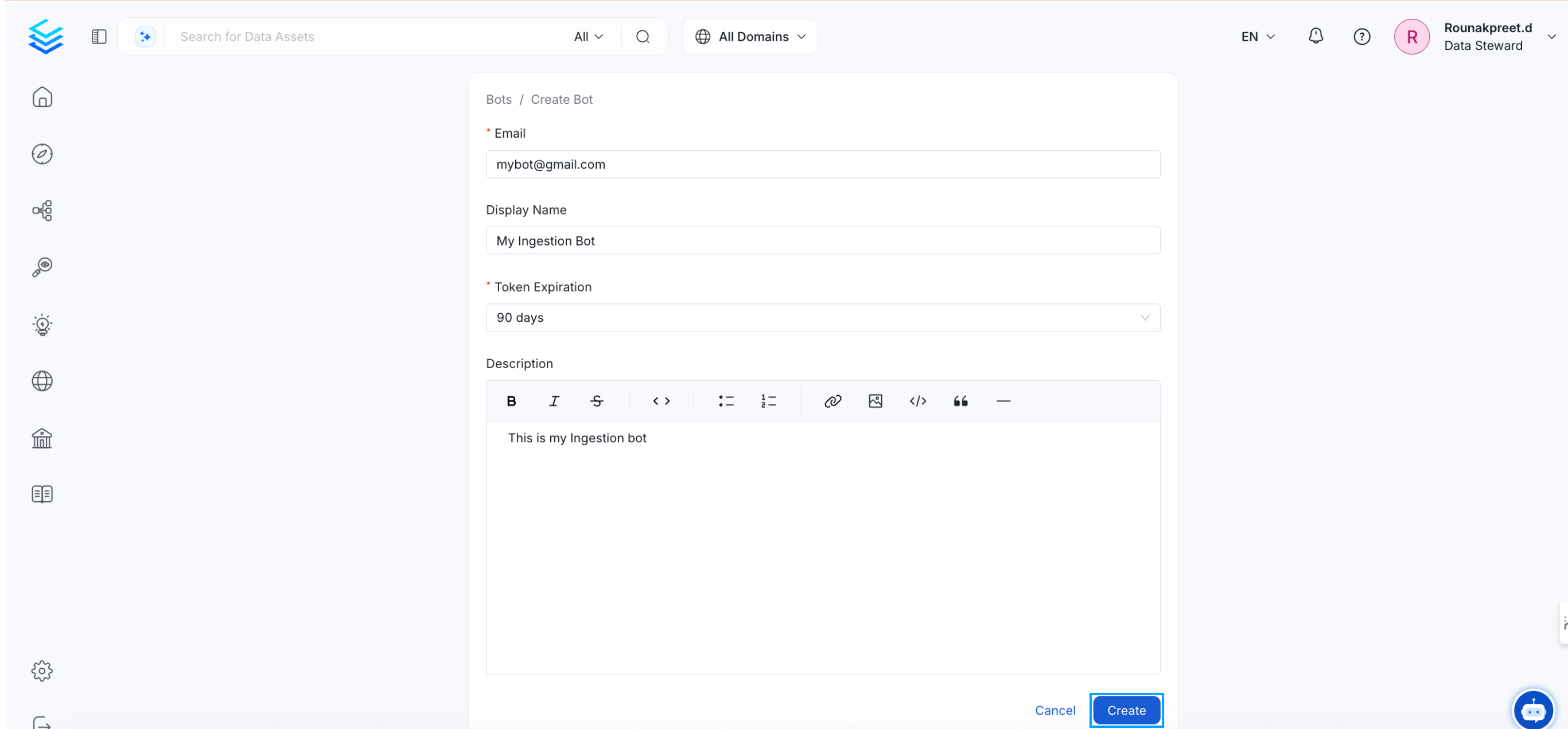
Click the `Add bot` button, and you will be directed to the bot creation page. Fill in the required details and then click on the `Create` button.
### Create a new bot
Click the `Add bot` button, and you will be directed to the bot creation page. Fill in the required details and then click on the `Create` button.
 ### Notes:
**1. `ingestion-bot`**
The `ingestion-bot` bot is created (or updated if it already exists) as a system bot that cannot be deleted, and
the credentials used for this bot, if they did not exist before, will be the ones present in the OpenMetadata configuration.
Otherwise, a JWT Token will be generated to be the default authentication mechanism of the `ingestion-bot`.
**2. JWT Token auth mechanism**
If you decide to configure a JWT Token for the authentication mechanism ensure that you have also the value `http://localhost:8585/api/v1/system/config/jwks`
in your `publicKeyUrls` list:
* For **bare metal** configuration:
```yaml theme={null}
authenticationConfiguration:
provider: "google"
publicKeyUrls:
- "https://www.googleapis.com/oauth2/v3/certs"
- "http://localhost:8585/api/v1/system/config/jwks"
```
* For **docker** configuration, the value to be updated is `AUTHENTICATION_PUBLIC_KEYS`:
```bash theme={null}
AUTHENTICATION_PUBLIC_KEYS=[https://www.googleapis.com/oauth2/v3/certs, http://localhost:8585/api/v1/system/config/jwks]
```
* In the case of **kubernetes**, you have to update `publicKeys` values:
```yaml theme={null}
openmetadata:
config:
authentication:
publicKeys:
- "https://www.googleapis.com/oauth2/v3/certs"
- "http://localhost:8585/api/v1/system/config/jwks"
```
**3. Redeploying ingestion pipelines**
When the `ingestion-bot` is updated, we must redeploy our ingestion pipelines since the credentials used by the bot have been updated,
and they will no longer be valid.
**4. Bot-driven metadata updates**
Ingestion workflows update entities using `PUT` requests. For certain fields (such as descriptions, tags, owners, and custom properties), these requests preserve an already-populated value instead of overwriting it — the exact rule depends on the field and, for some fields, on whether the bot's role has the relevant edit permission. This keeps metadata curated by hand from being silently cleared by a routine ingestion run. See [Entity Update Behavior](/api-reference/entity-updates) for the full preserve/merge rules.
### Notes:
**1. `ingestion-bot`**
The `ingestion-bot` bot is created (or updated if it already exists) as a system bot that cannot be deleted, and
the credentials used for this bot, if they did not exist before, will be the ones present in the OpenMetadata configuration.
Otherwise, a JWT Token will be generated to be the default authentication mechanism of the `ingestion-bot`.
**2. JWT Token auth mechanism**
If you decide to configure a JWT Token for the authentication mechanism ensure that you have also the value `http://localhost:8585/api/v1/system/config/jwks`
in your `publicKeyUrls` list:
* For **bare metal** configuration:
```yaml theme={null}
authenticationConfiguration:
provider: "google"
publicKeyUrls:
- "https://www.googleapis.com/oauth2/v3/certs"
- "http://localhost:8585/api/v1/system/config/jwks"
```
* For **docker** configuration, the value to be updated is `AUTHENTICATION_PUBLIC_KEYS`:
```bash theme={null}
AUTHENTICATION_PUBLIC_KEYS=[https://www.googleapis.com/oauth2/v3/certs, http://localhost:8585/api/v1/system/config/jwks]
```
* In the case of **kubernetes**, you have to update `publicKeys` values:
```yaml theme={null}
openmetadata:
config:
authentication:
publicKeys:
- "https://www.googleapis.com/oauth2/v3/certs"
- "http://localhost:8585/api/v1/system/config/jwks"
```
**3. Redeploying ingestion pipelines**
When the `ingestion-bot` is updated, we must redeploy our ingestion pipelines since the credentials used by the bot have been updated,
and they will no longer be valid.
**4. Bot-driven metadata updates**
Ingestion workflows update entities using `PUT` requests. For certain fields (such as descriptions, tags, owners, and custom properties), these requests preserve an already-populated value instead of overwriting it — the exact rule depends on the field and, for some fields, on whether the bot's role has the relevant edit permission. This keeps metadata curated by hand from being silently cleared by a routine ingestion run. See [Entity Update Behavior](/api-reference/entity-updates) for the full preserve/merge rules.