
How to Set Up Bots
The default account for any ingestion pipeline deployed from the UI isingestion-bot. To configure ingestion-bot from the UI, go to the settings page and access the Bots tile.
Note: The Bots tile under Settings is only visible to users with Admin privileges. If you don’t see it, ask your organization’s Collate Admin to generate a bot token for you or grant you Admin access.
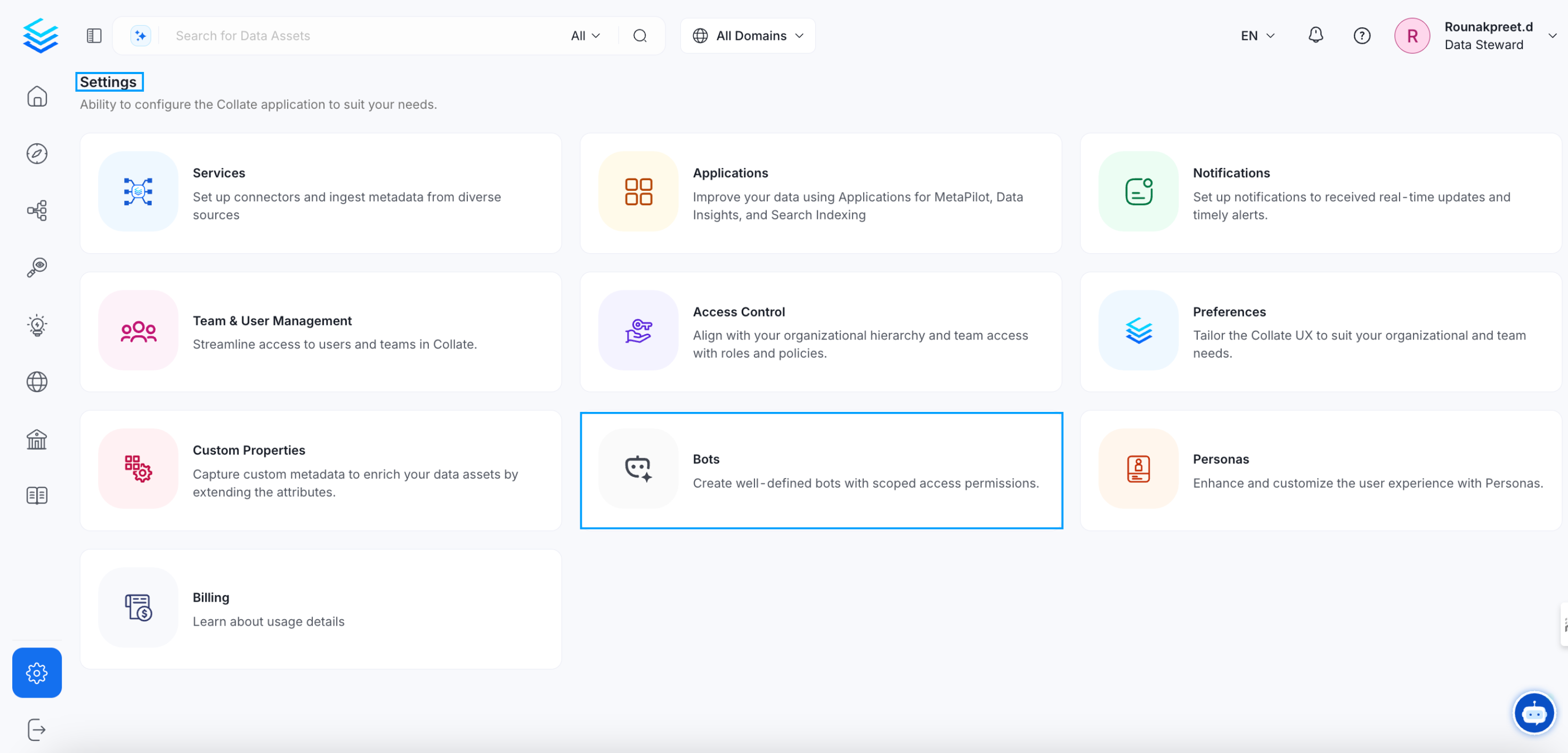
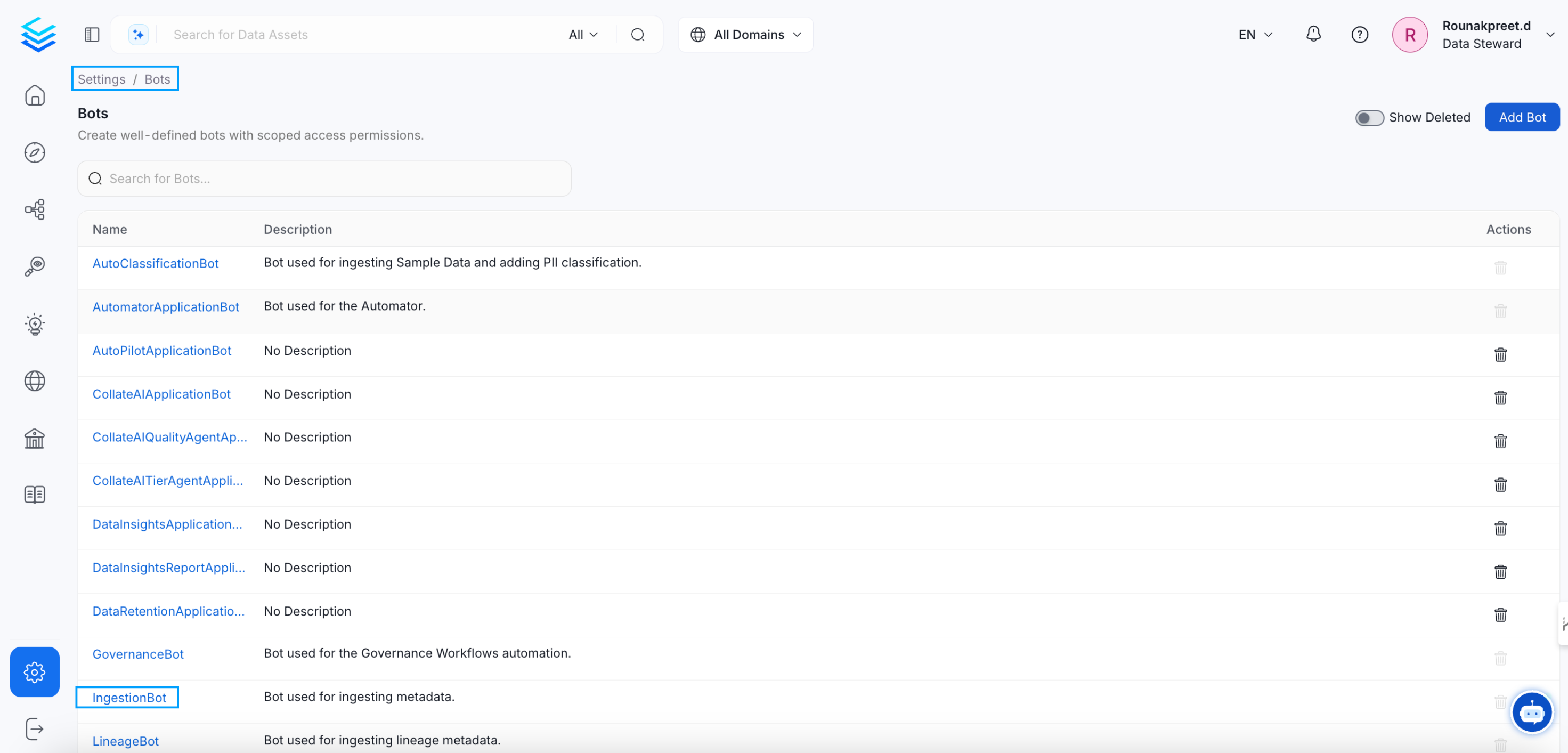
ingestion-bot.
Update ingestion-bot
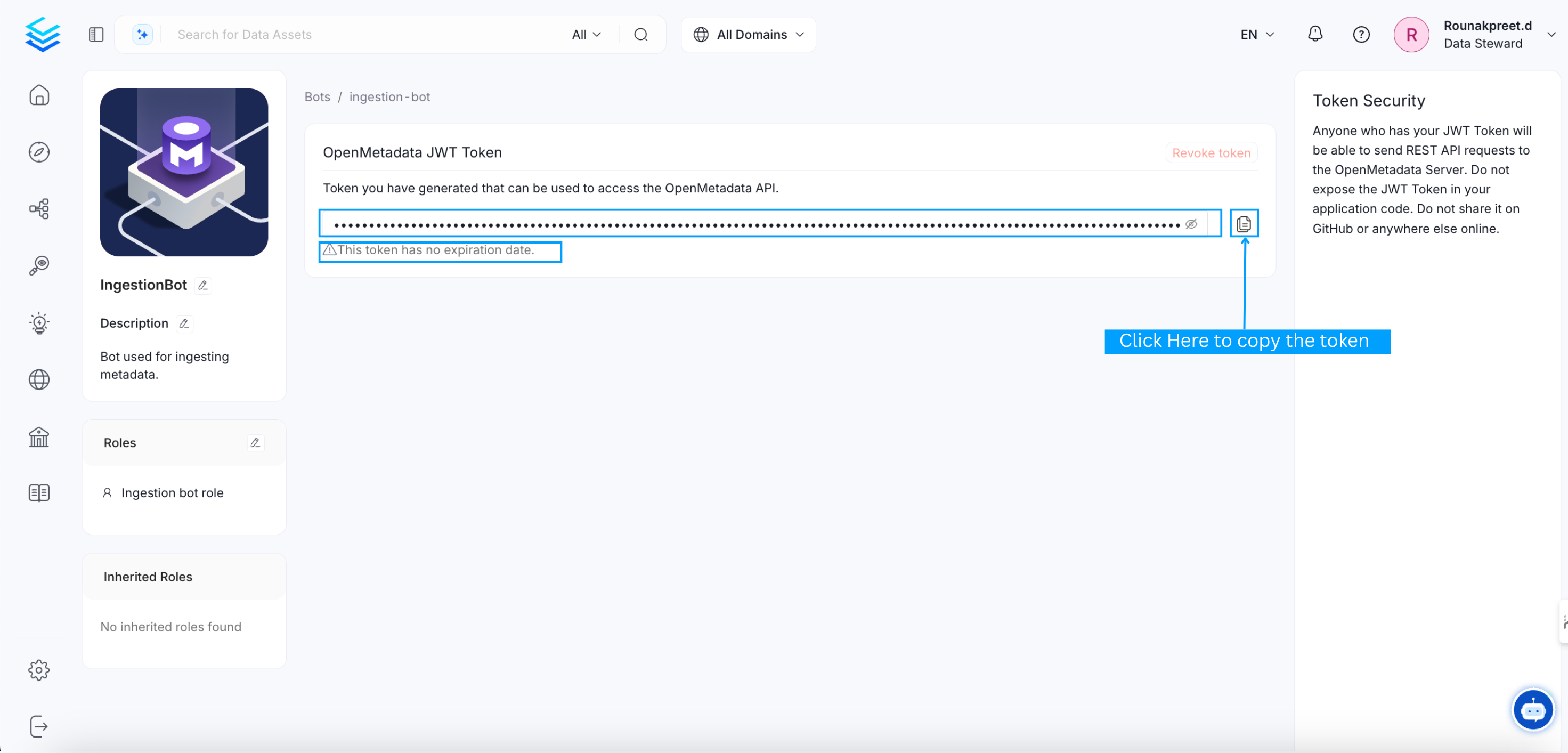
Click on ingestion-bot and you will be redirected to it’s details page, there you can
- Revoke the token if already present
- Copy the generated token
- Generate new token

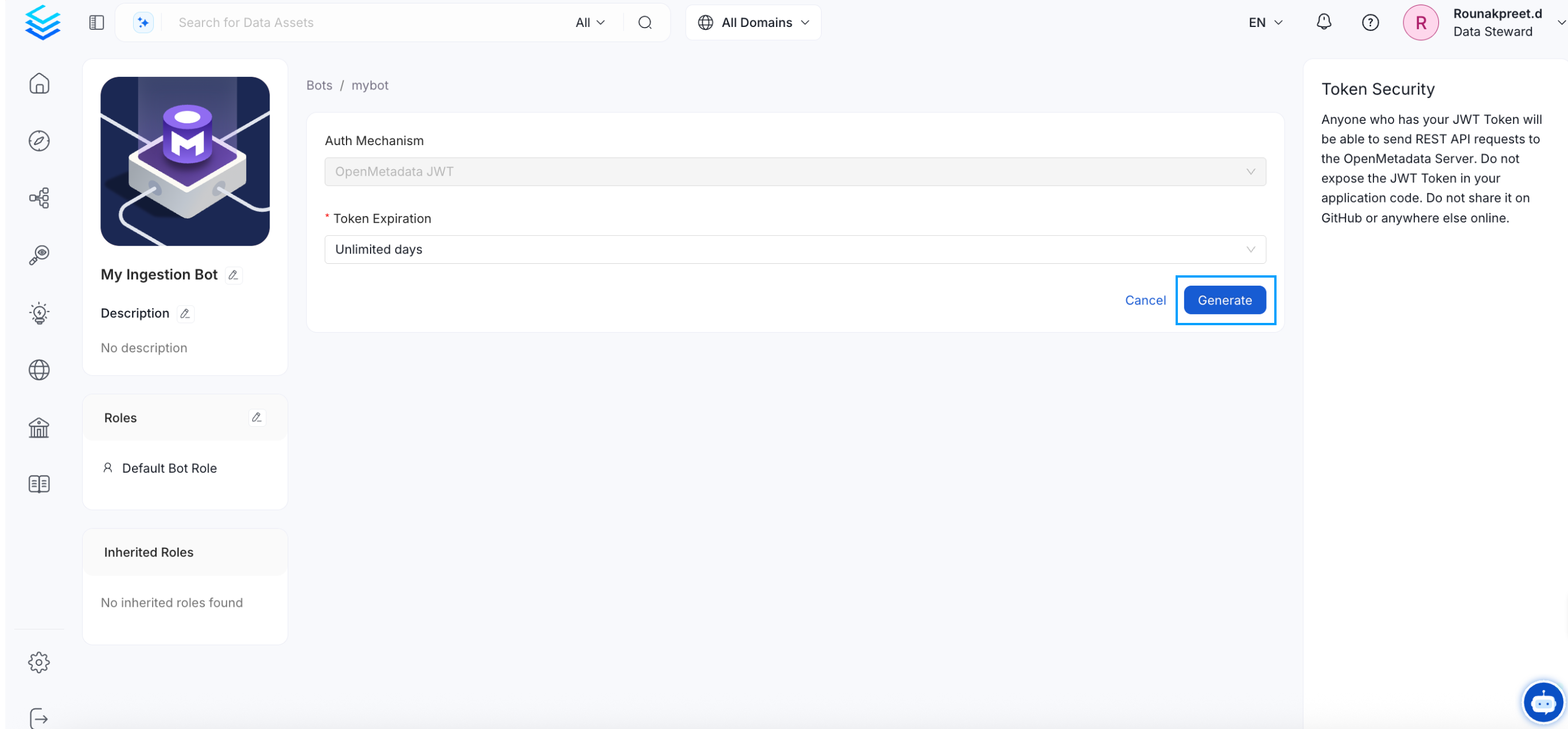
Create a new bot
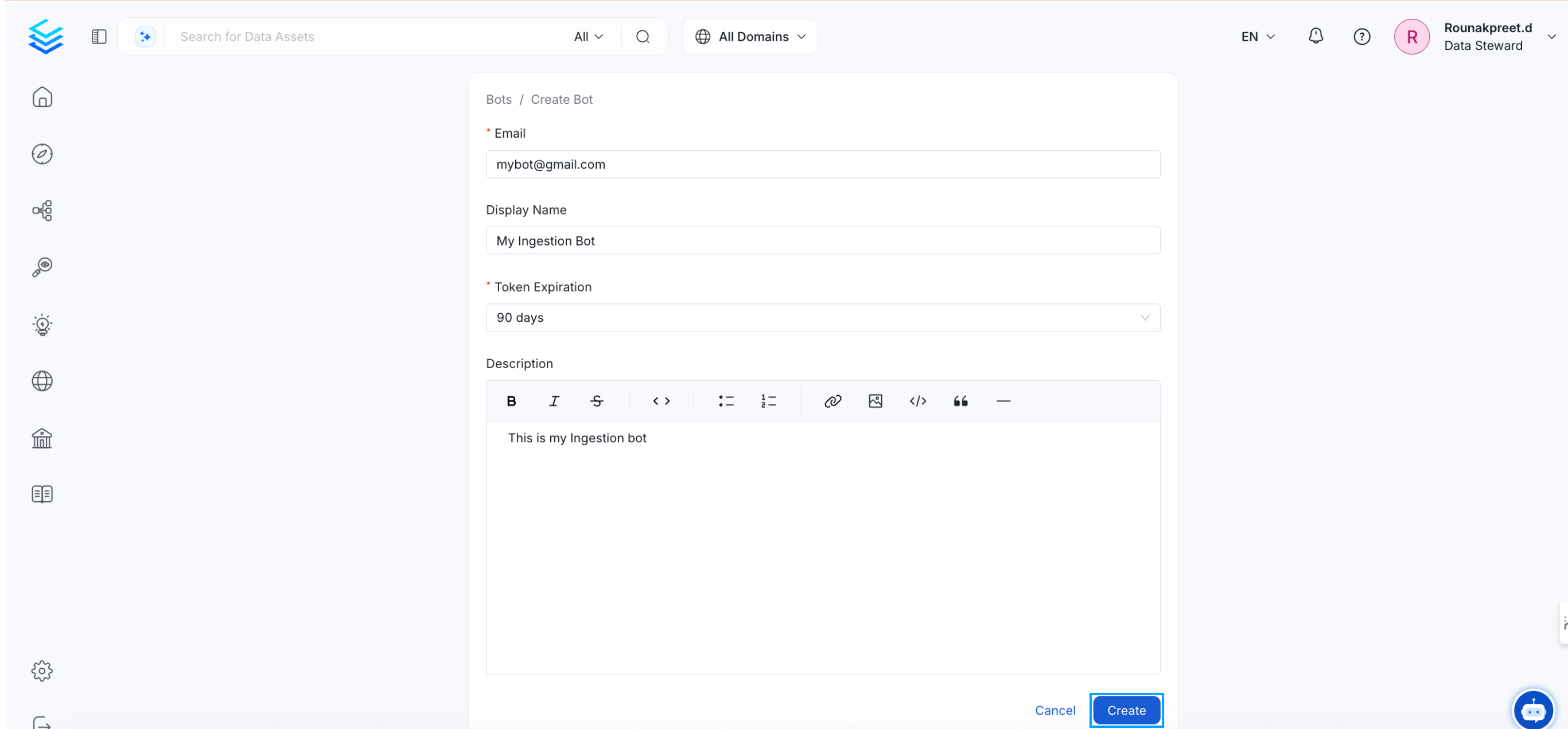
Click theAdd bot button, and you will be directed to the bot creation page. Fill in the required details and then click on the Create button.
Notes:
1.ingestion-bot
The ingestion-bot bot is created (or updated if it already exists) as a system bot that cannot be deleted, and
the credentials used for this bot, if they did not exist before, will be the ones present in the OpenMetadata configuration.
Otherwise, a JWT Token will be generated to be the default authentication mechanism of the ingestion-bot.
2. JWT Token auth mechanism
If you decide to configure a JWT Token for the authentication mechanism ensure that you have also the value http://localhost:8585/api/v1/system/config/jwks
in your publicKeyUrls list:
- For bare metal configuration:
- For docker configuration, the value to be updated is
AUTHENTICATION_PUBLIC_KEYS:
- In the case of kubernetes, you have to update
publicKeysvalues:
ingestion-bot is updated, we must redeploy our ingestion pipelines since the credentials used by the bot have been updated,
and they will no longer be valid.
4. Bot-driven metadata updates
Ingestion workflows update entities using PUT requests. For certain fields (such as descriptions, tags, owners, and custom properties), these requests preserve an already-populated value instead of overwriting it — the exact rule depends on the field and, for some fields, on whether the bot’s role has the relevant edit permission. This keeps metadata curated by hand from being silently cleared by a routine ingestion run. See Entity Update Behavior for the full preserve/merge rules.