Upgrade on Bare Metal
This guide will help you upgrade an OpenMetadata deployment using release binaries.
Requirements
This guide assumes that you have an OpenMetadata deployment that you installed and configured following the
Bare Metal deployment guide.
Prerequisites
Everytime that you plan on upgrading OpenMetadata to a newer version, make sure to go over all these steps:
Before upgrading your OpenMetadata version we strongly recommend backing up the metadata.
The source of truth is stored in the underlying database (MySQL and Postgres supported). During each version upgrade there
is a database migration process that needs to run. It will directly attack your database and update the shape of the
data to the newest OpenMetadata release.
It is important that we backup the data because if we face any unexpected issues during the upgrade process,
you will be able to get back to the previous version without any loss.
You can learn more about how the migration process works here.During the upgrade, please note that the backup is only for safety and should not be used to restore data to a higher version. 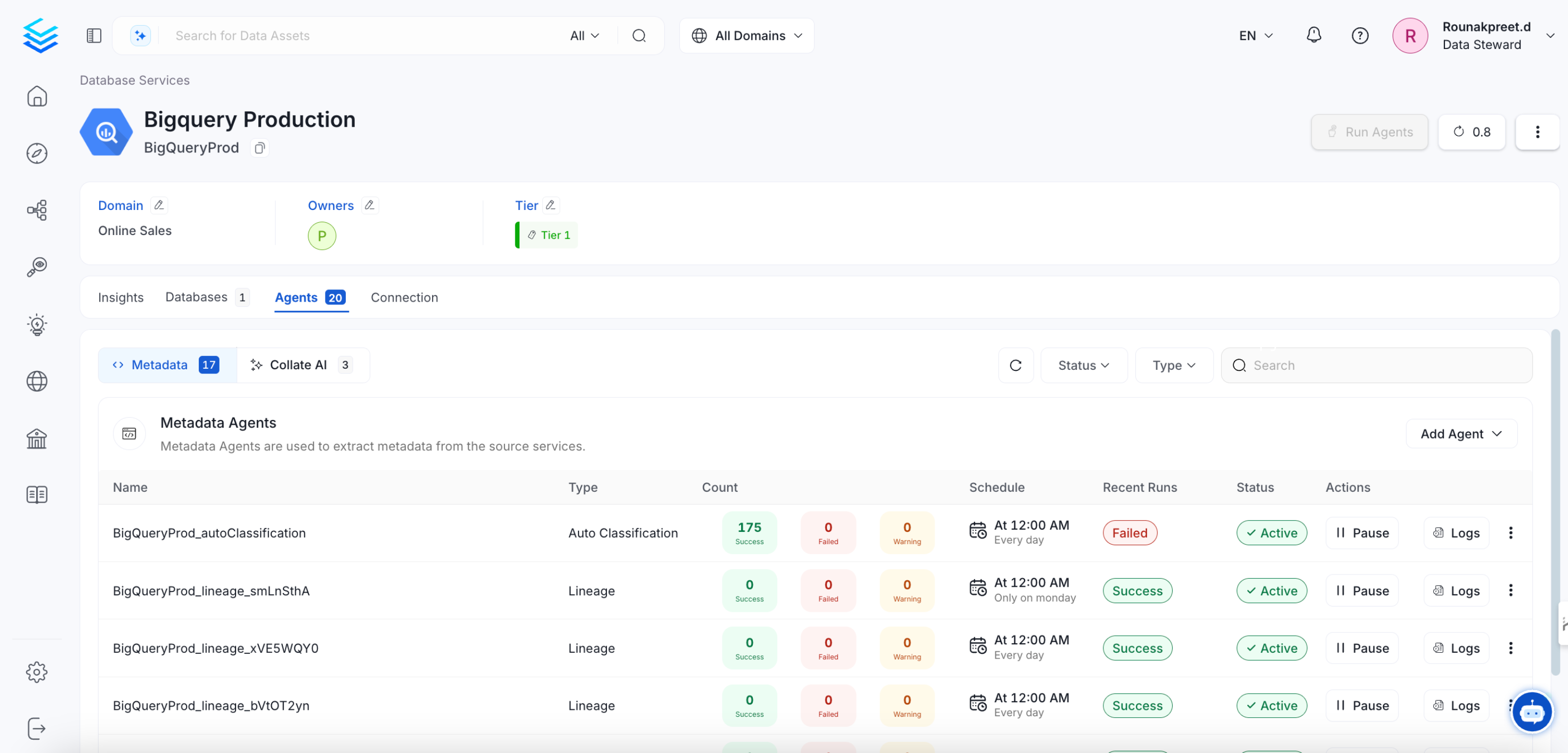
Expected Steps to Resolve
To resolve this issue:
- Ensure that Airflow is restarted properly after an unexpected shutdown.
- Manually update the pipeline status if necessary.
- Check Airflow logs to verify if the DAG execution was interrupted.
Update sort_buffer_size (MySQL) or work_mem (Postgres)
Before running the migrations, it is important to update these parameters to ensure there are no runtime errors.
A safe value would be setting them to 20MB.
If using MySQL
You can update it via SQL (note that it will reset after the server restarts):
SET GLOBAL sort_buffer_size = 20971520
my.ini or my.cnf files with sort_buffer_size = 20971520.
If using RDS, you will need to update your instance’s Parameter Group
to include the above change.
If using Postgres
You can update it via SQL (not that it will reset after the server restarts):
To make the configuration persistent, you’ll need to update the postgresql.conf file
with work_mem = 20MB.
If using RDS, you will need to update your instance’s Parameter Group
to include the above change.
Note that this value would depend on the size of your query_entity table. If you still see Out of Sort Memory Errors
during the migration after bumping this value, you can increase them further.
After the migration is finished, you can revert this changes.
Backward Incompatible Changes
1.9.0
Strong validation of test case parameters
parameterValues name of a testCase will be strongly validated against the name of the parameterDefinition in the testDefinition.
If both parameter names do not match an error will be thrown on testCase creation
Multi-domain Support
All entities now support multi-domains. Their domain field is now renamed to domains and modelled as a list of domains instead of a single domain.
If you’re using the API or the SDK, you will need to update your code to use the new domains field instead of domain.
We have also updated the patch_domain implementation, which now has a new signature to support the new domains field.
While the schema and APIs are all updated, the Multi-domain support is not enabled by default.If you want to allow your assets to belong to multiple domains, you need to go to Settings > Preferences > Data Asset Rules and disable the Multiple Domains are not allowed rule.
Upgrade process
Step 1: Download the binaries for the release you want to install
OpenMetadata release binaries are maintained as GitHub releases.
To download a specific release binary:
- Visit github.com/open-metadata/OpenMetadata/releases. The latest
release will be at the top of this page.
- Locate the Assets’ section for the release you want to upgrade to.
- Download the release binaries. The release binaries will be in a compressed tar file named using the following
convention,
openmetadata-x.y.z.tar.gz Where x, y, z are the major, minor, and patch release numbers, respectively.
Using the command-line tool or application of your choice, extract the release binaries.
For example, to extract using tar, run the following command.
tar xfz openmetadata-*.tar.gz
.tar and .gz extensions.
Change into the new directory by issuing a command similar to the following.
For example, to navigate into the directory created by issuing the tar command above, you would run the following
command.
OpenMetadata ships with a few control scripts. One is openmetadata.sh. This script enables you to start, stop, and
perform other deployment operations on the OpenMetadata server.
Most OpenMetadata releases will require you to migrate your data to updated schemas.
Before you migrate your data to the new release you are upgrading to, stop the OpenMetadata server from the
directory of your current installation by running the following command:
./bin/openmetadata.sh stop
Step 5: Migrate the database schemas and ElasticSearch indexes
The bootstrap/openmetadata-ops.sh script enables you to perform a number of operations on the OpenMetadata database (in
MySQL) and index (in Elasticsearch).
./bootstrap/openmetadata-ops.sh migrate
./bin/openmetadata.sh start
Post-Upgrade Steps
Reindex
With UI
Go to Settings -> Applications -> Search Indexing
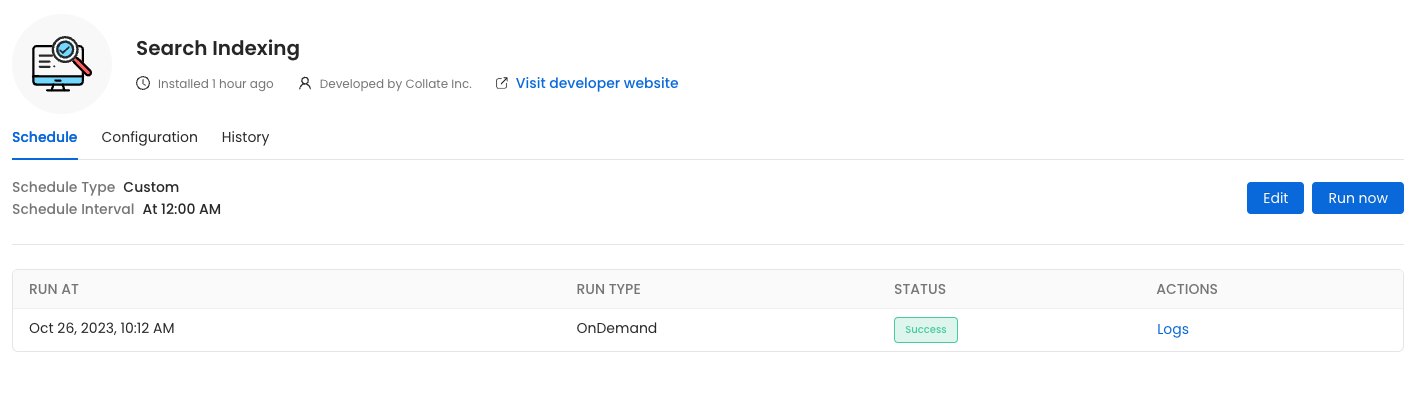 Before initiating the process by clicking
 Run Now, ensure that the Recreate Indexes option is enabled to allow rebuilding the indexes as needed.
In the configuration section, you can select the entities you want to reindex.
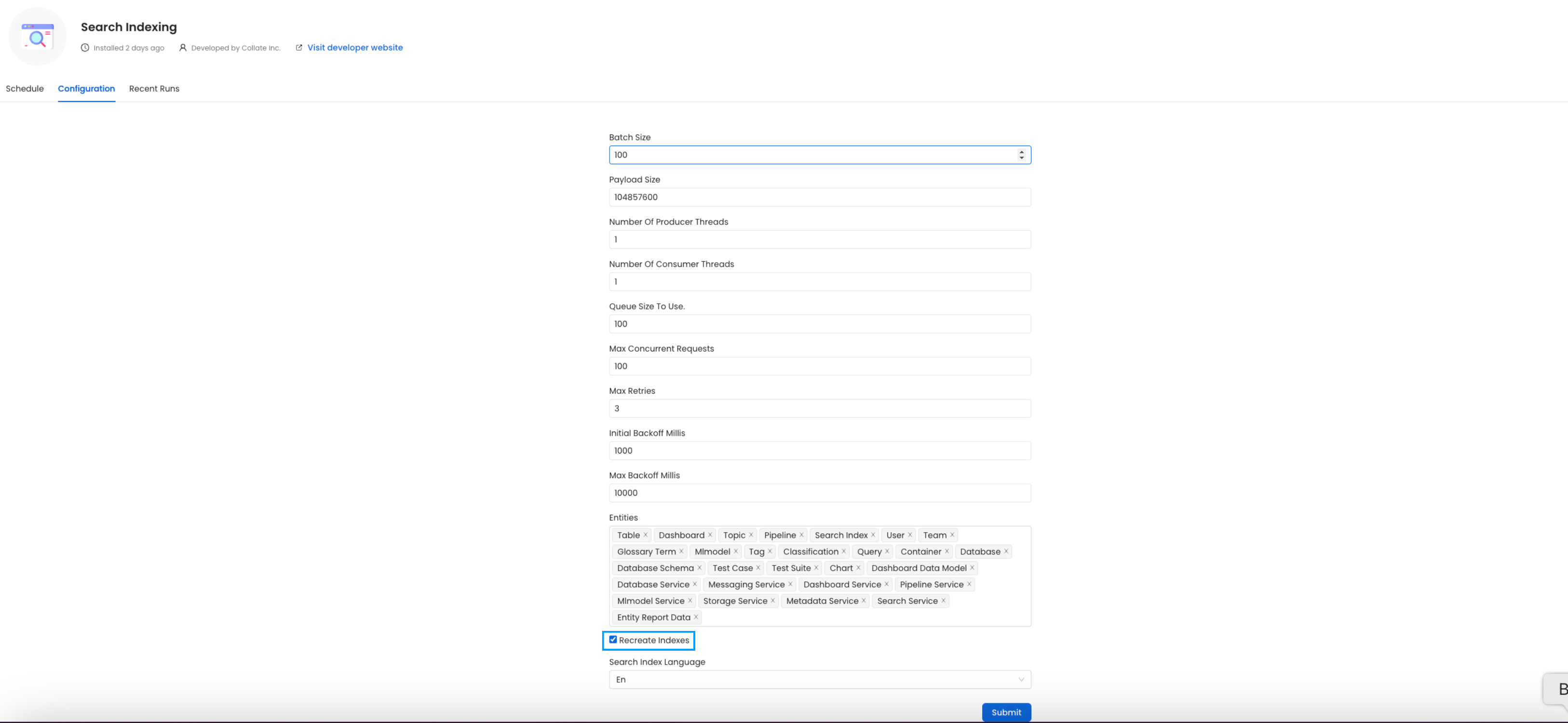 Since this is required after the upgrade, we want to reindex
 All the entities.
If you are running the ingestion workflows externally or using a custom Airflow installation, you need to make sure that the Python Client you use is aligned
with the Collate server version.
For example, if you are upgrading the server to the version x.y.z, you will need to update your client with
pip install openmetadata-ingestion[<plugin>]==x.y.z
With Kubernetes
Follow these steps to reindex using the CLI:
- List the CronJobs
Use the following command to check the available CronJobs:
Upon running this command you should see output similar to the following.
kubectl get cronjobs
NAME                    SCHEDULE      TIMEZONE   SUSPEND   ACTIVE   LAST SCHEDULE   AGE
cron-reindex            0/5 * * * *   <none>     True      0        <none>          31m
- Create a Job from a CronJob
Create a one-time job from an existing CronJob using the following command:
kubectl create job --from=cronjob/cron-reindex <job_name>
Replace <job_name> with the actual name of the job.
kubectl create job --from=cronjob/cron-reindex cron-reindex-one
job.batch/cron-reindex-one created
- Check the Job Status
Verify the status of the created job with:
Upon running this command you should see output similar to the following.
kubectl get jobs
NAME                       STATUS     COMPLETIONS   DURATION   AGE
cron-reindex-one           Complete   1/1           20s        109s
- view logs
To view the logs use the below command.
kubectl logs job/<job_name>
Replace <job_name> with the actual job name.
plugin parameter is a list of the sources that we want to ingest. An example would look like this openmetadata-ingestion[mysql,snowflake,s3]==1.2.0.
You will find specific instructions for each connector here.
Moreover, if working with your own Airflow deployment - not the openmetadata-ingestion image - you will need to upgrade
as well the openmetadata-managed-apis version:
pip install openmetadata-managed-apis==x.y.z
Re Deploy Ingestion Pipelines
With UI
Go to Settings -> {Services} -> {Databases} -> Pipelines
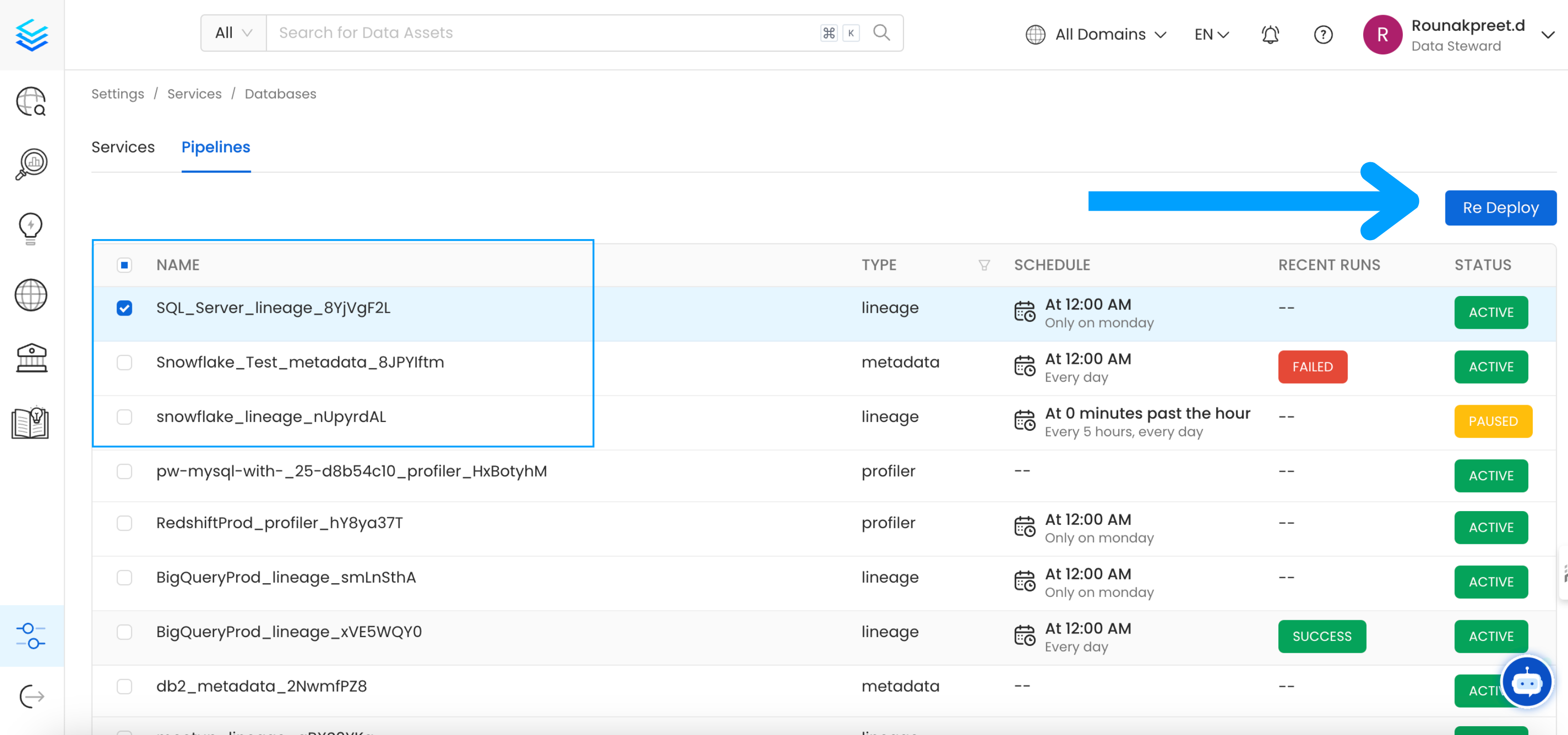 Select the pipelines you want to Re Deploy click
 Re Deploy.
With Kubernetes
Follow these steps to deploy pipelines using the CLI:
- List the CronJobs
Use the following command to check the available CronJobs:
Upon running this command you should see output similar to the following.
kubectl get cronjobs
NAME                    SCHEDULE      TIMEZONE   SUSPEND   ACTIVE   LAST SCHEDULE   AGE
cron-deploy-pipelines   0/5 * * * *   <none>     True      0        <none>          4m7s
- Create a Job from a CronJob
Create a one-time job from an existing CronJob using the following command:
kubectl create job --from=cronjob/cron-reindex <job_name>
Replace <job_name> with the actual name of the job.
kubectl create job --from=cronjob/cron-deploy-pipelines cron-deploy-pipeline-one
job.batch/cron-deploy-pipeline-one created
- Check the Job Status
Verify the status of the created job with:
Upon running this command you should see output similar to the following.
kubectl get jobs
NAME                       STATUS     COMPLETIONS   DURATION   AGE
cron-deploy-pipeline-one   Complete   1/1           13s        3m35s
- view logs
To view the logs use the below command.
kubectl logs job/<job_name>
Replace <job_name> with the actual job name.
Overview
The openmetadata-ops script is designed to manage and migrate databases and search indexes, reindex existing data into Elastic Search or OpenSearch, and redeploy service pipelines.
Usage
sh openmetadata-ops.sh [-dhV] [COMMAND]
Commands
Migrates secrets from the database to the configured Secrets Manager. Note that this command does not support migrating between external Secrets Managers.
Prints the change log of database migration.
Checks if a connection can be successfully obtained for the target database.
Deploys all the service pipelines.
Deletes any tables in the configured database and creates new tables based on the current version of OpenMetadata. This command also re-creates the search indexes.
Shows the list of migrations applied and the pending migrations waiting to be applied on the target database.
Migrates the OpenMetadata database schema and search index mappings.
Migrates secrets from the database to the configured Secrets Manager. Note that this command does not support migrating between external Secrets Managers.
Reindexes data into the search engine from the command line.
Repairs the DATABASE_CHANGE_LOG table, which is used to track all the migrations on the target database. This involves removing entries for the failed migrations and updating the checksum of migrations already applied on the target database.
Checks if all the migrations have been applied on the target database.
Examples
Display Help To display the help message:
sh openmetadata-ops.sh --help
Migrate Database Schema
To migrate the database schema and search index mappings:
sh openmetadata-ops.sh migrate
Reindex Data
To reindex data into the search engine:
sh openmetadata-ops.sh reindex
