
OneLogin SSO
Follow the sections in this guide to set up OneLogin SSO.Create Server Credentials
Step 1: Configure a new Application
- Login to OneLogin as an administrator and click on Applications

- Click on the
Add Appbutton and search foropenid connect - Select the
OpenId Connect (OIDC)app

- Change the Display Name of the app to
Open Metadataand clickSave
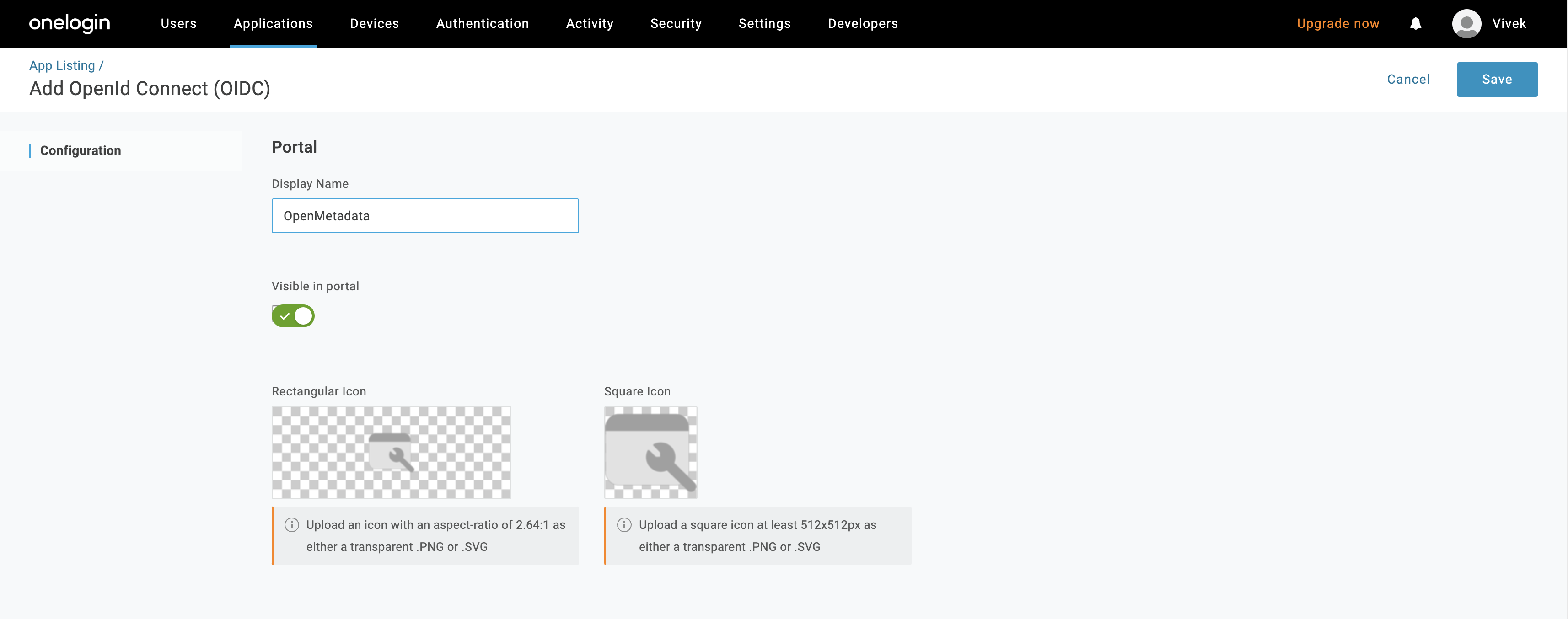
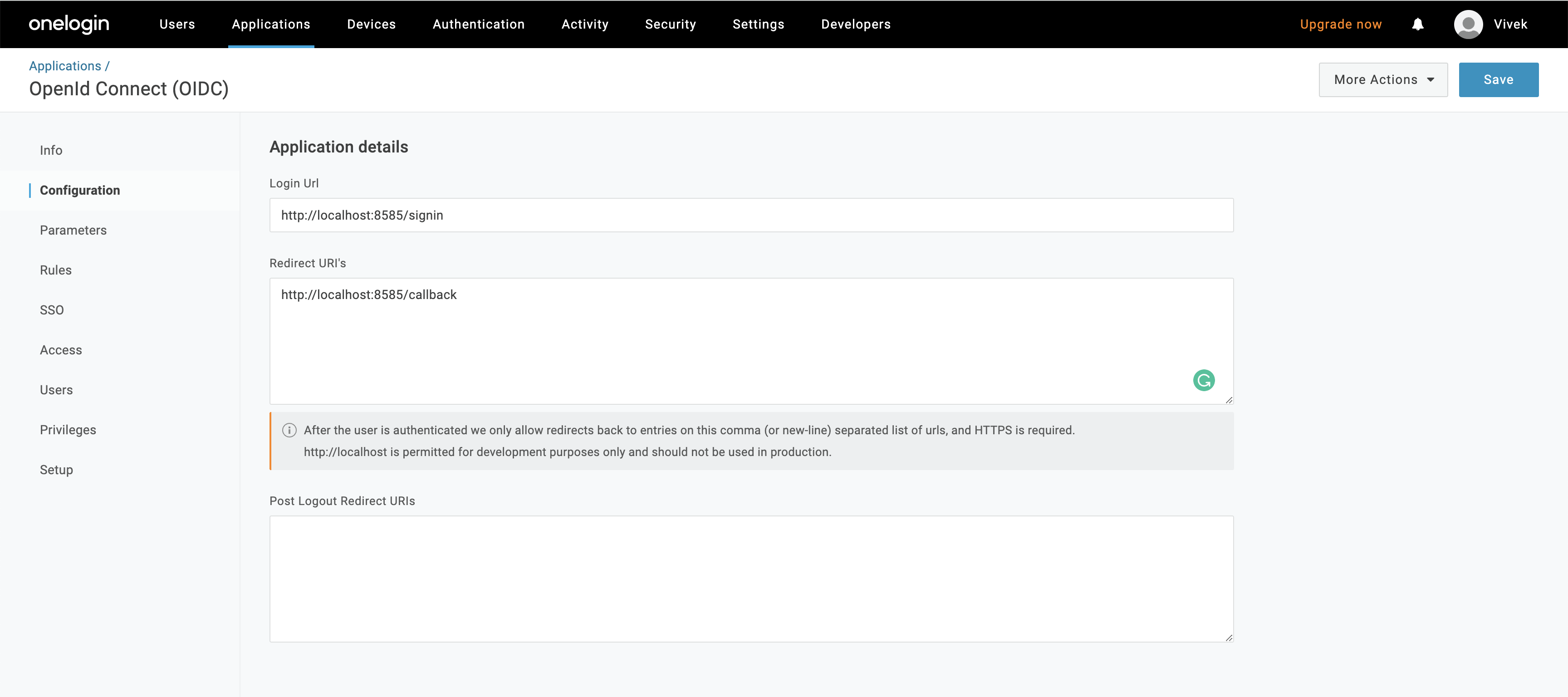
- Configure the login Url (
http(s)://<domain>/signin) and redirect URI (http(s)://<domain>/callback) as shown below
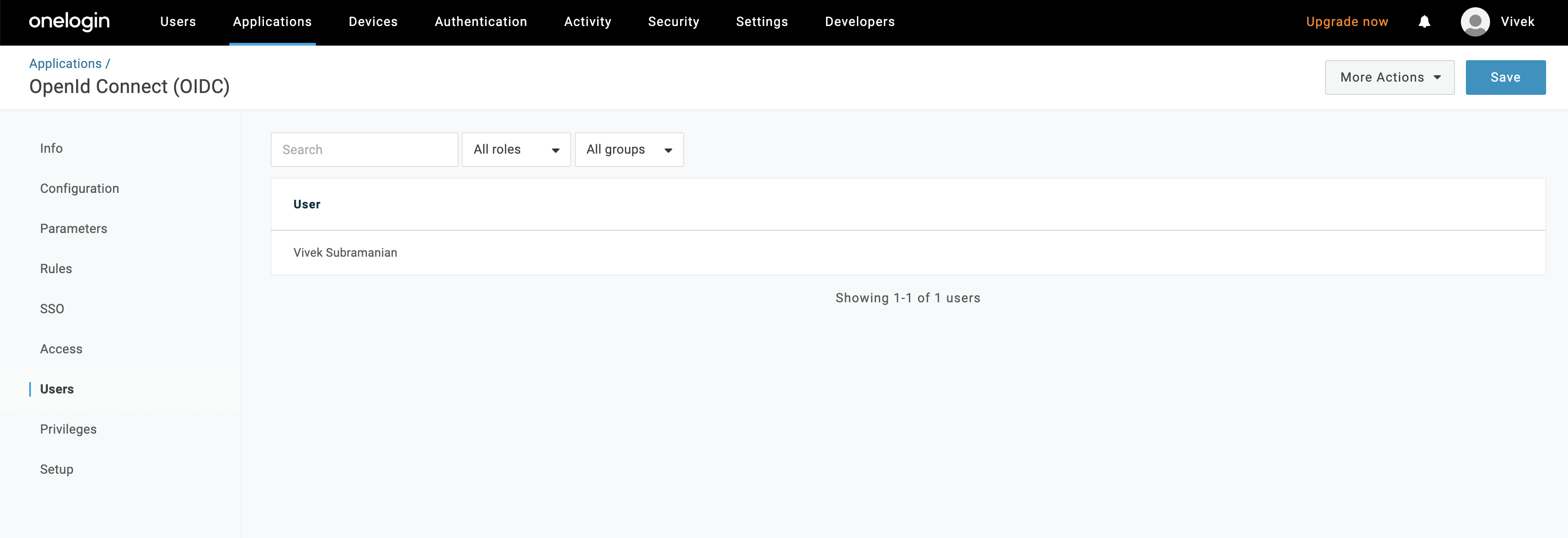
- Configure the users in the organization that can access OpenMetadata app by clicking on the
Users
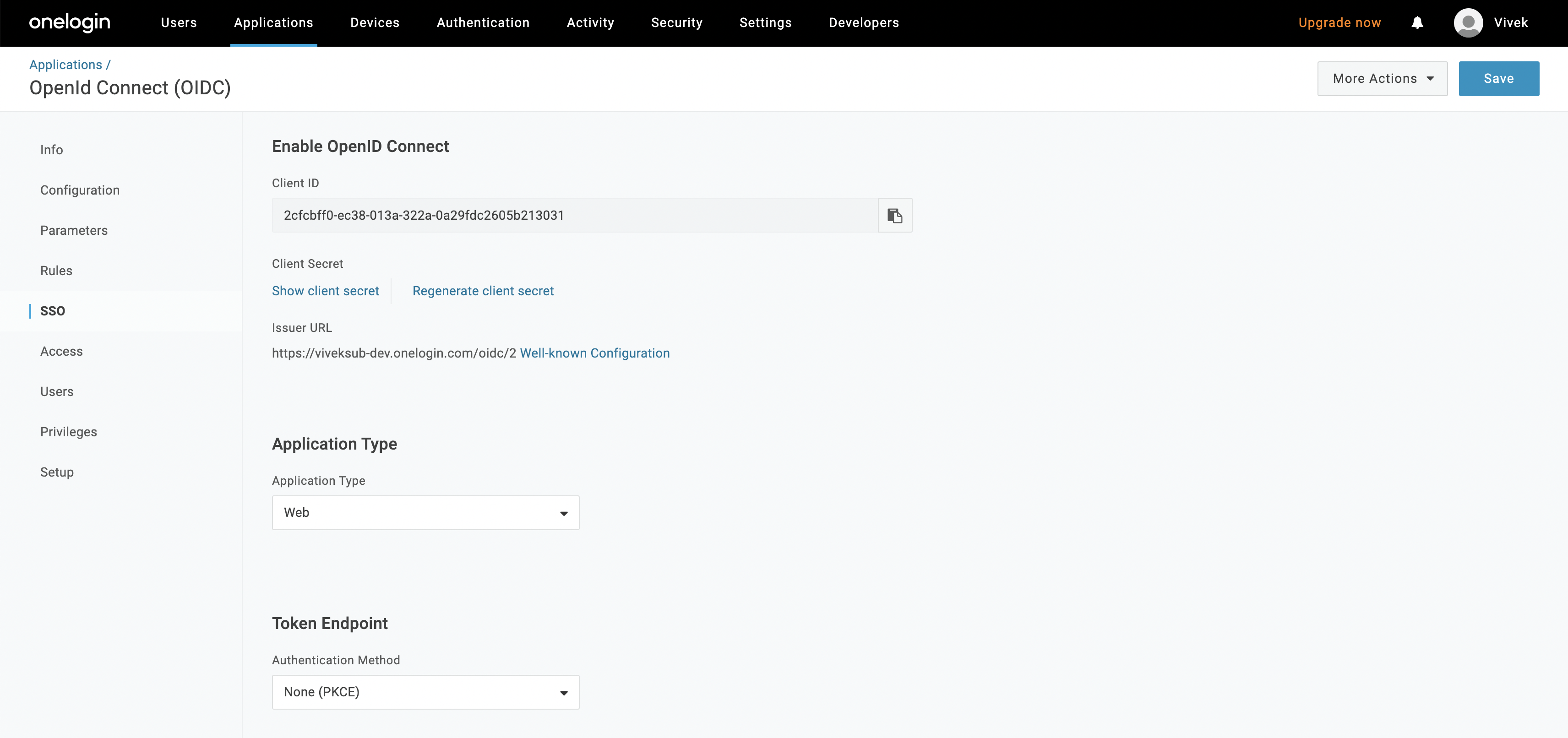
- Click on “SSO” and select
None (PKCE)for Token Endpoint.
Step 2: Where to find the Credentials
- Go to “SSO” and copy the Client ID
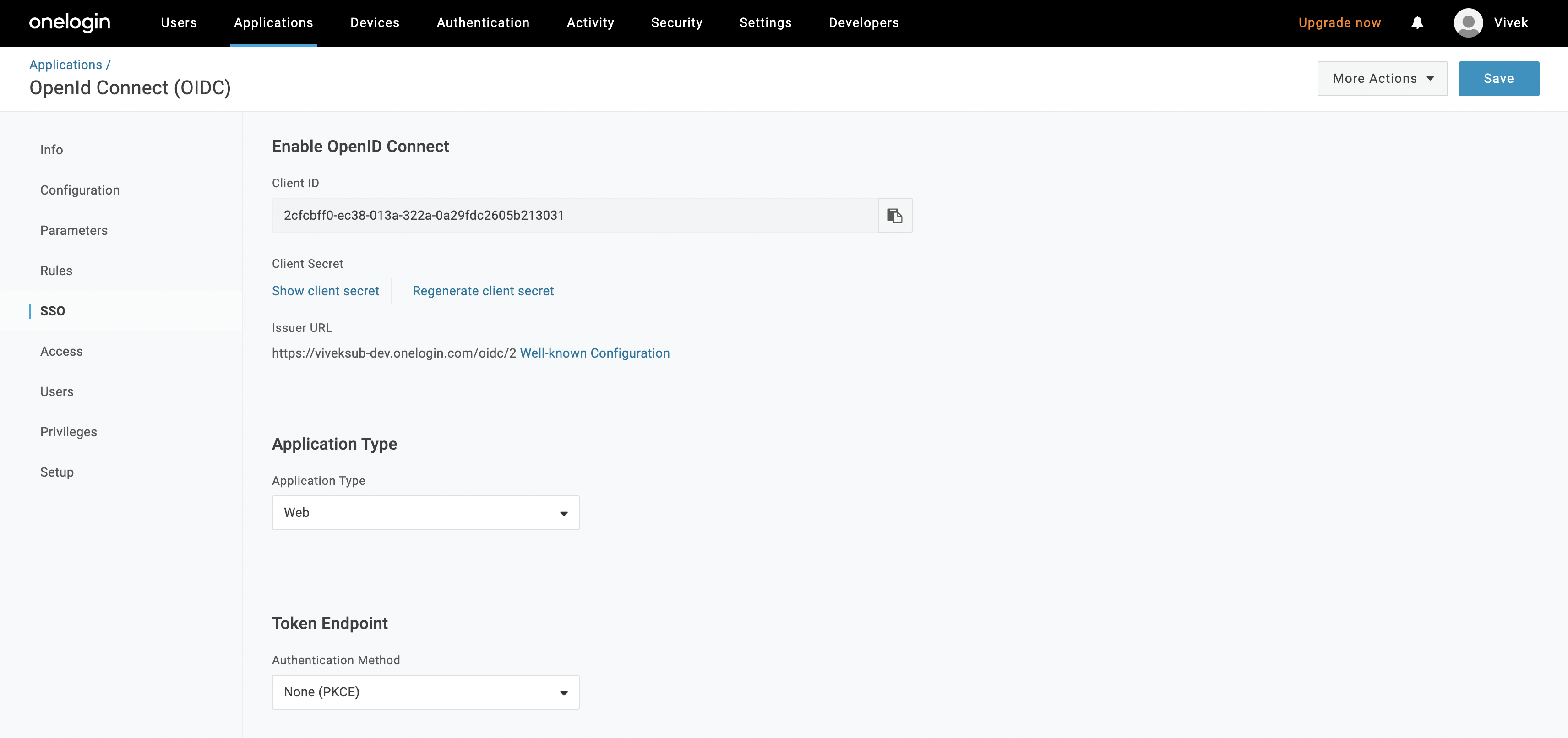
- Copy the Issuer URL
Docker Security
Configure OneLogin SSO for your Docker Deployment.
Bare Metal Security
Configure OneLogin SSO for your Bare Metal Deployment.
Kubernetes Security
Configure OneLogin SSO for your Kubernetes Deployment.