
Okta SSO
Follow the sections in this guide to set up Okta SSO.Create Server Credentials
This document will explain how to create an Okta app and configure it for OAuth. This will generate the information required for Single Sign On with Okta.Step 1: Create an Okta Account
- Go to Create Okta Account.
- Provide the required input and click on Sign Up.
- Else you can continue with Google or GitHub.
Step 2: Create the OIDC App Integration.
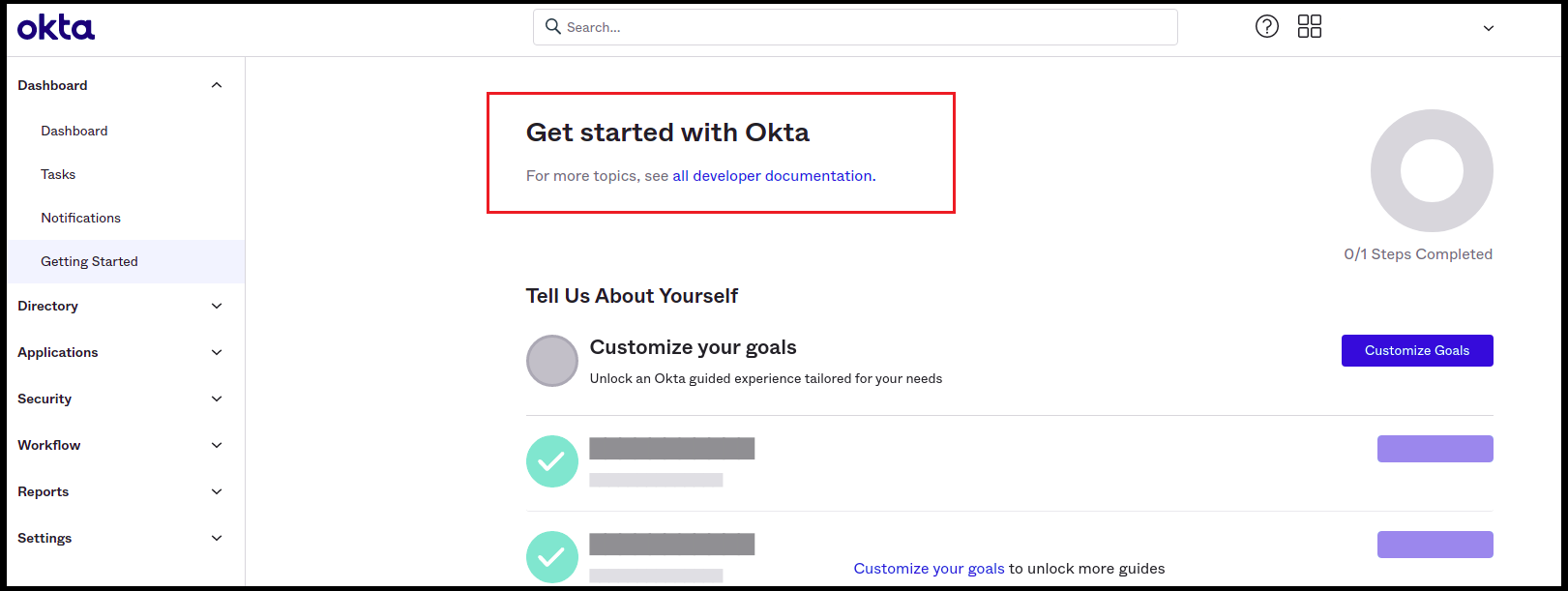
- Once done with Signup/Sign in, you will be redirected to the Getting Started page in Okta.
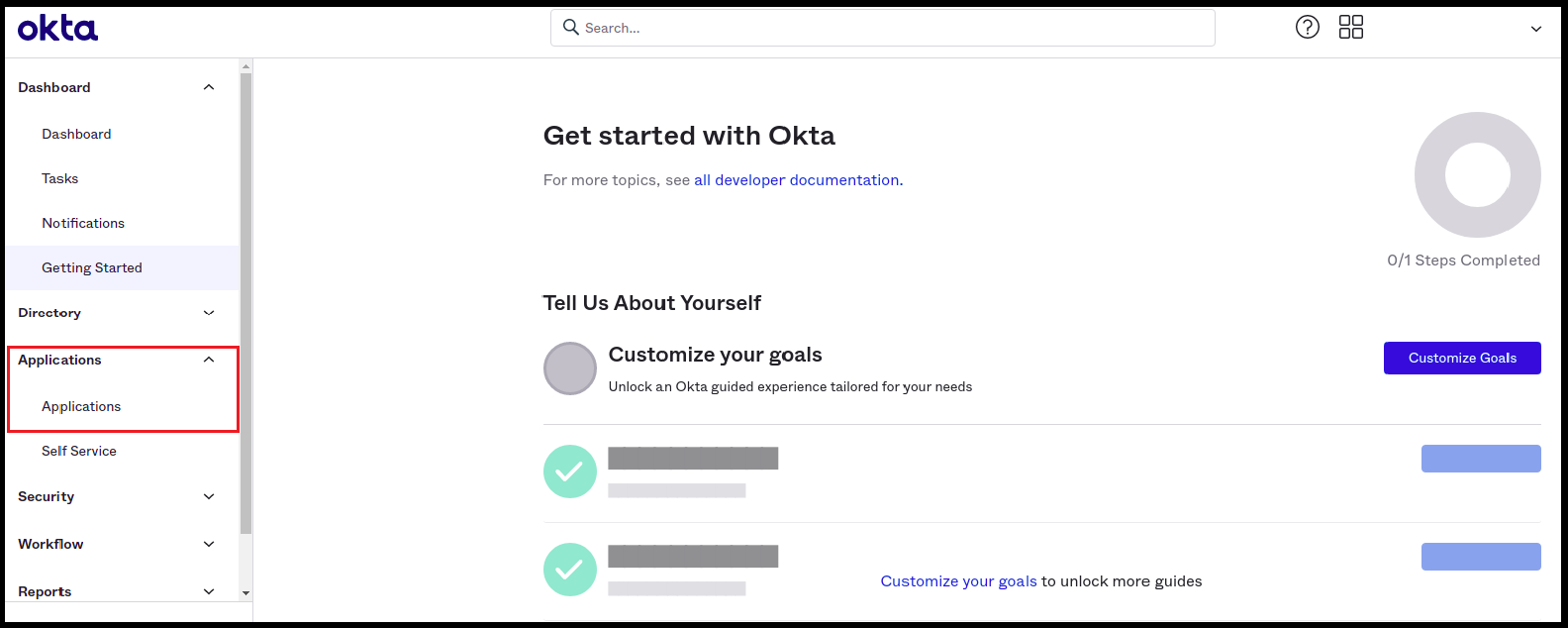
- Click on Applications -> Applications in the left navigation panel.
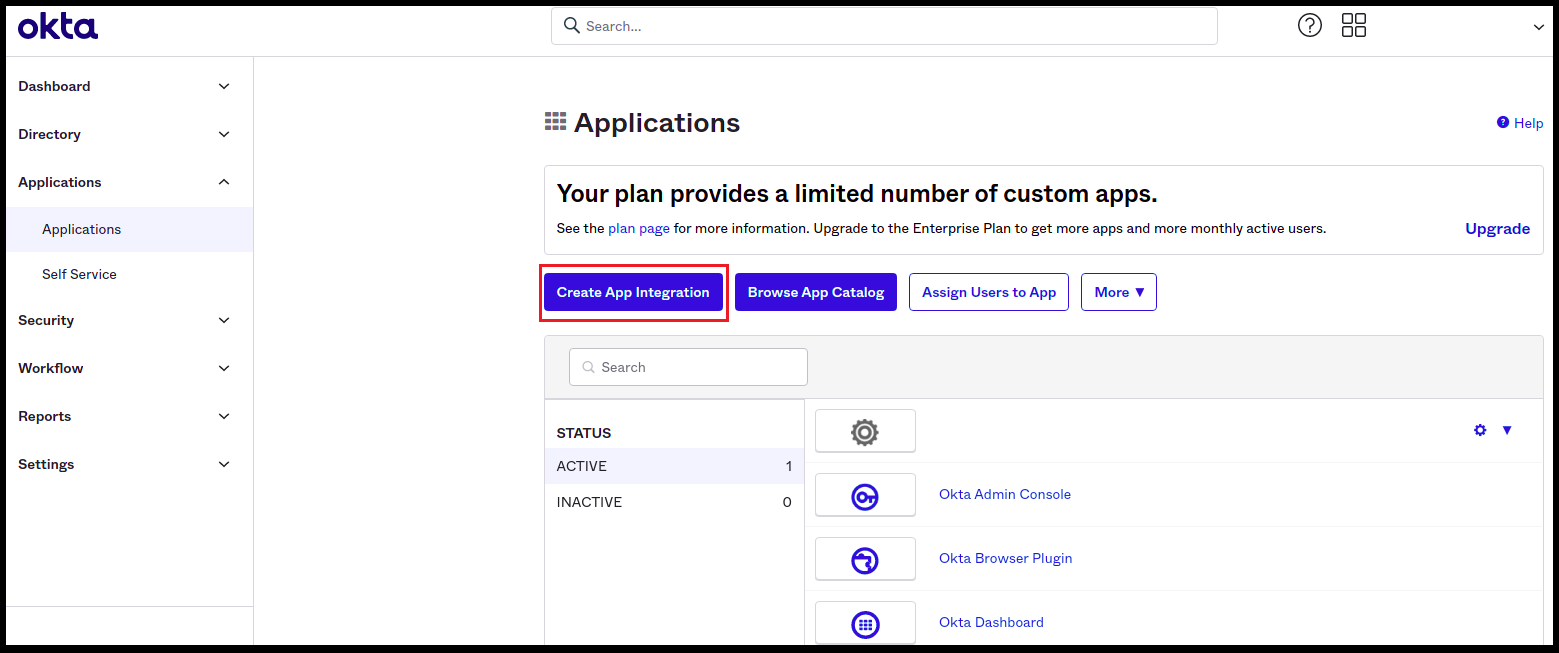
- Click on the Create App Integration button.
Choose Your Authentication Flow
After creating the account, choose the authentication flow you want to use:- Implicit Flow (Public)
- Auth Code Flow (Confidential)