> ## Documentation Index
> Fetch the complete documentation index at: https://docs.getcollate.io/llms.txt
> Use this file to discover all available pages before exploring further.
# Ingest Owner from dbt | Official Documentation
> Configure dbt workflows to ingest owner metadata from dbt models into your governance platform.
# Ingest Owner from dbt
Ingest the model/table owner information from dbt `manifest.json` or `catalog.json` file into openmetadata tables.
The owner can be a user or a team in OpenMetadata.
Follow the link [here](https://docs.getdbt.com/reference/resource-configs/meta) to add the owner to the dbt project's `schema.yml` file
## Requirements
### 1. Owner information in manifest.json file
OpenMetadata fetches the owner information from the `manifest.json` file. Below is a sample `manifest.json` file node containing owner information under `node_name->metadata->owner`.
```json theme={null}
"model.jaffle_shop.orders": {
"metadata": {
"type": "BASE TABLE",
"schema": "dbt_jaffle",
"name": "orders",
"database": "dev",
"comment": null,
"owner": "openmetadata_team"
}
}
```
### 2. Owner information in catalog.json file
OpenMetadata fetches the owner information from the `catalog.json` file. Below is a sample `catalog.json` file node containing owner information under `node_name->metadata->owner`.
```json theme={null}
"model.jaffle_shop.customers": {
"metadata": {
"type": "BASE TABLE",
"schema": "dbt_jaffle",
"name": "customers",
"database": "dev",
"comment": null,
"owner": "openmetadata"
},
}
```
### 3. Adding the User or Team to OpenMetadata
The user or team which will be set as the entity owner should be first created in OpenMetadata.
While linking the owner from `manifest.json` or `catalog.json` files to the entity, OpenMetadata first searches for the user if it is present. If the user is not present it searches for the team.
### 4. Adding Multiple Owners to dbt Models
OpenMetadata allows you to define multiple owners (users or teams) for dbt models through the `owner` field under `meta.openmetadata` in your `schema.yml` configuration. This helps reflect shared ownership and collaborative accountability on data assets.
#### Example Configuration
```yaml theme={null}
models:
- name: customers
meta:
openmetadata:
glossary: [
'Test_Glossary.term_one',
'Test_Glossary.term_two.nested_term.more_nested_term',
]
tier: 'Tier.Tier2'
owner: ['John Doe', 'jane@gmail.com']
config:
tags: ["model_tag_one", "model_tag_two"]
```
#### Guidelines
* **Owner Field**: Provide a list of users or team identifiers under owner.
* **User Validation**: Ensure the specified owners (e.g., John Doe, [jane@gmail.com](mailto:jane@gmail.com)) exist in OpenMetadata as valid user or team entities.
* **Overwrite Behavior**: Use the dbtUpdateOwners parameter in your ingestion configuration to control whether this list overwrites existing owners or only applies to unowned assets.
#### Following steps shows adding a User to OpenMetadata:
**1.** Click on the `Users` section from homepage

 **2.** Click on the `Add User` button
 3. Enter the details as shown for the user
If the owner's name in `manifest.json` or `catalog.json` file is `openmetadata`, you need to enter `openmetadata@youremail.com` in the email id section of add user form as shown below.
3. Enter the details as shown for the user
If the owner's name in `manifest.json` or `catalog.json` file is `openmetadata`, you need to enter `openmetadata@youremail.com` in the email id section of add user form as shown below.
 #### Following steps shows adding a Team to OpenMetadata:
**1.** Click on the `Teams` section from homepage
#### Following steps shows adding a Team to OpenMetadata:
**1.** Click on the `Teams` section from homepage

 **2.** Click on the `Add Team` button
 **3.** Enter the details as shown for the team
If the owner's name in `manifest.json` or `catalog.json` file is `openmetadata`, you need to enter `openmetadata` in the name section of add team form as shown below.
**3.** Enter the details as shown for the team
If the owner's name in `manifest.json` or `catalog.json` file is `openmetadata`, you need to enter `openmetadata` in the name section of add team form as shown below.
 ## Linking the Owner to the table
After running the ingestion workflow with dbt you can see the created user or team getting linked to the table as it's owner as it was specified in the `manifest.json` or `catalog.json` file.
## Linking the Owner to the table
After running the ingestion workflow with dbt you can see the created user or team getting linked to the table as it's owner as it was specified in the `manifest.json` or `catalog.json` file.
 ## Overriding the existing table Owners
To establish a unified and reliable system for owners, a single source of truth is necessary. It either is directly OpenMetadata, if individuals want to go there and keep updating, or if they prefer to keep it centralized in dbt, then we can always rely on that directly.
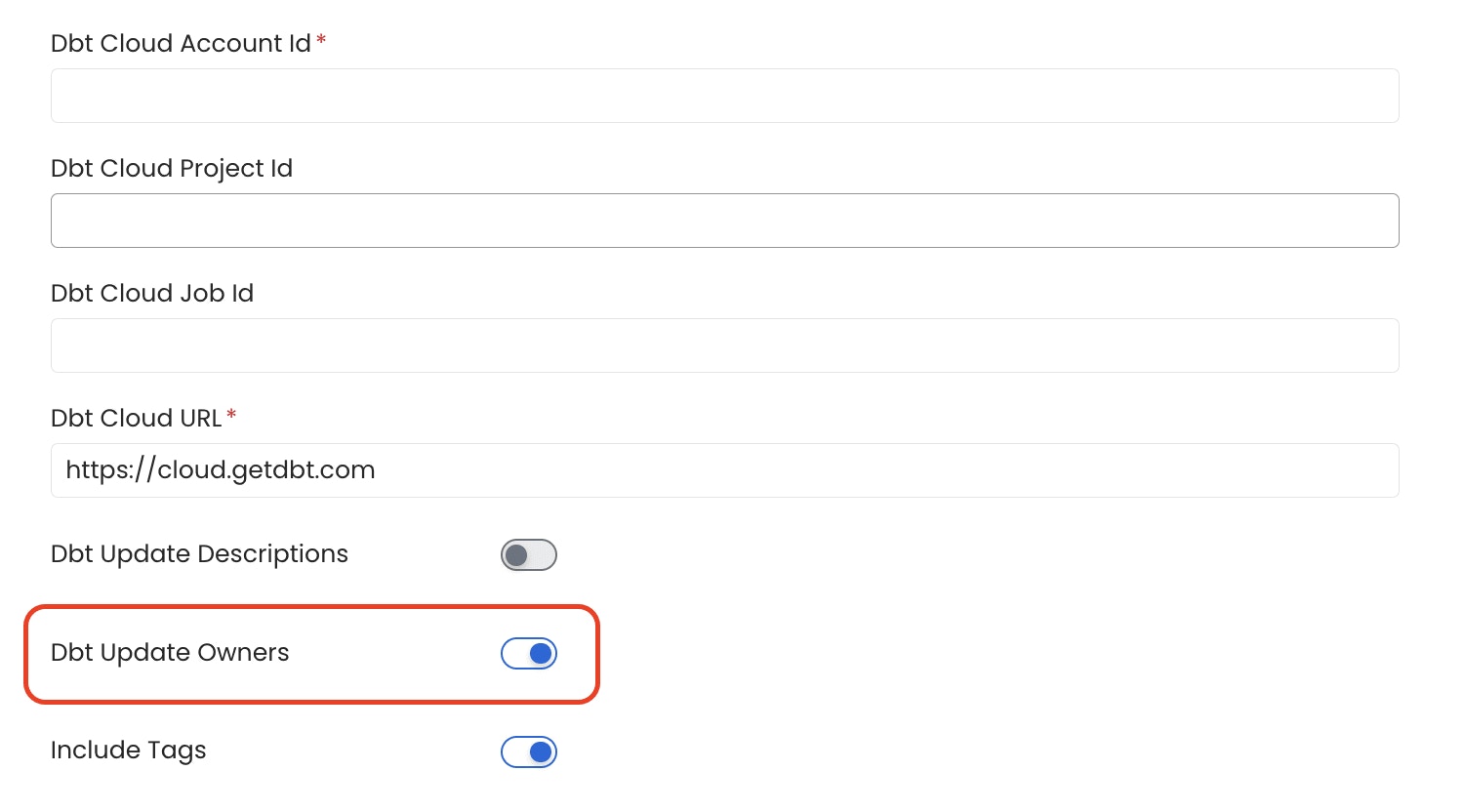
When the `Update Owners` toggle is enabled during the configuration of dbt ingestion, existing owners of tables will be overwritten with the dbt owners.
If toggle is disabled during the configuration of dbt ingestion, dbt owners will only be updated for tables in OpenMetadata that currently have no owners. Existing owners will remain unchanged and will not be overwritten with dbt owners.
## Overriding the existing table Owners
To establish a unified and reliable system for owners, a single source of truth is necessary. It either is directly OpenMetadata, if individuals want to go there and keep updating, or if they prefer to keep it centralized in dbt, then we can always rely on that directly.
When the `Update Owners` toggle is enabled during the configuration of dbt ingestion, existing owners of tables will be overwritten with the dbt owners.
If toggle is disabled during the configuration of dbt ingestion, dbt owners will only be updated for tables in OpenMetadata that currently have no owners. Existing owners will remain unchanged and will not be overwritten with dbt owners.