> ## Documentation Index
> Fetch the complete documentation index at: https://docs.getcollate.io/llms.txt
> Use this file to discover all available pages before exploring further.
# Enhance Data Quality with Collate AI Quality Agent
# Collate AI Quality Agent
## Overview
The Quality Agent recommends and deploys data quality tests for your entities in Collate, leveraging AI to ensure data integrity and reliability.
## Key Features
* **Automated Test Suggestions**: Suggests the most relevant data quality tests based on table constraints and similarities with other tables.
* **Automated Test Deployment**: Automatically deploys data quality tests, scaling your data quality efforts efficiently.
## Setup Instructions
1. **Navigate to Applications**: Go to `Settings > Applications`.
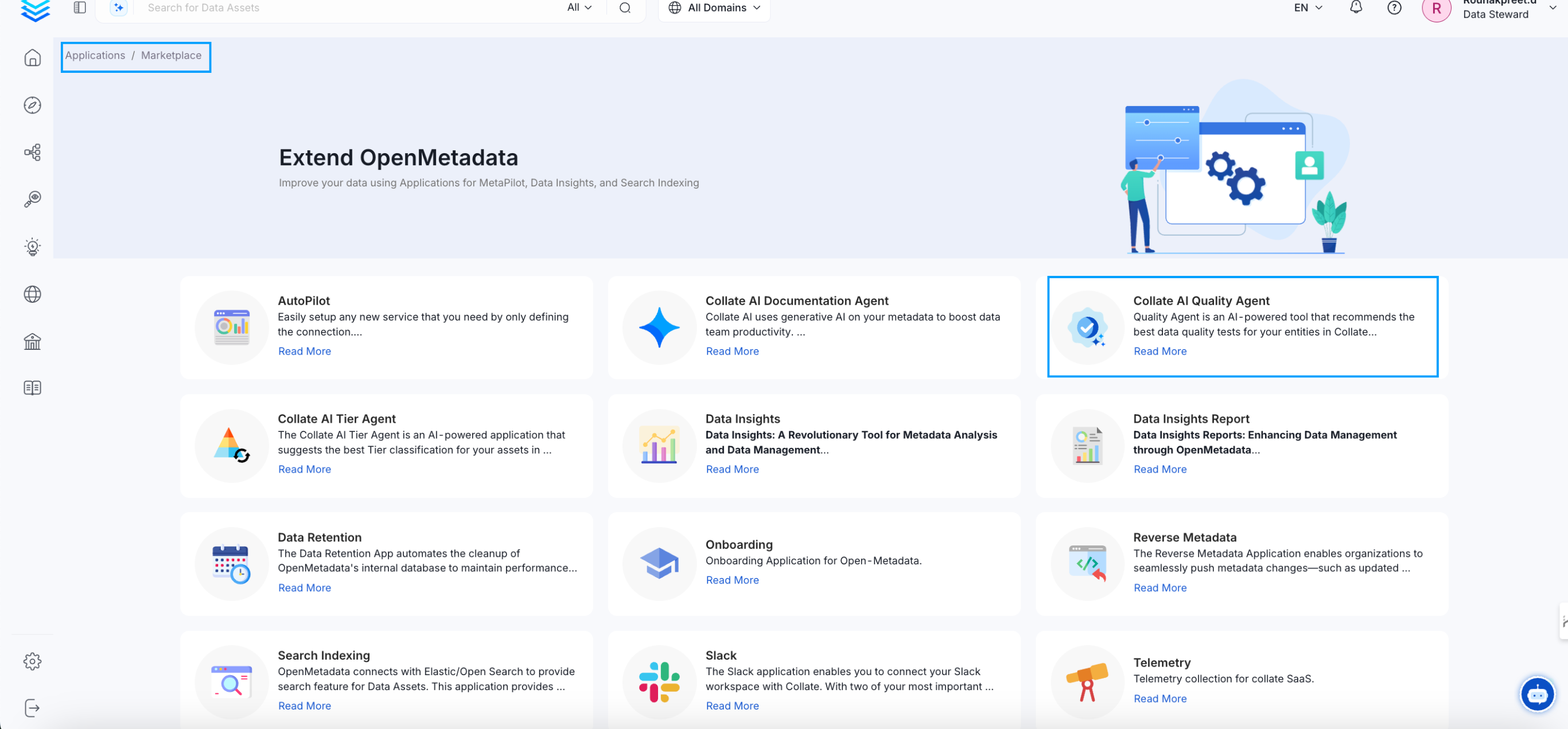
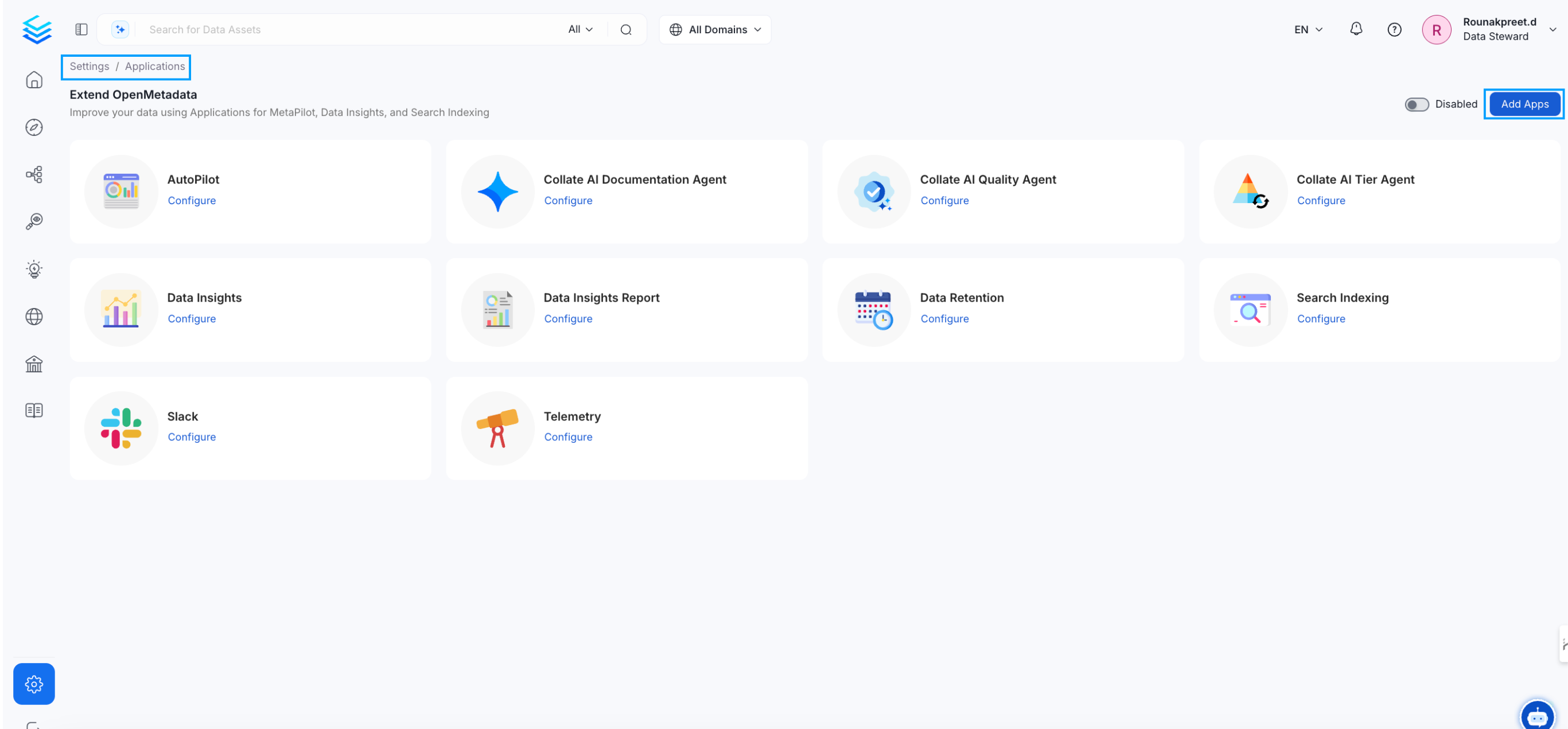 2. **Install the Agent**: Click on "Add Apps" to access the marketplace and install the Collate AI Quality Agent.
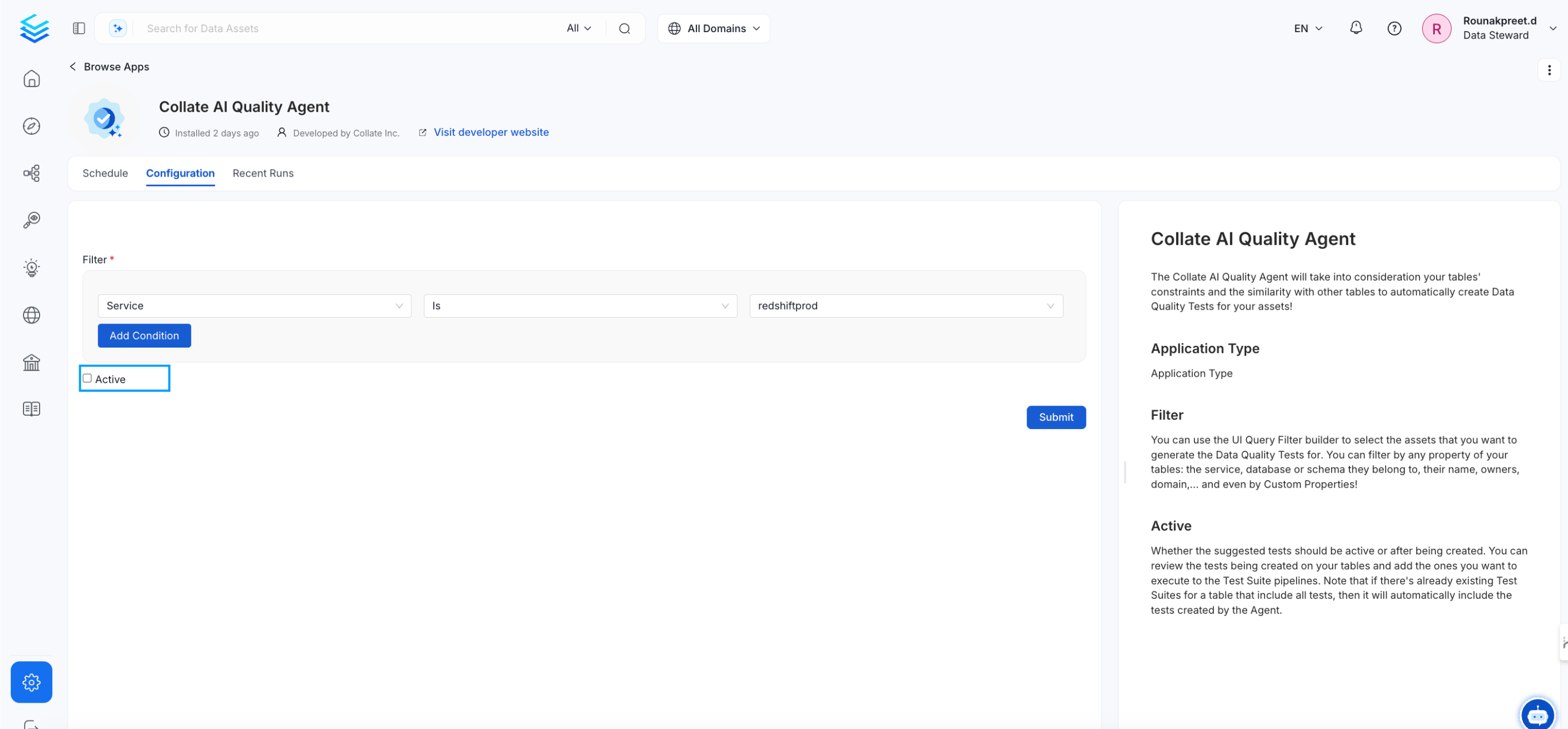
 3. **Configure the Agent**:
* **Filter**: Use the UI Query Filter builder to select assets for which to generate data quality tests.
* **Active**: Choose whether the suggested tests should be active immediately after creation.
3. **Configure the Agent**:
* **Filter**: Use the UI Query Filter builder to select assets for which to generate data quality tests.
* **Active**: Choose whether the suggested tests should be active immediately after creation.
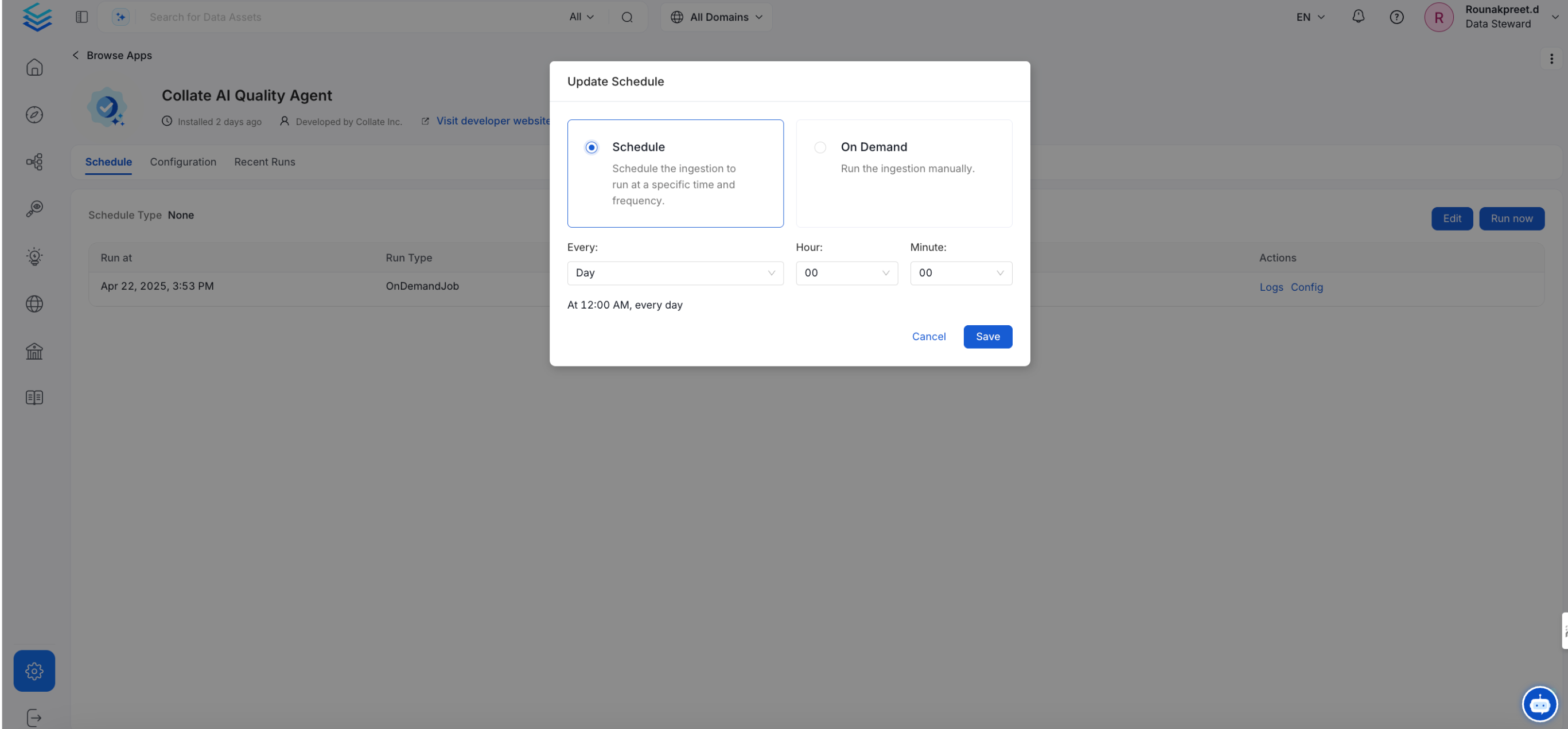
 4. **Scheduling**: Set up regular intervals for the agent to run and update metadata.