> ## Documentation Index
> Fetch the complete documentation index at: https://docs.getcollate.io/llms.txt
> Use this file to discover all available pages before exploring further.
# Add Tags
> Add metadata tags to datasets, columns, or dashboards for improved classification, search, and governance reporting.
# Add Tags
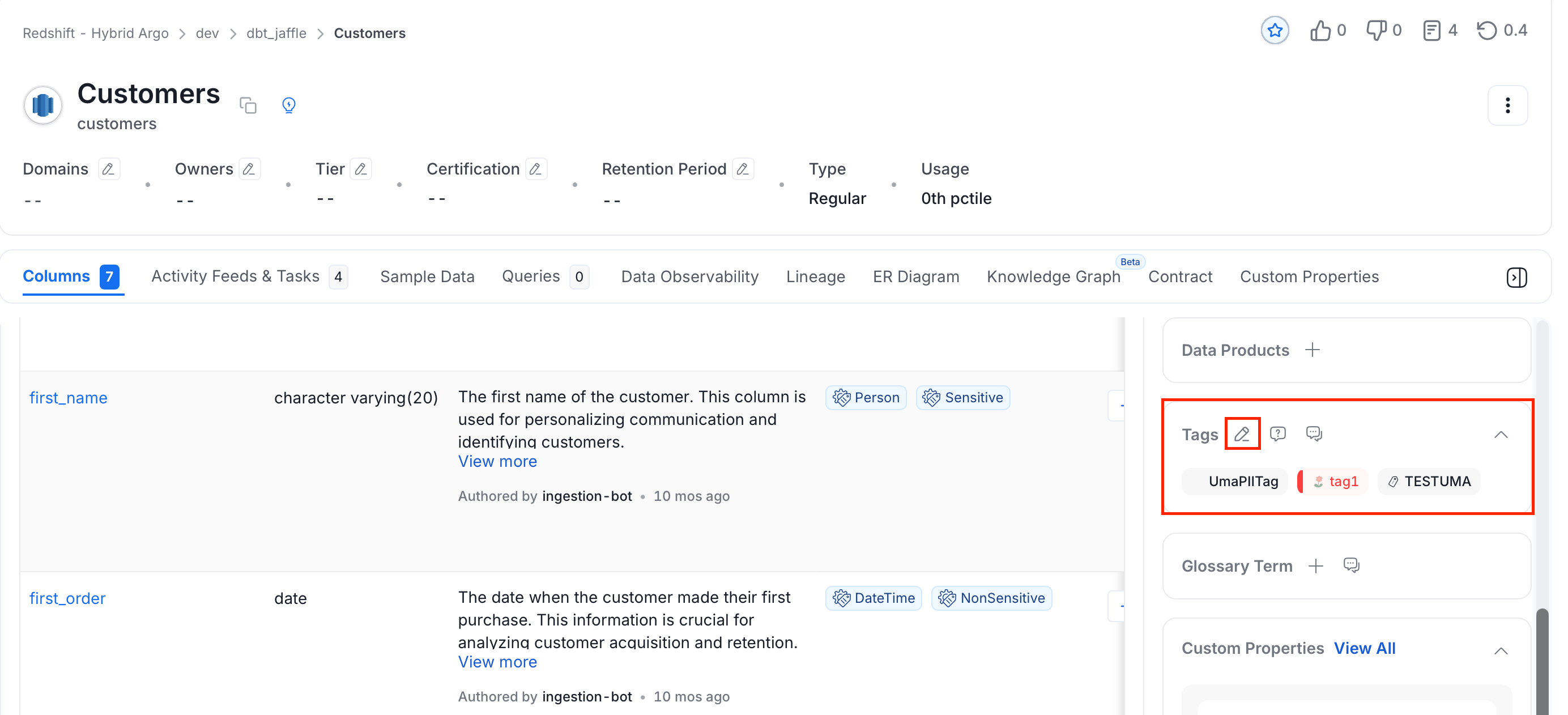
1. From the **Explore Assets** page, select a data asset for which you want to add tags.
2. Click on the **Edit** or **Plus** icon next to **Tags**.
 3. Search and select the relevant tags. You can either type and search, or scroll to select from the options provided.
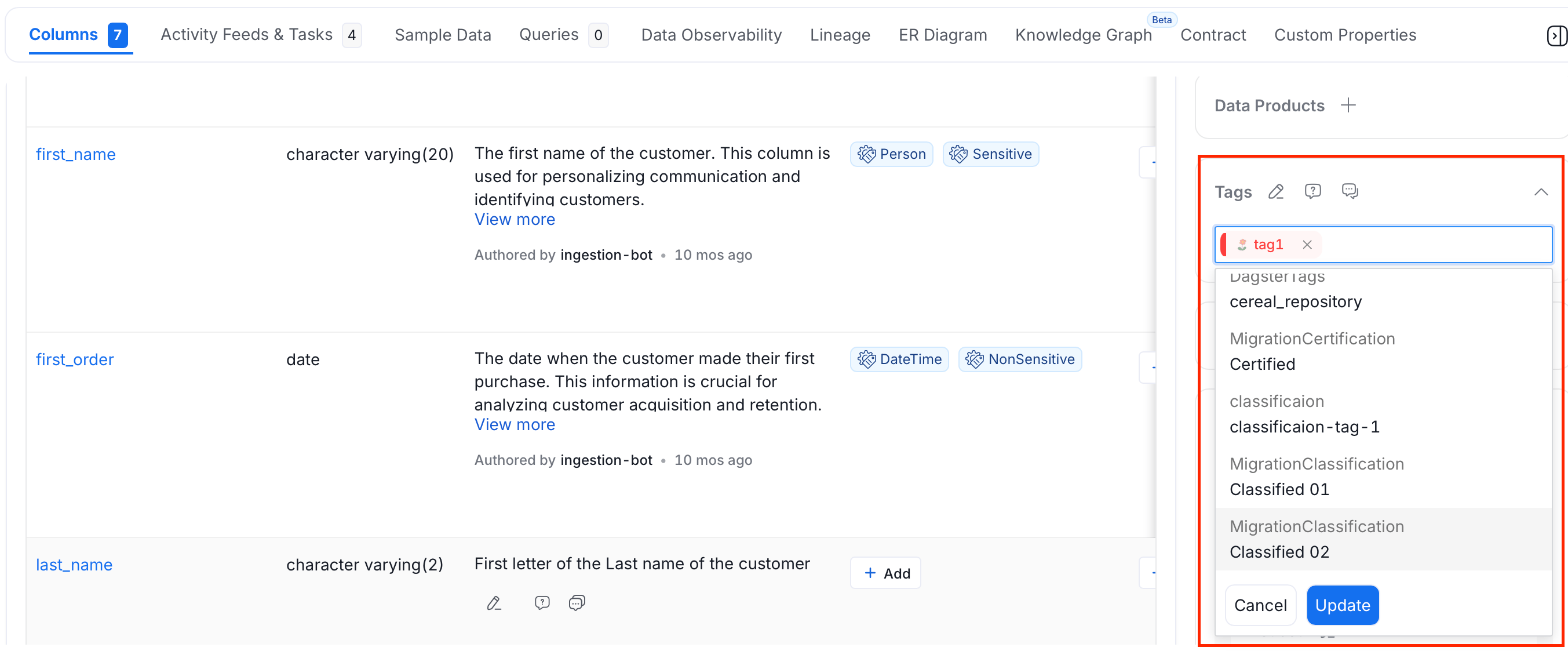 4. Click **Update** to add tags.
## View Tagged Data Assets
The tagged data assets can be discovered right from the Classification page.
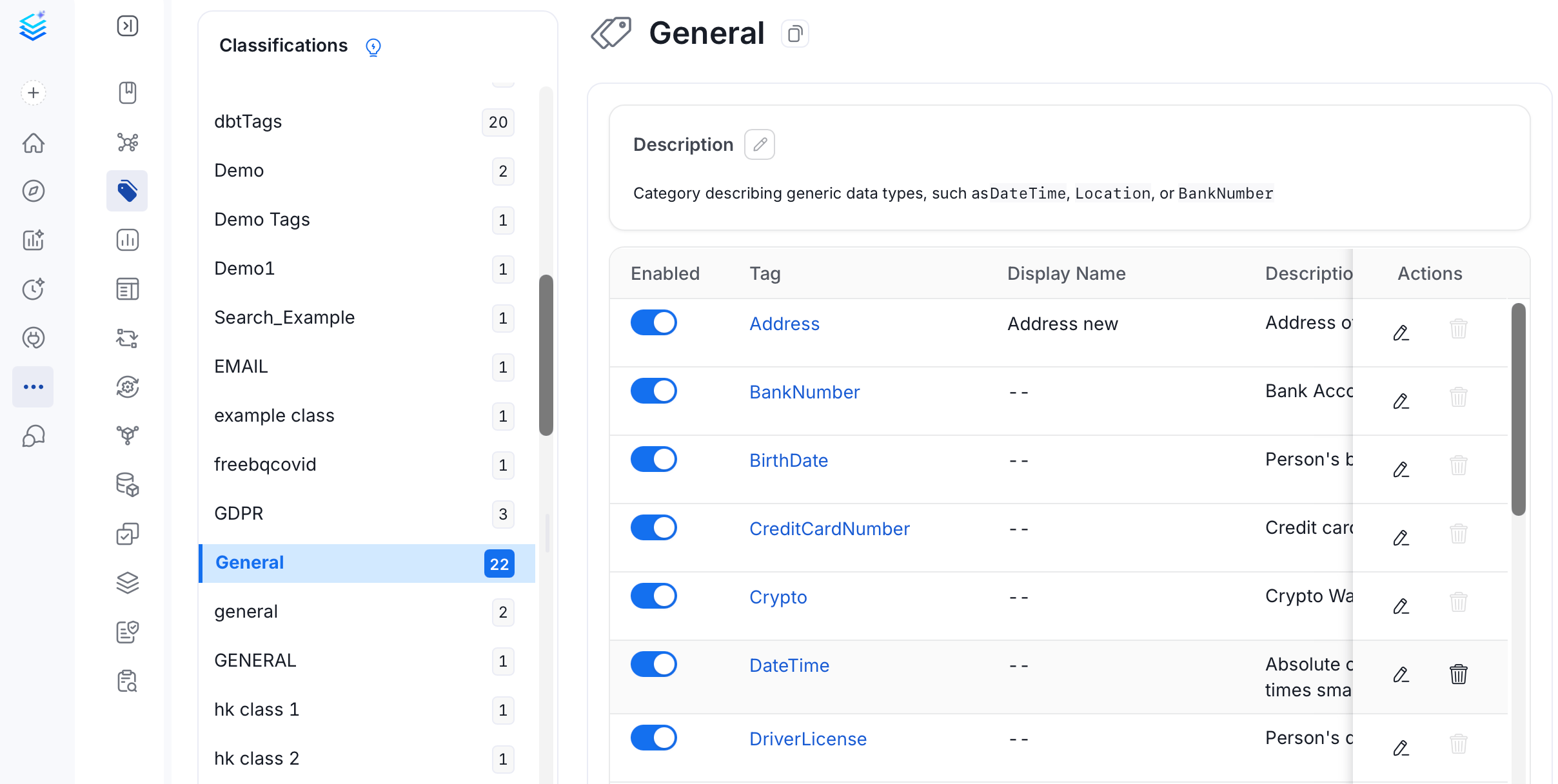
1. Navigate to **Governance** > **Classification**.
2. The list of tags is displayed along with the details of Usage in various data assets.
4. Click **Update** to add tags.
## View Tagged Data Assets
The tagged data assets can be discovered right from the Classification page.
1. Navigate to **Governance** > **Classification**.
2. The list of tags is displayed along with the details of Usage in various data assets.
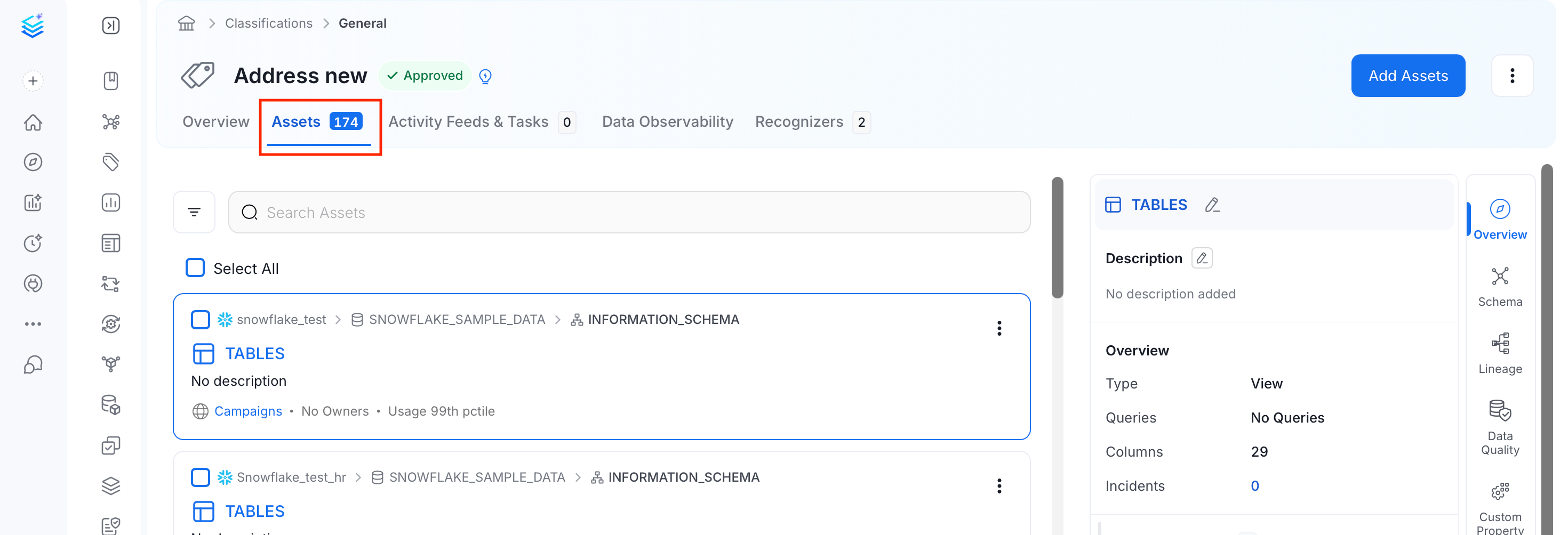
 3. Click the tag to view the assets linked to this tag.
 Data assets can also be classified using Tiers. See [Tiers](/ai-2-0/how-to-guides/data-governance/classification/tiers).
Among the Classification Tags, Collate has some System Classification. See [System Tags](/ai-2-0/how-to-guides/data-governance/classification/classification#classification-in-collate).
## Auto-Classification in Collate
Collate can automatically identify and tag PII-sensitive data using NLP during profiler ingestion. For more information about auto-classification workflow, see [Auto PII Tagging](/ai-2-0/how-to-guides/data-quality-observability/profiler/auto-pii-tagging).
Request for tags and discuss about the same, all within Collate.
Data assets can also be classified using Tiers. See [Tiers](/ai-2-0/how-to-guides/data-governance/classification/tiers).
Among the Classification Tags, Collate has some System Classification. See [System Tags](/ai-2-0/how-to-guides/data-governance/classification/classification#classification-in-collate).
## Auto-Classification in Collate
Collate can automatically identify and tag PII-sensitive data using NLP during profiler ingestion. For more information about auto-classification workflow, see [Auto PII Tagging](/ai-2-0/how-to-guides/data-quality-observability/profiler/auto-pii-tagging).
Request for tags and discuss about the same, all within Collate.