> ## Documentation Index
> Fetch the complete documentation index at: https://docs.getcollate.io/llms.txt
> Use this file to discover all available pages before exploring further.
# Add or Edit Description
> Learn how data descriptions help users understand asset context, structure, and lineage across your catalog.
# Description
Description allows you to document the data to help data consumers understand it. In Collate, the search option also searches based on the text in the description. You can also document nested columns and search based on the descriptions. You can tag the columns using glossary terms to add semantic meaning. You can add classification tags to classify the data. You can set business importance of data by setting Tier. Tier 1 is the most important data of an organization. All the descriptive metadata you add in the form of description, ownership, and tier are available in Search and Explore.
In Collate, you can work around the data asset descriptions in one of the following ways:
* Add or edit description
* Request for description
* Start a conversation around the description
## Add or Edit Description
1. On the **Explore Assets** page, seletc the data asset whose description you want to edit.
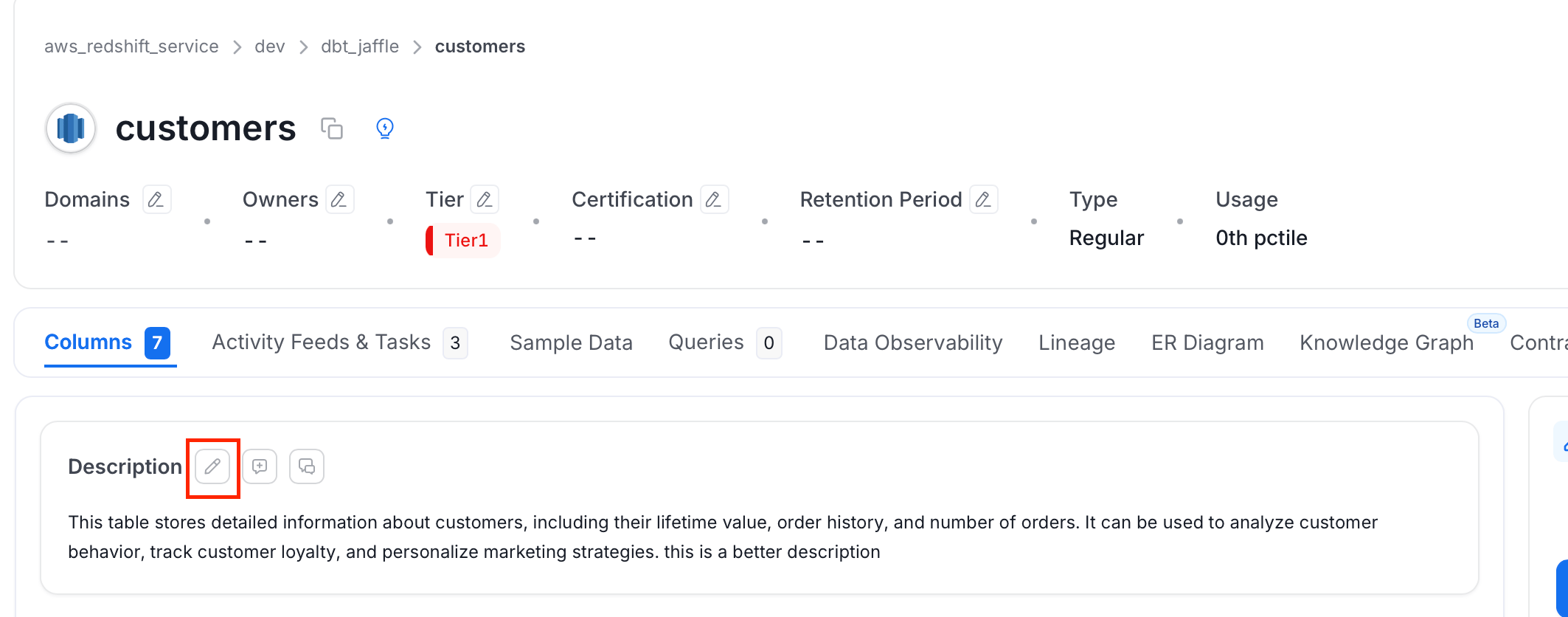
2. Click on the **Edit** icon next to **Desription** header.
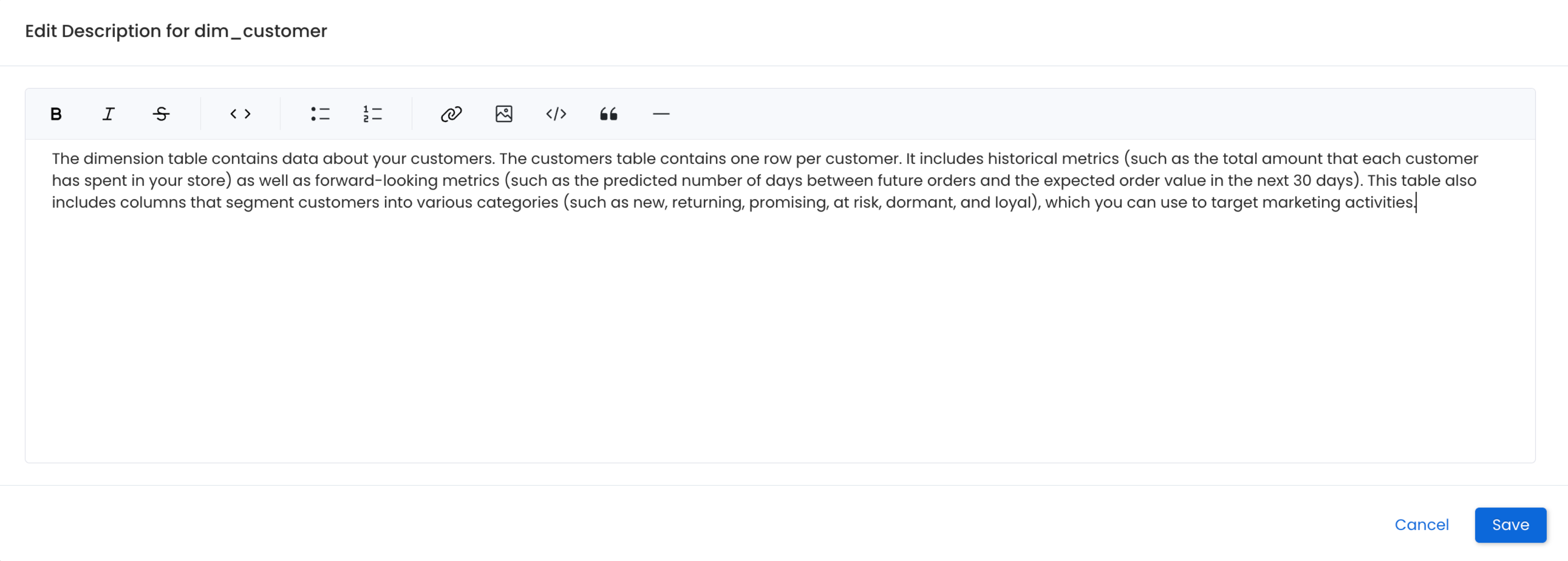
 3. Edit the description and click **Save**. You can also preview the description.
## Markdown Support
The editor supports **Markdown formatting**, which can be applied using the toolbar options or command-based formatting.
**Legacy Markdown syntax is no longer supported.** Instead, you can use the toolbar-based formatting for actions such as:
* **Headers**
* **Bold, Italics, Strikethrough**
* **Bulleted and Numbered lists**
* **Hyperlinks**
* **Line breaks, Block quotes**
* **Inline code**, `Code blocks`
* Refer to the [Markdown Guide](https://www.markdownguide.org/cheat-sheet/) for more information.
3. Edit the description and click **Save**. You can also preview the description.
## Markdown Support
The editor supports **Markdown formatting**, which can be applied using the toolbar options or command-based formatting.
**Legacy Markdown syntax is no longer supported.** Instead, you can use the toolbar-based formatting for actions such as:
* **Headers**
* **Bold, Italics, Strikethrough**
* **Bulleted and Numbered lists**
* **Hyperlinks**
* **Line breaks, Block quotes**
* **Inline code**, `Code blocks`
* Refer to the [Markdown Guide](https://www.markdownguide.org/cheat-sheet/) for more information.
 Request for a description and discuss the same within Collate