> ## Documentation Index
> Fetch the complete documentation index at: https://docs.getcollate.io/llms.txt
> Use this file to discover all available pages before exploring further.
# Assign or Change Data Owners
> Learn how to establish and manage data ownership in Collate. Complete guide for data users on assigning owners, tracking responsibility, and governance.
# Assign or Change Data Owners
## Data Asset Owners
In Collate, either a **team** or **multiple user** can be the owner of a data asset. Owners have access to perform all the operations on a data asset. For example, edit description, tags, glossary terms, etc.
## Assign Data Owners
Admin users have access to add or change data ownership.
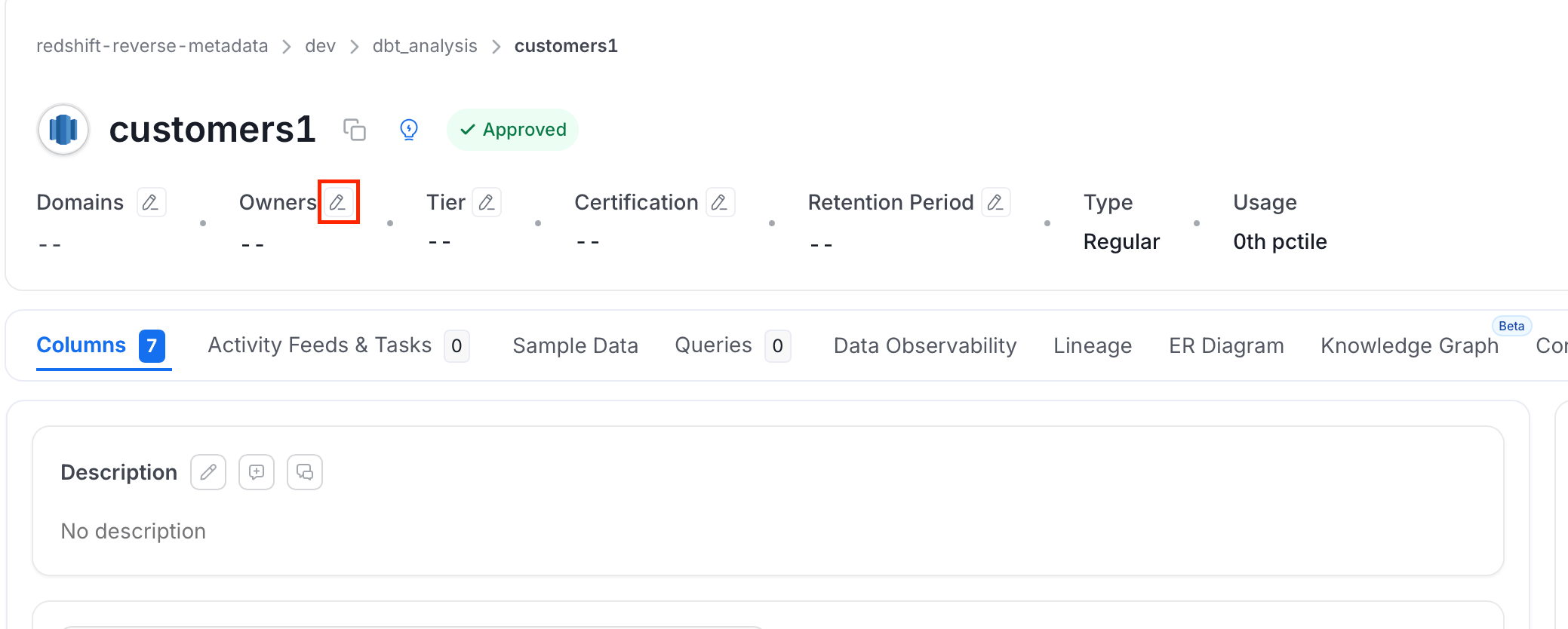
1. Navigate to the data asset and click the **Edit** icon next to the **Owner**.
 2. Select a Team or a User as the Owner of the Data Asset.
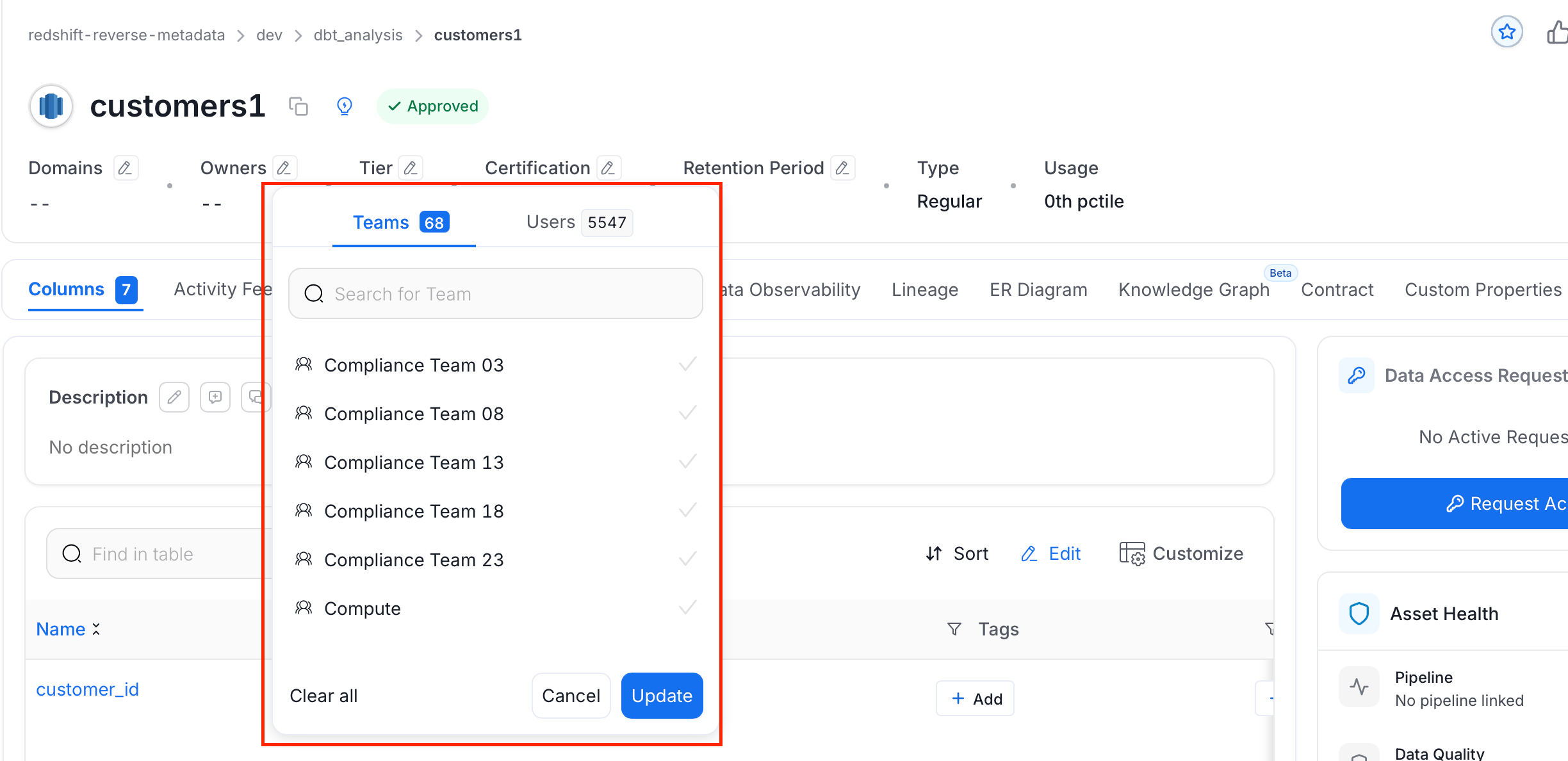 3. Click **Update**.
## Change Data Owner
If the data asset already has an owner, you can change the owner the owner of the data asset.
* Click the **Edit** icon next to **Owner** and select a team or user to change ownership.
If no owner is selected, and if the Database or Database Schema has a owner, then by default the same owner will be assigned to the Database Schema or Table respectively, based on the owner propagation in Collate.
## Owner Propagation in Collate
Collate supports Owner Propagation and the owner will be propagated based on a top-down hierarchy. The owner of the Database will be auto-propagated as the owner of the Database Schemas and Tables under it. Similarly, the owner of the Database Schema will be auto-propagated as the owner of the Tables under it.
* Owner Propagation does not work for data assets that already have an Owner assigned to them. If there is **no owner**, then an Owner will be assigned based on the hierarchy.
* If a Database or Database Schema has an Owner assigned, and you **delete the owner** from the Database Schema or Tables under it, then the Owner will be auto-assigned in this case based on the existing Owner details at the top hierarchy.
* You can also assign a different owner manually.
## Team Owners is Preferred
Collate is a data collaboration platform. We highly recommend Team Ownership of data assets, because individual users will only have part of the context about the data asset in question. Assigning team ownership will give access to all the members of a particular team. Only teams of the type ‘**Groups**’ can own data assets.
Learn how to follow data assets
3. Click **Update**.
## Change Data Owner
If the data asset already has an owner, you can change the owner the owner of the data asset.
* Click the **Edit** icon next to **Owner** and select a team or user to change ownership.
If no owner is selected, and if the Database or Database Schema has a owner, then by default the same owner will be assigned to the Database Schema or Table respectively, based on the owner propagation in Collate.
## Owner Propagation in Collate
Collate supports Owner Propagation and the owner will be propagated based on a top-down hierarchy. The owner of the Database will be auto-propagated as the owner of the Database Schemas and Tables under it. Similarly, the owner of the Database Schema will be auto-propagated as the owner of the Tables under it.
* Owner Propagation does not work for data assets that already have an Owner assigned to them. If there is **no owner**, then an Owner will be assigned based on the hierarchy.
* If a Database or Database Schema has an Owner assigned, and you **delete the owner** from the Database Schema or Tables under it, then the Owner will be auto-assigned in this case based on the existing Owner details at the top hierarchy.
* You can also assign a different owner manually.
## Team Owners is Preferred
Collate is a data collaboration platform. We highly recommend Team Ownership of data assets, because individual users will only have part of the context about the data asset in question. Assigning team ownership will give access to all the members of a particular team. Only teams of the type ‘**Groups**’ can own data assets.
Learn how to follow data assets