> ## Documentation Index
> Fetch the complete documentation index at: https://docs.getcollate.io/llms.txt
> Use this file to discover all available pages before exploring further.
# Add a Glossary
> Set up the glossary module with term hierarchies, reviewers, definitions, and asset links to support governance.
# Add a Glossary
To create a glossary, perform the following steps:
1. In the left navigation bar, click **Governance**.
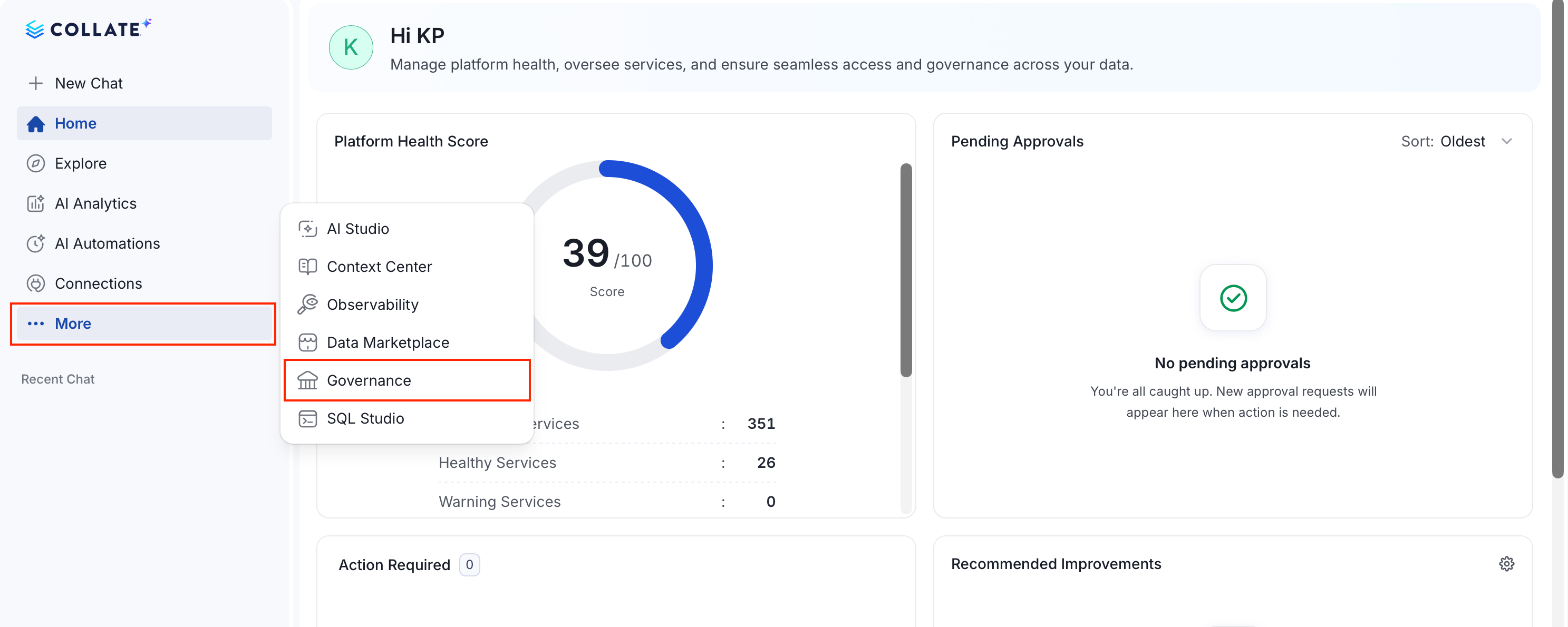 2. Select **Glossary** and click **Add**.
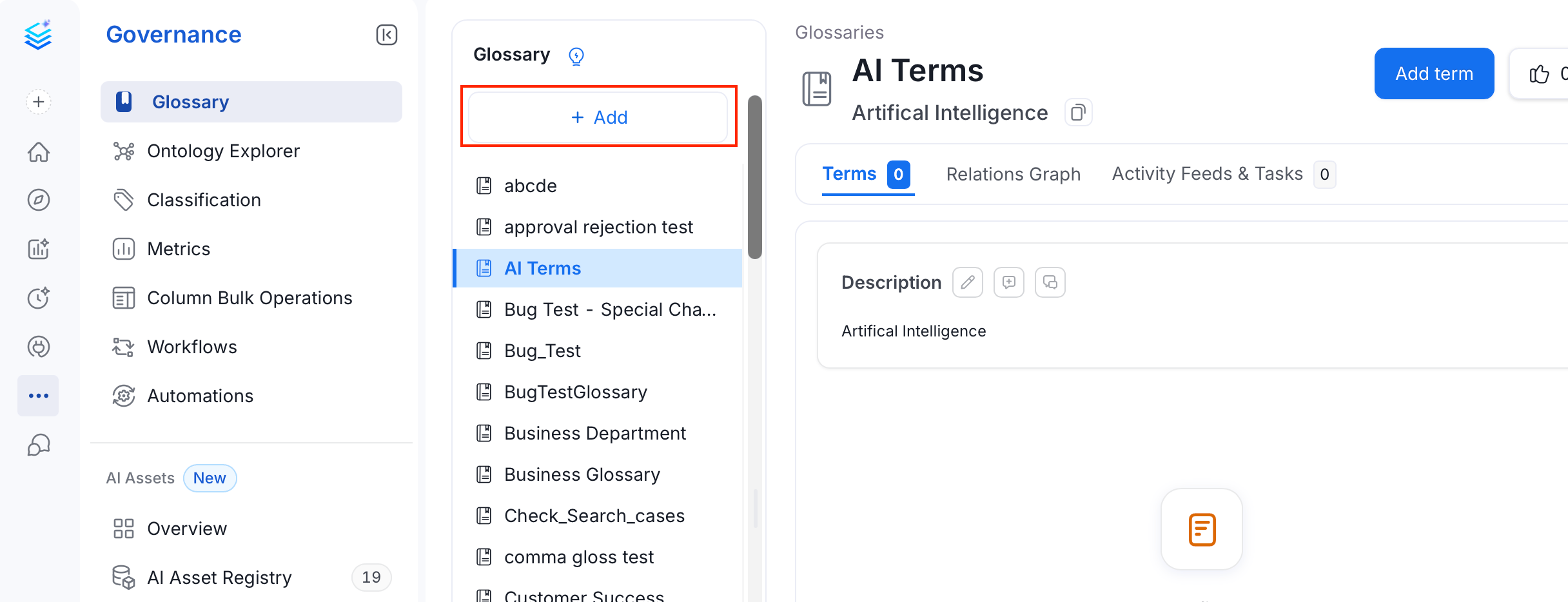 3. Fill the following details to configure the glossary:
* **Name** (required) — A unique name for the glossary.
* **Display Name** — A human-friendly label shown in the UI.
* **Description** (required) — Describe the context or domain of the glossary.
* **Tags** — Add classification tags to the glossary.
* **Mutually Exclusive** — When enabled, only one term from this glossary can be assigned to a data asset at a time. For example, an asset can be tagged as either `PII-Sensitive` or `PII-NonSensitive`, but not both.
* **Owners** — Assign one or more teams or users as owners of the glossary.
* **Reviewers** — Add multiple reviewers who approve changes to glossary terms.
3. Fill the following details to configure the glossary:
* **Name** (required) — A unique name for the glossary.
* **Display Name** — A human-friendly label shown in the UI.
* **Description** (required) — Describe the context or domain of the glossary.
* **Tags** — Add classification tags to the glossary.
* **Mutually Exclusive** — When enabled, only one term from this glossary can be assigned to a data asset at a time. For example, an asset can be tagged as either `PII-Sensitive` or `PII-NonSensitive`, but not both.
* **Owners** — Assign one or more teams or users as owners of the glossary.
* **Reviewers** — Add multiple reviewers who approve changes to glossary terms.
 ## Add Owners and Reviewers to a Glossary
1. On the **Glossary** page, select a glossary from the left **Glossary panel**.
2. The options to add owners and reviewers appears in the right panel.
* To add the owners, click **+** next to **Owners** to assign one or more teams or users.
* To add the reviewers, click **+** next to **Reviewers** to add multiple users who will review and approve changes to glossary terms.
## Add Owners and Reviewers to a Glossary
1. On the **Glossary** page, select a glossary from the left **Glossary panel**.
2. The options to add owners and reviewers appears in the right panel.
* To add the owners, click **+** next to **Owners** to assign one or more teams or users.
* To add the reviewers, click **+** next to **Reviewers** to add multiple users who will review and approve changes to glossary terms.
 If owners and reviewers are set on the glossary, and terms are **[bulk uploaded using a CSV file](/ai-2-0/how-to-guides/data-governance/glossary/import)**, those details are inherited by all uploaded terms. You can update them later if needed.
Set up Glossary Terms to define the terminology. Add tags, synonyms, related terms, links, etc.
Save time and effort by bulk uploading glossary terms using a CSV file.
Associate glossary terms to data assets making it easier for data discovery.
If owners and reviewers are set on the glossary, and terms are **[bulk uploaded using a CSV file](/ai-2-0/how-to-guides/data-governance/glossary/import)**, those details are inherited by all uploaded terms. You can update them later if needed.
Set up Glossary Terms to define the terminology. Add tags, synonyms, related terms, links, etc.
Save time and effort by bulk uploading glossary terms using a CSV file.
Associate glossary terms to data assets making it easier for data discovery.