> ## Documentation Index
> Fetch the complete documentation index at: https://docs.getcollate.io/llms.txt
> Use this file to discover all available pages before exploring further.
# What are Tiers | Classification Tiers Guide
> Use tier-based classification to rank assets by quality, importance, and readiness for business consumption.
# What are Tiers
Tiering is an important concept of data classification in Collate. Base tiers on the importance of data. Data producers and owners use tiers to define the importance of data to their organization.
Tiers are System Classification tags. To access tiers:
1. Navigate to **Governance** > **Classification**.
2. In the **Classifications** pane, scroll down to view **Tier**.
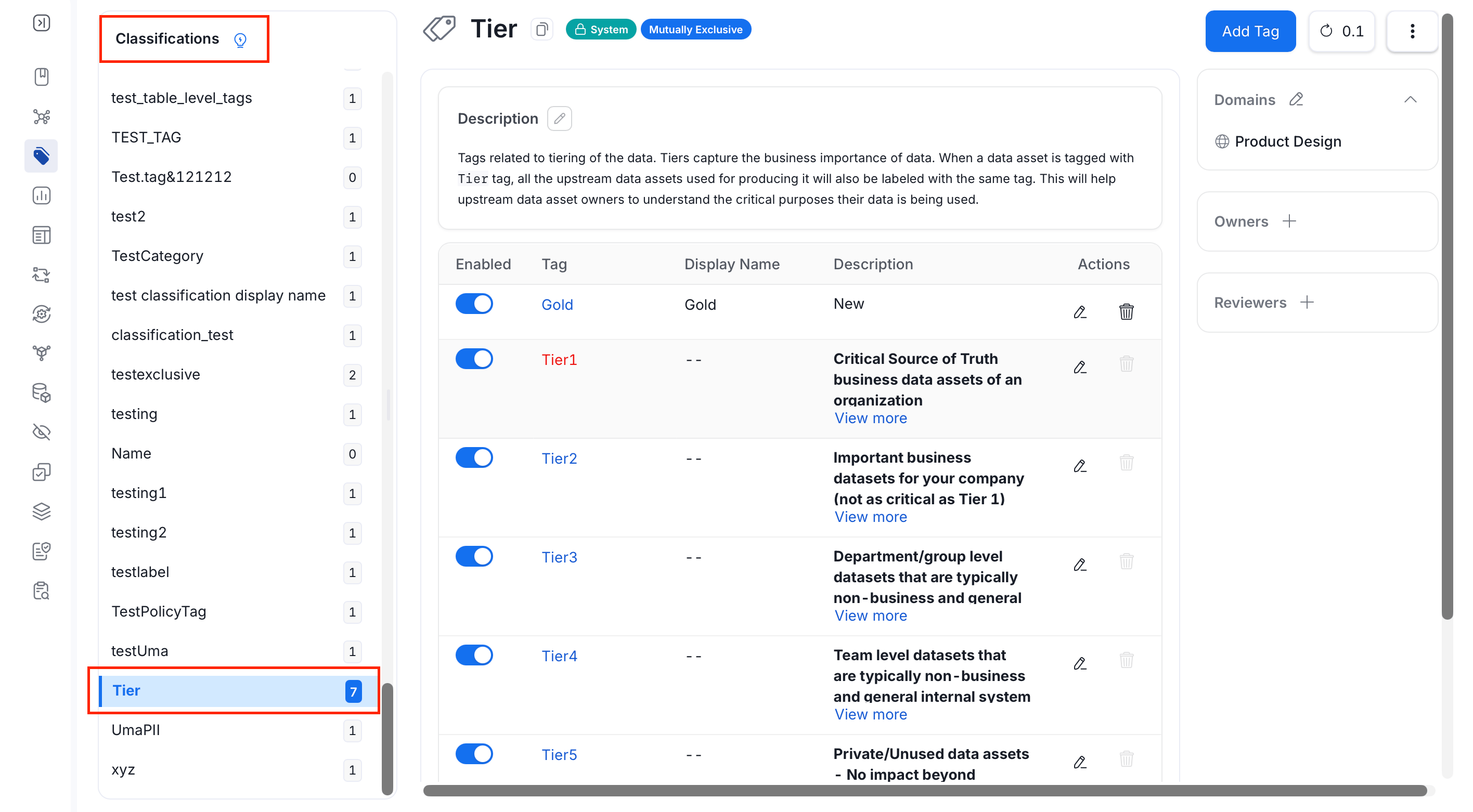 When tiering, start with the most important (Tier 1) and the least important (Tier 5) data. Once you identify **Tier 1** data, focus on improving the descriptions and data quality. Data Insights in Collate helps you identify unused datasets as **Tier 5**. Delete Tier 5 datasets periodically to declutter. Add other tiers as needed for your organization. Add **Tags** to further mark data assets.
| **Tier** | **Impact** | **Used for** | **Type of Impact** | **Usage** |
| ---------- | ---------------- | ----------------------------------------- | ----------------------------------- | ------------------------------ |
| **Tier 1** | High | External & Internal Decisions | Revenue, Regulatory, & Reputational | Highly used |
| **Tier 2** | Moderate | Some External & Mostly Internal Decisions | Some Regulatory | Highly used |
| **Tier 3** | Low | Internal Decisions | - | Highly used (Top N percentile) |
| **Tier 4** | Low | Internal Team Decisions | - | - |
| **Tier 5** | Individual owned | Unused Datasets | - | - |
## How to Add or Edit Tiers
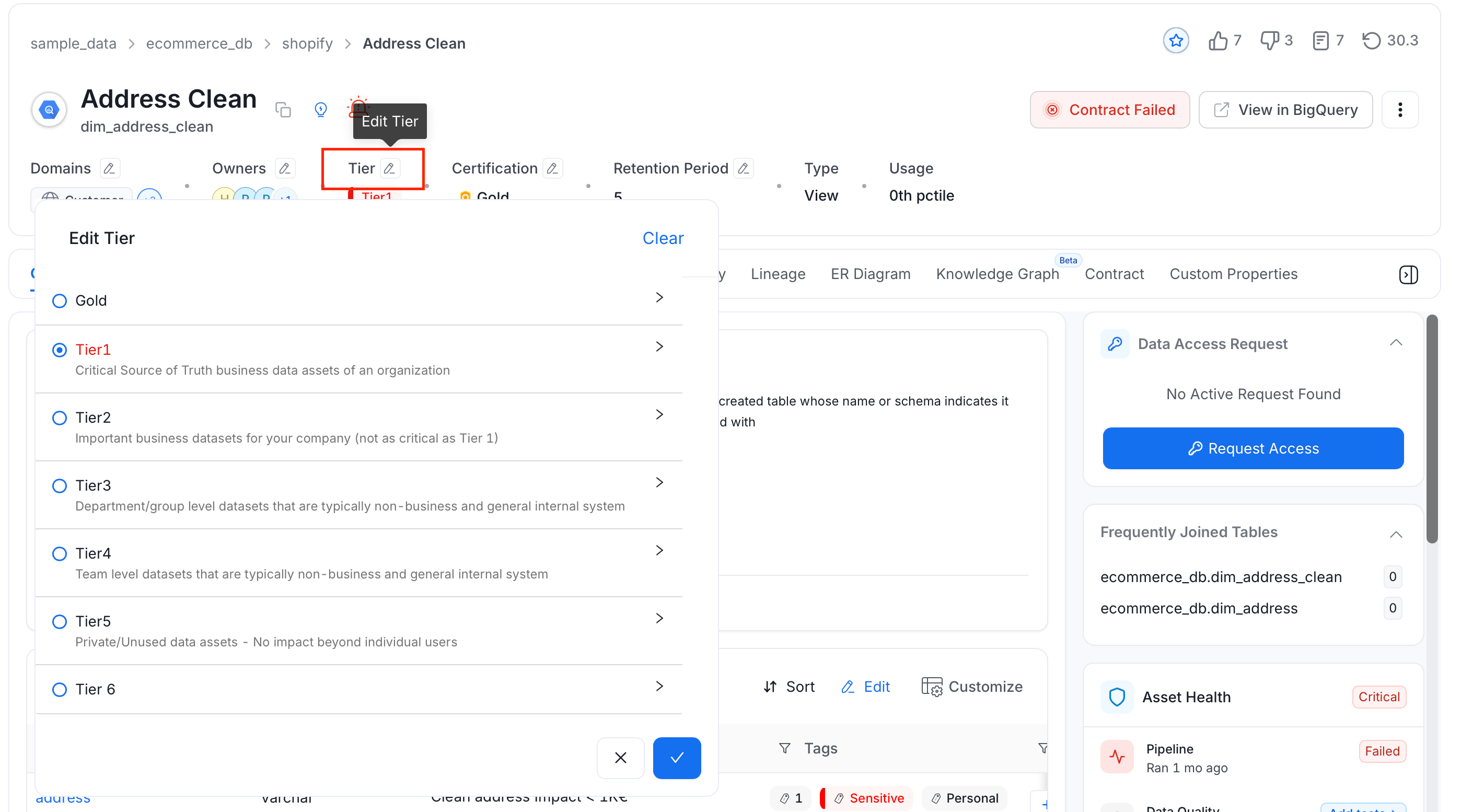
1. Go to the **Explore Assests** page and select a data asset.
2. Click the **Edit** icon next to **Tier**.
3. Select the appropriate tier. Click the arrow next to a tier to see its description.
When tiering, start with the most important (Tier 1) and the least important (Tier 5) data. Once you identify **Tier 1** data, focus on improving the descriptions and data quality. Data Insights in Collate helps you identify unused datasets as **Tier 5**. Delete Tier 5 datasets periodically to declutter. Add other tiers as needed for your organization. Add **Tags** to further mark data assets.
| **Tier** | **Impact** | **Used for** | **Type of Impact** | **Usage** |
| ---------- | ---------------- | ----------------------------------------- | ----------------------------------- | ------------------------------ |
| **Tier 1** | High | External & Internal Decisions | Revenue, Regulatory, & Reputational | Highly used |
| **Tier 2** | Moderate | Some External & Mostly Internal Decisions | Some Regulatory | Highly used |
| **Tier 3** | Low | Internal Decisions | - | Highly used (Top N percentile) |
| **Tier 4** | Low | Internal Team Decisions | - | - |
| **Tier 5** | Individual owned | Unused Datasets | - | - |
## How to Add or Edit Tiers
1. Go to the **Explore Assests** page and select a data asset.
2. Click the **Edit** icon next to **Tier**.
3. Select the appropriate tier. Click the arrow next to a tier to see its description.
 Here are the Best Practices around Classification.