> ## Documentation Index
> Fetch the complete documentation index at: https://docs.getcollate.io/llms.txt
> Use this file to discover all available pages before exploring further.
# Sample Data Handling Using PII Tags
# Sample Data Handling Using PII Tags
In Collate, sensitive information is protected through **automatic masking** of sample data when PII (Personally Identifiable Information) tags are applied.
## How It Works
* If a **PII tag** is applied to a specific column, Collate masks that column’s sample data and displays it as `******` in the UI.
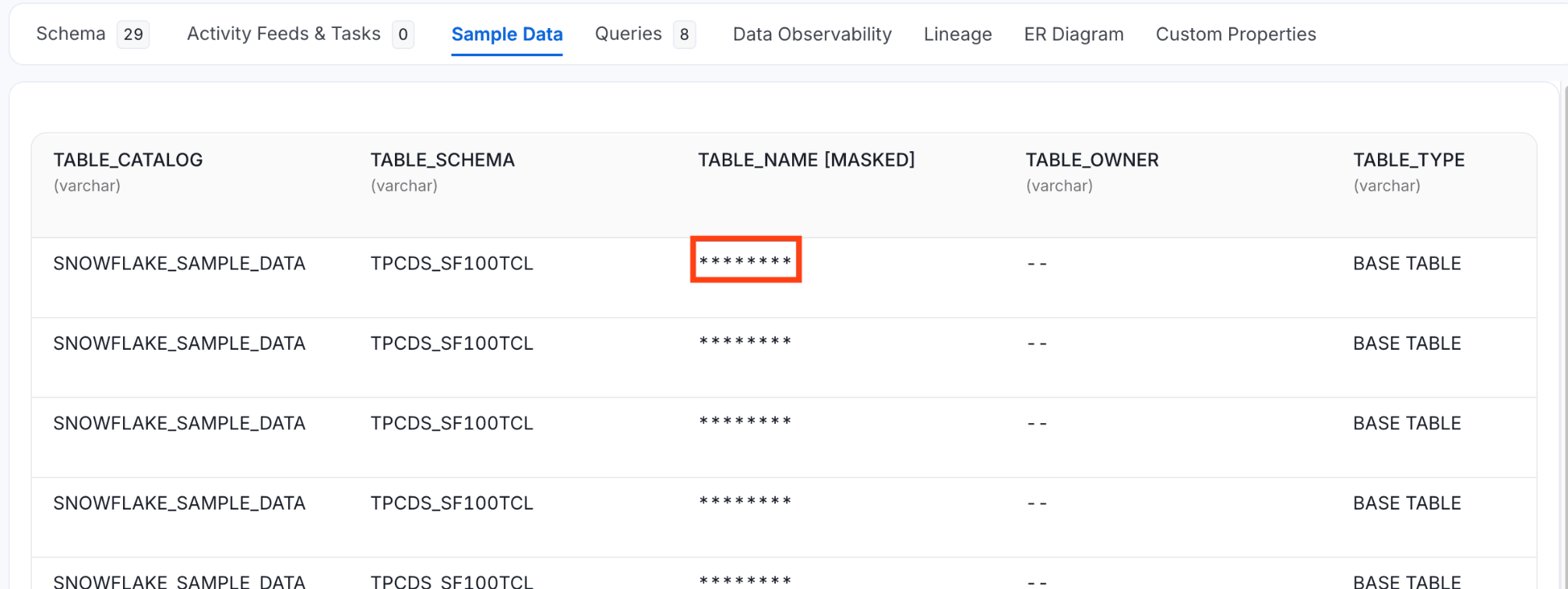 * If a **PII tag** is applied at the table level, Collate automatically masks sample data for all columns in that table.
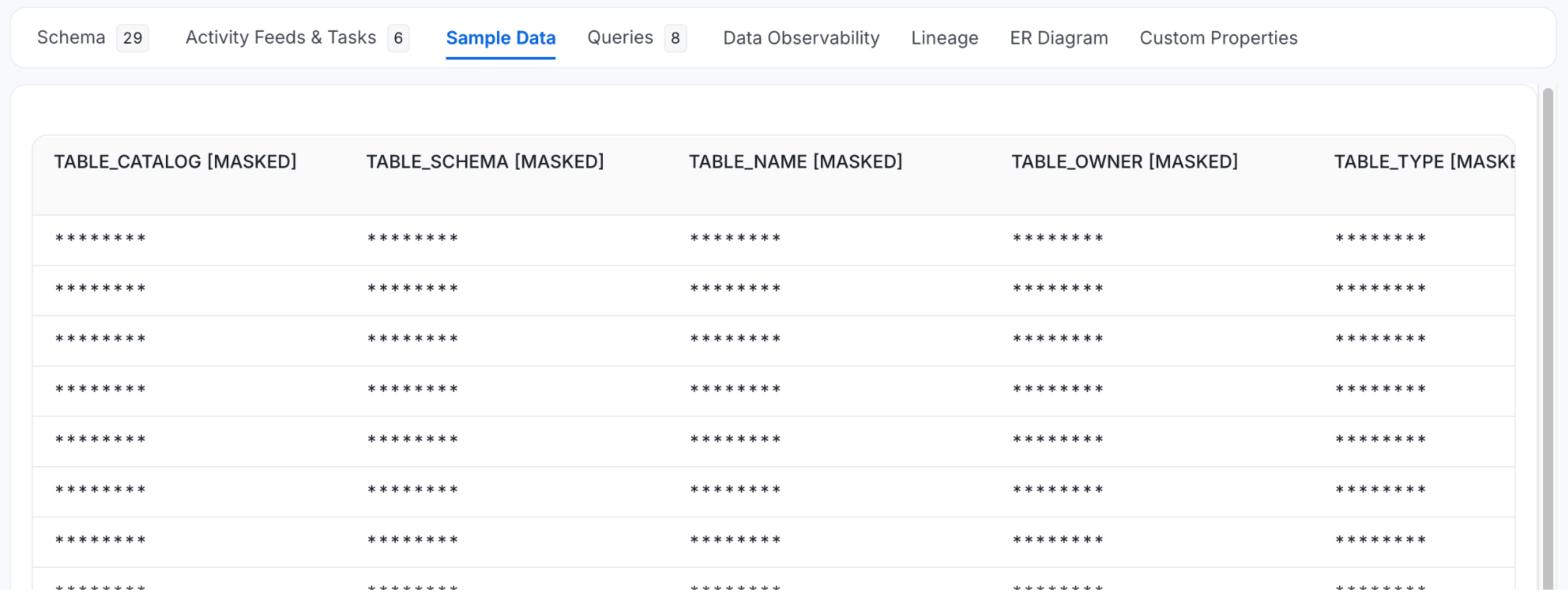 This behavior ensures that sensitive data is not exposed through sample data views in Collate.
## Example
| Column Name | Tag | Sample Data Displayed |
| ----------- | ------------- | --------------------- |
| email | PII.Sensitive | \*\*\*\*\*\* |
| phoneNumber | PII.Sensitive | \*\*\*\*\*\* |
| age | (None) | 25 |
When the tag is applied at the **table level**, the result would be:
| Column Name | Tag | Sample Data Displayed |
| ----------- | -------------------- | --------------------- |
| email | Inherited from Table | \*\*\*\*\*\* |
| phoneNumber | Inherited from Table | \*\*\*\*\*\* |
| age | Inherited from Table | \*\*\*\*\*\* |
## How to Apply PII Tags
1. Navigate to the **column** or **table** in the Collate UI.
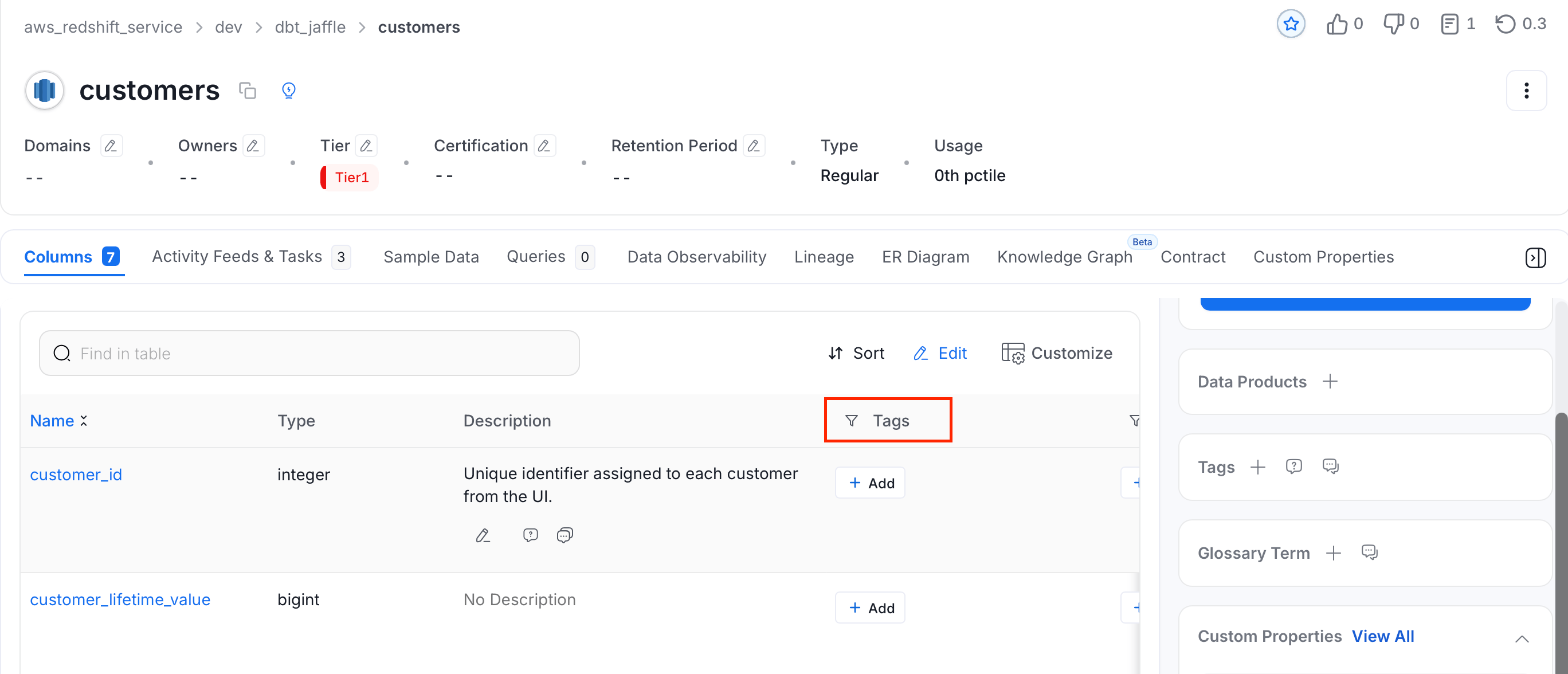
2. In the **Tags** column, click **+ Add** next to the column or table you want to apply PII tag.
This behavior ensures that sensitive data is not exposed through sample data views in Collate.
## Example
| Column Name | Tag | Sample Data Displayed |
| ----------- | ------------- | --------------------- |
| email | PII.Sensitive | \*\*\*\*\*\* |
| phoneNumber | PII.Sensitive | \*\*\*\*\*\* |
| age | (None) | 25 |
When the tag is applied at the **table level**, the result would be:
| Column Name | Tag | Sample Data Displayed |
| ----------- | -------------------- | --------------------- |
| email | Inherited from Table | \*\*\*\*\*\* |
| phoneNumber | Inherited from Table | \*\*\*\*\*\* |
| age | Inherited from Table | \*\*\*\*\*\* |
## How to Apply PII Tags
1. Navigate to the **column** or **table** in the Collate UI.
2. In the **Tags** column, click **+ Add** next to the column or table you want to apply PII tag.
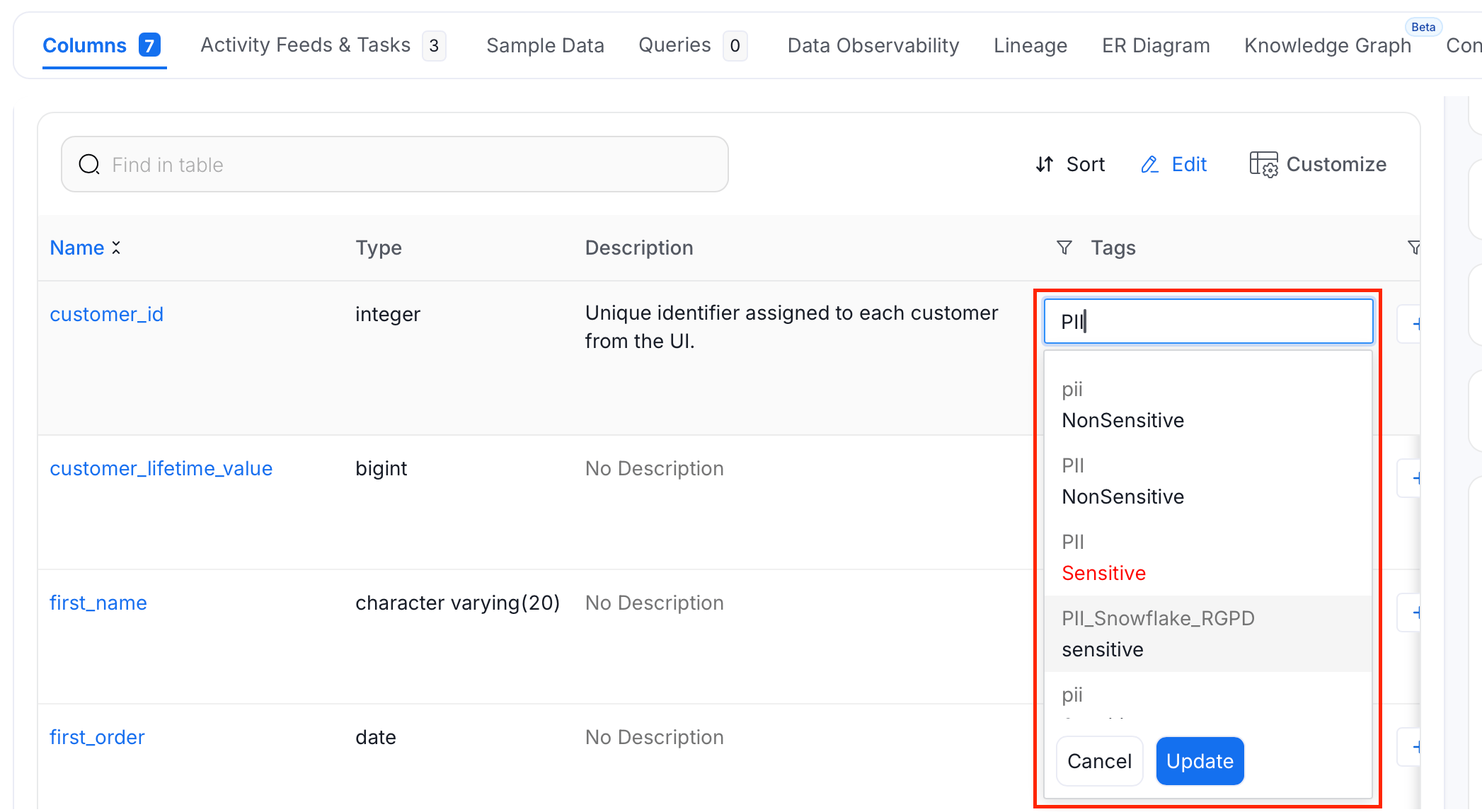
 3. Search and select PII tags, and click **Update**.
 **Tip**:
**Tip:** Auto-classification can also capture and tag PII columns automatically during ingestion, reducing the need for manual tagging.
**Tip**:
**Tip:** Auto-classification can also capture and tag PII columns automatically during ingestion, reducing the need for manual tagging.