> ## Documentation Index
> Fetch the complete documentation index at: https://docs.getcollate.io/llms.txt
> Use this file to discover all available pages before exploring further.
# How to Classify Data Assets
> Manage classification of assets such as tables and dashboards to enhance discoverability, quality, and trust in your data.
# How to Classify Data Assets
## How to Add Classification Tags
To add the classification tags:
1. In the left navigation bar, click **Explore**.
2. Select a data asset and click **+** next to **Tags**.
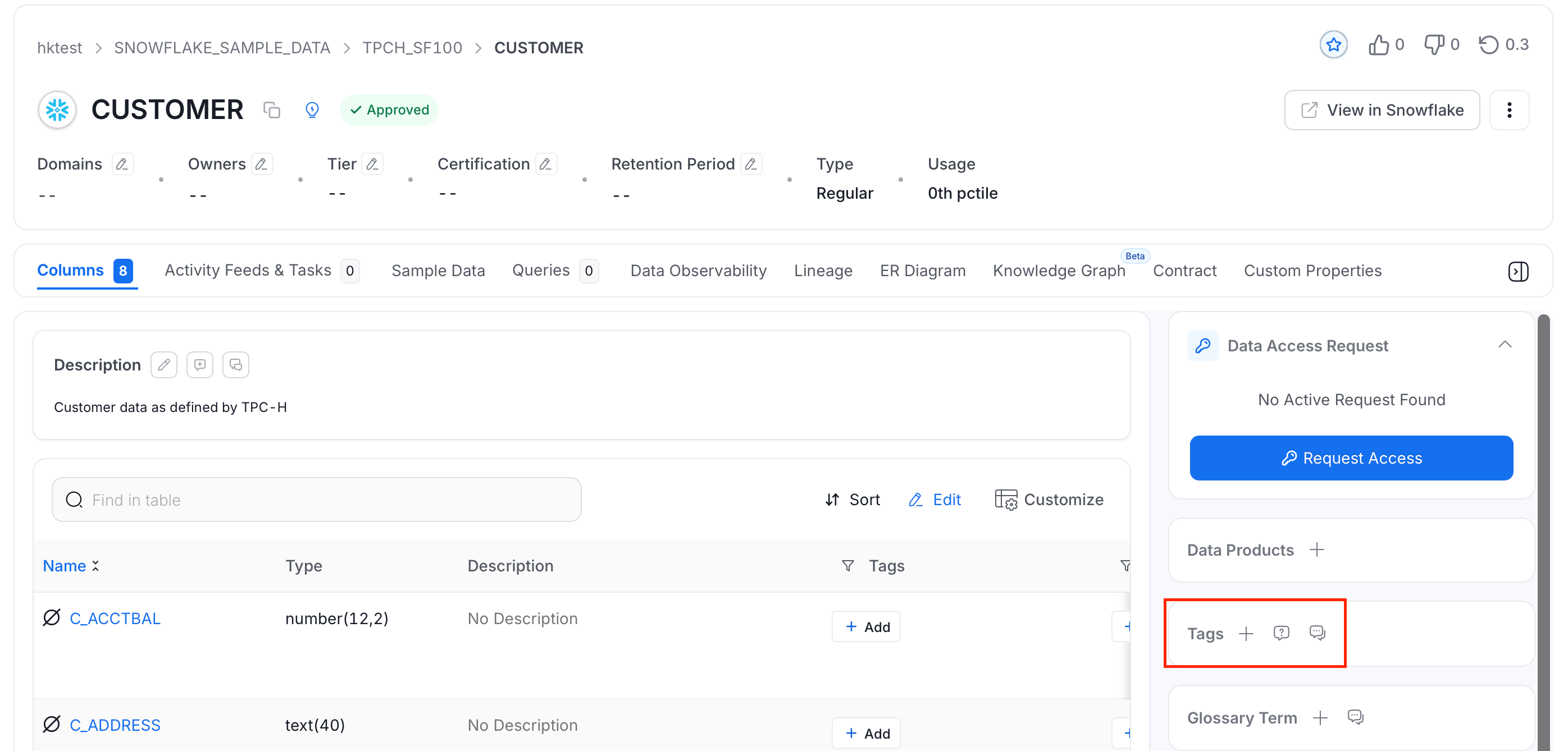 3. Search and select the tags. You can also scroll and select the individual tags.
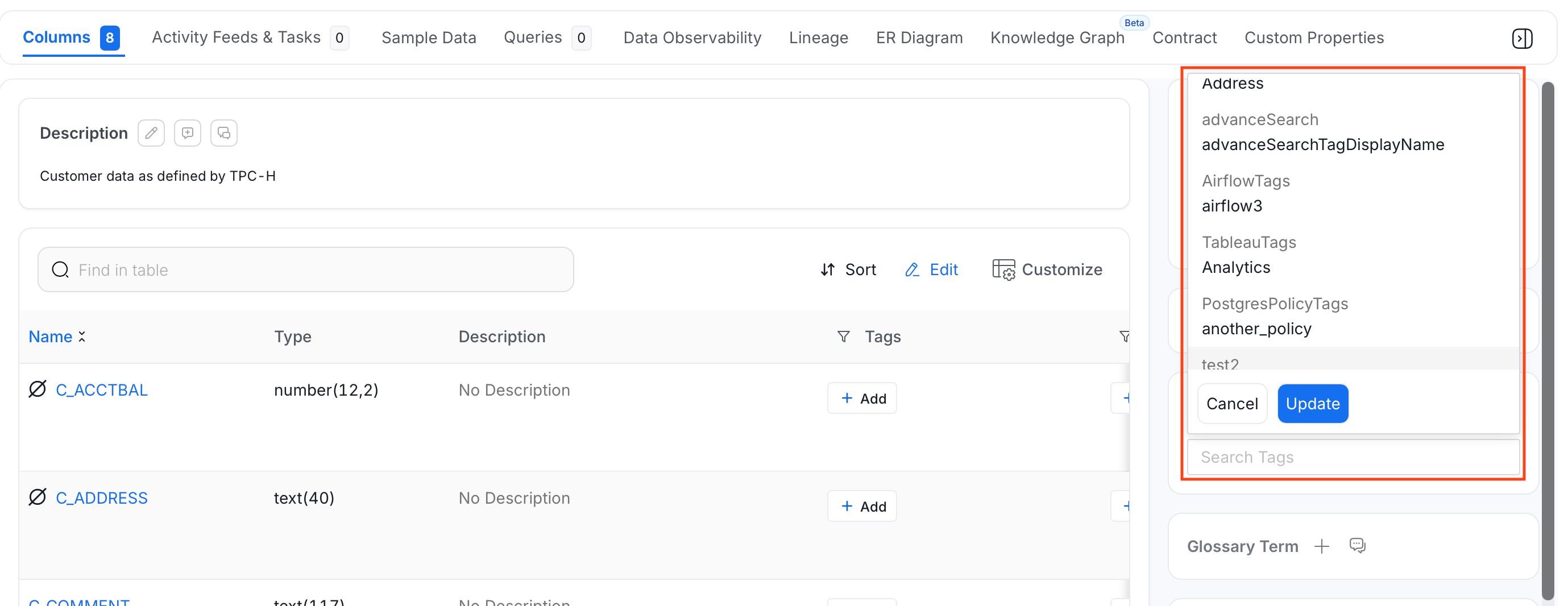 4. Click **Update** to add the tags.
## View Data Assets Using Tags
To view the data assets associated with each tag, do the following:
1. From the left navigation bar, navigate to the **Governance** > **Classification** page.
2. Collate displays the list of tags along with usage details across various data assets.
4. Click **Update** to add the tags.
## View Data Assets Using Tags
To view the data assets associated with each tag, do the following:
1. From the left navigation bar, navigate to the **Governance** > **Classification** page.
2. Collate displays the list of tags along with usage details across various data assets.
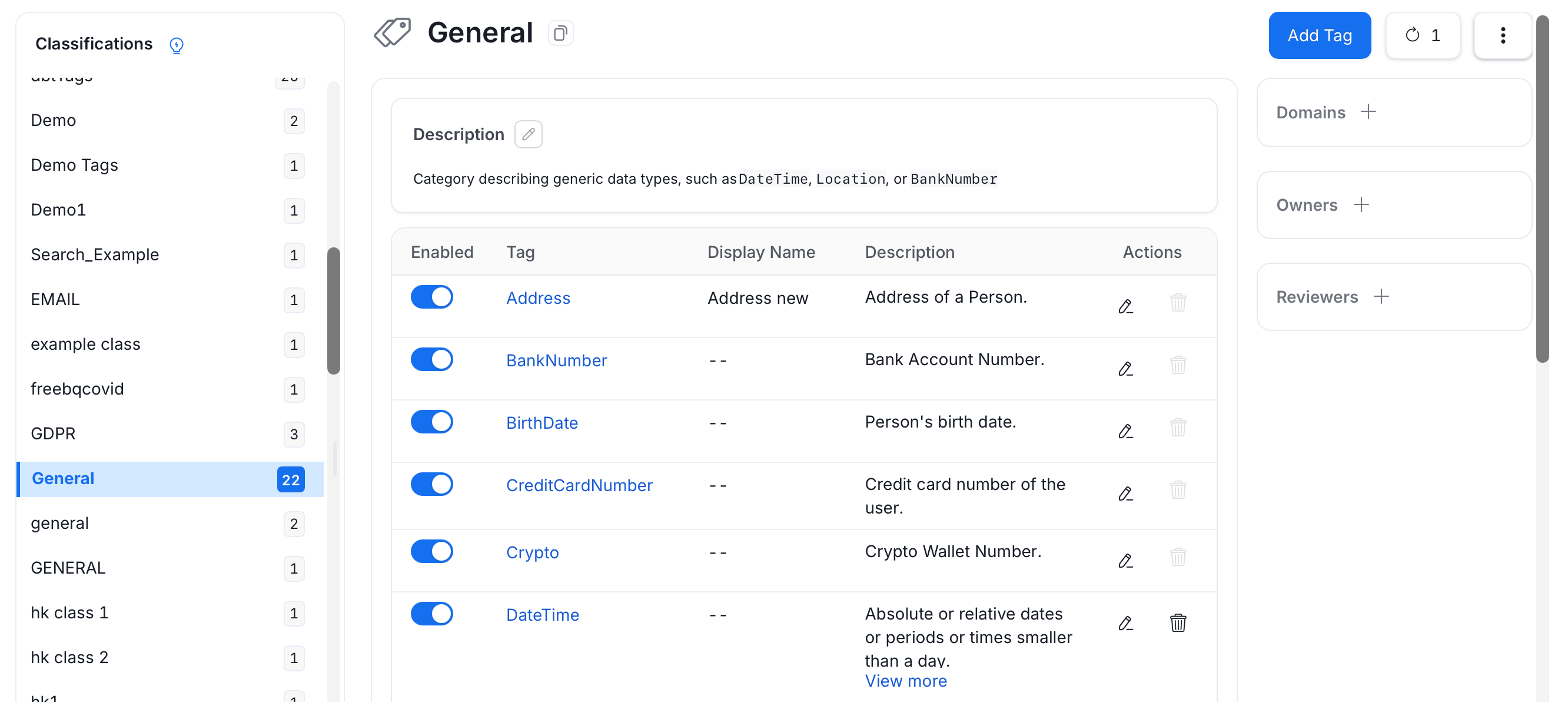 3. Click the **Tag** name to view associated assets with the selected tag.
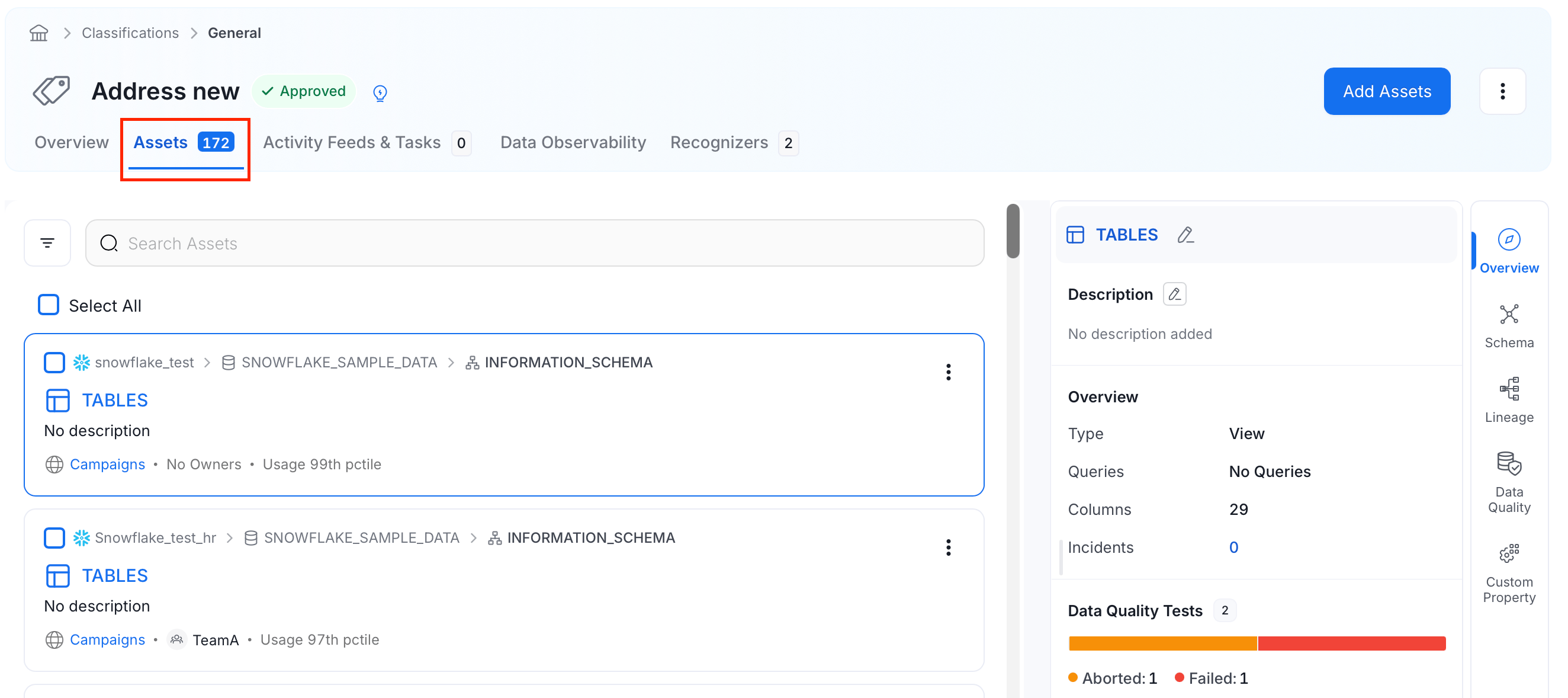 You can also see the data assets associated with each tag from the **Explore** page:
1. Navigate to the **Explore Assets** page.
2. Click **Tag** and search and select the tags.
You can also see the data assets associated with each tag from the **Explore** page:
1. Navigate to the **Explore Assets** page.
2. Click **Tag** and search and select the tags.
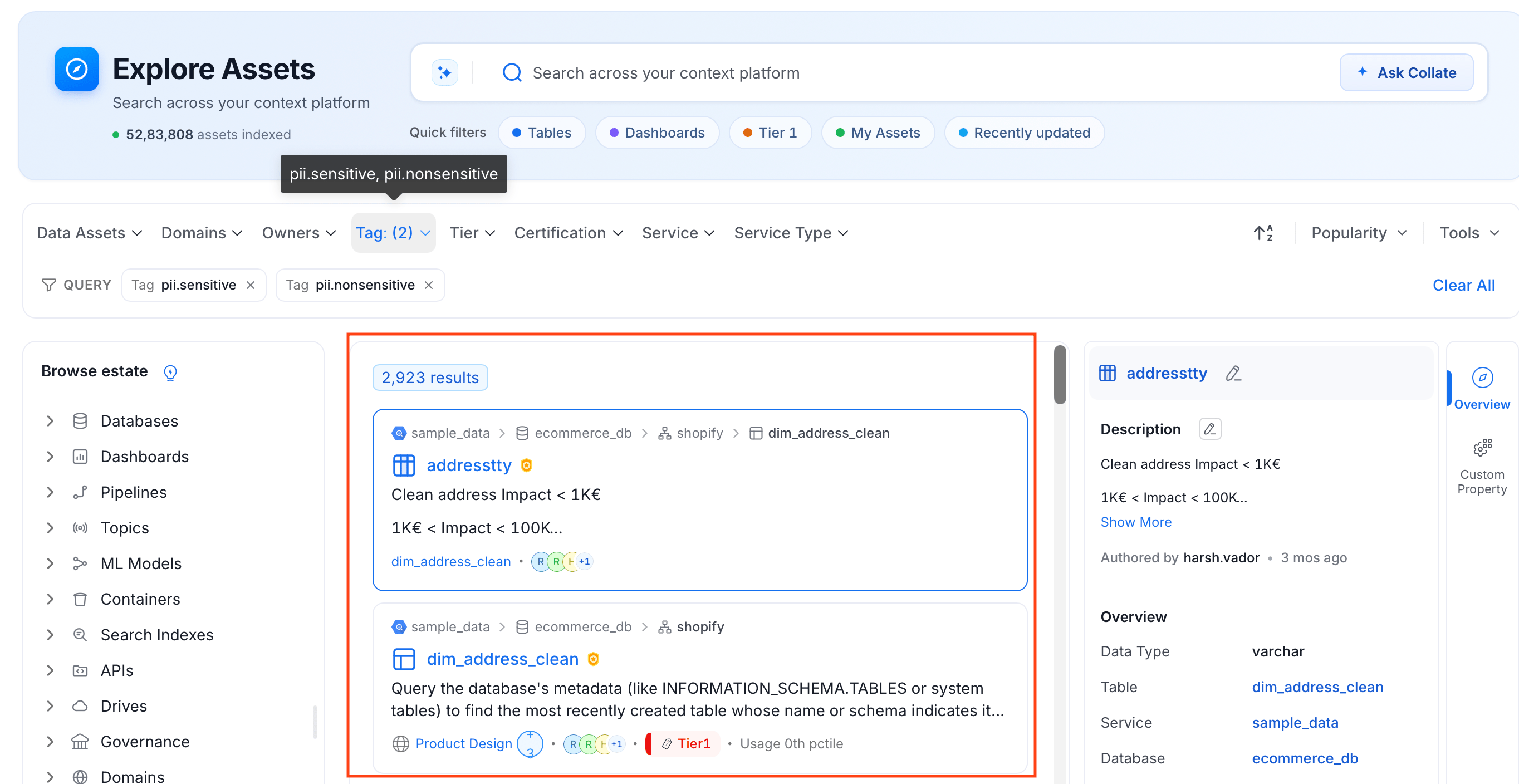
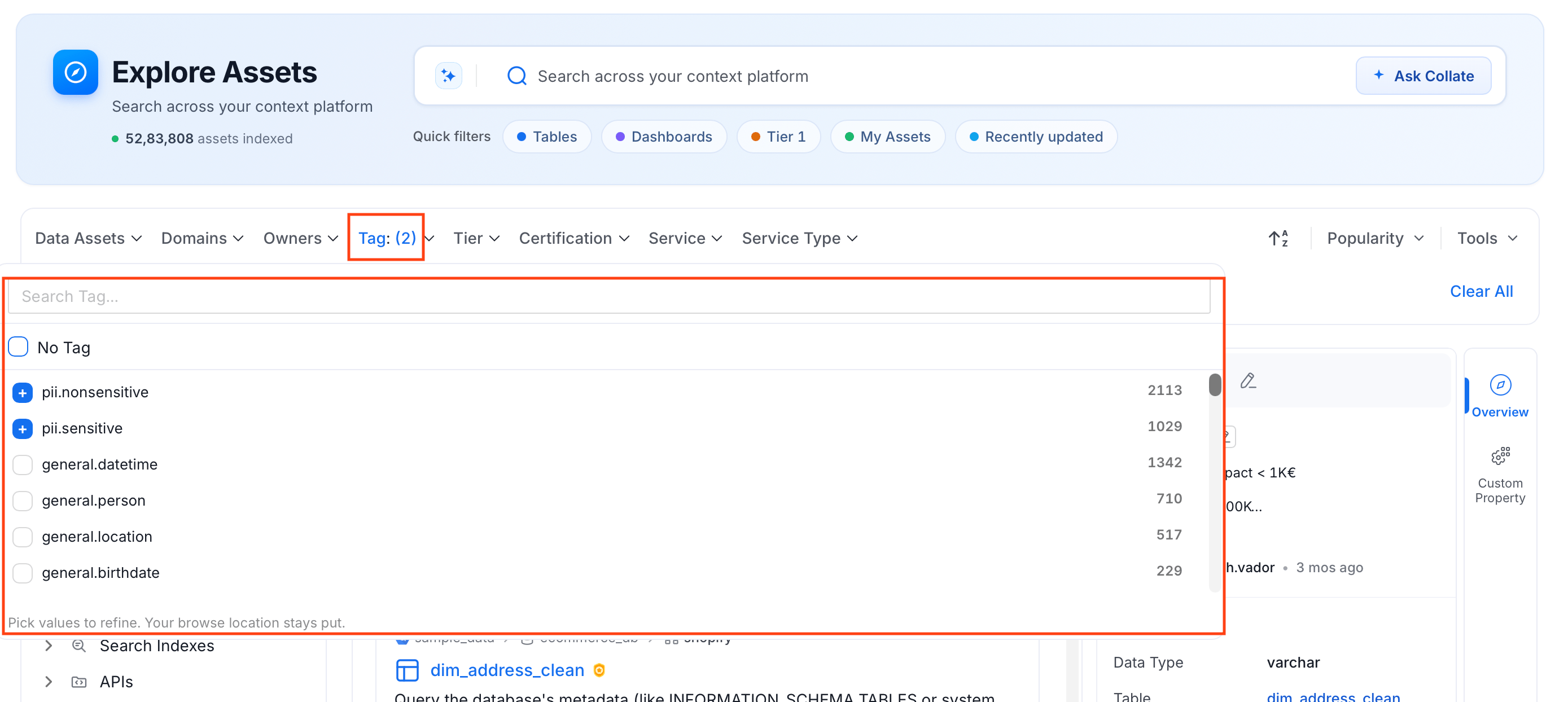 3. The filter applies across the data assets and shows the list of data assets associated with the selected tag.
 Data assets can also be classified using Tiers. Learn more about [Tiers](/ai-2-0/how-to-guides/data-governance/classification/tiers).
Among the Classification Tags, Collate has some System Classification. Learn more about the [System Tags](/ai-2-0/how-to-guides/data-governance/classification/classification).
Users can request to update tags and discuss about these tags within Collate.
Data assets can also be classified using Tiers. Learn more about [Tiers](/ai-2-0/how-to-guides/data-governance/classification/tiers).
Among the Classification Tags, Collate has some System Classification. Learn more about the [System Tags](/ai-2-0/how-to-guides/data-governance/classification/classification).
Users can request to update tags and discuss about these tags within Collate.