> ## Documentation Index
> Fetch the complete documentation index at: https://docs.getcollate.io/llms.txt
> Use this file to discover all available pages before exploring further.

# View Tasks & Add Comment

## View Tasks & Add Comment

* Click on any task in the activity feed to view its details.
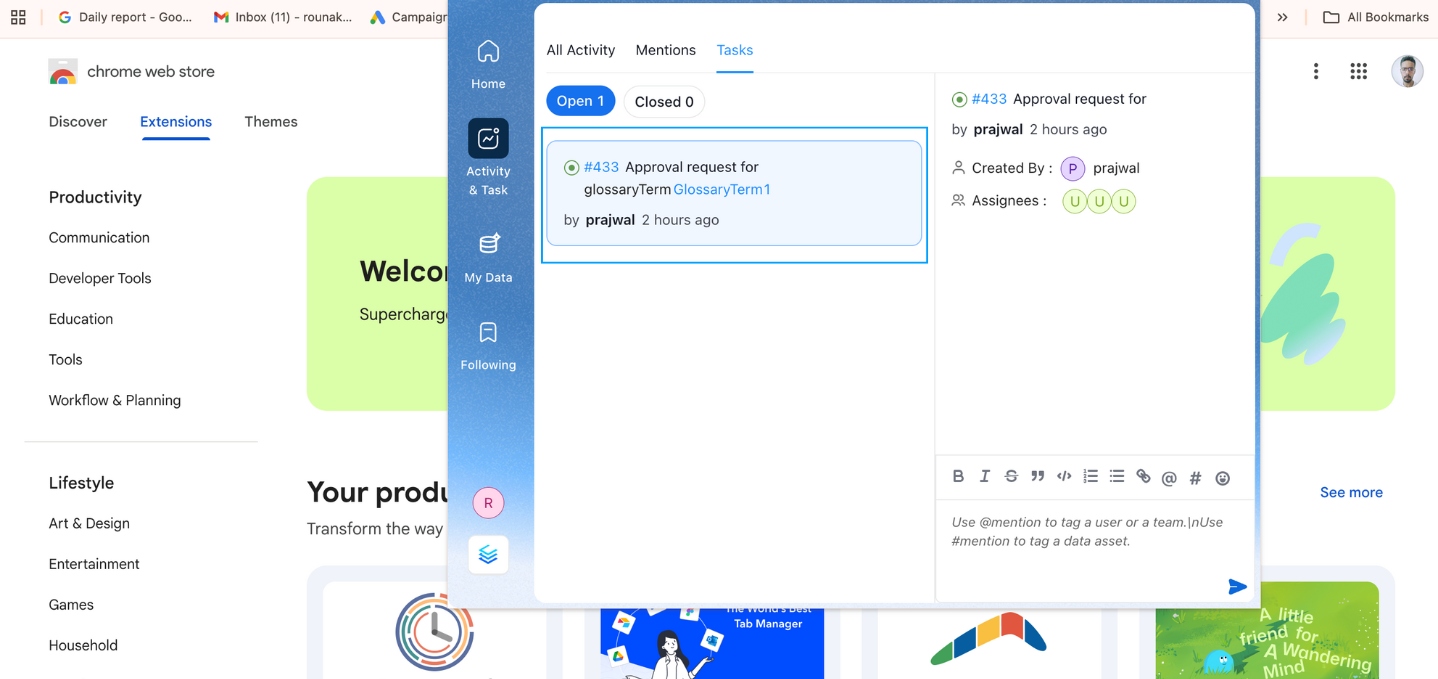
  <img src="https://mintcdn.com/collatedocs/htlMrdEdUQiJnAza/public/images/how-to-guides/discovery/resolving-tasks-1.png?fit=max&auto=format&n=htlMrdEdUQiJnAza&q=85&s=2ae89a57ddb24d338c421fdfe6de4dd8" alt="Task in the Activity Feed" width="1438" height="679" data-path="public/images/how-to-guides/discovery/resolving-tasks-1.png" />

* You can view tasks, assignees, and add comments directly through the extension.
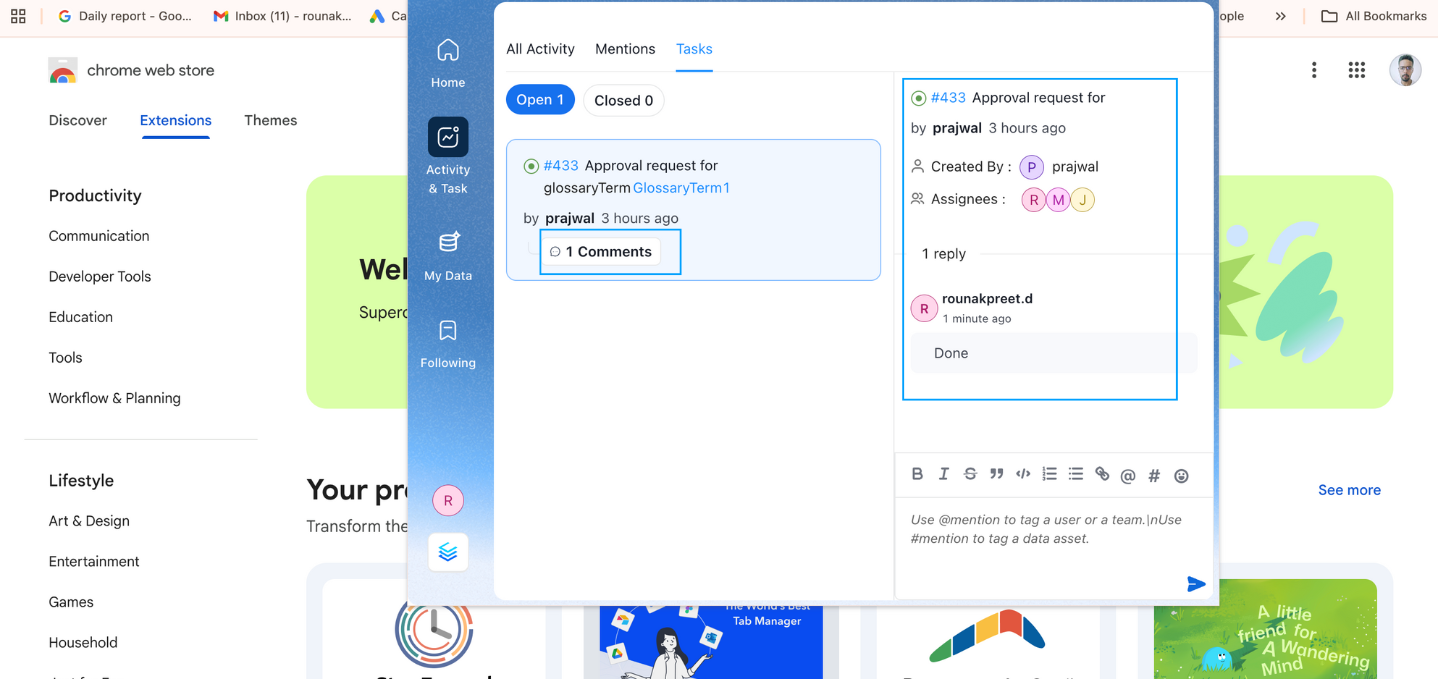
  <img src="https://mintcdn.com/collatedocs/htlMrdEdUQiJnAza/public/images/how-to-guides/discovery/resolving-tasks-2.png?fit=max&auto=format&n=htlMrdEdUQiJnAza&q=85&s=d348b77f916160c4ab111f8e3808c417" alt="View Tasks" width="1438" height="679" data-path="public/images/how-to-guides/discovery/resolving-tasks-2.png" />

* This feature allows you to manage tasks and stay up-to-date without leaving your current workspace, increasing efficiency.
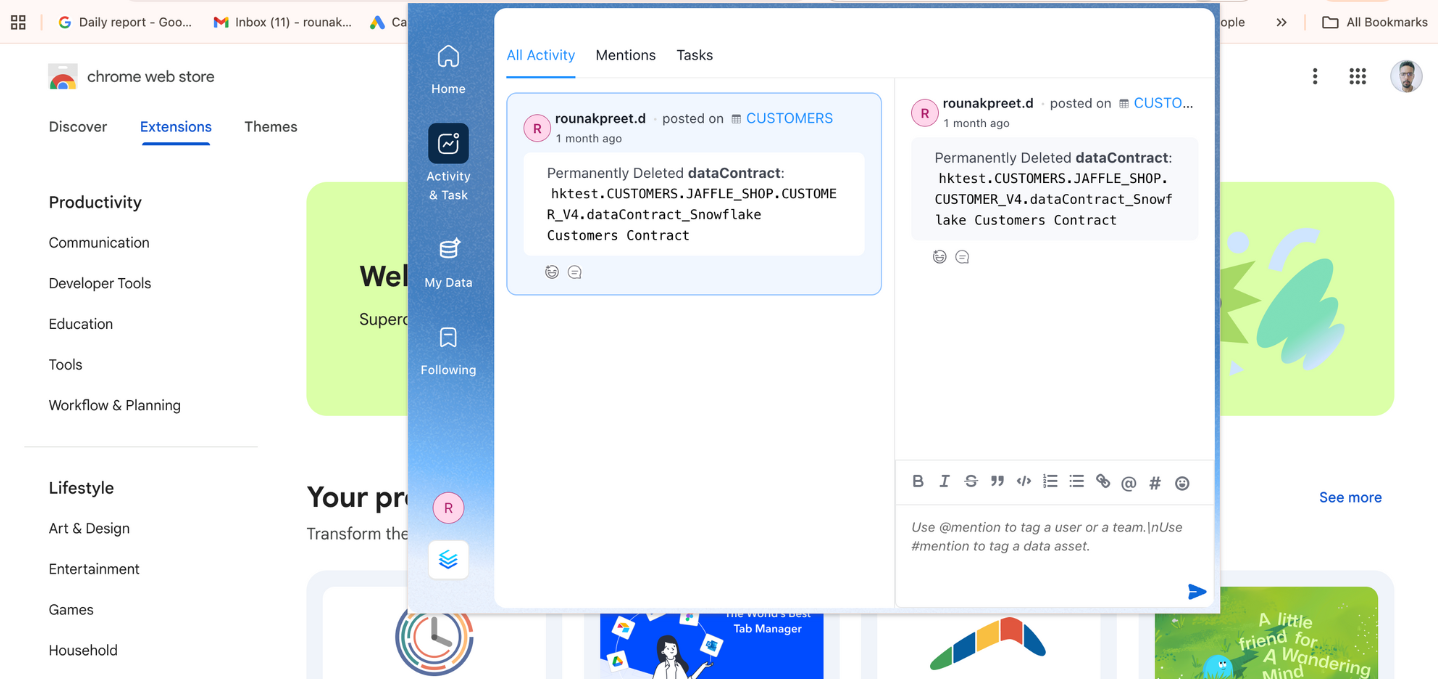
  <img src="https://mintcdn.com/collatedocs/htlMrdEdUQiJnAza/public/images/how-to-guides/discovery/resolving-tasks-3.png?fit=max&auto=format&n=htlMrdEdUQiJnAza&q=85&s=5d9cca81a9c44581b07ee932ea185740" alt="Manage Tasks" width="1438" height="679" data-path="public/images/how-to-guides/discovery/resolving-tasks-3.png" />
