> ## Documentation Index
> Fetch the complete documentation index at: https://docs.getcollate.io/llms.txt
> Use this file to discover all available pages before exploring further.
# Home Dashboard
> Your Collate 2.0 home — Platform Health, AI insights, Action Required, Recommended Improvements, and Pending Approvals.
# The Home Page
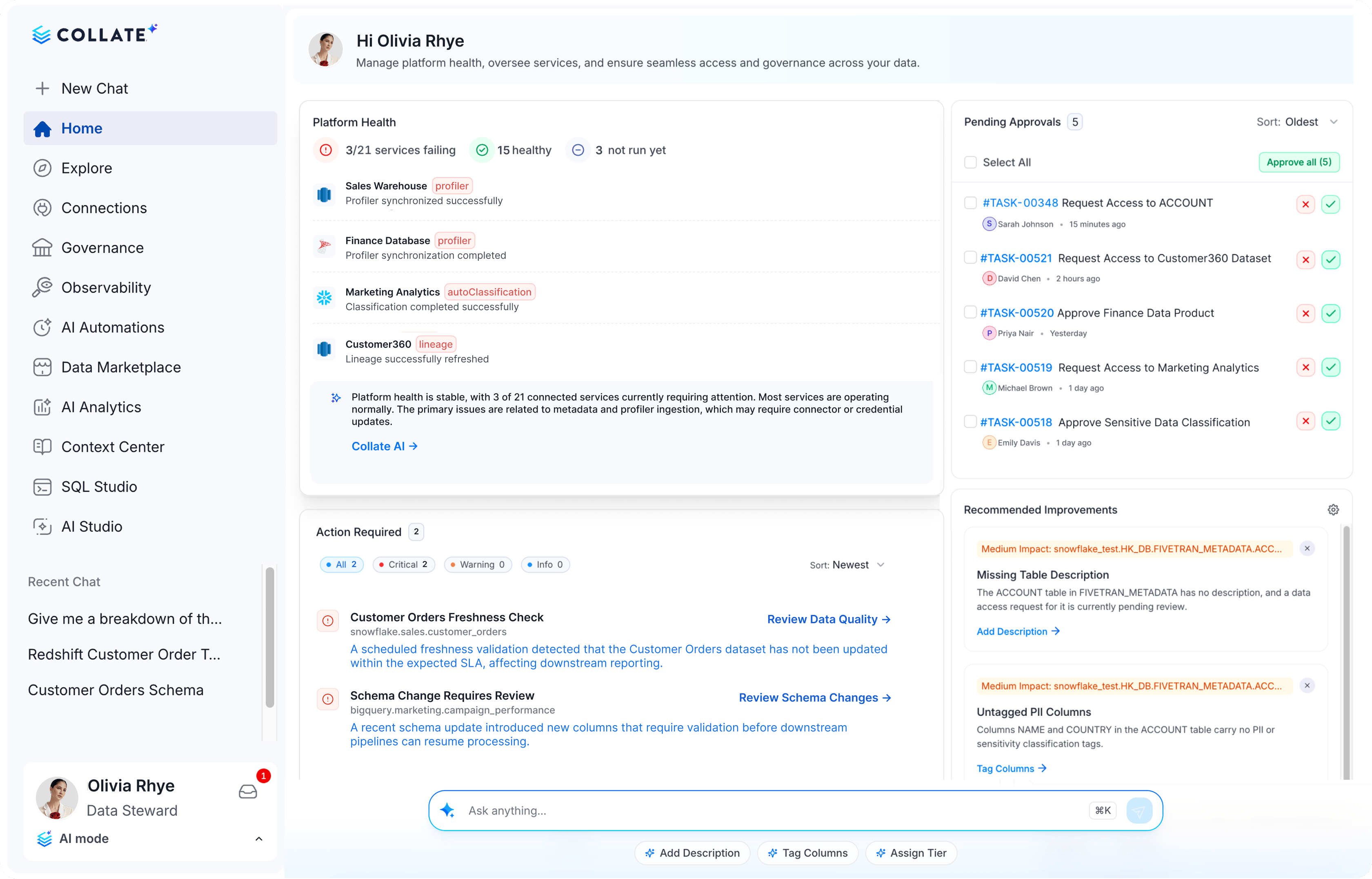
When you log in to Collate, you land on a dashboard that gives you a real-time picture of your data platform's health, outstanding actions, AI-generated recommendations, and recent activity — all in one view.
## Navigation Sidebar
The left sidebar is the primary way to navigate between sections. It can be collapsed to a compact icon rail and supports persona-based customization by Admins.
| Sidebar Section | What it does |
| -------------------- | ----------------------------------------------------------------- |
| **New Chat** | Start a new Collate AI Chat conversation |
| **Home** | Return to the home dashboard |
| **Explore** | Browse and search all data assets |
| **AI Analytics** | AI-powered charts and dashboards |
| **AI Automations** | Automated metadata workflows |
| **AI Studio** | Build and manage agents and personas |
| **Context Center** | Articles, documents, and memories |
| **Connections** | Data source connectors and ingestion |
| **SQL Studio** | Run SQL queries directly against your connected database services |
| **Observability** | Data quality, incidents, and alerts |
| **Data Marketplace** | Domains, data products, and access requests |
| **Governance** | Glossary, classification, and workflows |
 ## Home Page Dashboard
The home dashboard is organized into a grid of widgets. Each widget surfaces a different facet of your platform.
## Home Page Dashboard
The home dashboard is organized into a grid of widgets. Each widget surfaces a different facet of your platform.
 ### Platform Health Summary
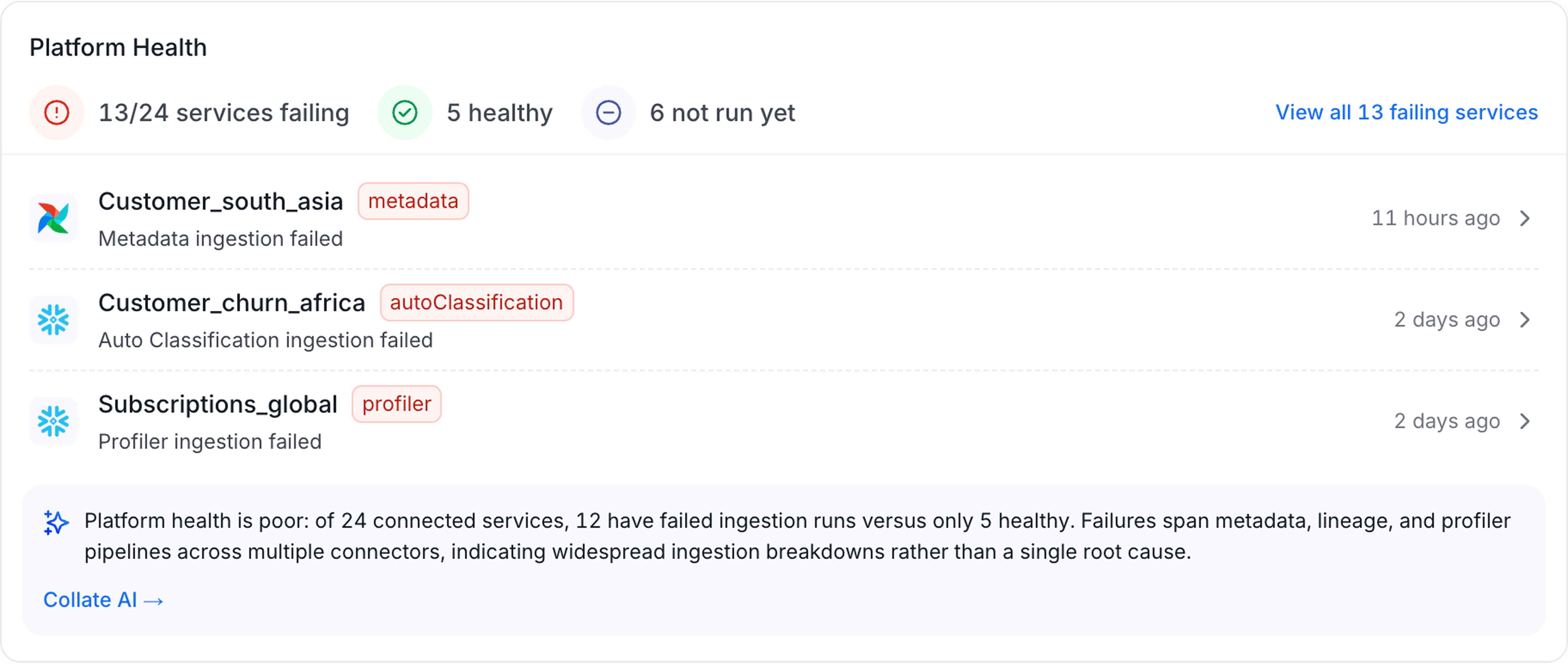
The largest widget on the home page lists every service with a pipeline or agent that didn't complete successfully. Click a service to open its **Agents** tab, where you can review the failing agent and its logs.
From there, use the **Collate AI** option to analyze the failure. It opens a new tab in the sidebar with a root-cause analysis and suggested fixes for that service.
**Note**: This widget is visible to platform admins only.
### Platform Health Summary
The largest widget on the home page lists every service with a pipeline or agent that didn't complete successfully. Click a service to open its **Agents** tab, where you can review the failing agent and its logs.
From there, use the **Collate AI** option to analyze the failure. It opens a new tab in the sidebar with a root-cause analysis and suggested fixes for that service.
**Note**: This widget is visible to platform admins only.
 ### Pending Approvals
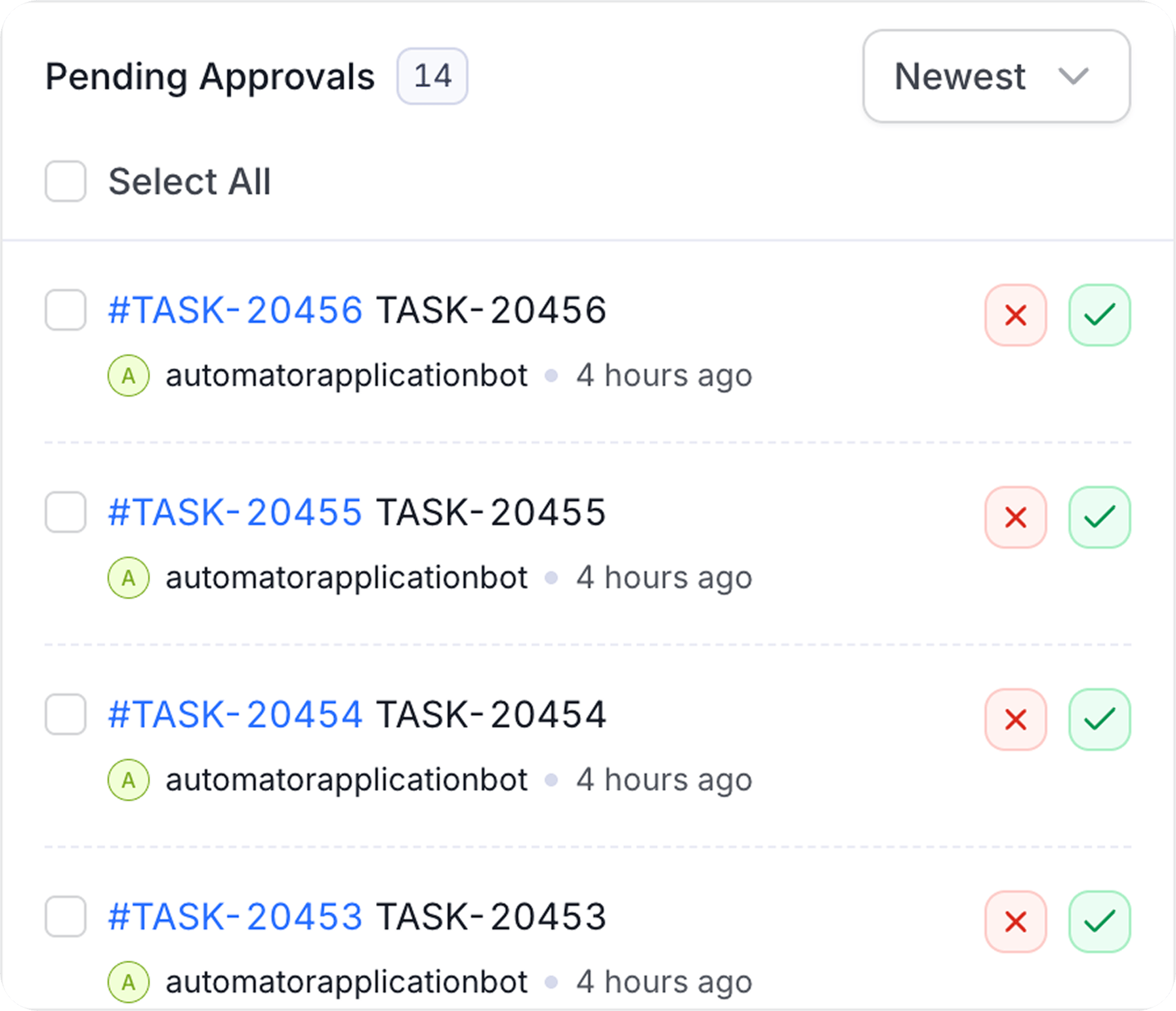
Lists open governance tasks that require your action: access requests, certification sign-offs, and ownership assignments waiting on you or your team.
* **Approve or reject directly from the widget**: Most tasks show inline **Approve** and **Reject** buttons, so you can resolve them without leaving the home page.
* **Incident tasks**: Tasks tied to a data quality incident don't have inline approve/reject actions. Click one to open its detail page instead.
* **View All**: Opens your full task list for a complete view of everything pending across your account.
### Pending Approvals
Lists open governance tasks that require your action: access requests, certification sign-offs, and ownership assignments waiting on you or your team.
* **Approve or reject directly from the widget**: Most tasks show inline **Approve** and **Reject** buttons, so you can resolve them without leaving the home page.
* **Incident tasks**: Tasks tied to a data quality incident don't have inline approve/reject actions. Click one to open its detail page instead.
* **View All**: Opens your full task list for a complete view of everything pending across your account.
 ### Action Required
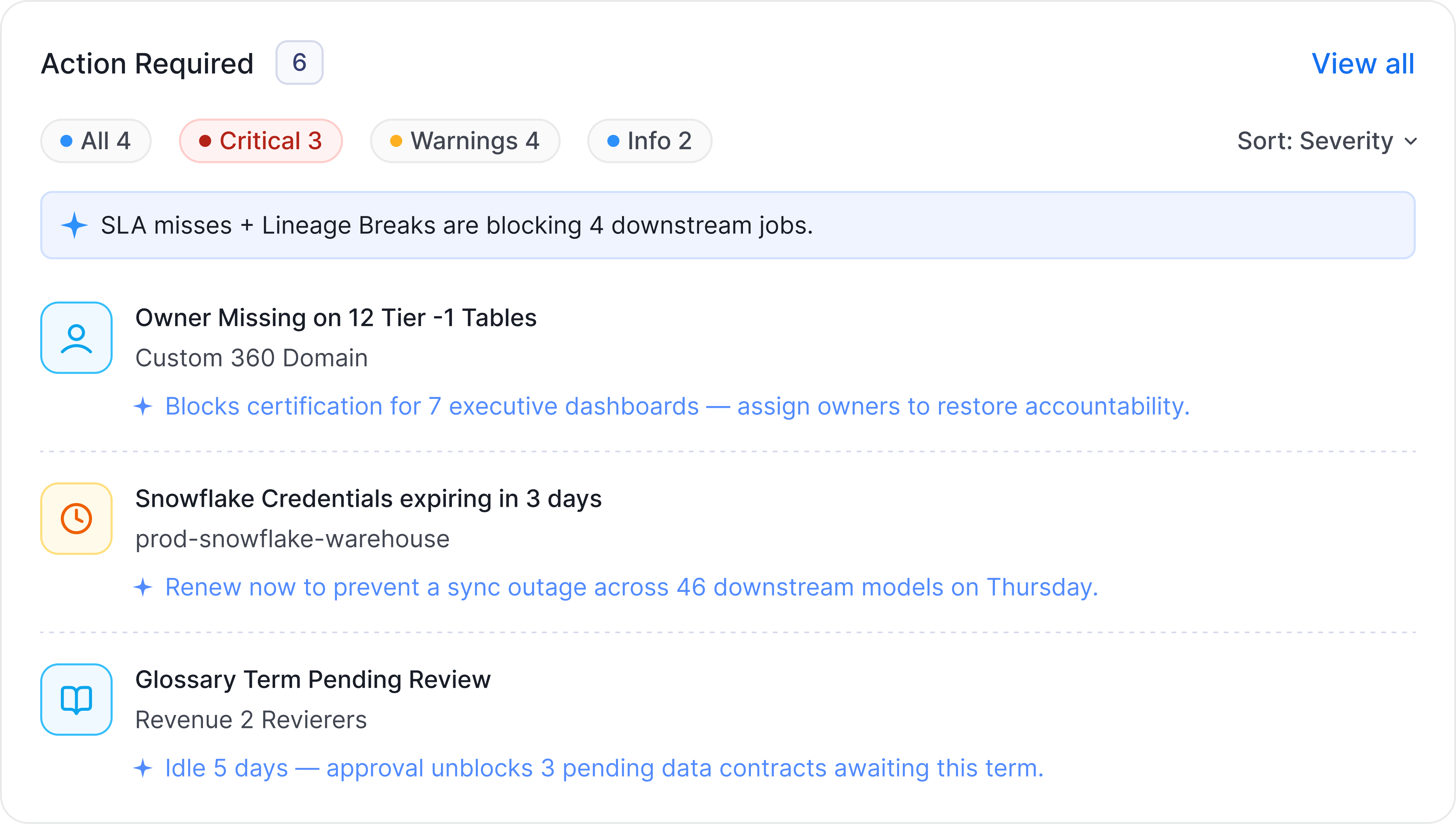
AI-generated items that need your attention, prioritized by severity:
* **Critical** — issues that may impact data consumers now
* **Warning** — items that should be addressed soon
* **Info** — lower-priority improvements
Each card surfaces the affected asset and describes the issue. The widget detects and prioritizes — it does not resolve. Click a card to open a Collate AI conversation with the context already loaded so you can diagnose and act.
### Action Required
AI-generated items that need your attention, prioritized by severity:
* **Critical** — issues that may impact data consumers now
* **Warning** — items that should be addressed soon
* **Info** — lower-priority improvements
Each card surfaces the affected asset and describes the issue. The widget detects and prioritizes — it does not resolve. Click a card to open a Collate AI conversation with the context already loaded so you can diagnose and act.
 ### Recommended Improvements
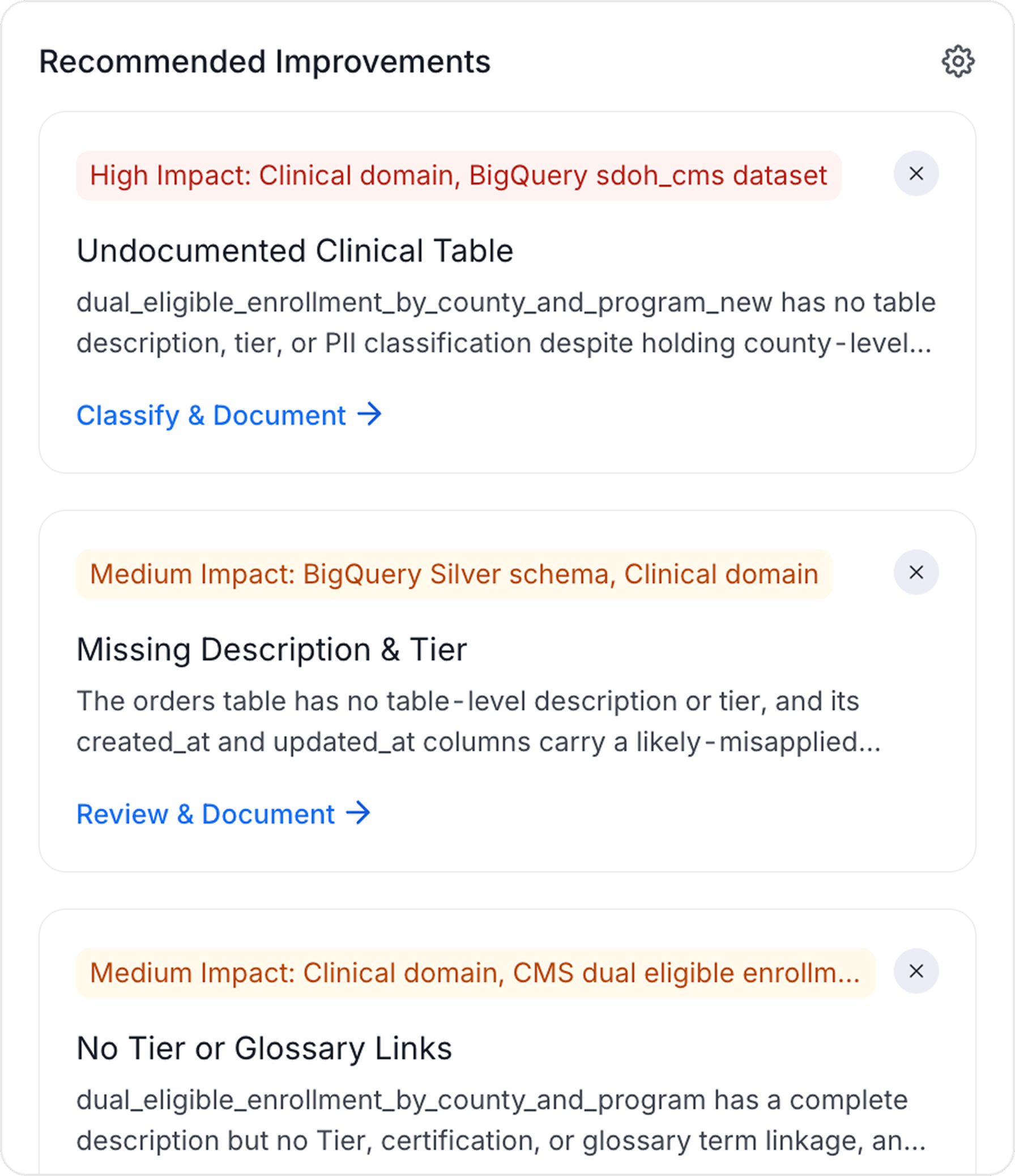
AI-generated suggestions for improving your metadata coverage — descriptions, ownership gaps, quality issues, and classification opportunities. Each suggestion is tagged **High**, **Medium**, or **Low** impact so you can prioritize. Click a suggestion to open a Collate AI conversation with the context pre-loaded so you can act on it directly.
### Recommended Improvements
AI-generated suggestions for improving your metadata coverage — descriptions, ownership gaps, quality issues, and classification opportunities. Each suggestion is tagged **High**, **Medium**, or **Low** impact so you can prioritize. Click a suggestion to open a Collate AI conversation with the context pre-loaded so you can act on it directly.
 ### Announcements
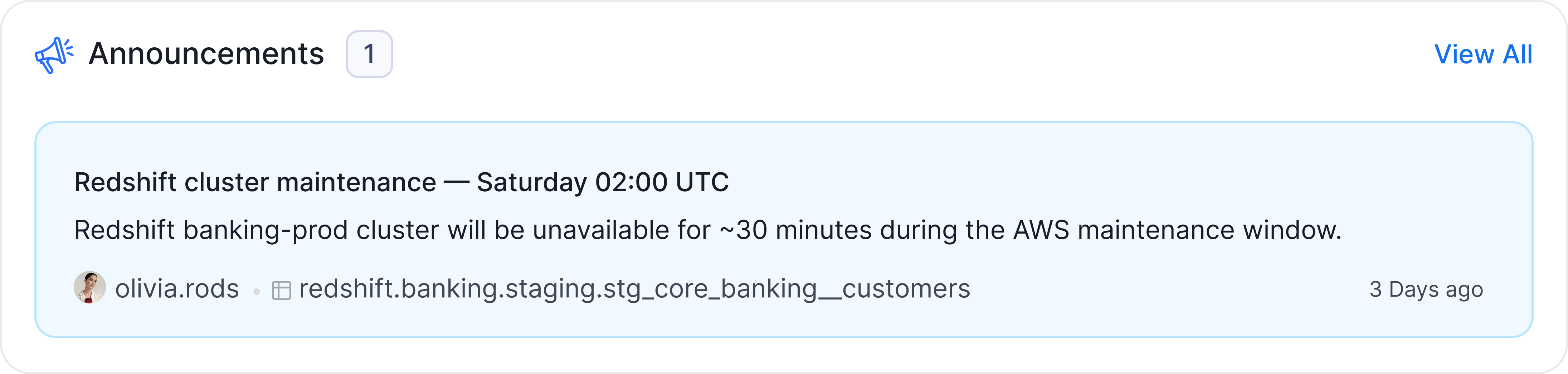
Recent announcements posted on data assets you own or follow. Only appears when there are active announcements. Each card shows the announcement's title, a preview of its description, who posted it, and how long ago. Click a card to jump to the announcement on its asset, or click the **X** to dismiss it from the widget.
### Announcements
Recent announcements posted on data assets you own or follow. Only appears when there are active announcements. Each card shows the announcement's title, a preview of its description, who posted it, and how long ago. Click a card to jump to the announcement on its asset, or click the **X** to dismiss it from the widget.
 ### Data Products
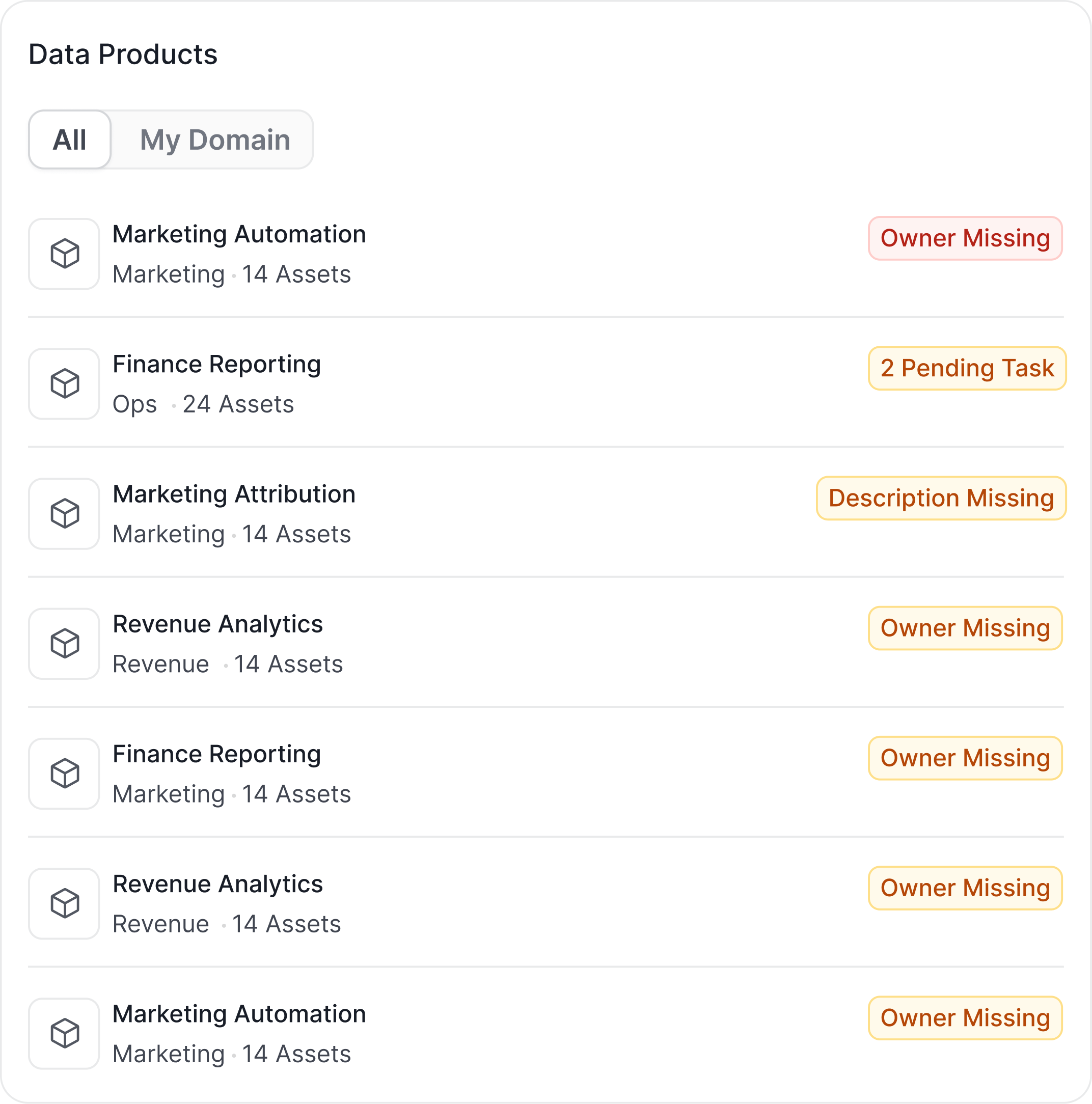
A list of data products published in your organization's marketplace.
* **Filter**: Switch between **All** and **My Domain** to scope the list to data products in your own domain.
* **Each row** shows the data product's domain and how many assets it contains.
* **Attention badges**: A data product missing an owner, description, or domain, or with an expired certification, shows a badge flagging the gap.
* **New Data Product**: If you have permission, create a new data product directly from the widget.
### Data Products
A list of data products published in your organization's marketplace.
* **Filter**: Switch between **All** and **My Domain** to scope the list to data products in your own domain.
* **Each row** shows the data product's domain and how many assets it contains.
* **Attention badges**: A data product missing an owner, description, or domain, or with an expired certification, shows a badge flagging the gap.
* **New Data Product**: If you have permission, create a new data product directly from the widget.
 ### Top Tier Assets
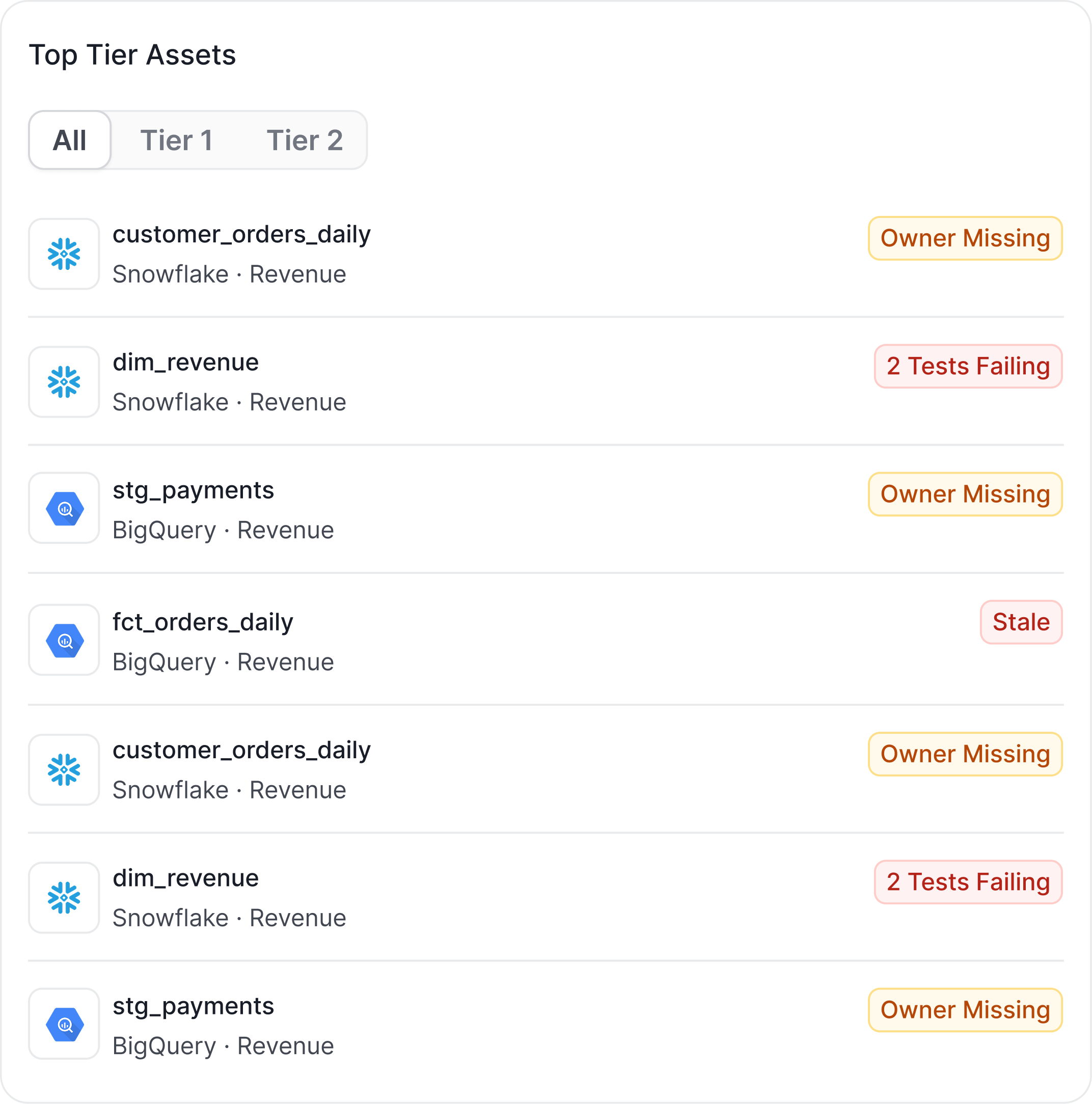
Your most important data assets, surfaced here for quick access and visibility.
* **Filter**: Switch between **All**, **Tier 1**, and **Tier 2** to narrow the list.
* Results are sorted alphabetically and limited to assets you have permission to view.
* **Attention badges**: The same governance-gap badges as Data Products (missing owner, description, domain, expired certification, or undocumented columns) appear here too, so you can spot high-visibility assets that need cleanup.
### Top Tier Assets
Your most important data assets, surfaced here for quick access and visibility.
* **Filter**: Switch between **All**, **Tier 1**, and **Tier 2** to narrow the list.
* Results are sorted alphabetically and limited to assets you have permission to view.
* **Attention badges**: The same governance-gap badges as Data Products (missing owner, description, domain, expired certification, or undocumented columns) appear here too, so you can spot high-visibility assets that need cleanup.
 ## Collate AI Chat Input
The chat input bar at the bottom of the home page lets you type a question or select a suggested prompt to start a Collate AI Chat conversation. Suggestions are personalized — they're drawn from your Action Required and Recommended Improvements cards, so they reflect what's actually relevant to you right now.
## Critical Alert Banner
When there are critical data quality incidents, a red banner appears at the top of the home page with a count and a link directly to the Incident Manager in Observability. Dismiss it once you've reviewed the incidents.
## Persona-Based Customization
Admins can customize the home dashboard layout per persona. Navigate to **Settings** > **Personas**, select a persona, and choose **Customize Homepage** to add, remove, or rearrange widgets.
## Collate AI Chat Input
The chat input bar at the bottom of the home page lets you type a question or select a suggested prompt to start a Collate AI Chat conversation. Suggestions are personalized — they're drawn from your Action Required and Recommended Improvements cards, so they reflect what's actually relevant to you right now.
## Critical Alert Banner
When there are critical data quality incidents, a red banner appears at the top of the home page with a count and a link directly to the Incident Manager in Observability. Dismiss it once you've reviewed the incidents.
## Persona-Based Customization
Admins can customize the home dashboard layout per persona. Navigate to **Settings** > **Personas**, select a persona, and choose **Customize Homepage** to add, remove, or rearrange widgets.