> ## Documentation Index
> Fetch the complete documentation index at: https://docs.getcollate.io/llms.txt
> Use this file to discover all available pages before exploring further.
# Ingest Tags from dbt | Metadata Tagging Guide
> Ingest dbt tags to enhance metadata with labels that support classification, governance, and searchability.
# Ingest Tags from dbt
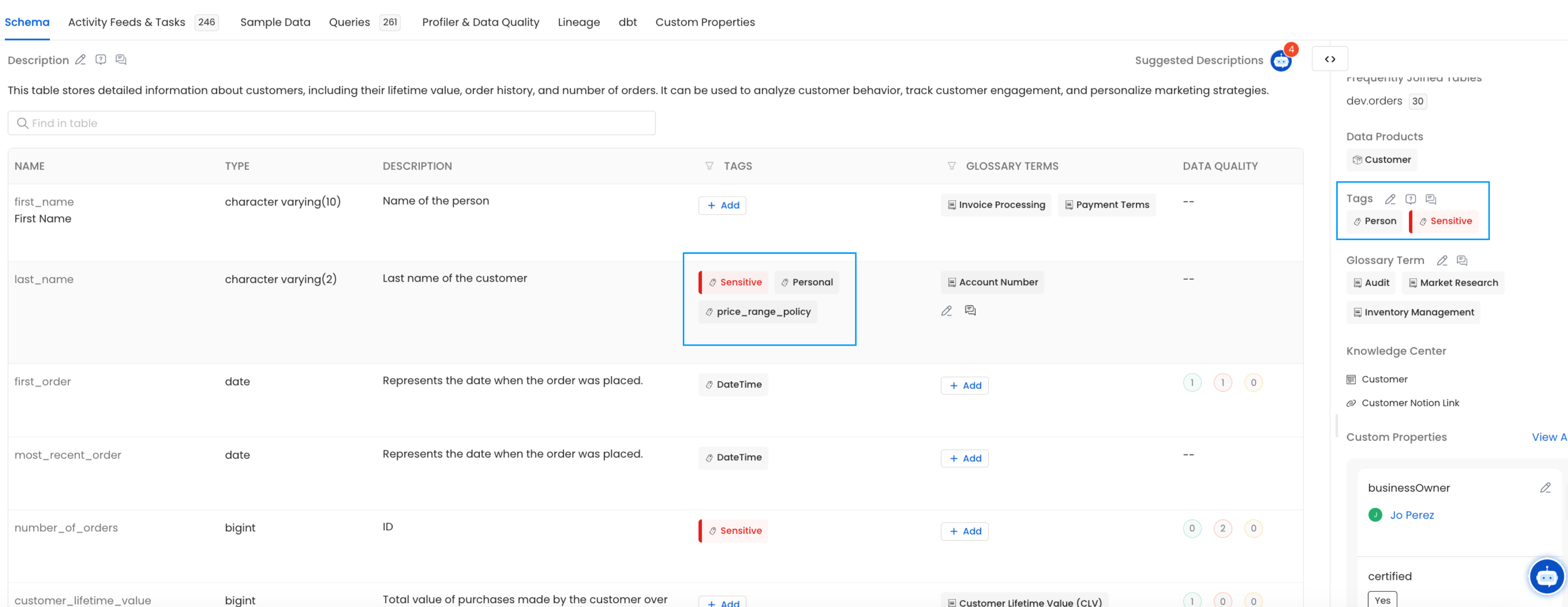
Collate reads table-level and column-level tags from your dbt `manifest.json` file and applies them to the matching assets in Collate.
To add tags to your dbt project, see the [dbt tags configuration reference](https://docs.getdbt.com/reference/resource-configs/tags).
**Tip**: If a tag doesn't already exist in Collate, Collate creates it automatically under the `DBTTags` category.
## Where Collate Reads Tags From
### Step 1: Table-Level Tags
Collate reads table-level tags from `manifest.json` under `node_name → tags`. Here's an example of what that looks like:
```json theme={null}
{
"model.jaffle_shop.customers": {
"raw_sql": "sample_raw_sql",
"compiled": true,
"resource_type": "model",
"depends_on": {},
"database": "dev",
"schema": "dbt_jaffle",
"tags": [
"model_tag_one",
"model_tag_two"
]
}
}
```
### Step 2: Column-Level Tags
Collate reads column-level tags from `manifest.json` under `node_name → columns → column_name → tags`. Here's an example:
```json theme={null}
"model.jaffle_shop.customers": {
"database": "dev",
"schema": "dbt_jaffle",
"columns": {
"first_order": {
"name": "first_order",
"description": "Date (UTC) of a customer's first order",
"tags": [
"tags_column_one"
]
}
}
}
```
### Step 3: Verify
After ingestion completes, you can view the tags directly on the table and column pages in Collate.