> ## Documentation Index
> Fetch the complete documentation index at: https://docs.getcollate.io/llms.txt
> Use this file to discover all available pages before exploring further.
# Documents and Archive
> Upload files so their content becomes searchable by Collate AI Chat.
# Documents and Archive
Documents let you upload files—reports, spreadsheets, compliance audits, and more—so their content becomes searchable by Collate AI Chat, without needing to rewrite them as an Article. Organize files into folders to keep related documents together.
## Upload a Document
1. From the left navigation bar, navigate to **Context Center** > **Documents**.
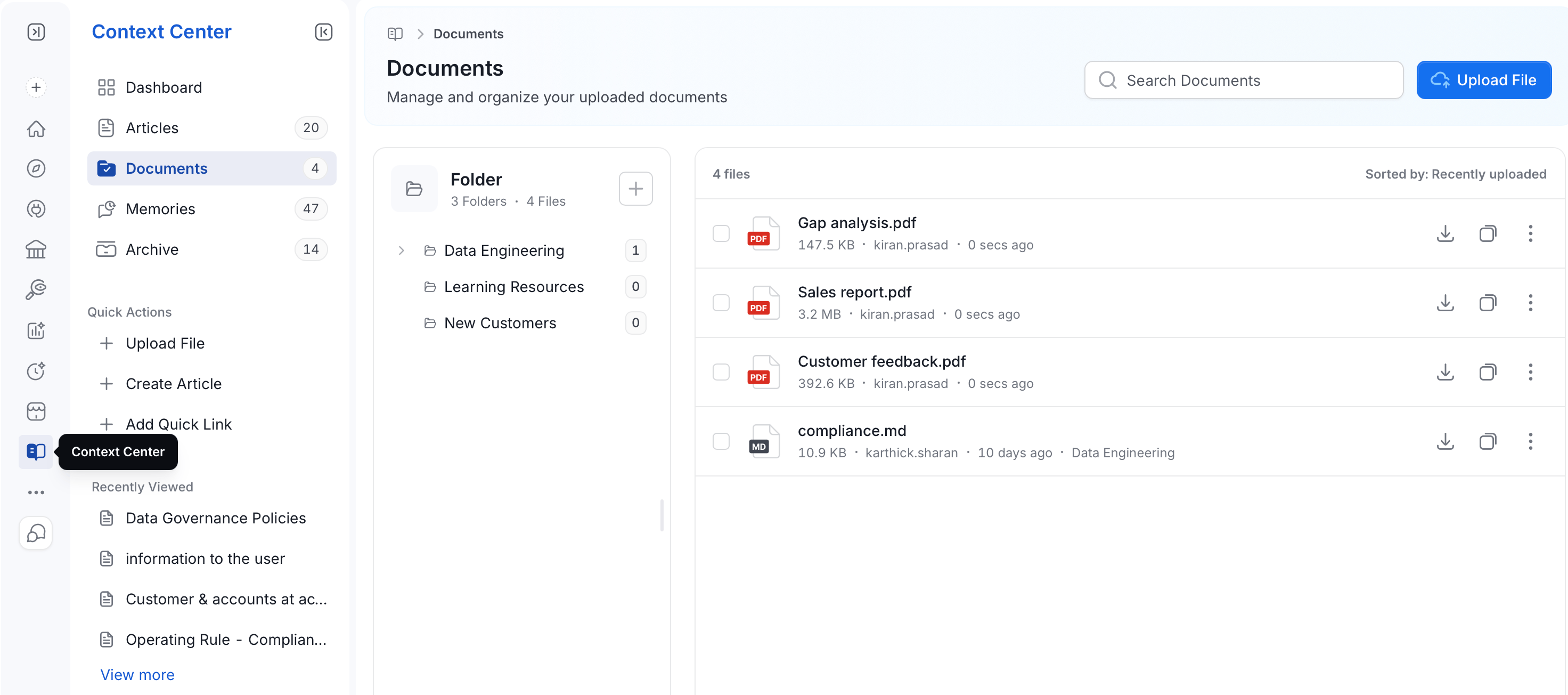 2. Click **Upload File**, or use **Quick Actions** in the sidebar.
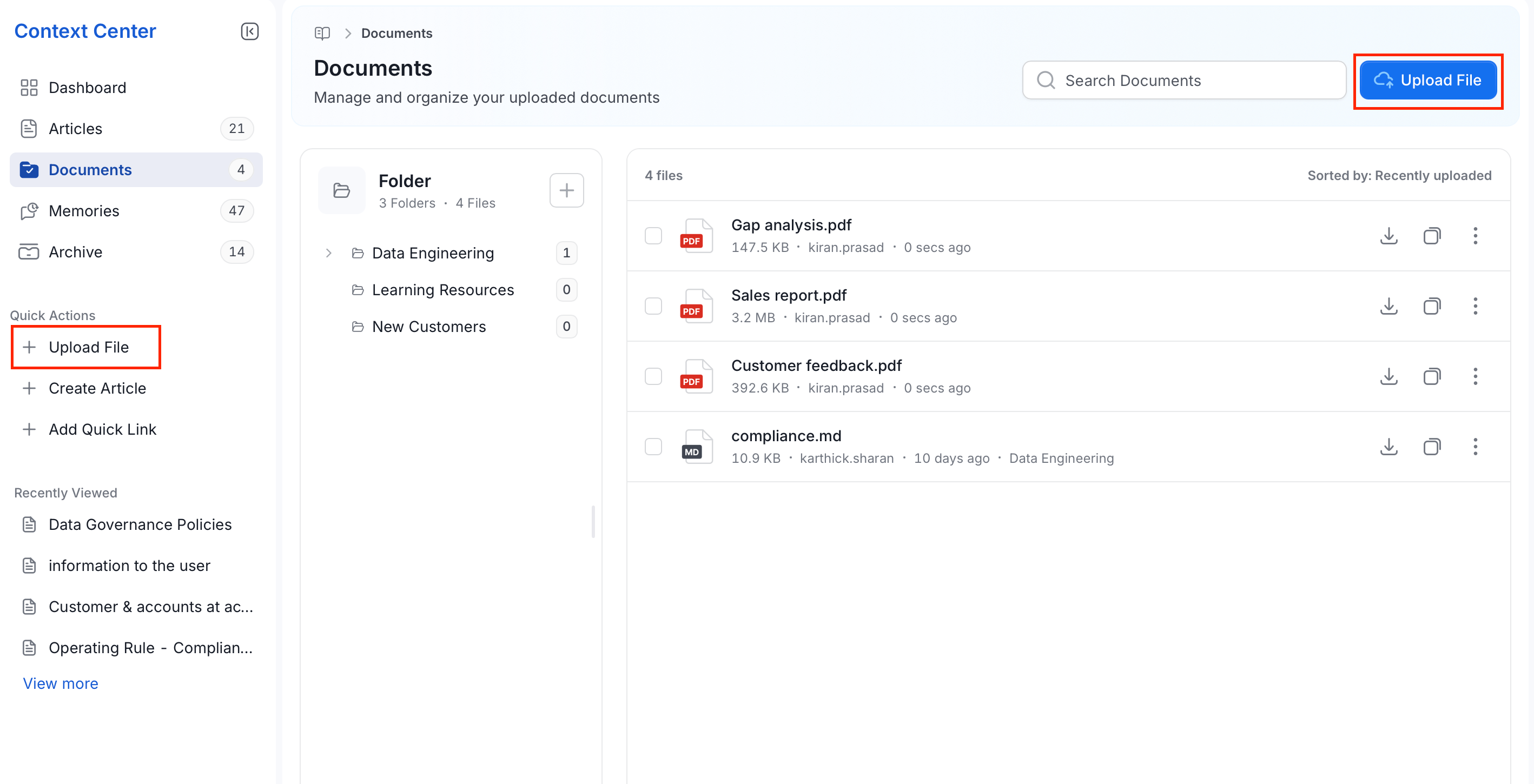 3. Browse to the files on your computer and upload them.
## View and Manage Documents
The **Documents** page shows:
* **Search bar**: Search documents by file name.
* **Folder panel**: Lists your folders on the left, each showing how many files it contains.
* To create a new folder, click the
3. Browse to the files on your computer and upload them.
## View and Manage Documents
The **Documents** page shows:
* **Search bar**: Search documents by file name.
* **Folder panel**: Lists your folders on the left, each showing how many files it contains.
* To create a new folder, click the  icon next to **Folder**.
* Click a folder to see only the files inside it.
icon next to **Folder**.
* Click a folder to see only the files inside it.
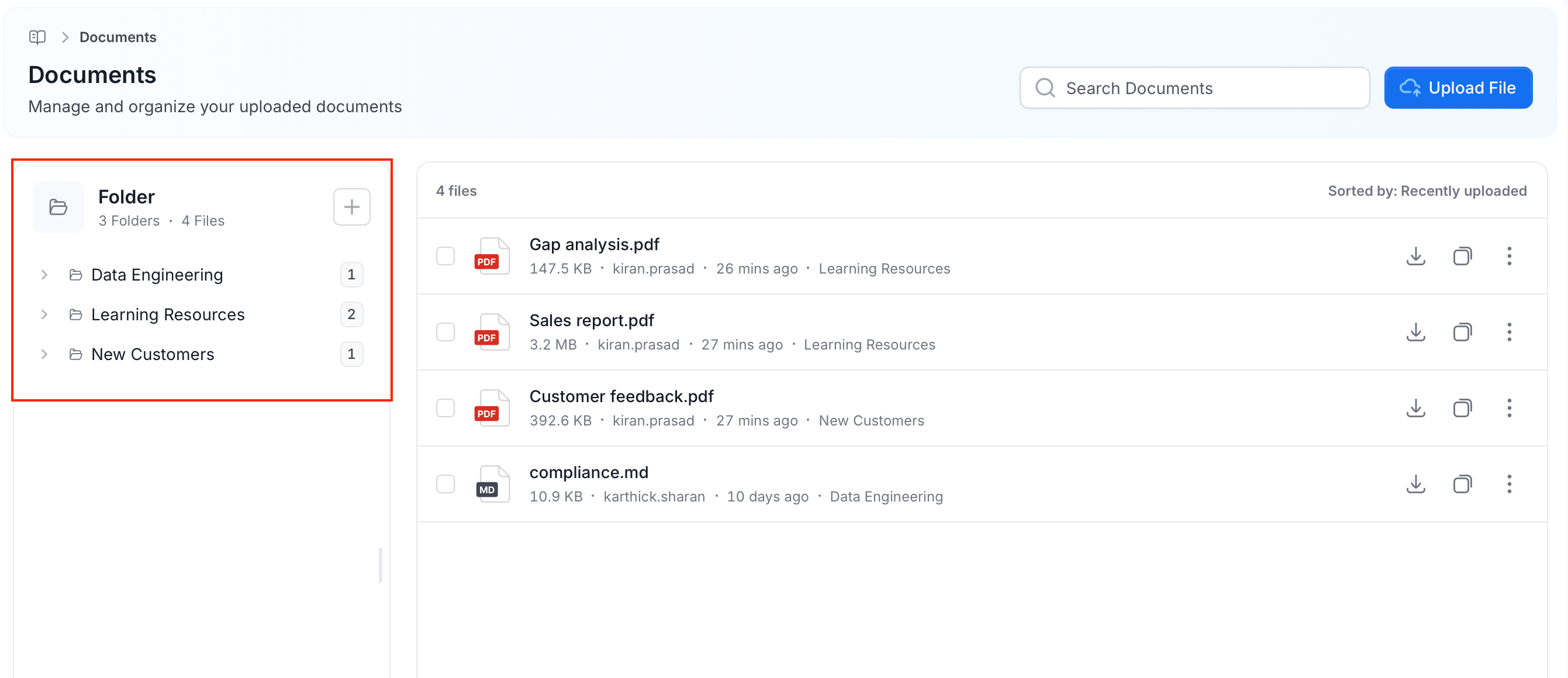 * **File list**: Shows the total number of files, sorted by **Recently uploaded** by default.
* **Each file row** shows:
* The file name and type.
* Its size, who uploaded it, and when.
* **Download**: Save a copy of the file.
* **Copy**: Duplicate the file.
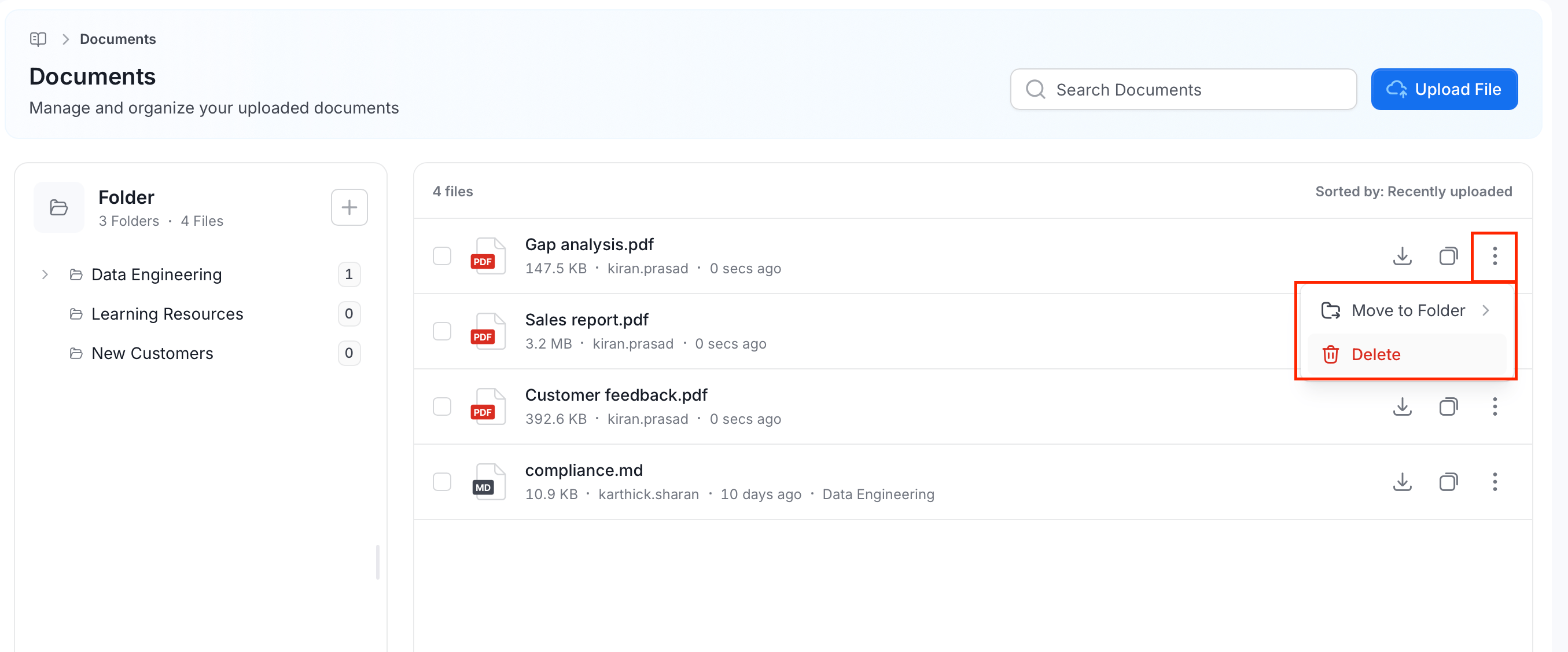
* **Three-dot (⋮) menu**:
* **Move to Folder**: Move the file into a different folder.
* **Delete**: Remove the file from Documents. This doesn't erase it immediately—see [Archive](#archive).
* **File list**: Shows the total number of files, sorted by **Recently uploaded** by default.
* **Each file row** shows:
* The file name and type.
* Its size, who uploaded it, and when.
* **Download**: Save a copy of the file.
* **Copy**: Duplicate the file.
* **Three-dot (⋮) menu**:
* **Move to Folder**: Move the file into a different folder.
* **Delete**: Remove the file from Documents. This doesn't erase it immediately—see [Archive](#archive).
 ## Archive
Deleting a document moves it to **Context Center** > **Archive** instead of erasing it right away. From Archive, you can:
* To restore the document, click the **Restore** icon next to the document.
* To remove the document permanently, click the **Delete** icon next to the document.
## Archive
Deleting a document moves it to **Context Center** > **Archive** instead of erasing it right away. From Archive, you can:
* To restore the document, click the **Restore** icon next to the document.
* To remove the document permanently, click the **Delete** icon next to the document.
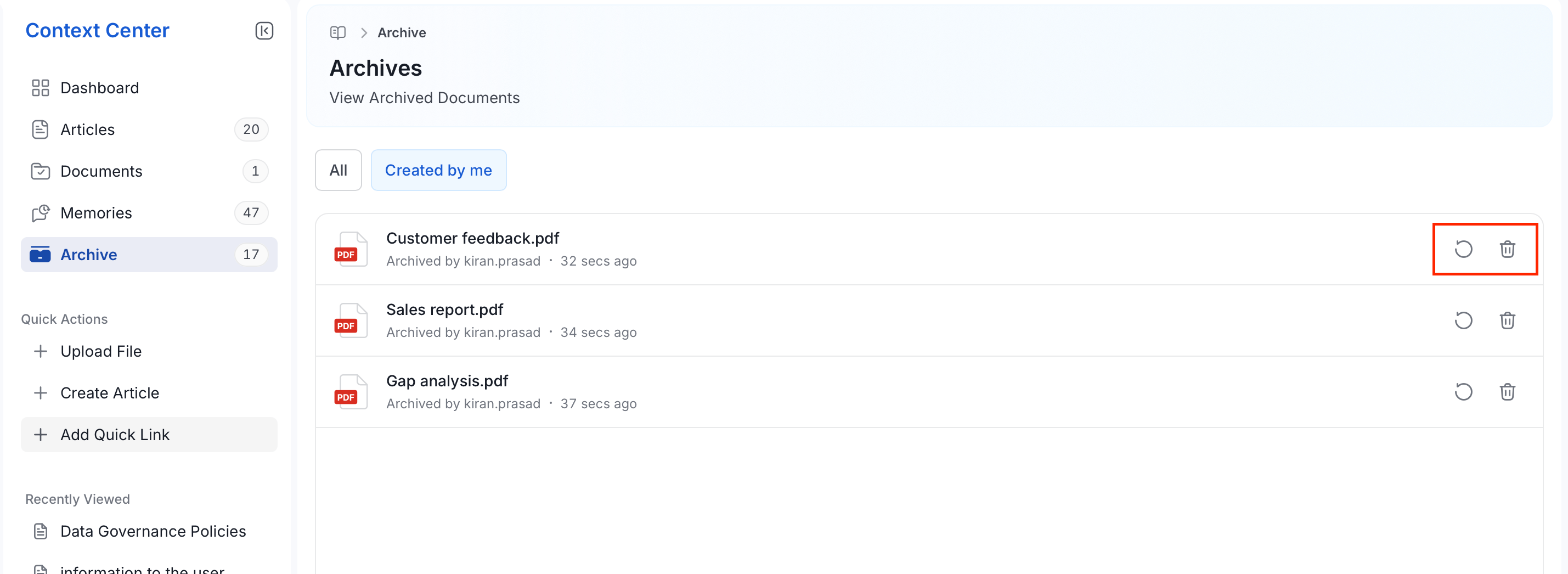 Archive currently holds only deleted Documents—deleted Articles and Memories aren't tracked here.