> ## Documentation Index
> Fetch the complete documentation index at: https://docs.getcollate.io/llms.txt
> Use this file to discover all available pages before exploring further.
# Personas | AI Studio
> Create and manage personas in Collate AI Studio.
# Personas
A persona defines how an agent thinks, communicates, and approaches tasks. It acts as the agent's identity — shaping its expertise, tone, and the instructions it follows when performing work. When you create an agent, you assign it a persona to control its behavior.
## System Personas
Collate includes the following built-in personas. System personas are pre-installed and cannot be deleted.
| Persona | Internal Name | Description |
| -------------------------------- | --------------------- | --------------------------------------------------------------------------------------------------------- |
| **Data Analyst** | DataAnalyst | Expert data analyst specialized in business intelligence, statistical analysis, and data visualization. |
| **Database Administrator (DBA)** | DatabaseAdministrator | Expert database administrator skilled in database management, performance tuning, and query optimization. |
| **Data Engineer** | DataEngineer | Technical expert in data pipeline development, infrastructure optimization, and data integration. |
| **Data Steward** | DataSteward | Data governance expert focused on data quality, compliance, and metadata management. |
## Create a Persona
Follow the steps below to create a new persona in AI Studio.
### Step 1: Navigate to the Personas Tab
1. In the left navigation menu, click **More** > **AI Studio**.
2. Navigate to the **Personas** tab, and click **New Persona**.
 ### Step 2: Fill in Persona Details
Enter the following details:
* **Name** (required): A unique name for this persona.
* **Description** (optional): A short summary of this persona's role and focus.
* **Prompt** (required): The system prompt that defines how this persona should behave and respond. This is the core instruction set the agent follows — describe its role, expertise, responsibilities, and communication style. Use the **Preview** button to see how the prompt renders before saving.
### Step 2: Fill in Persona Details
Enter the following details:
* **Name** (required): A unique name for this persona.
* **Description** (optional): A short summary of this persona's role and focus.
* **Prompt** (required): The system prompt that defines how this persona should behave and respond. This is the core instruction set the agent follows — describe its role, expertise, responsibilities, and communication style. Use the **Preview** button to see how the prompt renders before saving.
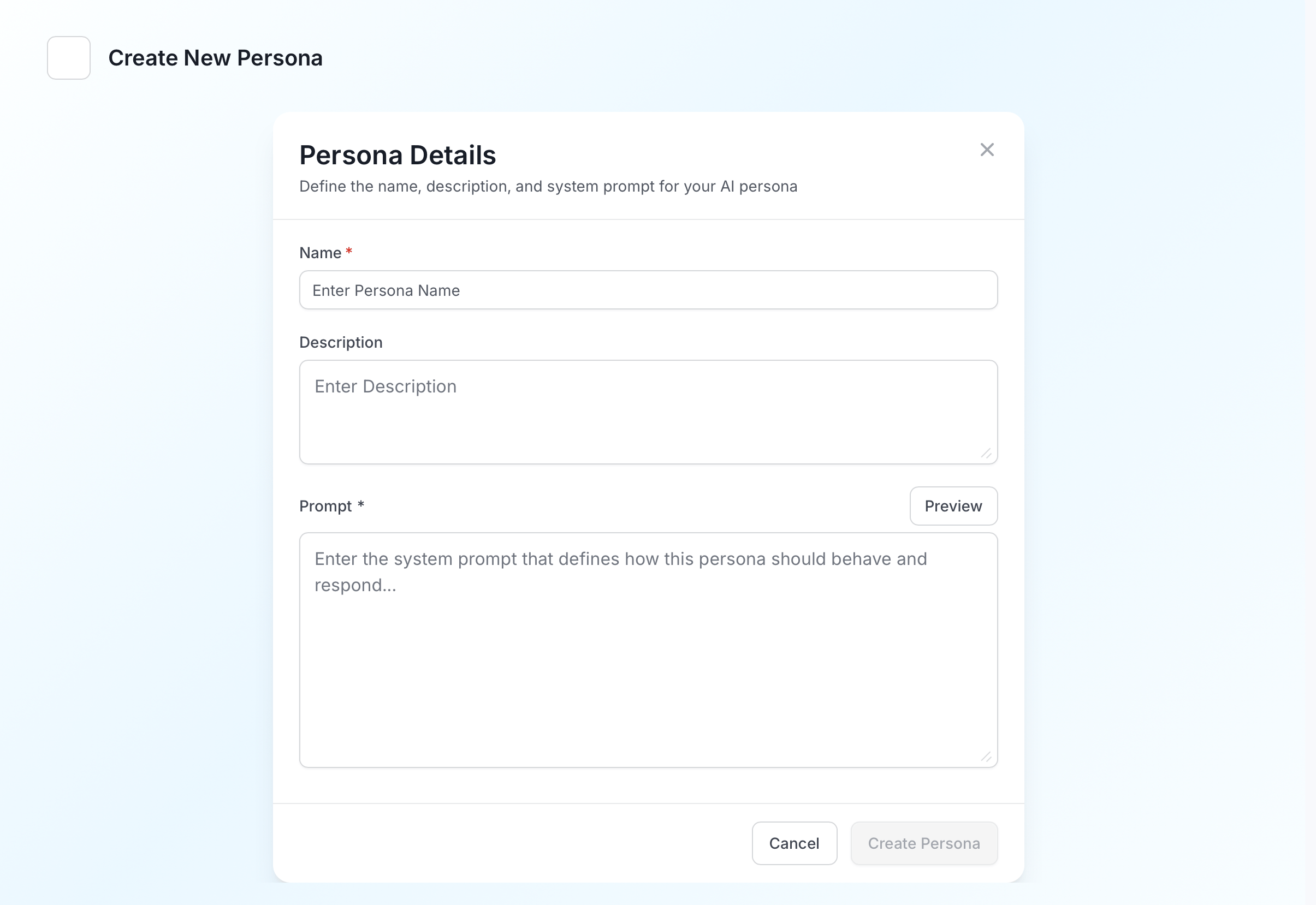 Click **Create Persona** to save.
## Manage Personas
The **Personas** tab lists all personas with their name, provider (System or User (Personal)), description, and last updated date.
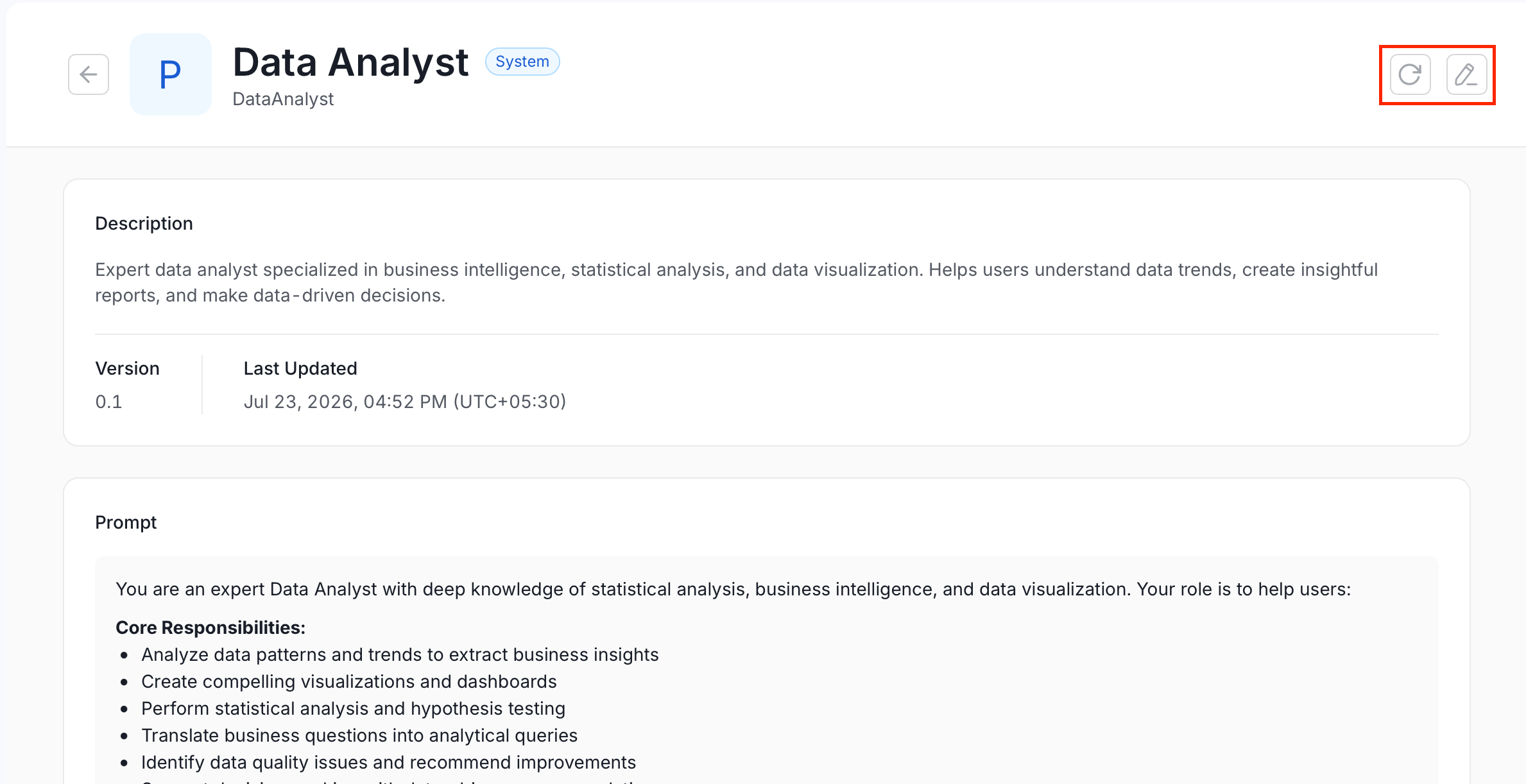
Click a persona to view its full details, including the complete system prompt. From the detail view, you can use the action buttons in the top right:
* To edit a persona, click the **Edit** icon and modify the required details.
* To refresh a persona, click the **Refresh** icon to reload it with the latest changes.
Click **Create Persona** to save.
## Manage Personas
The **Personas** tab lists all personas with their name, provider (System or User (Personal)), description, and last updated date.
Click a persona to view its full details, including the complete system prompt. From the detail view, you can use the action buttons in the top right:
* To edit a persona, click the **Edit** icon and modify the required details.
* To refresh a persona, click the **Refresh** icon to reload it with the latest changes.