> ## Documentation Index
> Fetch the complete documentation index at: https://docs.getcollate.io/llms.txt
> Use this file to discover all available pages before exploring further.
# Shadow AI
> Review AI usage that Collate detected outside the normal registration flow, and register or dismiss each detection.
# Shadow AI
**Shadow AI** is AI usage that was never registered through the [AI Asset Registry](/ai-2-0/collate-ai/ai-governance/asset-registry), but that Collate detected some other way, such as an unrecognized SaaS connector, a single sign-on (SSO) login to an AI tool, or unusual outbound API traffic. The Shadow AI page lists these detections for you to review and bring under governance.
## Why It Matters
Most organizations don't know about the AI tools their teams have already adopted on their own. The Shadow AI page turns that gap into a worklist:
* **Detection without manual audits**: Collate surfaces unregistered AI usage from signals it already has, such as connector audits, SSO logs, and outbound API traffic, instead of relying on someone to notice and report it.
* **Risk signals up front**: Each detection is flagged with why it matters, for example whether it touches personal data without a data processing agreement (DPA) on file, or has no assigned owner.
* **A clear next step for every detection**: Register a real finding to route it into the normal approval flow, or dismiss a false positive, all from one screen.
## Access Shadow AI
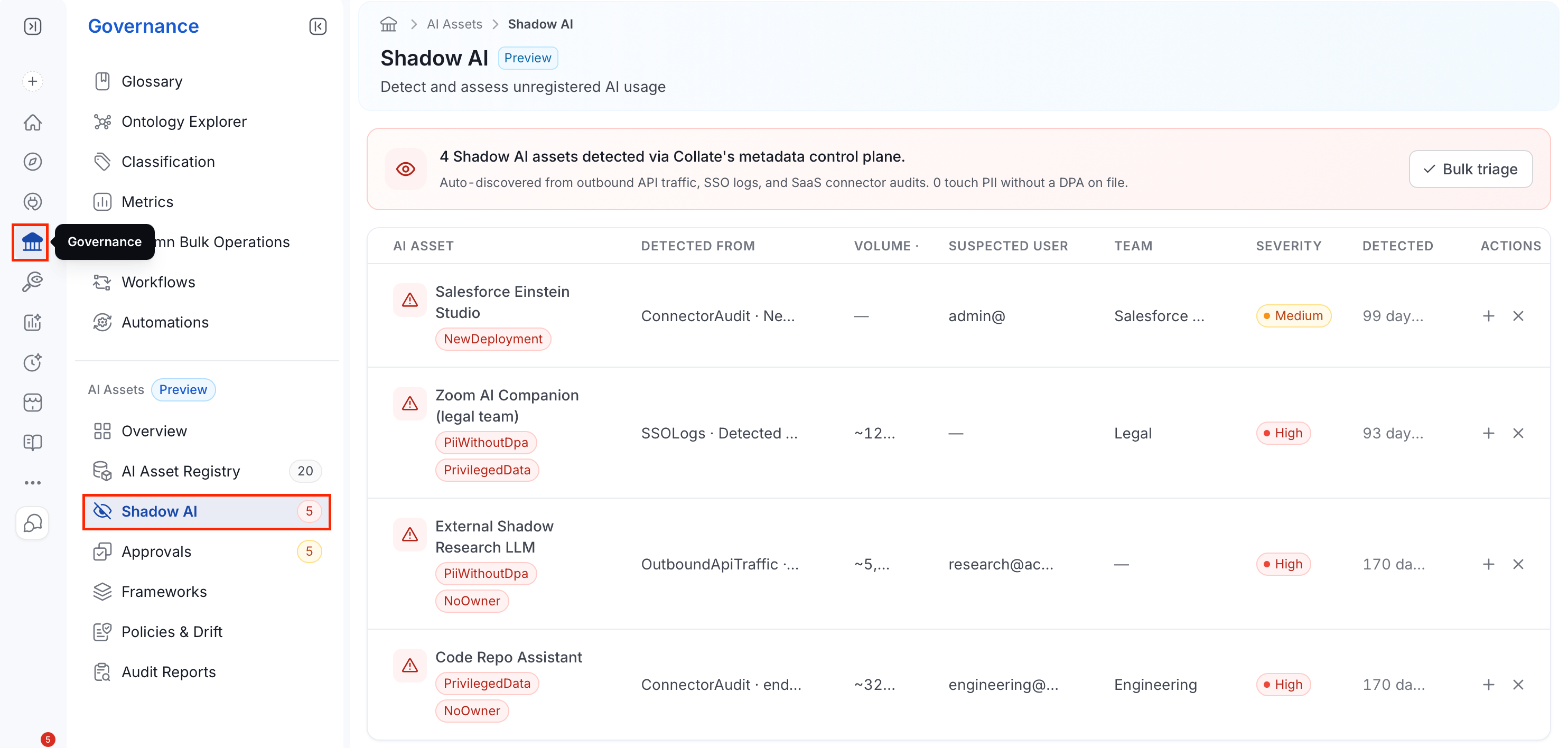
1. In the left navigation bar, select **Governance**.
2. Under the **AI Assets** section, select **Shadow AI**.
 ## Reviewing Detections
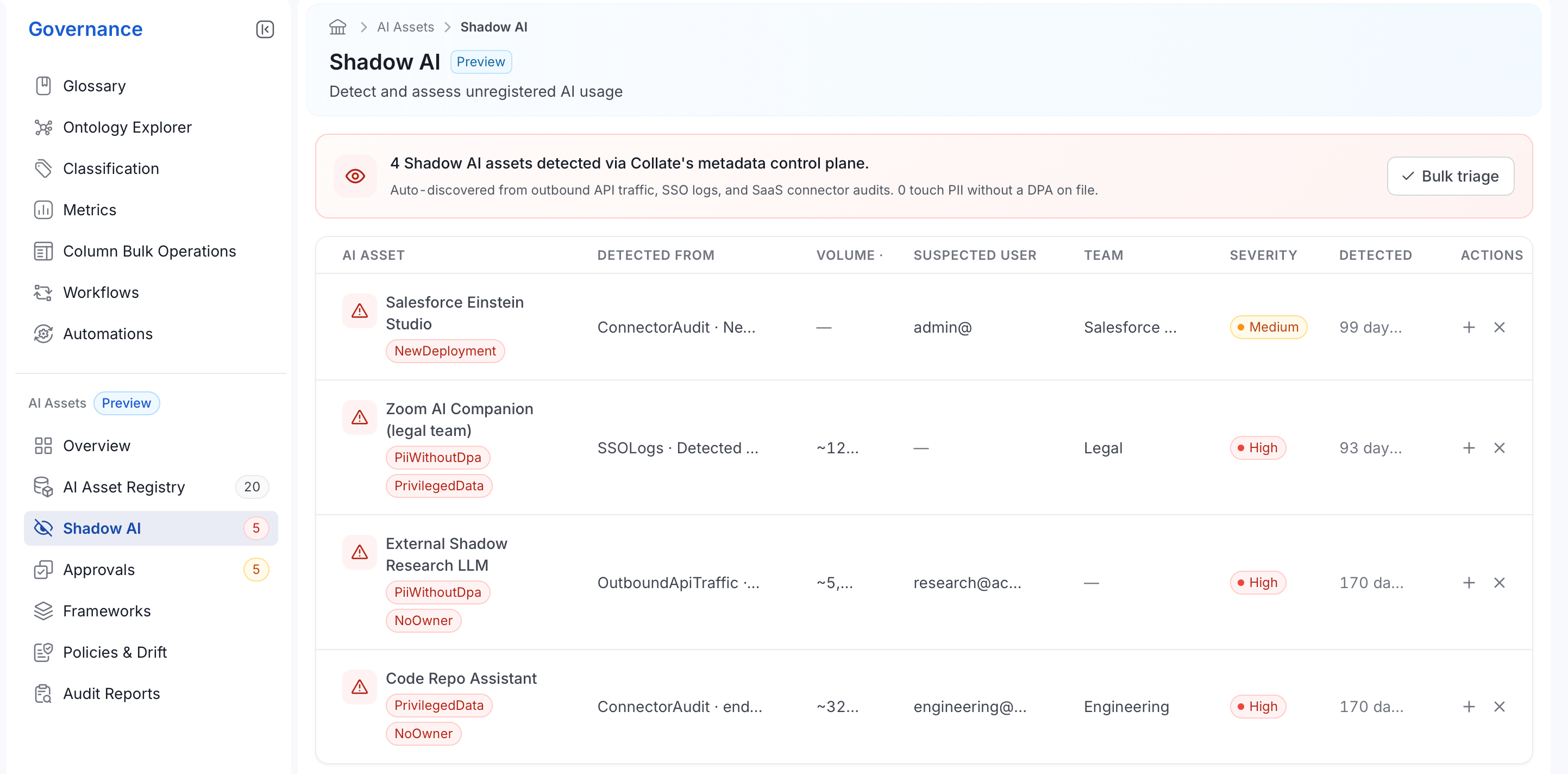
The banner at the top summarizes the current backlog: how many Shadow AI assets were detected, which signals found them, and how many touch personally identifiable information (PII) without a DPA on file.
Below it, the table lists each detection:
* **AI Asset**: The detected asset's name, with any risk flags shown underneath it:
| Flag | Meaning |
| - | - |
| **PiiWithoutDpa** | The asset appears to process personal data, but no data processing agreement is on file. |
| **NoOwner** | No owner has been identified for this asset. |
| **NewDeployment** | This is a newly observed deployment, not seen in prior detection runs. |
| **PrivilegedData** | The asset appears to access privileged or highly sensitive data. |
| **OrgWideEnable** | The asset was enabled for the whole organization, not scoped to one team. |
* **Detected From**: The signal that surfaced it, plus a short detail of what was observed:
| Signal | Meaning |
| - | - |
| **ConnectorAudit** | Found by auditing a connected SaaS or data service. |
| **SSOLogs** | Found in single sign-on login activity. |
| **OutboundApiTraffic** | Found in outbound API call patterns. |
| **ManualUpload** | Manually reported or uploaded by a user. |
| **Other** | Detected through a signal not covered by the categories above. |
* **Volume**: How much usage was observed over the detection window.
* **Suspected User**: The user account associated with the usage, if one was identified.
* **Team**: The team associated with the usage, if one was identified.
* **Severity**: **High**, **Medium**, or **Low**, based on the risk flags present.
* **Detected**: How long ago Collate first found this usage.
## Reviewing Detections
The banner at the top summarizes the current backlog: how many Shadow AI assets were detected, which signals found them, and how many touch personally identifiable information (PII) without a DPA on file.
Below it, the table lists each detection:
* **AI Asset**: The detected asset's name, with any risk flags shown underneath it:
| Flag | Meaning |
| - | - |
| **PiiWithoutDpa** | The asset appears to process personal data, but no data processing agreement is on file. |
| **NoOwner** | No owner has been identified for this asset. |
| **NewDeployment** | This is a newly observed deployment, not seen in prior detection runs. |
| **PrivilegedData** | The asset appears to access privileged or highly sensitive data. |
| **OrgWideEnable** | The asset was enabled for the whole organization, not scoped to one team. |
* **Detected From**: The signal that surfaced it, plus a short detail of what was observed:
| Signal | Meaning |
| - | - |
| **ConnectorAudit** | Found by auditing a connected SaaS or data service. |
| **SSOLogs** | Found in single sign-on login activity. |
| **OutboundApiTraffic** | Found in outbound API call patterns. |
| **ManualUpload** | Manually reported or uploaded by a user. |
| **Other** | Detected through a signal not covered by the categories above. |
* **Volume**: How much usage was observed over the detection window.
* **Suspected User**: The user account associated with the usage, if one was identified.
* **Team**: The team associated with the usage, if one was identified.
* **Severity**: **High**, **Medium**, or **Low**, based on the risk flags present.
* **Detected**: How long ago Collate first found this usage.
 ## Detections Triage
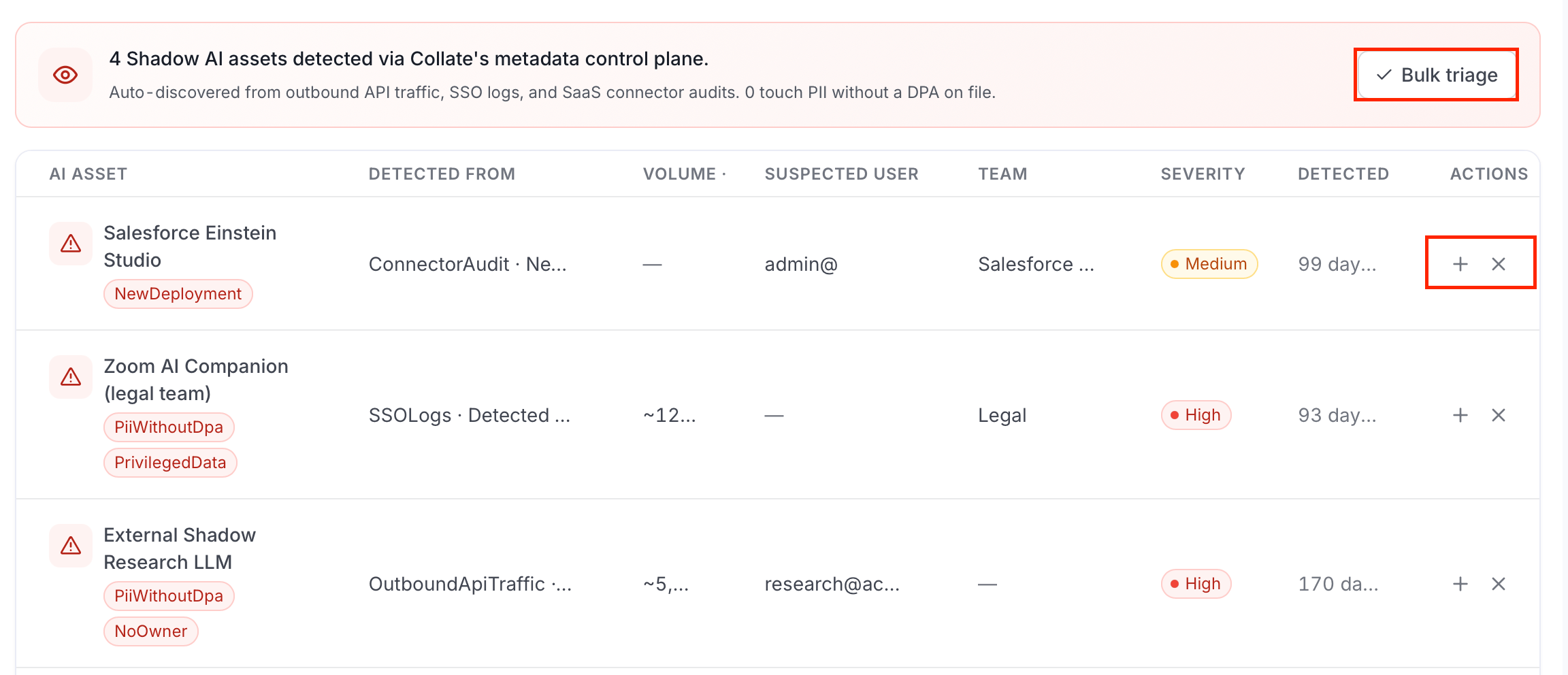
Triaging a detection means deciding whether it's a real, unregistered AI asset that needs governance, or a false positive that can be dismissed. Each row has two actions:
* Select **+** to register the detection. This creates an AI Application entry from the detection and moves it to **Pending Approval**, adding it to the [Approvals](/ai-2-0/collate-ai/ai-governance/approvals) queue like any other registration.
* Select **✕** to dismiss the detection as a false positive.
* To triage several detections at once, click **Bulk triage**.
## Detections Triage
Triaging a detection means deciding whether it's a real, unregistered AI asset that needs governance, or a false positive that can be dismissed. Each row has two actions:
* Select **+** to register the detection. This creates an AI Application entry from the detection and moves it to **Pending Approval**, adding it to the [Approvals](/ai-2-0/collate-ai/ai-governance/approvals) queue like any other registration.
* Select **✕** to dismiss the detection as a false positive.
* To triage several detections at once, click **Bulk triage**.