> ## Documentation Index
> Fetch the complete documentation index at: https://docs.getcollate.io/llms.txt
> Use this file to discover all available pages before exploring further.
# Policies & Drift
> Review built-in AI governance policies and the breaches they detect across your AI estate.
# Policies & Drift
A policy is a rule that checks your AI assets on an ongoing basis, not just at registration. Collate runs a fixed set of built-in checks against the governance details recorded on each AI asset, such as its data access, risk classification, and evidence on file. Each check returns **Passing**, **Breached**, or **Not Applicable** for that asset. When a check fails, that's a breach, and it's listed on the **Policy Breaches** tab.
**Note**: Policy evaluation currently uses the built-in checks described on this page. Drift monitoring, evaluation of custom policy rules, and enforcement actions (such as blocking an asset or creating a remediation task) aren't active yet. The **Drift threshold** check always returns **Not Applicable** until drift telemetry is available.
## Why It Matters
Registration and approval are a snapshot at one point in time. Policies keep checking after that:
* **Compliance isn't a one-time check.** An asset that passed review can fall out of compliance later, for example if it starts accessing personally identifiable information (PII) without a data protection impact assessment (DPIA) on file, or if human oversight is turned off.
* **Breaches point to a specific cause.** Each breach ties back to a specific asset and reason, so you know what to fix.
* **Coverage is estate-wide by default.** The built-in checks run across your whole AI estate, without configuring them per asset.
## Access Policies & Drift
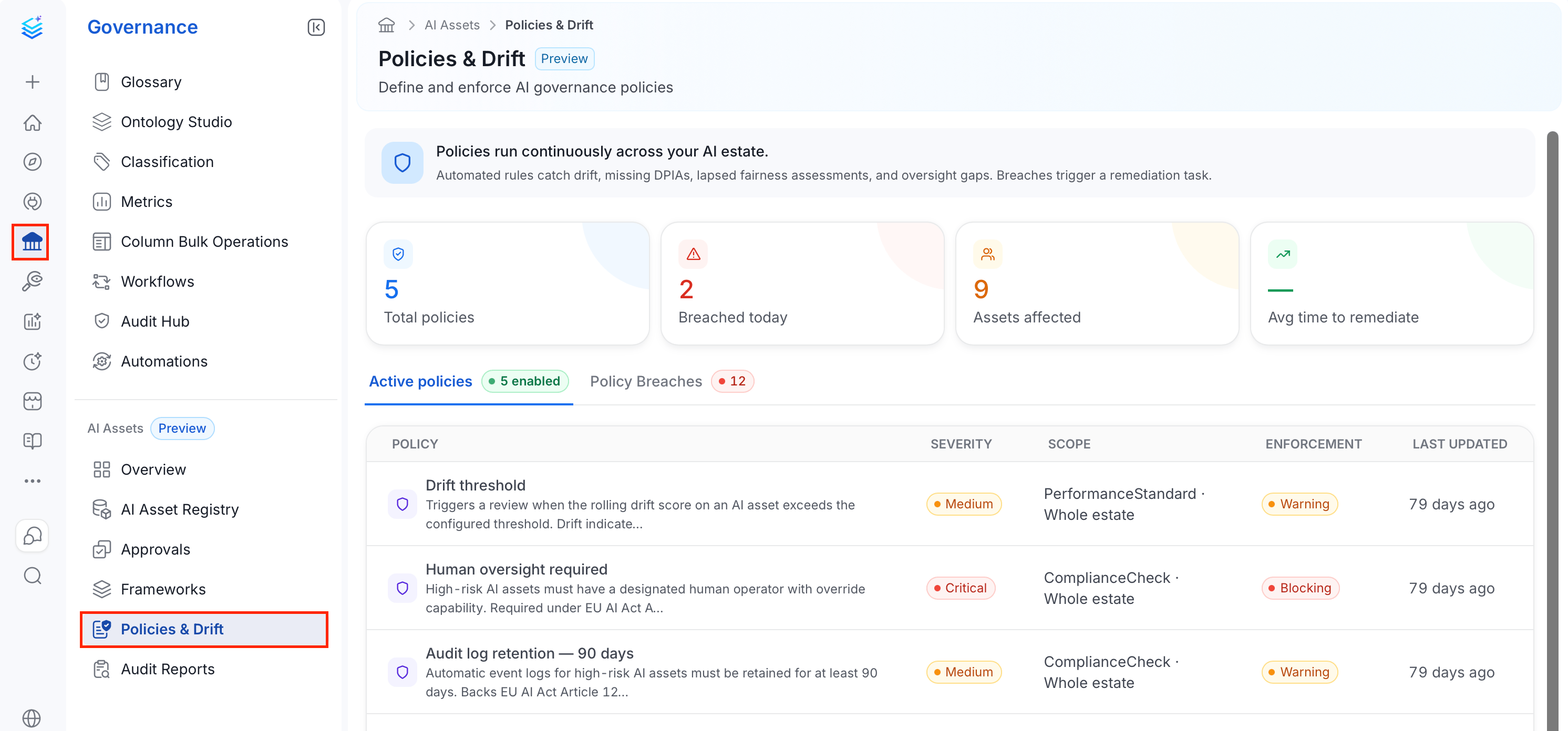
1. In the left navigation bar, select **Governance**.
2. Under the **AI Assets** section, select **Policies & Drift**.
 ## Explore Policies & Drift Home Page
The home page is split into three parts: a set of status cards summarizing your policy compliance, an **Active Policies** tab, and a **Policy Breaches** tab.
### Status Cards
## Explore Policies & Drift Home Page
The home page is split into three parts: a set of status cards summarizing your policy compliance, an **Active Policies** tab, and a **Policy Breaches** tab.
### Status Cards
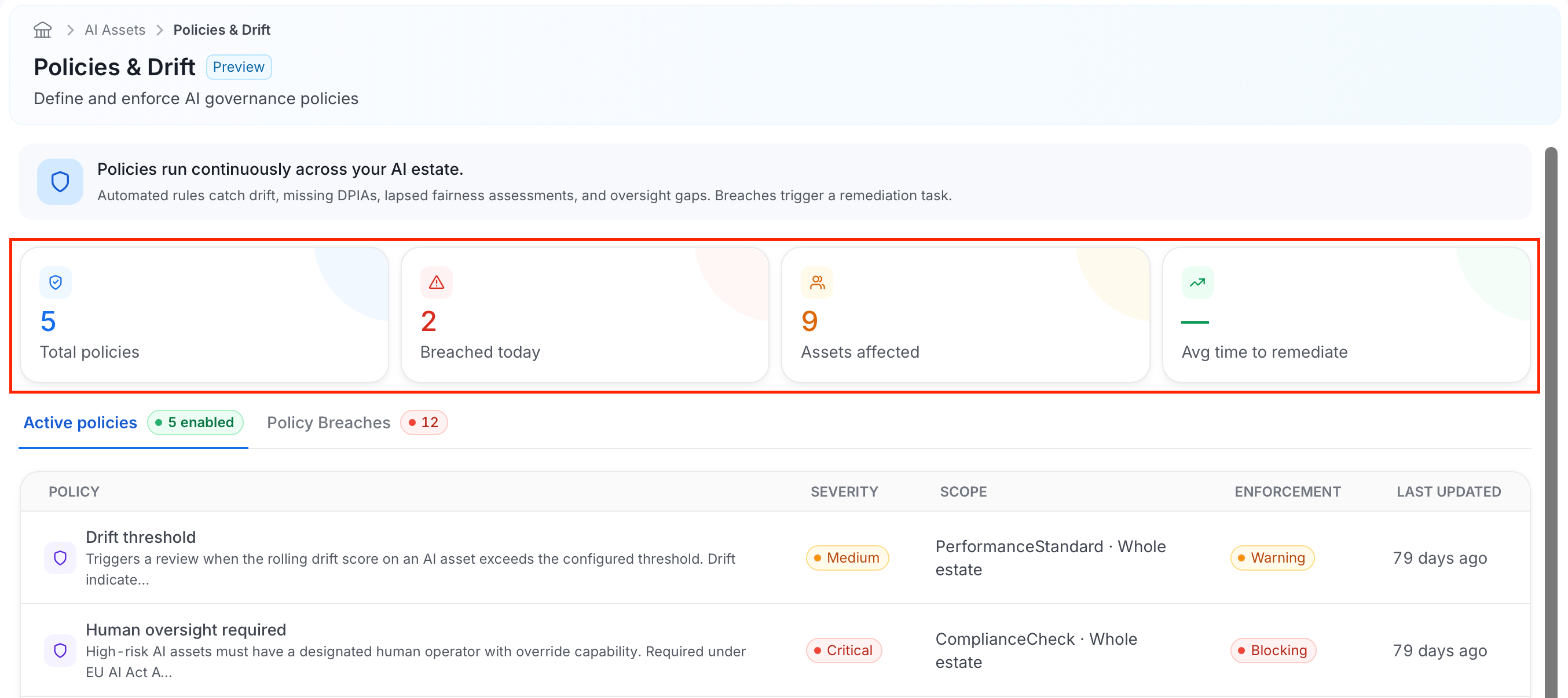 Four cards summarize the policies loaded on this page and a limited sample of recent breaches. The breach sample contains up to 12 violations from the first five loaded policies, with at most 10 violations fetched per policy. These cards aren't estate-wide breach totals.
* **Total policies**: How many policies were loaded, up to 100.
* **Breached today**: How many violations in the sample were observed in the past 24 hours.
* **Assets affected**: How many distinct AI assets appear in the sampled violations.
* **Avg time to remediate**: Displays a dash. This metric isn't calculated yet.
### Active Policies
Four cards summarize the policies loaded on this page and a limited sample of recent breaches. The breach sample contains up to 12 violations from the first five loaded policies, with at most 10 violations fetched per policy. These cards aren't estate-wide breach totals.
* **Total policies**: How many policies were loaded, up to 100.
* **Breached today**: How many violations in the sample were observed in the past 24 hours.
* **Assets affected**: How many distinct AI assets appear in the sampled violations.
* **Avg time to remediate**: Displays a dash. This metric isn't calculated yet.
### Active Policies
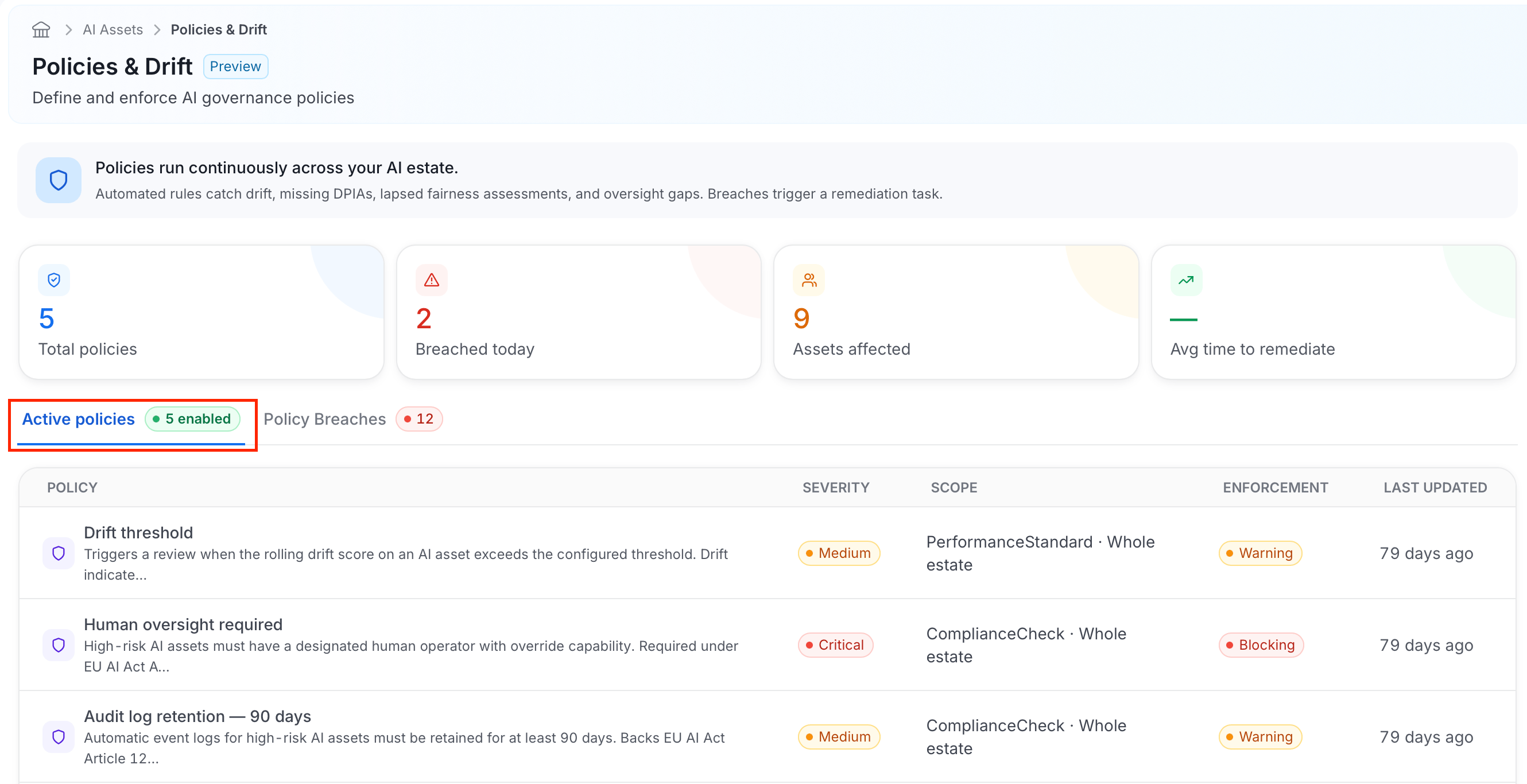 The table lists the enabled policies loaded on this page, up to 100:
* **Policy**: The policy's name and a short description of what it checks.
* **Severity**: How serious a breach of this policy is, for example **Medium** or **Critical**.
* **Scope**: The kind of check it performs (for example, **ComplianceCheck** or **PerformanceStandard**) and which assets it applies to, such as **Whole estate**.
* **Enforcement**: The enforcement level set on the policy, **Warning** or **Blocking**. It's recorded for reference and doesn't currently block an asset or trigger any action on a breach.
* **Last Updated**: When the policy was last changed.
Collate ships with five built-in policies:
| Policy | What it checks |
| - | - |
| **PII access requires DPIA** | An asset that accesses PII must have a DPIA on file. Not applicable if the asset doesn't access PII. |
| **Subgroup fairness (quarterly)** | An asset classified **High** or **Unacceptable** risk must have a fairness evaluation from the last 90 days. Not applicable to other risk tiers. |
| **Human oversight required** | Breaches if human oversight is turned off for the asset. Not applicable if oversight hasn't been declared. |
| **Audit log retention (90 days)** | The asset must declare a data retention period. Breaches if none is declared. |
| **Drift threshold** | Always returns **Not Applicable** for now, because drift telemetry isn't available yet. |
### Policy Breaches
The table lists the enabled policies loaded on this page, up to 100:
* **Policy**: The policy's name and a short description of what it checks.
* **Severity**: How serious a breach of this policy is, for example **Medium** or **Critical**.
* **Scope**: The kind of check it performs (for example, **ComplianceCheck** or **PerformanceStandard**) and which assets it applies to, such as **Whole estate**.
* **Enforcement**: The enforcement level set on the policy, **Warning** or **Blocking**. It's recorded for reference and doesn't currently block an asset or trigger any action on a breach.
* **Last Updated**: When the policy was last changed.
Collate ships with five built-in policies:
| Policy | What it checks |
| - | - |
| **PII access requires DPIA** | An asset that accesses PII must have a DPIA on file. Not applicable if the asset doesn't access PII. |
| **Subgroup fairness (quarterly)** | An asset classified **High** or **Unacceptable** risk must have a fairness evaluation from the last 90 days. Not applicable to other risk tiers. |
| **Human oversight required** | Breaches if human oversight is turned off for the asset. Not applicable if oversight hasn't been declared. |
| **Audit log retention (90 days)** | The asset must declare a data retention period. Breaches if none is declared. |
| **Drift threshold** | Always returns **Not Applicable** for now, because drift telemetry isn't available yet. |
### Policy Breaches
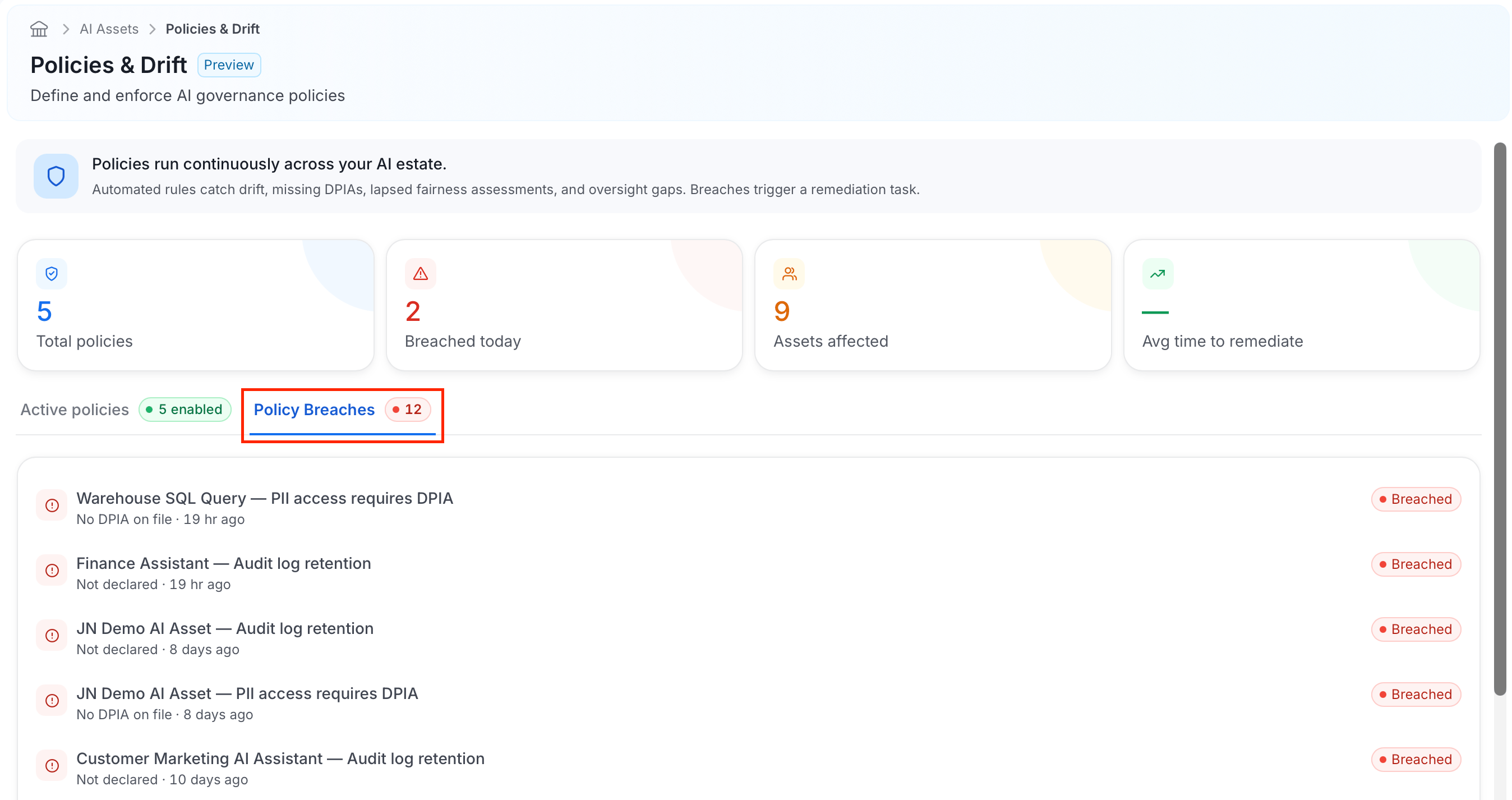 Each breach lists:
* The **asset** and **policy** it breached, shown together (for example, the asset "Warehouse SQL Query" with the policy "PII access requires DPIA").
* The **reason**, such as "No DPIA on file" or "Not declared."
* **When** the breach was detected.
* A **Breached** status badge.
Each breach lists:
* The **asset** and **policy** it breached, shown together (for example, the asset "Warehouse SQL Query" with the policy "PII access requires DPIA").
* The **reason**, such as "No DPIA on file" or "Not declared."
* **When** the breach was detected.
* A **Breached** status badge.