> ## Documentation Index
> Fetch the complete documentation index at: https://docs.getcollate.io/llms.txt
> Use this file to discover all available pages before exploring further.
# Audit Reports
> Export a downloadable evidence pack of your AI governance compliance for auditors and regulators.
# Audit Reports
An audit report, or "audit pack," exports evidence from your AI estate's live state. The PDF contains report provenance, summary counts, and asset compliance records. It doesn't currently include control coverage, workflow history, or remediation snapshots. A JSON export is also available for machine-readable evidence.
## Why It Matters
Audit evidence is usually the most time-consuming part of a compliance review. Audit Reports removes most of that work:
* **Evidence comes from the live system**, not a spreadsheet someone maintained separately, so it can't drift out of sync with what's actually registered and assessed.
* **Auditors get a usable format.** The PDF is the auditor-facing deliverable. The JSON export is the lossless, machine-readable version for governance, risk, and compliance (GRC) tooling.
* **Reports are scoped to what's being asked for**, whether that's your whole estate, a single domain, or one asset.
## Access Audit Reports
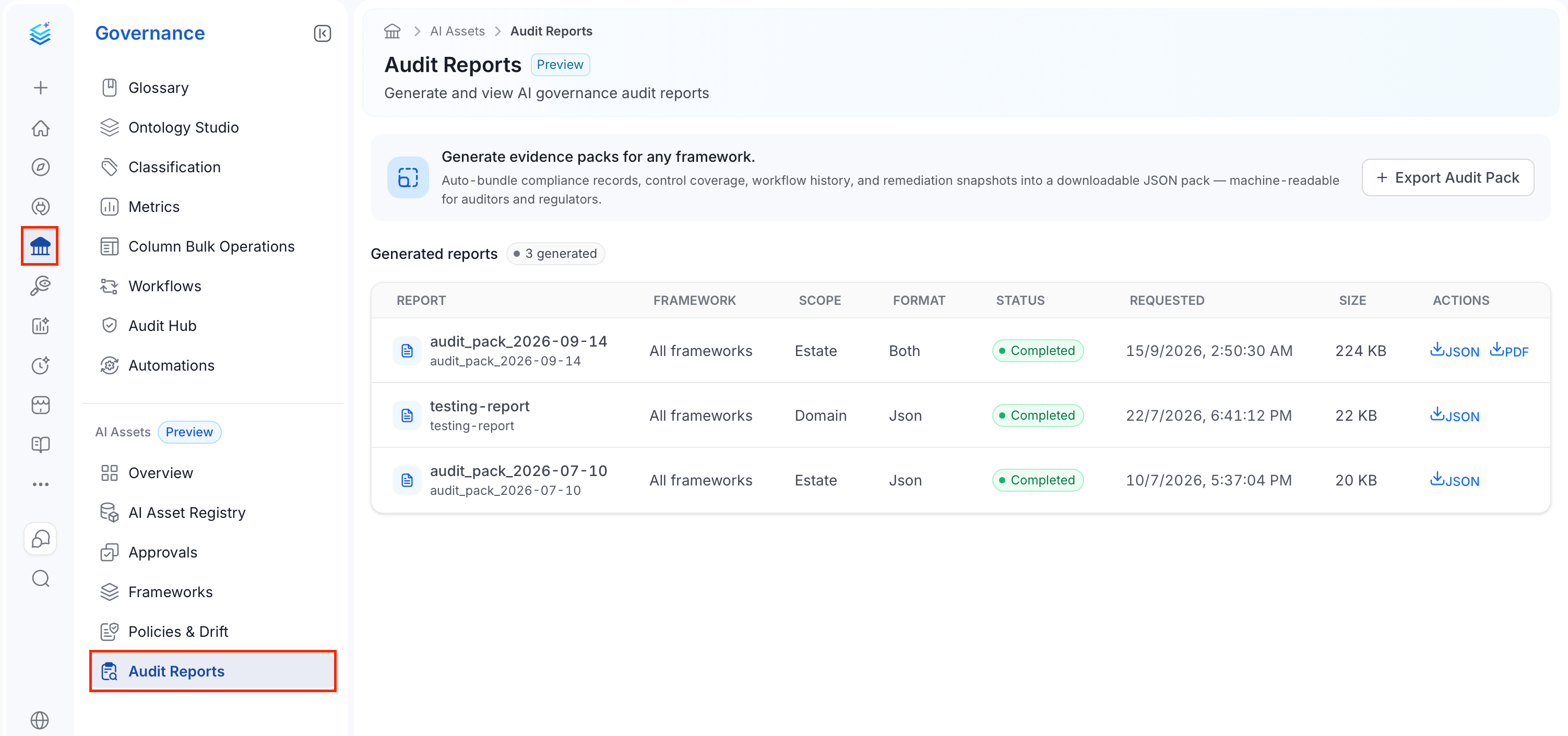
1. In the left navigation bar, select **Governance**.
2. Under the **AI Assets** section, select **Audit Reports**.
 ## Generated Reports
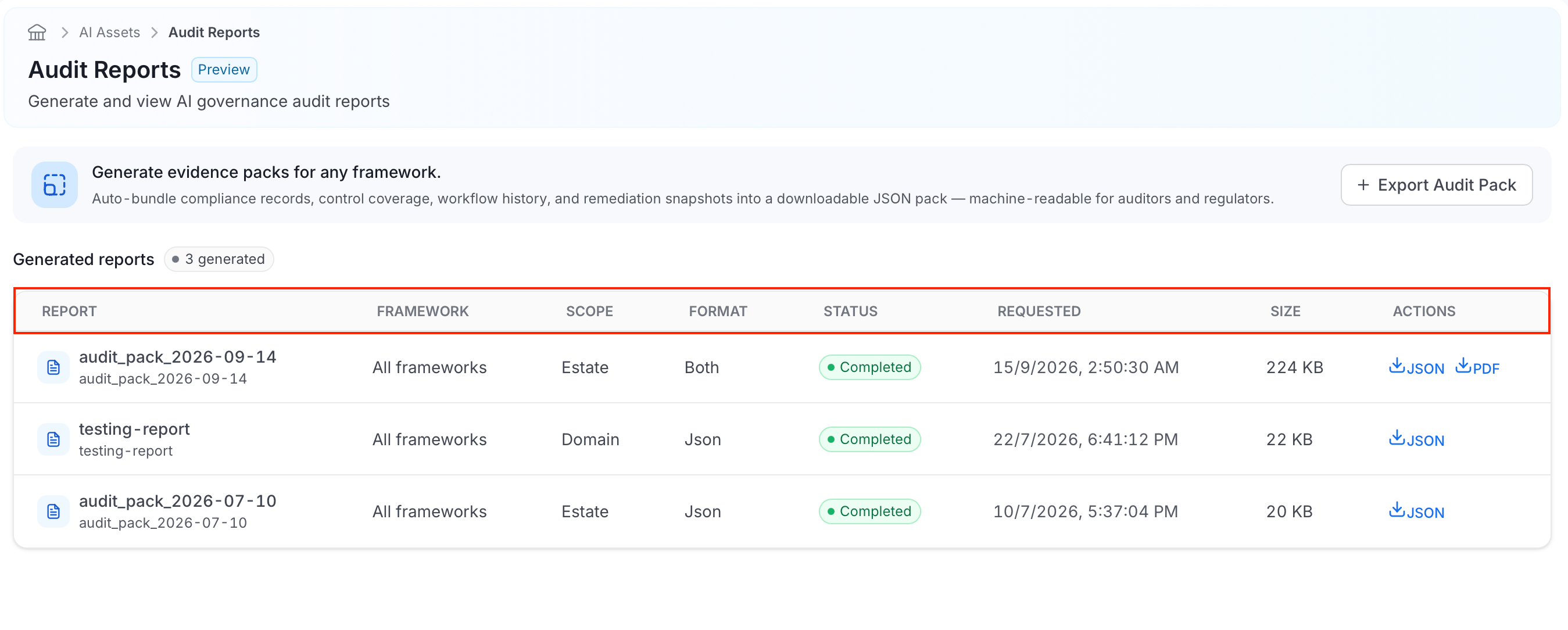
The table lists every audit pack that's been generated:
* **Report**: The name you gave the report when you generated it.
* **Framework**: Which framework the report covers, such as the EU AI Act, or **All frameworks** if it wasn't scoped to just one.
* **Scope**: How much of your AI estate the report covers: **Estate** for everything, **Domain** for a single domain, or **Asset** for a single asset.
* **Format**: Which file format the report was generated in: **Json** (machine-readable evidence), **Pdf** (the auditor-facing deliverable), or **Both**. The interface uses these labels for JSON and PDF exports.
* **Status**: Whether the report is still being generated or has finished. It shows **Completed** once it's ready to download.
* **Requested**: The date and time the report was generated.
* **Size**: The file size of the generated pack, so you know what you're about to download.
* **Actions**: A **JSON** and/or **PDF** download link, depending on which formats the report was generated in.
## Generated Reports
The table lists every audit pack that's been generated:
* **Report**: The name you gave the report when you generated it.
* **Framework**: Which framework the report covers, such as the EU AI Act, or **All frameworks** if it wasn't scoped to just one.
* **Scope**: How much of your AI estate the report covers: **Estate** for everything, **Domain** for a single domain, or **Asset** for a single asset.
* **Format**: Which file format the report was generated in: **Json** (machine-readable evidence), **Pdf** (the auditor-facing deliverable), or **Both**. The interface uses these labels for JSON and PDF exports.
* **Status**: Whether the report is still being generated or has finished. It shows **Completed** once it's ready to download.
* **Requested**: The date and time the report was generated.
* **Size**: The file size of the generated pack, so you know what you're about to download.
* **Actions**: A **JSON** and/or **PDF** download link, depending on which formats the report was generated in.
 ## Exporting an Audit Pack
To export an audit pack, follow these steps:
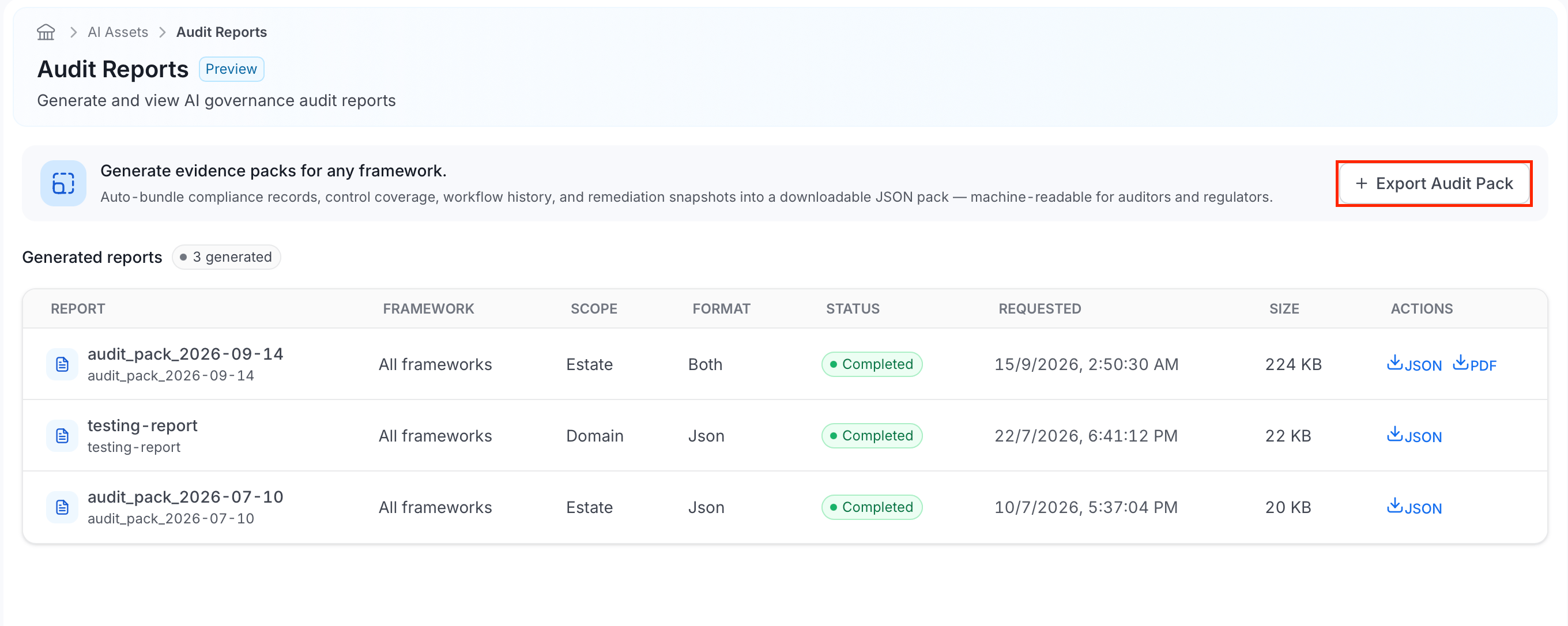
1. Click **Export Audit Pack**.
## Exporting an Audit Pack
To export an audit pack, follow these steps:
1. Click **Export Audit Pack**.
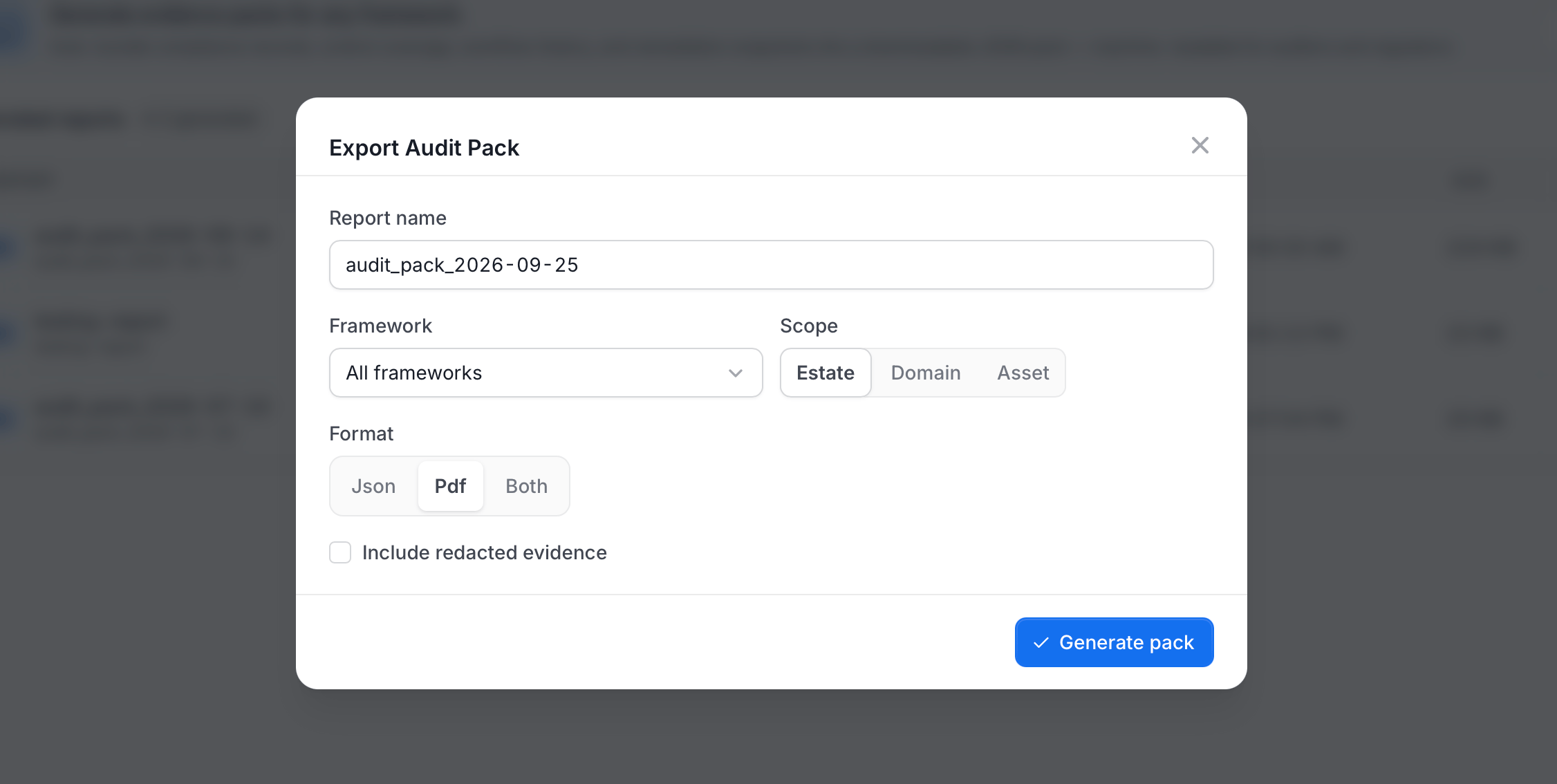
 2. In the **Export Audit Pack** dialog, do the following:
* Enter a **Report name**. It defaults to `audit_pack_` followed by today's date.
* Select a **Framework**, or leave it as **All frameworks**.
* Select a **Scope**: **Estate** (your whole AI estate), **Domain**, or **Asset**.
* Select a **Format**: **Json**, **Pdf**, or **Both**.
* Optional: Turn on **Include redacted evidence**. The option is recorded with the request, but it doesn't currently change what's included in the exported pack.
2. In the **Export Audit Pack** dialog, do the following:
* Enter a **Report name**. It defaults to `audit_pack_` followed by today's date.
* Select a **Framework**, or leave it as **All frameworks**.
* Select a **Scope**: **Estate** (your whole AI estate), **Domain**, or **Asset**.
* Select a **Format**: **Json**, **Pdf**, or **Both**.
* Optional: Turn on **Include redacted evidence**. The option is recorded with the request, but it doesn't currently change what's included in the exported pack.
 3. Select **Generate pack**.
The report appears in the [Generated Reports](#generated-reports) table once it completes, with download links for whichever formats you requested.
3. Select **Generate pack**.
The report appears in the [Generated Reports](#generated-reports) table once it completes, with download links for whichever formats you requested.