> ## Documentation Index
> Fetch the complete documentation index at: https://docs.getcollate.io/llms.txt
> Use this file to discover all available pages before exploring further.
# Add Users to Team
> Learn how to add existing Collate users to a team and configure their roles and permissions within your organization's team hierarchy.
# Add Users to Team
If the user does not yet exist in Collate, add the user first. During user creation, you can assign them to a **Team** and one or more **Roles** in the same step. See [Add Users](/ai-2-0/admin-guide/teams-and-users/invite-users).
**Note**: You can add a User to multiple Teams when creating a New User.
## Add Existing Users
To add an existing user to team, follow these steps:
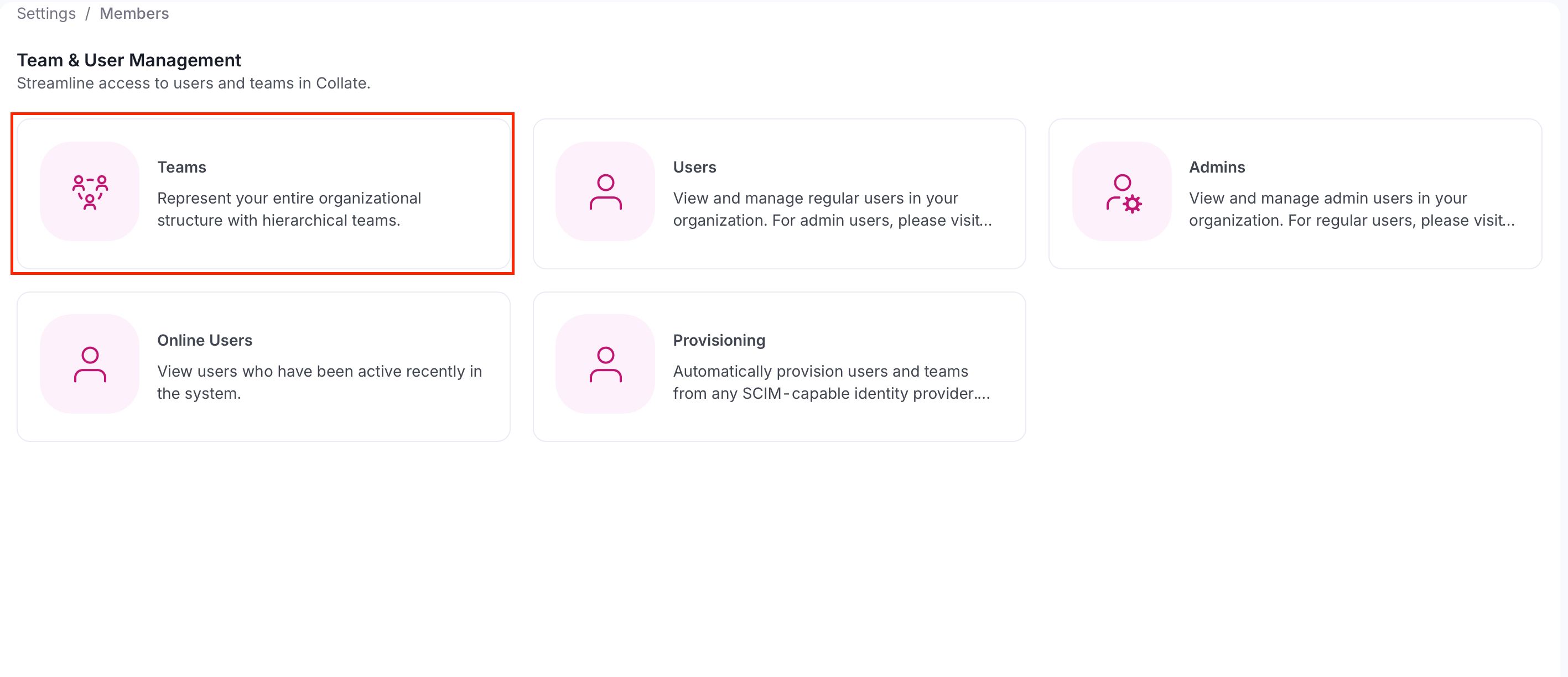
1. Select the **Profile** icon and navigate to **Settings** > **Team & User Management** > **Teams**.
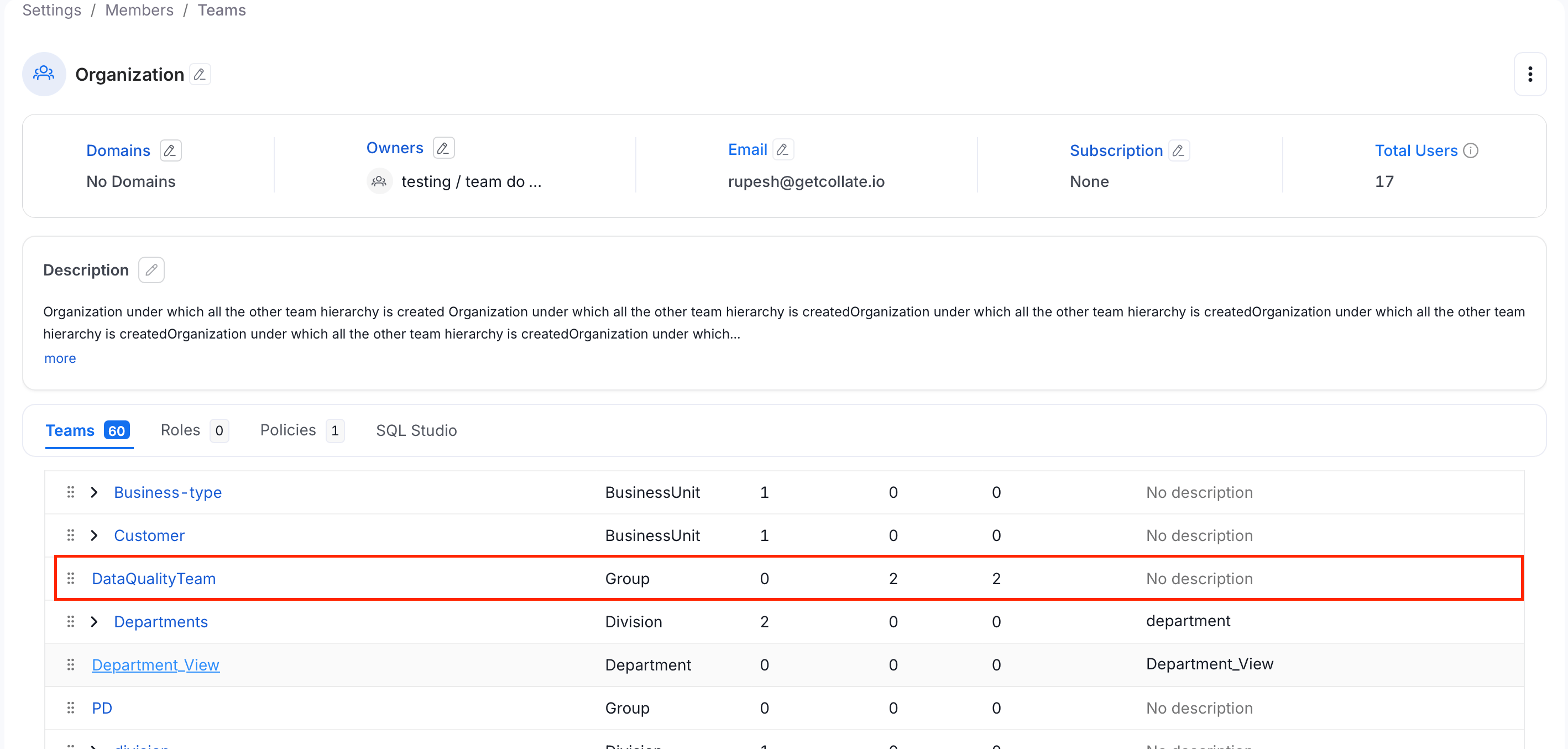
 2. Select a team from the table to which you want to add a user.
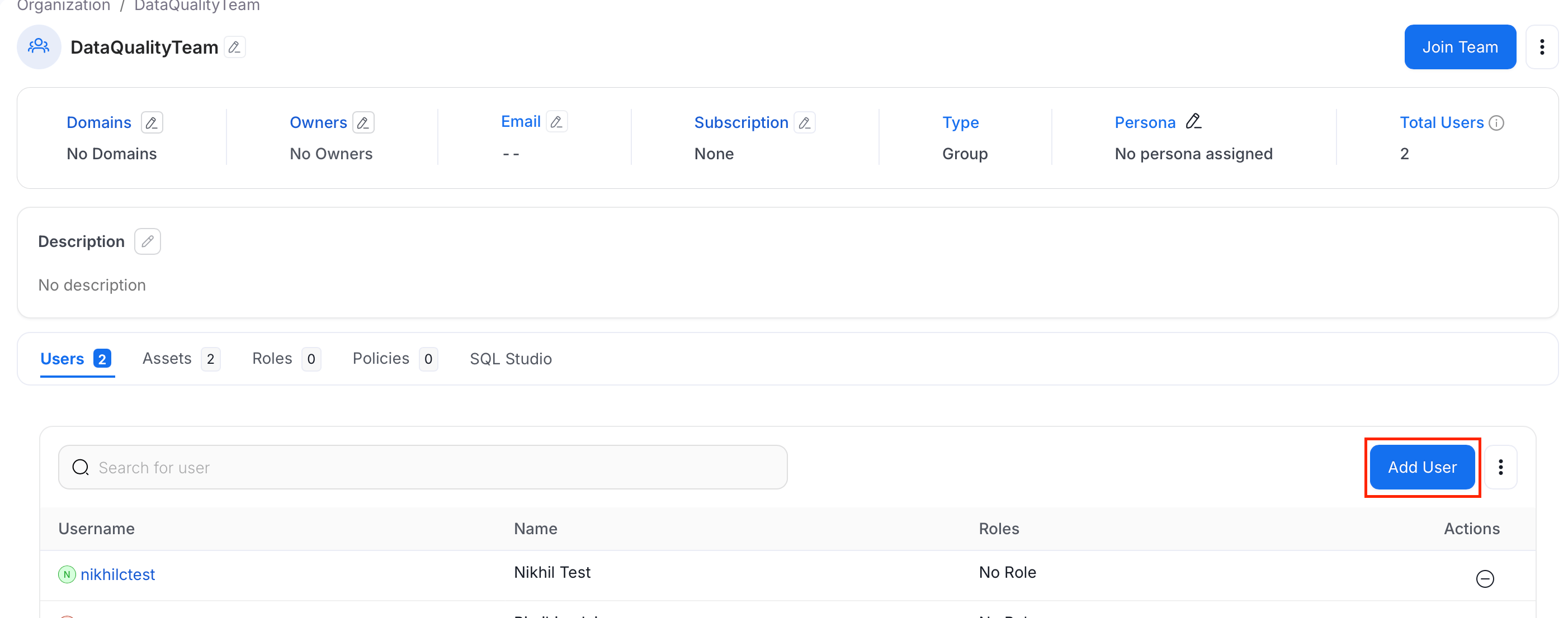
 3. Click **Add User**.
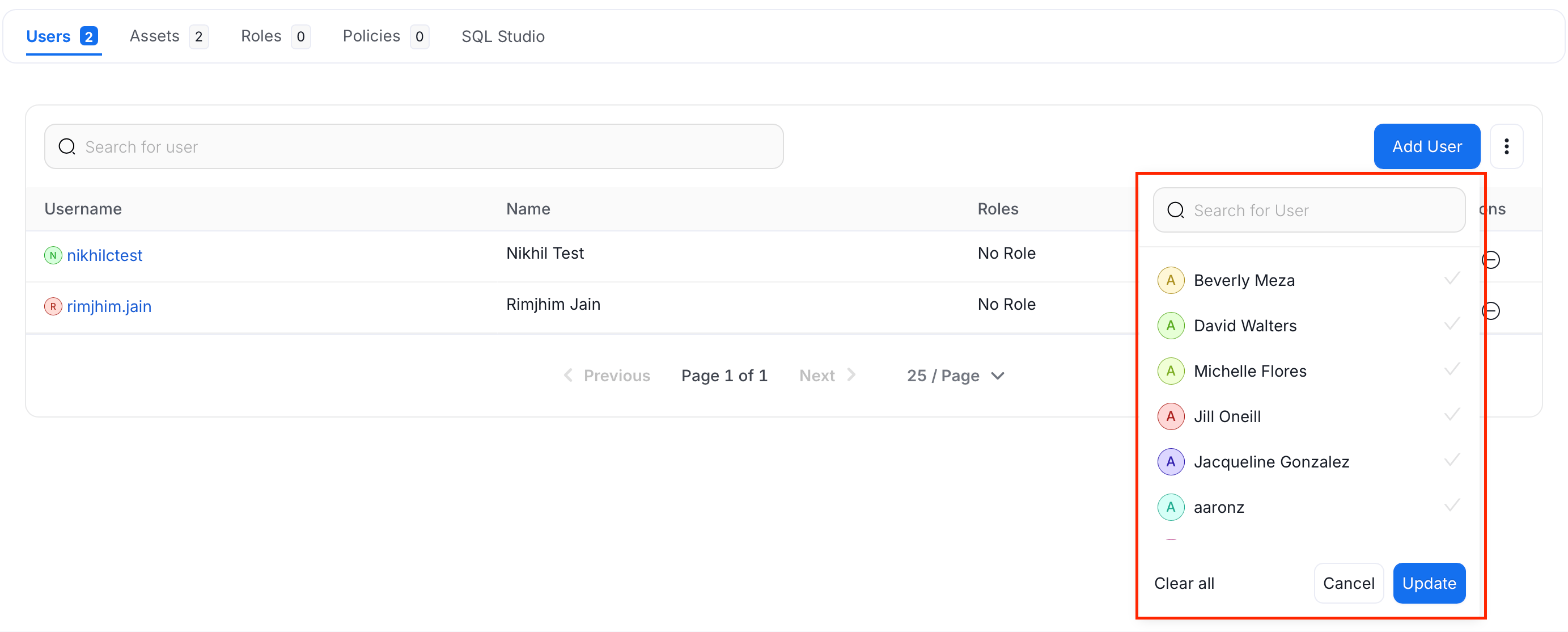
 4. Search and select the users and click **Update**.
 **Note**: Users will inherit the Roles that apply to the Team they belong to.
Change the team type to change the hierarchy.
**Note**: Users will inherit the Roles that apply to the Team they belong to.
Change the team type to change the hierarchy.