> ## Documentation Index
> Fetch the complete documentation index at: https://docs.getcollate.io/llms.txt
> Use this file to discover all available pages before exploring further.
# Add Teams
> Learn how to create a team in Collate and choose the right team type for your organization.
# Add Teams
Before creating a team, select the team type that fits your use case. For information about each team type, see [Team Structure in Collate](/ai-2-0/admin-guide/teams-and-users/team-structure-openmetadata).
**To add a team:**
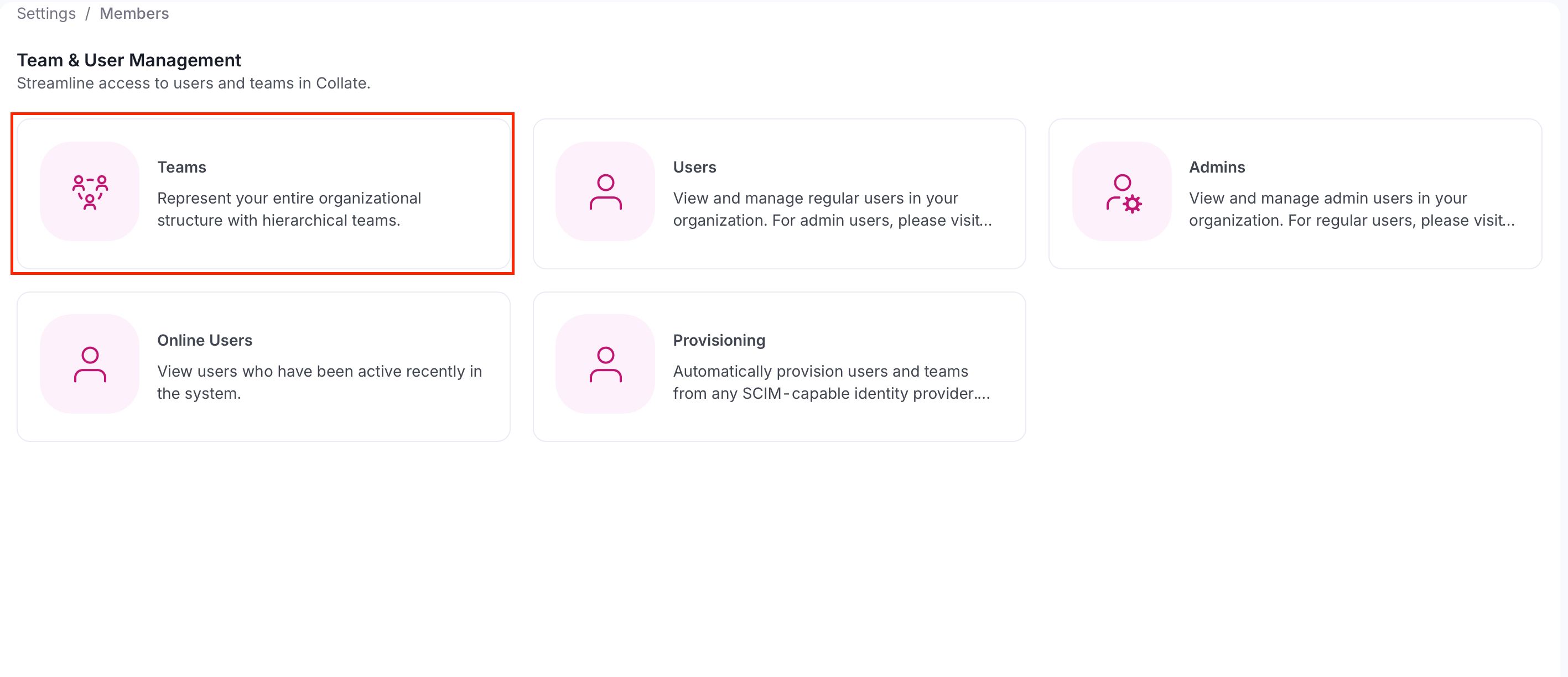
1. Select the **Profile** icon and navigate to **Settings** > **Team & User Management** > **Teams**.
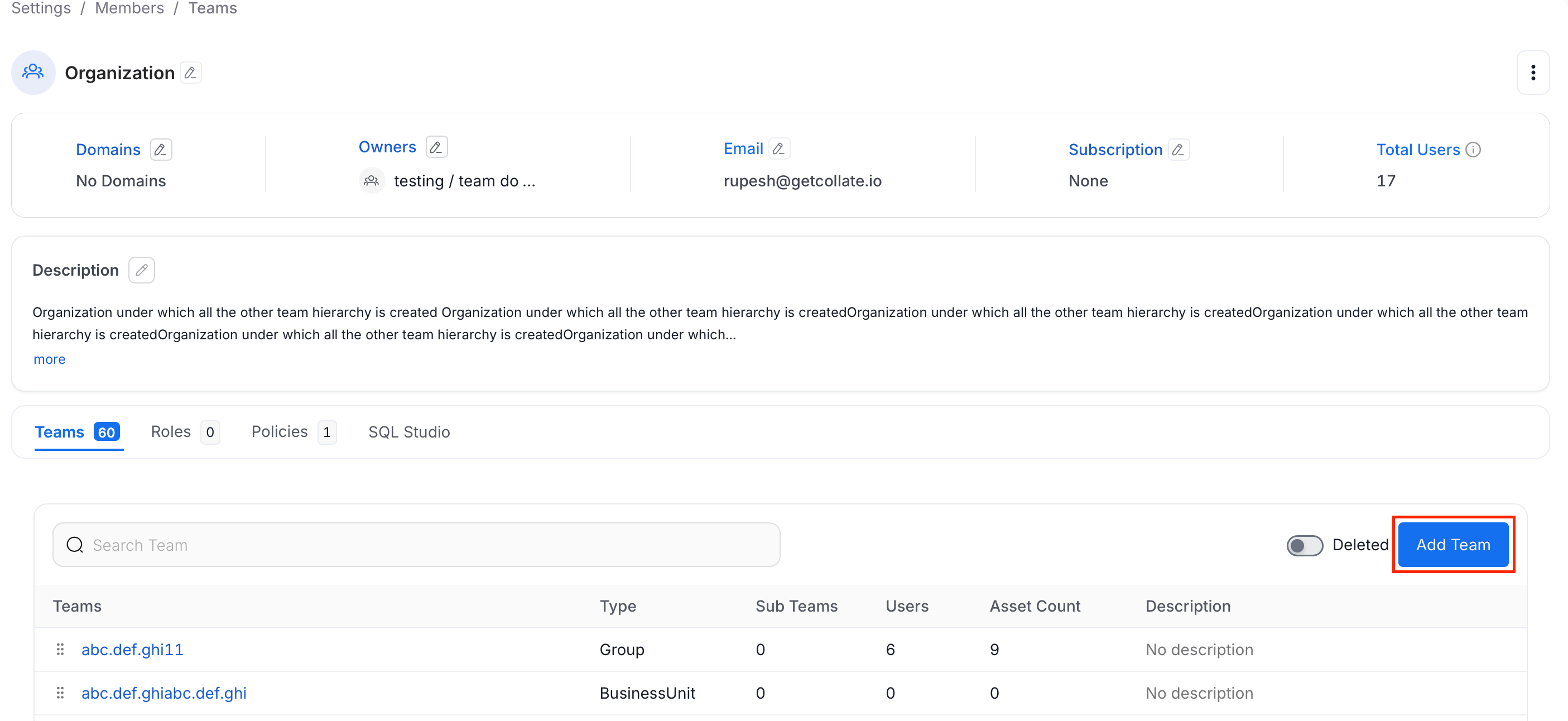
 2. Click **Add Team**.
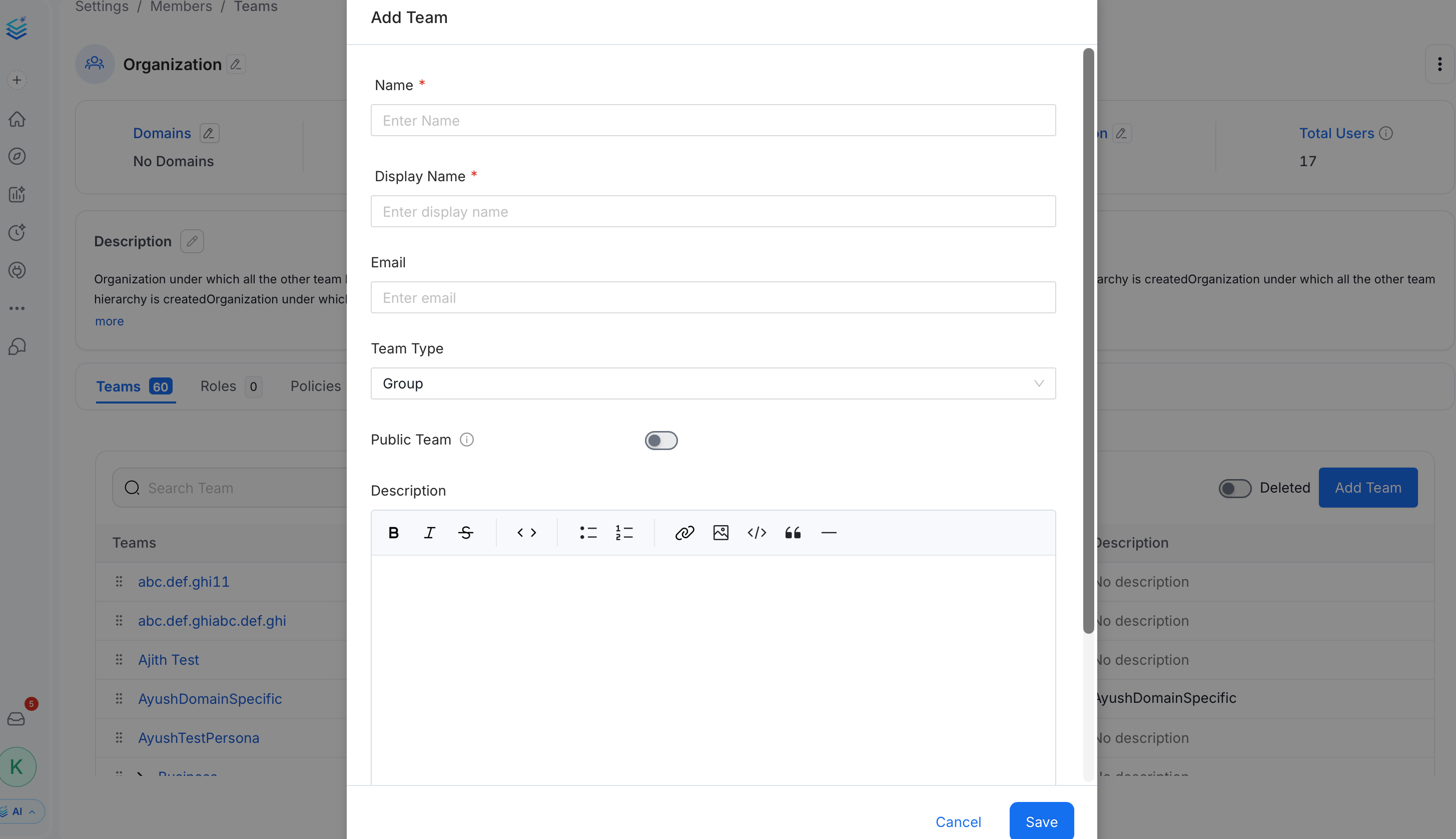
 3. In the **Add Team** panel, fill the following details and click **Save**:
* **Name** (required) — A unique identifier for the team.
* **Display Name** (required) — The human-readable name shown in the Collate UI.
* **Email** (optional) — A contact email address for the team.
* **Team Type** — Select the type that matches this team's role in your hierarchy. The available options depend on the parent team's type. See [Team Structure in Collate](/ai-2-0/admin-guide/teams-and-users/team-structure-openmetadata).
* **Public Team** — Toggle on to allow anyone in the organization to join, view data, and collaborate without an explicit invitation.
* **Description** (optional) — Add context about the team's purpose.
3. In the **Add Team** panel, fill the following details and click **Save**:
* **Name** (required) — A unique identifier for the team.
* **Display Name** (required) — The human-readable name shown in the Collate UI.
* **Email** (optional) — A contact email address for the team.
* **Team Type** — Select the type that matches this team's role in your hierarchy. The available options depend on the parent team's type. See [Team Structure in Collate](/ai-2-0/admin-guide/teams-and-users/team-structure-openmetadata).
* **Public Team** — Toggle on to allow anyone in the organization to join, view data, and collaborate without an explicit invitation.
* **Description** (optional) — Add context about the team's purpose.
 **Important**:
* The team type cannot be changed after a **Group** team is created.
* Only teams of type **Group** can own data assets.
Data is a team game. Admins can invite other users.
**Important**:
* The team type cannot be changed after a **Group** team is created.
* Only teams of type **Group** can own data assets.
Data is a team game. Admins can invite other users.