> ## Documentation Index
> Fetch the complete documentation index at: https://docs.getcollate.io/llms.txt
> Use this file to discover all available pages before exploring further.
# Profile | Collate Admin Guide
> Find your account settings, credentials, administration tools, and workspace configuration in the Collate Profile page.
# Profile
The **Profile** page is the single place for your account details, credentials, and, for admins, platform administration. It opens as a full-page view from the **Profile** icon, with the Profile navigation panel grouped into the sections below.
## Open the Profile Page
1. Click the **Profile** icon.
2. Select your user name.
3. Use the navigation panel to switch between sections.
## Sections
| Group | Section | Where to find the details |
| - | - | - |
| **Account** | Profile | For more information, see [Profile Details](#profile-details) and [Change Your Password](/ai-2-0/admin-guide/profile/change-password). |
| **Account** | Permissions | For more information, see [Permissions](/ai-2-0/admin-guide/profile/permissions). |
| **Account** | Preferences | For more information, see [Your Preferences](/ai-2-0/admin-guide/profile/preferences). Admins can also open the platform-wide [Preferences](/ai-2-0/admin-guide/preferences) from **Settings** > **Preferences**. |
| **Account** | Billing | Click the **Profile** icon and navigate to **Settings** > **Billing**. For more information, see [Billing and AI Credits](/ai-2-0/admin-guide/billing-and-ai-credits). |
| **Administration** | Access Control | Click the **Profile** icon and navigate to **Settings** > **Access Control**. For more information, see [Roles and Policies](/ai-2-0/admin-guide/roles-policies), [Audit Logs](/ai-2-0/admin-guide/audit-logs), and the [Permission Debugger](/ai-2-0/admin-guide/permission-debugger). |
| **Administration** | Bots | For more information, see [Manage Bots](/ai-2-0/admin-guide/profile/bots). |
| **Administration** | Platform Settings | For more information, see [Platform Settings](/ai-2-0/admin-guide/profile/platform-settings). |
| **Administration** | Single Sign-On | Click the **Profile** icon and navigate to **Settings** > **SSO**. For more information, see [Configure SSO in the UI](/ai-2-0/admin-guide/how-to-configure-sso-in-ui). |
| **Features** | Governance | For more information, see [Governance Settings](/ai-2-0/admin-guide/profile/governance). |
| **Features** | Applications | Click the **Profile** icon and navigate to **Settings** > **Applications**. For more information, see [Applications](/ai-2-0/admin-guide/applications). |
| **Features** | Notification | Click the **Profile** icon and navigate to **Settings** > **Notifications**. For more information, see [Alerts and Notifications](/ai-2-0/how-to-guides/data-quality-observability/alerts-notifications/data-observability-alerts). |
| **Workspace** | Personas | Click the **Profile** icon and navigate to **Settings** > **Personas**. For more information, see [Persona Customization](/ai-2-0/admin-guide/persona-landing-page-customization). |
| **Workspace** | Members | Click the **Profile** icon and navigate to **Settings** > **Team & User Management**. For more information, see [Teams and Users](/ai-2-0/admin-guide/teams-and-users). |
| **Workspace** | Custom Properties | Click the **Profile** icon and navigate to **Settings** > **Custom Properties**, or use this section. For more information, see [Custom Property for a Data Asset](/ai-2-0/how-to-guides/guide-for-data-users/custom). |
| **Credentials** | Access Token | For more information, see [Personal Access Token](/ai-2-0/admin-guide/profile/access-token). |
| **Credentials** | My Connections | For more information, see [My Connections](/ai-2-0/admin-guide/profile/my-connections). |
The sections marked as admin-only elsewhere in this guide, such as Bots, Platform Settings, Governance, and Members, appear only for users with the Admin role. If you don't see one, ask your organization's Collate Admin.
## Profile Details
The **Profile** section has two groups of settings.
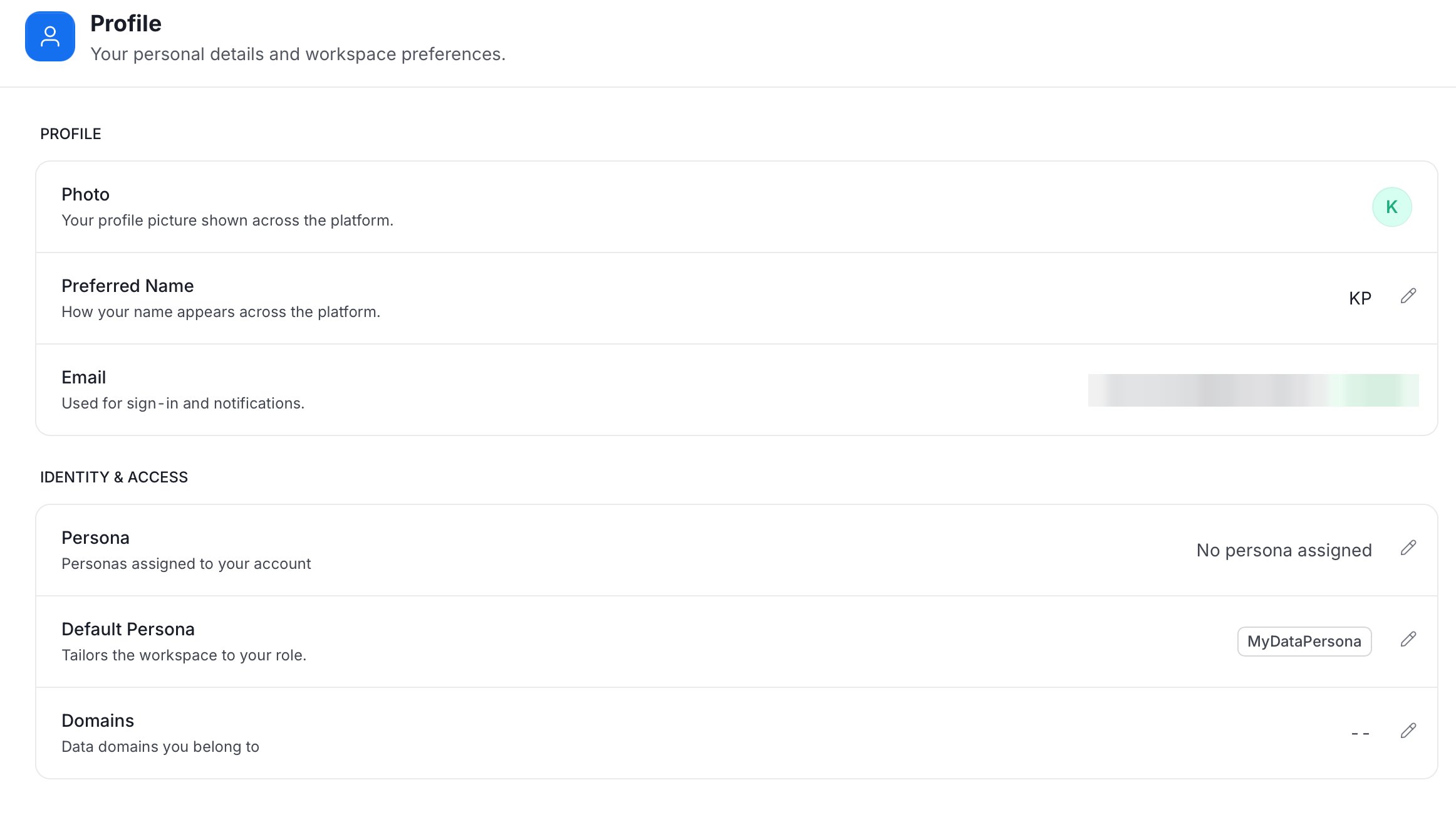 * **Profile**
* **Photo**: Your profile picture shown across the platform.
* **Preferred Name**: How your name appears across the platform. Click the pencil icon to edit it.
* **Email**: Used for sign-in and notifications.
* **Identity & Access**
* **Persona**: The personas assigned to your account.
* **Default Persona**: The persona that tailors the workspace to your role.
* **Domains**: The data domains you belong to.
This documentation is built and hosted on [Mintlify](https://mintlify.com), a developer documentation platform.
* **Profile**
* **Photo**: Your profile picture shown across the platform.
* **Preferred Name**: How your name appears across the platform. Click the pencil icon to edit it.
* **Email**: Used for sign-in and notifications.
* **Identity & Access**
* **Persona**: The personas assigned to your account.
* **Default Persona**: The persona that tailors the workspace to your role.
* **Domains**: The data domains you belong to.
This documentation is built and hosted on [Mintlify](https://mintlify.com), a developer documentation platform.