> ## Documentation Index
> Fetch the complete documentation index at: https://docs.getcollate.io/llms.txt
> Use this file to discover all available pages before exploring further.
# Delete a Service Connection
> Delete a service connection safely to revoke platform integrations while maintaining metadata integrity and system consistency.
# Delete a Service Connection
To delete a service connection, follow these steps:
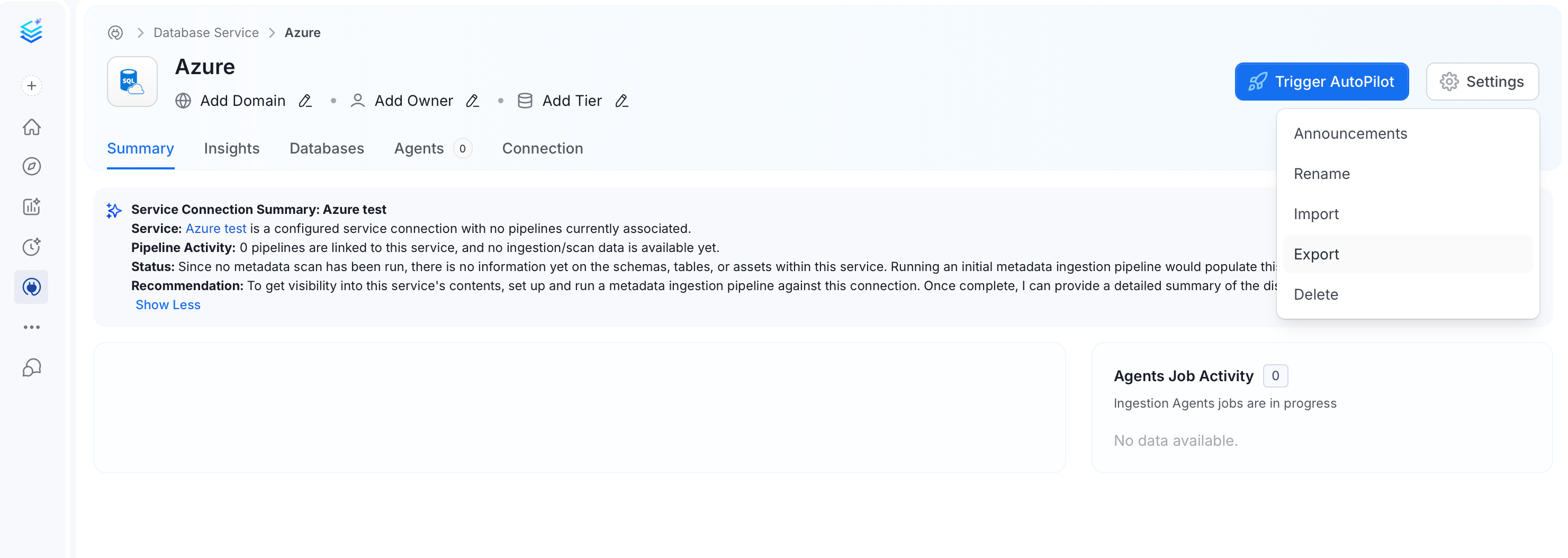
1. Navigate to Connections page and select the service you want to delete.
2. On the service details page, click **Settings** and click **Delete**.
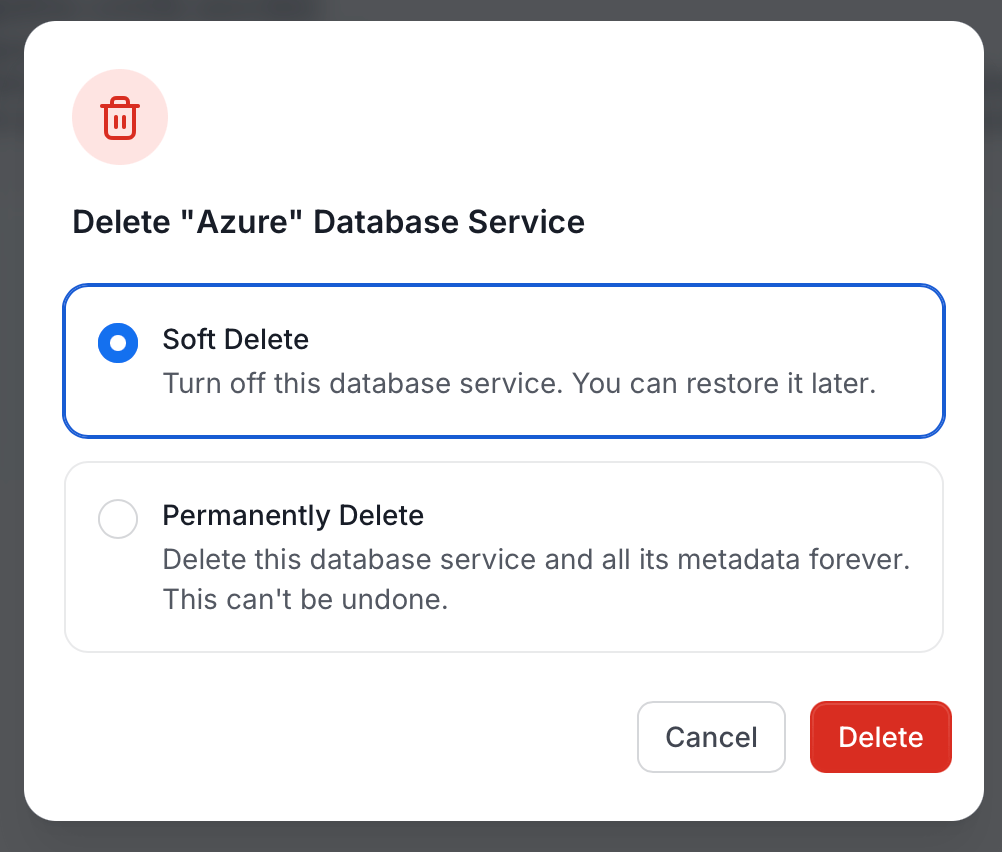
 3. In the delete dialog, select a delete option and click **Delete**:
* **Soft Delete** (default): Turns off the service. The service and its metadata are retained and can be restored later.
* **Permanently Delete**: Deletes the service and all its metadata forever. This action cannot be undone.
3. In the delete dialog, select a delete option and click **Delete**:
* **Soft Delete** (default): Turns off the service. The service and its metadata are retained and can be restored later.
* **Permanently Delete**: Deletes the service and all its metadata forever. This action cannot be undone.