> ## Documentation Index
> Fetch the complete documentation index at: https://docs.getcollate.io/llms.txt
> Use this file to discover all available pages before exploring further.
# Metadata Exporter Application
> Export Collate metadata — entity definitions, data quality results, and profiler stats — to Snowflake, BigQuery, Databricks, or Trino for downstream analytics.
# Metadata Exporter Application
The **Metadata Exporter** application enables organizations to export all metadata from Collate into downstream analytical or data storage systems such as **Snowflake**, **BigQuery**, **Databricks**, and **Trino**. This includes:
* **Entity metadata**: Asset definitions, descriptions, tags, and ownership
* **Test case results**: Data Quality (DQ) pass/fail flags, rule IDs, asset metadata, and timestamps
* **Profiler stats data**: Column-level statistics and profiling metrics
## Overview
This capability supports:
* Feeding downstream dashboards (Power BI, Tableau).
* Triggering alerting and remediation workflows.
* Historical tracking and versioning of data quality scores (DQI).
## Key Features
* Supports **Snowflake**, **Databricks**, **BigQuery**, and **Trino** destinations.
* Manual or scheduled export runs.
* Selective export of entity metadata, data quality events, or profiler stats.
## Getting Started
The Metadata Exporter application comes pre-installed in Collate. No additional installation is required.
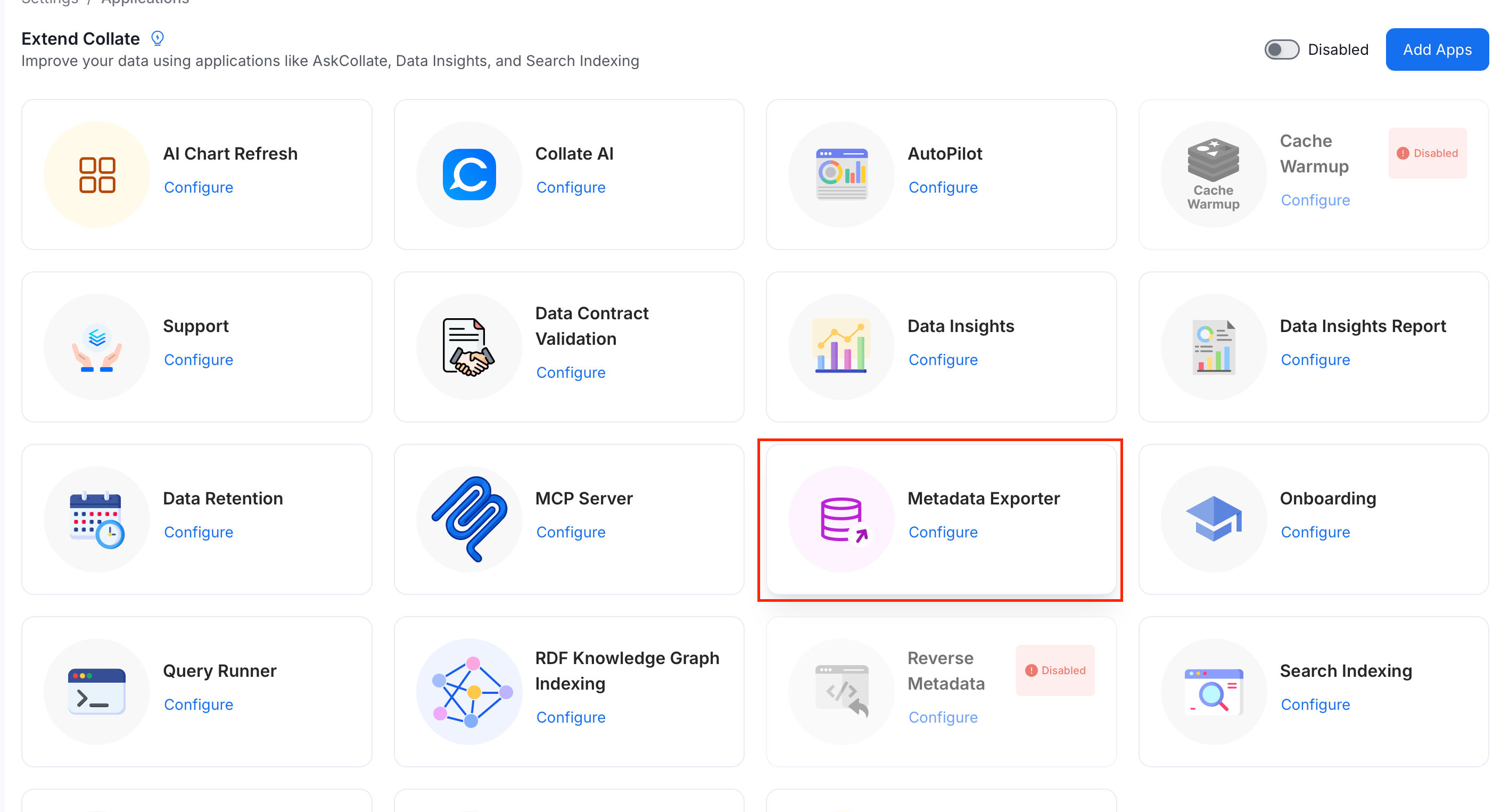
To access it, select the **Profile** icon and navigate to **Settings** > **Applications** > **Metadata Exporter**.
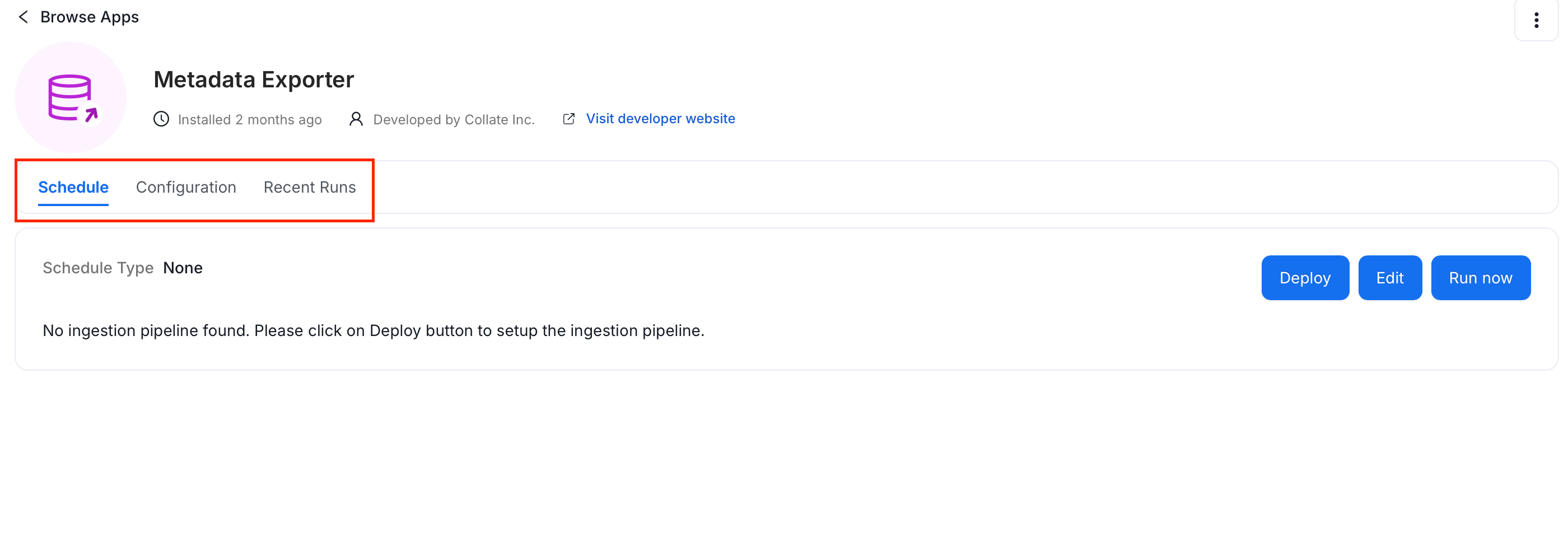
 The application has three tabs: **Schedule**, **Configuration**, and **Recent Runs**.
 ## Configuration
1. Select the **Configuration** tab.
## Configuration
1. Select the **Configuration** tab.
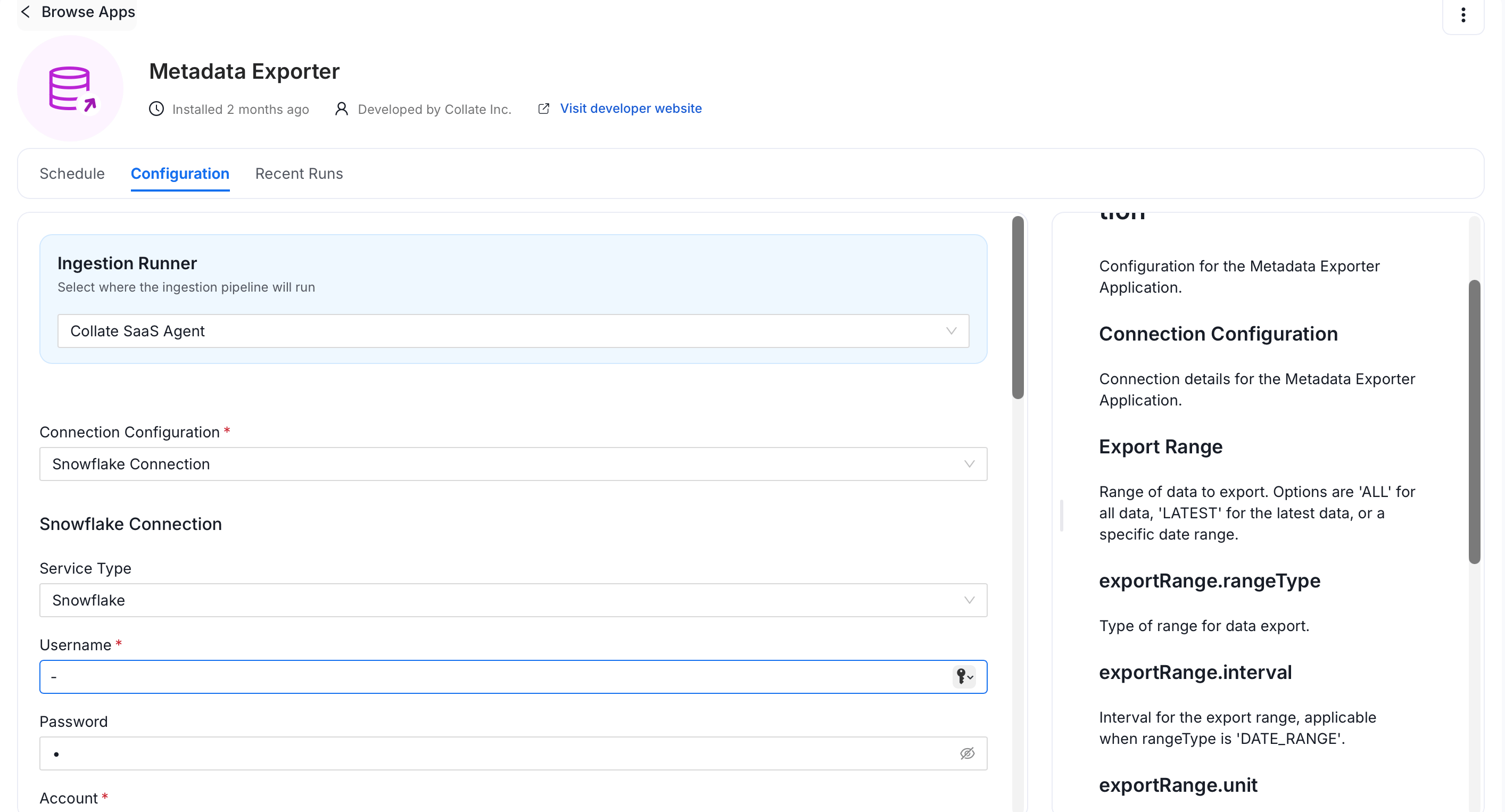 2. Configure the following options:
* **Ingestion Runner** — Select the agent that will run the export pipeline (e.g., `Collate SaaS Agent`).
* **Connection Configuration** — Select your destination type and enter connection details. See [Connection Configuration](#connection-configuration).
* **Export Range** — Define the temporal scope of the export:
* **Range Type**: `ALL`, `LATEST`, or `DATE_RANGE`. Default: `LATEST`.
* **Interval**: Number of time units, used with `DATE_RANGE` (e.g., `7`).
* **Unit**: Time unit for the interval (e.g., `days`, `hours`).
* **Event Types**: DQ event types to export. Default: `All`.
* **Backfill**: Enable to process historical data on first run.
* **Table Configuration** — Set the destination table:
* **Database Name** (required): Target database.
* **Schema Name** (required): Target schema.
* **Table Name** (required): Destination table. Default: `openmetadata_metadata`.
3. Click **Save**.
### Connection Configuration
Establishes connectivity to your export destination.
#### Snowflake
| Field | Description |
| ----------------------------- | ------------------------------------------------------------------------------------------------------------ |
| **Service Type** | Snowflake |
| **Username** | Snowflake user login |
| **Password** | User password (optional if using private key) |
| **Account** | Snowflake account identifier (e.g., `AAAAA-99999`) |
| **Role** | Snowflake role to assume (use a dedicated least-privilege role, see **Required Snowflake Privileges** below) |
| **Database** | Target database (e.g., `OBS_ANALYTICS`) |
| **Warehouse** | Target virtual warehouse (e.g., `COMPUTE_WH`) |
| **Query Tag** | Optional tagging for traceability |
| **Private Key** | Private key for key-pair authentication (optional) |
| **Snowflake Passphrase Key** | Passphrase for the private key (optional) |
| **Client Session Keep Alive** | Keep the session alive for long-running exports. |
**Snowflake Connection Advanced Config**
| Field | Description |
| ------------------------ | ---------------------------------------------------- |
| **Connection Scheme** | Connection scheme (e.g., `snowflake`). |
| **Connection Options** | Key-value pairs for additional connection options. |
| **Connection Arguments** | Key-value pairs for additional connection arguments. |
**Required Snowflake Privileges**
The role used by the exporter needs the following privileges:
* `USAGE` on the warehouse
* `USAGE` on the database
* `USAGE` on the schema
* `CREATE TABLE` on the schema
The exporter creates and owns its target table, so `INSERT`, `MERGE`, `ALTER` and `DROP` all work through ownership with no further grants.
```sql theme={null}
CREATE ROLE COLLATE_EXPORTER_ROLE;
CREATE USER COLLATE_EXPORTER_USER DEFAULT_ROLE=COLLATE_EXPORTER_ROLE PASSWORD='PASSWORD';
GRANT ROLE COLLATE_EXPORTER_ROLE TO USER COLLATE_EXPORTER_USER;
GRANT USAGE ON WAREHOUSE WAREHOUSE_NAME TO ROLE COLLATE_EXPORTER_ROLE;
GRANT USAGE ON DATABASE DATABASE_NAME TO ROLE COLLATE_EXPORTER_ROLE;
GRANT USAGE ON SCHEMA DATABASE_NAME.SCHEMA_NAME TO ROLE COLLATE_EXPORTER_ROLE;
GRANT CREATE TABLE ON SCHEMA DATABASE_NAME.SCHEMA_NAME TO ROLE COLLATE_EXPORTER_ROLE;
```
**Tip**: On connect, the exporter runs the standard Snowflake connection test, which also probes `SNOWFLAKE.ACCOUNT_USAGE` for tags, queries and lineage. With this role those checks are skipped with a warning and the export still succeeds. `IMPORTED PRIVILEGES` is not required.
#### BigQuery
| Field | Description |
| ------------------------ | -------------------------------------------------------------------- |
| **Service Type** | Must be `BigQuery` |
| **Project ID** | GCP project where the BigQuery dataset resides |
| **Dataset ID** | Target dataset where the metadata will be exported |
| **Table Name** | Destination table name |
| **Service Account JSON** | Contents of the service account key in JSON format with write access |
| **Location** | BigQuery region (e.g., `us-central1`) |
**Tip**: Ensure the service account has the **BigQuery Data Editor** and **BigQuery Job User** roles.
#### Databricks
| Field | Description |
| ------------------- | ------------------------------------------------------------------------- |
| **Service Type** | Must be `Databricks` |
| **Host URL** | Databricks workspace URL (e.g., `https://.azuredatabricks.net`) |
| **Token** | Personal Access Token (PAT) for API authentication |
| **Cluster ID** | Target cluster where jobs will run |
| **Database Name** | Target database within the Databricks environment |
| **Schema Name** | Schema (if applicable) |
| **Table Name** | Destination table to store metadata |
| **Path (Optional)** | DBFS path or external location (if exporting to files instead of a table) |
**Requirements**
* The token must have workspace-wide read/write access.
* The cluster must have access to the target database or mount location.
#### Trino
**Available from version 1.12.3**
| Field | Description |
| ----------------- | ------------------------------------------------------------------ |
| **Service Type** | Must be `Trino` |
| **Username** | Trino user login with sufficient privileges |
| **Password** | User password for Basic Authentication (or use JWT) |
| **Host and Port** | Fully qualified hostname and port number for your Trino deployment |
| **Catalog** | Trino catalog where the target database is stored |
| **Database Name** | Target database within the Trino catalog |
| **Schema Name** | Target schema (optional, restricts to a single schema) |
| **Table Name** | Destination table to store exported metadata |
**Authentication Options**
* **Basic Auth**: Username and password
* **JWT Auth**: Provide JWT token for authentication
* **Azure**: Client ID, Client Secret, Tenant ID, and Scopes for Azure AD authentication
**Tip**: Ensure the Trino user has `SELECT` and `INSERT` privileges on the target table and schema.
### Schedule
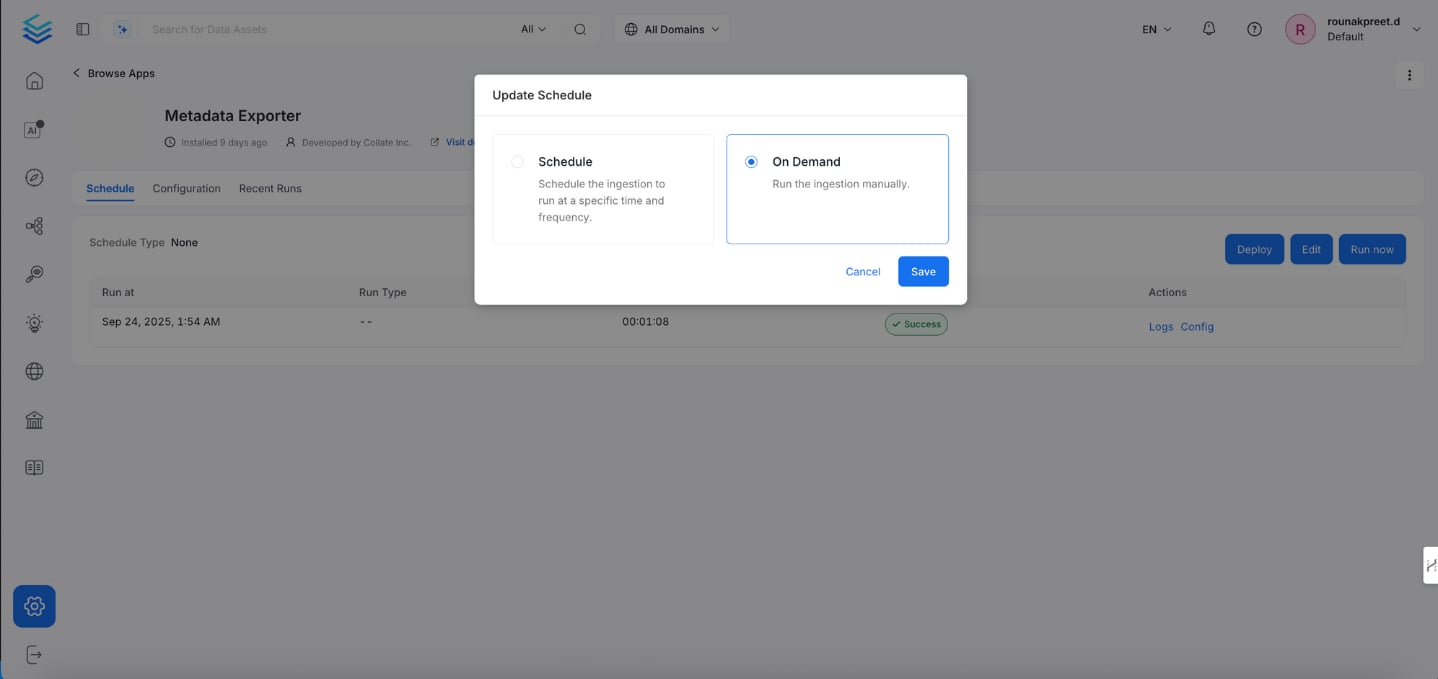
Select the **Schedule** tab to configure when the export runs:
* **Manual**: Click **Run Now** to trigger an export immediately.
* **Scheduled**: Set a cron schedule for periodic exports.
2. Configure the following options:
* **Ingestion Runner** — Select the agent that will run the export pipeline (e.g., `Collate SaaS Agent`).
* **Connection Configuration** — Select your destination type and enter connection details. See [Connection Configuration](#connection-configuration).
* **Export Range** — Define the temporal scope of the export:
* **Range Type**: `ALL`, `LATEST`, or `DATE_RANGE`. Default: `LATEST`.
* **Interval**: Number of time units, used with `DATE_RANGE` (e.g., `7`).
* **Unit**: Time unit for the interval (e.g., `days`, `hours`).
* **Event Types**: DQ event types to export. Default: `All`.
* **Backfill**: Enable to process historical data on first run.
* **Table Configuration** — Set the destination table:
* **Database Name** (required): Target database.
* **Schema Name** (required): Target schema.
* **Table Name** (required): Destination table. Default: `openmetadata_metadata`.
3. Click **Save**.
### Connection Configuration
Establishes connectivity to your export destination.
#### Snowflake
| Field | Description |
| ----------------------------- | ------------------------------------------------------------------------------------------------------------ |
| **Service Type** | Snowflake |
| **Username** | Snowflake user login |
| **Password** | User password (optional if using private key) |
| **Account** | Snowflake account identifier (e.g., `AAAAA-99999`) |
| **Role** | Snowflake role to assume (use a dedicated least-privilege role, see **Required Snowflake Privileges** below) |
| **Database** | Target database (e.g., `OBS_ANALYTICS`) |
| **Warehouse** | Target virtual warehouse (e.g., `COMPUTE_WH`) |
| **Query Tag** | Optional tagging for traceability |
| **Private Key** | Private key for key-pair authentication (optional) |
| **Snowflake Passphrase Key** | Passphrase for the private key (optional) |
| **Client Session Keep Alive** | Keep the session alive for long-running exports. |
**Snowflake Connection Advanced Config**
| Field | Description |
| ------------------------ | ---------------------------------------------------- |
| **Connection Scheme** | Connection scheme (e.g., `snowflake`). |
| **Connection Options** | Key-value pairs for additional connection options. |
| **Connection Arguments** | Key-value pairs for additional connection arguments. |
**Required Snowflake Privileges**
The role used by the exporter needs the following privileges:
* `USAGE` on the warehouse
* `USAGE` on the database
* `USAGE` on the schema
* `CREATE TABLE` on the schema
The exporter creates and owns its target table, so `INSERT`, `MERGE`, `ALTER` and `DROP` all work through ownership with no further grants.
```sql theme={null}
CREATE ROLE COLLATE_EXPORTER_ROLE;
CREATE USER COLLATE_EXPORTER_USER DEFAULT_ROLE=COLLATE_EXPORTER_ROLE PASSWORD='PASSWORD';
GRANT ROLE COLLATE_EXPORTER_ROLE TO USER COLLATE_EXPORTER_USER;
GRANT USAGE ON WAREHOUSE WAREHOUSE_NAME TO ROLE COLLATE_EXPORTER_ROLE;
GRANT USAGE ON DATABASE DATABASE_NAME TO ROLE COLLATE_EXPORTER_ROLE;
GRANT USAGE ON SCHEMA DATABASE_NAME.SCHEMA_NAME TO ROLE COLLATE_EXPORTER_ROLE;
GRANT CREATE TABLE ON SCHEMA DATABASE_NAME.SCHEMA_NAME TO ROLE COLLATE_EXPORTER_ROLE;
```
**Tip**: On connect, the exporter runs the standard Snowflake connection test, which also probes `SNOWFLAKE.ACCOUNT_USAGE` for tags, queries and lineage. With this role those checks are skipped with a warning and the export still succeeds. `IMPORTED PRIVILEGES` is not required.
#### BigQuery
| Field | Description |
| ------------------------ | -------------------------------------------------------------------- |
| **Service Type** | Must be `BigQuery` |
| **Project ID** | GCP project where the BigQuery dataset resides |
| **Dataset ID** | Target dataset where the metadata will be exported |
| **Table Name** | Destination table name |
| **Service Account JSON** | Contents of the service account key in JSON format with write access |
| **Location** | BigQuery region (e.g., `us-central1`) |
**Tip**: Ensure the service account has the **BigQuery Data Editor** and **BigQuery Job User** roles.
#### Databricks
| Field | Description |
| ------------------- | ------------------------------------------------------------------------- |
| **Service Type** | Must be `Databricks` |
| **Host URL** | Databricks workspace URL (e.g., `https://.azuredatabricks.net`) |
| **Token** | Personal Access Token (PAT) for API authentication |
| **Cluster ID** | Target cluster where jobs will run |
| **Database Name** | Target database within the Databricks environment |
| **Schema Name** | Schema (if applicable) |
| **Table Name** | Destination table to store metadata |
| **Path (Optional)** | DBFS path or external location (if exporting to files instead of a table) |
**Requirements**
* The token must have workspace-wide read/write access.
* The cluster must have access to the target database or mount location.
#### Trino
**Available from version 1.12.3**
| Field | Description |
| ----------------- | ------------------------------------------------------------------ |
| **Service Type** | Must be `Trino` |
| **Username** | Trino user login with sufficient privileges |
| **Password** | User password for Basic Authentication (or use JWT) |
| **Host and Port** | Fully qualified hostname and port number for your Trino deployment |
| **Catalog** | Trino catalog where the target database is stored |
| **Database Name** | Target database within the Trino catalog |
| **Schema Name** | Target schema (optional, restricts to a single schema) |
| **Table Name** | Destination table to store exported metadata |
**Authentication Options**
* **Basic Auth**: Username and password
* **JWT Auth**: Provide JWT token for authentication
* **Azure**: Client ID, Client Secret, Tenant ID, and Scopes for Azure AD authentication
**Tip**: Ensure the Trino user has `SELECT` and `INSERT` privileges on the target table and schema.
### Schedule
Select the **Schedule** tab to configure when the export runs:
* **Manual**: Click **Run Now** to trigger an export immediately.
* **Scheduled**: Set a cron schedule for periodic exports.
 ## Monitoring Runs
Select the **Recent Runs** tab to view the status of all export executions:
* View status: **Success** or **Failed**.
* Check run time, duration, logs, and the configuration used.
## Monitoring Runs
Select the **Recent Runs** tab to view the status of all export executions:
* View status: **Success** or **Failed**.
* Check run time, duration, logs, and the configuration used.
